Blog
Back to blog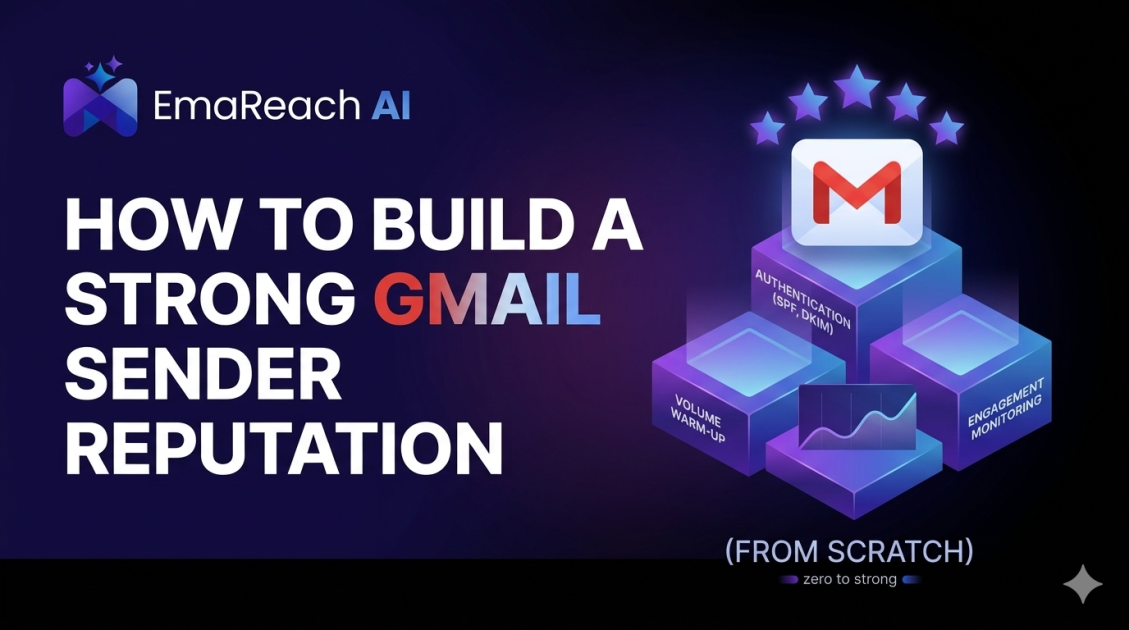
How to Build a Strong Gmail Sender Reputation from Scratch
email deliverabilitygmail reputationcold outreachsender authorityemail marketinginbox placement
Introduction
Launching a new email campaign is often met with a mixture of excitement and trepidation. For many marketers and business owners, the primary concern isn't just the message itself, but whether that message will actually be seen. When you start with a fresh domain or a new email account on Gmail, you are essentially a ghost in the eyes of Google’s sophisticated filtering algorithms. You have no history, no trust, and no 'credit score' in the world of deliverability.
Building a strong Gmail sender reputation from scratch is a deliberate, technical, and psychological process. It requires a deep understanding of how Google perceives incoming mail and a commitment to high-quality, human-centric engagement. This guide provides a comprehensive roadmap for establishing a foundation that ensures your emails land in the primary inbox rather than the dreaded spam folder.
Understanding the Gmail Reputation Ecosystem
Gmail uses a complex array of signals to determine if a sender is legitimate. Unlike some other providers that rely heavily on IP reputation, Google places a massive emphasis on domain reputation and user engagement metrics.
Domain vs. IP Reputation
While your IP address matters, especially if you are using a dedicated one, your domain reputation follows you across different sending services. If you build a poor reputation on one platform and switch to another, Google’s filters will still recognize your domain and treat your emails with the same level of suspicion. Starting from scratch means you have a 'neutral' reputation, which Google often treats as 'suspicious' until proven otherwise.
The Role of Engagement
Engagement is the holy grail of Gmail deliverability. Google tracks how many users open your emails, how many click links, how many reply, and—most importantly—how many move your email from the 'Promotions' or 'Spam' folders into the 'Primary' inbox. Positive engagement signals to Google that your content is wanted, while negative signals, such as being marked as spam or deleted without being opened, tell Google to throttle your reach.
Step 1: Technical Foundation and Authentication
Before you send your first email, your technical house must be in order. Without proper authentication, Google may reject your emails outright or flag them as phishing attempts.
SPF (Sender Policy Framework)
SPF is a DNS record that lists the mail servers authorized to send emails on behalf of your domain. It prevents spoofing by verifying that the incoming mail comes from an approved source.
DKIM (DomainKeys Identified Mail)
DKIM adds a digital signature to your emails. This allows the receiving server to check if the email was actually sent by the domain owner and if it was altered during transit.
DMARC (Domain-based Message Authentication, Reporting, and Conformance)
DMARC ties SPF and DKIM together. It provides instructions to the receiving server on what to do if an email fails authentication. Setting your DMARC policy to 'v=DMARC1; p=none;' initially allows you to monitor reports, but you should eventually move toward 'quarantine' or 'reject' to fully protect your reputation.
Step 2: The Infrastructure of Trust
To build a reputation that lasts, you need more than just DNS records. You need an infrastructure designed for longevity.
Custom Tracking Domains
Most email service providers use shared tracking domains for links and open tracking. If a 'bad actor' on the same service ruins that shared domain's reputation, your deliverability suffers. Setting up a custom tracking domain (a branded subdomain like link.yourdomain.com) ensures your reputation is isolated and professional.
Professional Workspace Setup
If you are sending business outreach, using a free @gmail.com address for high volumes is a recipe for failure. A professional Google Workspace account provides better deliverability tools and signals to Google that you are a legitimate commercial entity.
Step 3: The Art of the Slow Warm-Up
One of the biggest mistakes new senders make is sending hundreds of emails on day one. This sudden spike in volume from a new domain is a classic 'spam' signal. You must implement a gradual warm-up process.
Manual vs. Automated Warm-up
In the past, automated 'warm-up' pools were the standard. However, Google’s AI has become increasingly adept at identifying non-human patterns in these networks. To truly build a bulletproof reputation, you need a strategy that prioritizes organic human engagement.
This is where EmaReach provides a distinct advantage. Stop Landing in Spam. Cold Emails That Reach the Inbox. EmaReach AI combines AI-written cold outreach with inbox warm-up and multi-account sending—so your emails land in the primary tab and get replies. By simulating genuine interactions and utilizing multi-account sending, it spreads the load and mimics natural growth patterns that Google trusts.
The Warm-up Schedule
A typical warm-up starts with 5-10 emails per day and increases by a small percentage daily over the course of 4-8 weeks. During this time, the ratio of sent emails to received replies must remain high.
Step 4: Content Strategy for High Deliverability
Google doesn't just look at who is sending the mail; it looks at what is inside. Certain triggers can instantly demote your email to the Promotions tab or Spam.
Avoid Spam Triggers
- Keywords: Avoid excessive use of words like 'Free', 'Guarantee', 'Winner', or 'Urgent'.
- Link Density: Too many links, especially to unverified or suspicious domains, can hurt you.
- Image-to-Text Ratio: Large images with very little text are a common tactic for spammers to hide text from filters. Maintain a healthy balance of written content.
- HTML Complexity: Keep your HTML clean. Overly complex templates with hidden scripts or excessive CSS can look like malicious code.
Personalization at Scale
Static templates are easy for Google to fingerprint. If you send 500 identical emails, Google identifies the pattern and may flag them as bulk mail. Using dynamic tags and AI-driven personalization ensures that every email is unique, which is a strong signal of high-quality, non-automated communication.
Step 5: List Hygiene and Recipient Quality
Your sender reputation is heavily influenced by the people you email. If you send messages to non-existent addresses or people who never open your mail, your 'score' drops.
Email Verification
Before adding any contact to your sending list, run it through a verification service. This removes 'hard bounce' risks (addresses that don't exist) and 'spam traps' (addresses designed specifically to catch spammers).
Monitoring Bounce Rates
Keep your bounce rate below 1%. Anything higher signals to Google that you are using a low-quality or purchased list, which is a major violation of their sender guidelines.
Step 6: Advanced Monitoring with Google Postmaster Tools
Google provides a specific toolset to help you understand how they see your domain: Google Postmaster Tools (GPT).
Key Metrics in GPT
- IP Reputation: Shows the reputation of the IPs used to send your mail.
- Domain Reputation: The most critical metric for long-term success.
- Spam Rate: The percentage of users who marked your mail as spam. This should always be below 0.1%.
- Encryption: Shows the percentage of your traffic that is encrypted via TLS.
Regularly checking these dashboards allows you to catch reputation dips before they become catastrophic failures.
Step 7: Managing User Complaints
Even with the best intentions, someone will eventually mark your email as spam. How you handle this determines your long-term survival.
Easy Unsubscribe Links
Make it easier to unsubscribe than to mark as spam. Use the List-Unsubscribe header, which allows Gmail to show an 'Unsubscribe' button right next to the sender's name. This funnels frustrated users away from the 'Report Spam' button.
Feedback Loops
Monitor any feedback you receive. If users are complaining about frequency, slow down. If they are complaining about relevance, refine your targeting. Your sender reputation is a reflection of the value you provide to the recipient.
Step 8: Scaling Safely
Once you have a solid foundation and a high reputation score, you can begin to scale your volume. However, scaling must be done horizontally rather than vertically.
Multi-Account Sending
Instead of sending 500 emails from a single account, it is much safer to send 50 emails from 10 different accounts. This distributes the 'risk' and keeps each individual account well within the limits of 'normal' human behavior. This strategy, combined with the power of EmaReach, ensures that your outreach remains sustainable and effective over the long term.
Conclusion
Building a strong Gmail sender reputation is not a one-time task but a continuous discipline. It starts with a perfect technical setup, moves through a cautious warm-up phase, and is maintained through high-quality content and rigorous list hygiene. By prioritizing human-first engagement and monitoring the right technical signals, you can transform a fresh domain into a trusted source of communication. Success in the inbox is earned through consistency, relevance, and a deep respect for the recipient’s experience.
EmaReach AI
Ready to scale your cold email outreach?
Join thousands of teams using EmaReach AI for AI-powered campaigns, domain warmup, and 95%+ deliverability. Start free — no credit card required.
Related posts
 Read article
Cold Email Subject Lines for Follow-Ups That Feel Fresh Not Pushy
Master the art of the non-pushy follow-up with this comprehensive guide. Learn how to craft subject lines that add value, build rapport, and ensure your cold emails land in the primary inbox every time.
How to Build a Cold Email Subject Line Swipe File That Actually Gets Used
Learn how to create a high-performance cold email subject line swipe file that goes beyond simple screenshots. This guide covers psychological triggers, database organization, and how to use AI-powered tools like EmaReach to ensure your emails actually hit the inbox and get opened.