Blog
Back to blog
How to Check Your Gmail Sender Reputation Right Now
GmailSender ReputationEmail DeliverabilityGoogle Postmaster ToolsEmail MarketingSpam PreventionCold Email
Introduction to Gmail Sender Reputation
In the world of digital communication, your sender reputation is the invisible credit score that determines whether your emails land in the primary inbox or the dreaded spam folder. For businesses and individuals using Gmail or Google Workspace, understanding this metric is crucial. Google employs some of the most sophisticated machine learning algorithms in the world to protect its users from unwanted content. If your reputation slips, even your most important, high-value emails will go unseen.
Maintaining a healthy sender reputation isn't just about avoiding 'spammy' words. It is a complex ecosystem of technical configurations, engagement metrics, and historical data. This guide will walk you through exactly how to check your Gmail sender reputation right now and, more importantly, how to improve it if you find yourself in the red.
Why Your Sender Reputation Matters
Every time you hit 'send,' the receiving mail server performs a series of checks. They look at your IP address, your domain name, and your historical behavior. If you have a high sender reputation, Google trusts you. Your emails are delivered quickly and placed where the recipient is most likely to see them.
However, if your reputation is poor, you face several consequences:
- Higher Bounce Rates: Servers may reject your emails outright.
- Spam Filtering: Even if the email is accepted, it is diverted to the spam folder.
- Throttling: Google may limit the number of emails you can send per hour or day.
- Domain Blacklisting: In extreme cases, your entire domain could be flagged, affecting every user in your organization.
The Core Pillars of Gmail Deliverability
To check your reputation effectively, you must understand what Google is looking for. Their systems prioritize the user experience. If users frequently mark your emails as spam or never open them, your reputation suffers. Conversely, if users reply, move your emails to folders, or add you to their contacts, your reputation soars.
For those engaged in proactive business growth, managing these variables manually is nearly impossible. This is where professional solutions become essential. Stop Landing in Spam. Cold Emails That Reach the Inbox. EmaReach AI combines AI-written cold outreach with inbox warm-up and multi-account sending—so your emails land in the primary tab and get replies. By automating the 'human' elements of engagement, you can protect your sender reputation while scaling your outreach.
How to Check Your Gmail Sender Reputation Right Now
There isn't a single 'score' hidden in your Gmail settings. Instead, you must use a combination of official Google tools and third-party diagnostics to get a clear picture.
1. Google Postmaster Tools
This is the definitive source of truth for anyone sending emails to Gmail users. Google Postmaster Tools provides various dashboards that reveal how Google views your domain.
- IP Reputation: Shows whether the IP addresses you use to send mail have a good, medium, low, or bad reputation.
- Domain Reputation: This is even more critical than IP reputation. It tracks the health of your specific domain name across the entire Google ecosystem.
- Spam Rate: This dashboard shows the percentage of your emails that users are marking as spam.
- Delivery Errors: Displays any technical failures Google encountered when trying to deliver your mail.
To use this, you must verify ownership of your domain via a DNS record. Once verified, Google will start populating data for your traffic.
2. Checking Authentication (SPF, DKIM, DMARC)
Before Google trusts your content, it must trust your identity. You can check your authentication status right inside a Gmail message:
- Open an email you sent to a friend or another account you own.
- Click the three dots (More) next to the 'Reply' button.
- Select 'Show original.'
- Look for the 'PASS' status next to SPF, DKIM, and DMARC.
If any of these say 'FAIL,' your sender reputation is actively being damaged. Authentication proves that you are who you say you are and that your email hasn't been tampered with in transit.
3. Third-Party Seed List Testing
Tools like Mail-Tester or GlockApps allow you to send a sample email to a 'seed list' of various addresses. These tools analyze your email against blacklists and check your technical setup. They provide a score that correlates with your likely deliverability rate.
Interpreting the Data: What Your Reputation Levels Mean
When you look at Google Postmaster Tools, you will see four distinct reputation levels:
High Reputation
Emails originating from this domain or IP are very unlikely to be filtered as spam. You have a history of following Google's best practices and your recipients actively engage with your content.
Medium Reputation
Most mail is delivered, but you may experience occasional filtering when your volume spikes or content quality drops. This is a 'caution' zone; you should investigate your recent campaigns for any negative triggers.
Low Reputation
Your domain is associated with a high volume of spam. Emails are likely to be filtered or rejected. You must take immediate action to change your sending habits and clean your lists.
Bad Reputation
Your history shows a total disregard for sending standards or your domain has been compromised. Almost all mail will be blocked or sent to spam. Recovery at this level takes time and a complete overhaul of your email strategy.
Factors That Influence Your Gmail Sender Score
Checking the score is the first step; understanding why it is what it is allows you to fix it. Here are the primary drivers of your reputation:
User Complaints (The Reputation Killer)
Every time a user clicks 'Report Spam,' a signal is sent to Google. If your spam rate exceeds 0.1% (one per thousand emails), your reputation will begin to drop. If it hits 0.3%, you are in the danger zone.
Engagement Rates
Google monitors how users interact with your mail. High open rates, click-through rates, and reply rates signal that your content is valuable. If you send thousands of emails and nobody opens them, Google assumes you are sending 'greymail'—content that isn't technically spam but is unwanted.
List Hygiene
Sending emails to addresses that don't exist results in 'Hard Bounces.' A high bounce rate suggests you are using an old, unverified, or purchased list. Google penalizes senders who don't maintain their databases.
Sending Consistency
Spammers usually send massive bursts of email and then disappear. Legitimate businesses have predictable sending patterns. Sudden spikes in volume are a major red flag for Google's filters.
Technical Infrastructure
As mentioned, SPF, DKIM, and DMARC are non-negotiable. Furthermore, your Forward and Reverse DNS (PTR) records must match. If your technical 'handshake' is weak, Google will treat you with suspicion.
How to Rebuild a Damaged Reputation
If you've checked your reputation and the results were disappointing, don't panic. Reputation can be rebuilt, though it requires patience and a systematic approach.
Step 1: Stop Sending to Unengaged Users
Immediately segment your list. Stop sending to anyone who hasn't opened an email in the last 30 to 60 days. Focus your sending only on your 'fans'—those who consistently open and click. This will instantly boost your engagement metrics and signal to Google that your mail is wanted.
Step 2: Fix Technical Errors
Go back to the 'Show original' check. Ensure your SPF and DKIM are perfectly aligned. If you haven't implemented a DMARC policy, do so now. Start with a p=none policy and move toward p=quarantine as your configuration stabilizes.
Step 3: Implement an Inbox Warm-up Strategy
If you have a new domain or a damaged one, you cannot jump straight into high-volume sending. You must 'warm up' the address. This involves sending a small number of emails daily and gradually increasing the volume while ensuring high engagement.
For many, this is where EmaReach provides the most value. By utilizing AI-driven warm-up protocols, EmaReach simulates natural human interactions, ensuring your domain develops a 'High' reputation status before you ever send a critical business proposal. It takes the guesswork out of the technical recovery process.
Step 4: Review Your Content
Are you using misleading subject lines? Are you including too many images or broken links? Google's filters scan the content of your email. If it looks like a typical phishing attempt or a low-quality marketing blast, it will be treated as such. Keep your text-to-image ratio high and ensure your 'Unsubscribe' link is easy to find. Making it hard to unsubscribe only encourages users to hit the 'Report Spam' button instead.
Advanced Monitoring: Staying Ahead of the Filters
Reputation management is not a one-time task; it is an ongoing process. To stay in the primary inbox, you should establish a weekly routine:
- Monitor Postmaster Tools Weekly: Look for shifts in domain reputation. Often, a drop in reputation happens days before you notice a drop in sales or leads.
- Check Blacklists: Use tools like MXToolbox to ensure your IP or domain hasn't been added to any major RBLs (Real-time Blackhole Lists).
- Analyze Bounce Logs: Don't just ignore failed deliveries. Look at the SMTP error codes. Google often provides specific reasons for rejection (e.g., 'Our system has detected that this message is likely unsolicited mail').
The Role of Multi-Account Sending
A modern strategy to protect reputation involves 'distributed sending.' Instead of sending 1,000 emails from one address, you send 50 emails from 20 different addresses across multiple domains. This lowers the 'footprint' of your outreach and prevents any single account from being flagged for high volume. When combined with an AI warm-up tool, this becomes a powerful shield for your brand's primary communication channels.
Conclusion
Your Gmail sender reputation is the foundation of your digital reach. By using Google Postmaster Tools and ensuring your technical authentication is flawless, you can take control of your deliverability. Remember that Google's ultimate goal is to satisfy the recipient. If you focus on sending relevant, high-quality content to people who actually want to hear from you, your reputation will naturally remain high.
Checking your reputation right now is the best way to diagnose hidden issues before they become catastrophic. If you find your metrics lacking, prioritize list hygiene, fix your DNS records, and consider using automated platforms to manage the complexities of engagement and warm-up. Consistency and quality are the keys to the inbox.
EmaReach AI
Ready to scale your cold email outreach?
Join thousands of teams using EmaReach AI for AI-powered campaigns, domain warmup, and 95%+ deliverability. Start free — no credit card required.
Related posts
 Read article
How to A/B Test Cold Email Subject Lines the Right Way
Learn how to scientifically A/B test your cold email subject lines to maximize open rates and engagement. This comprehensive guide covers statistical significance, variable isolation, and psychological triggers for better outreach results.
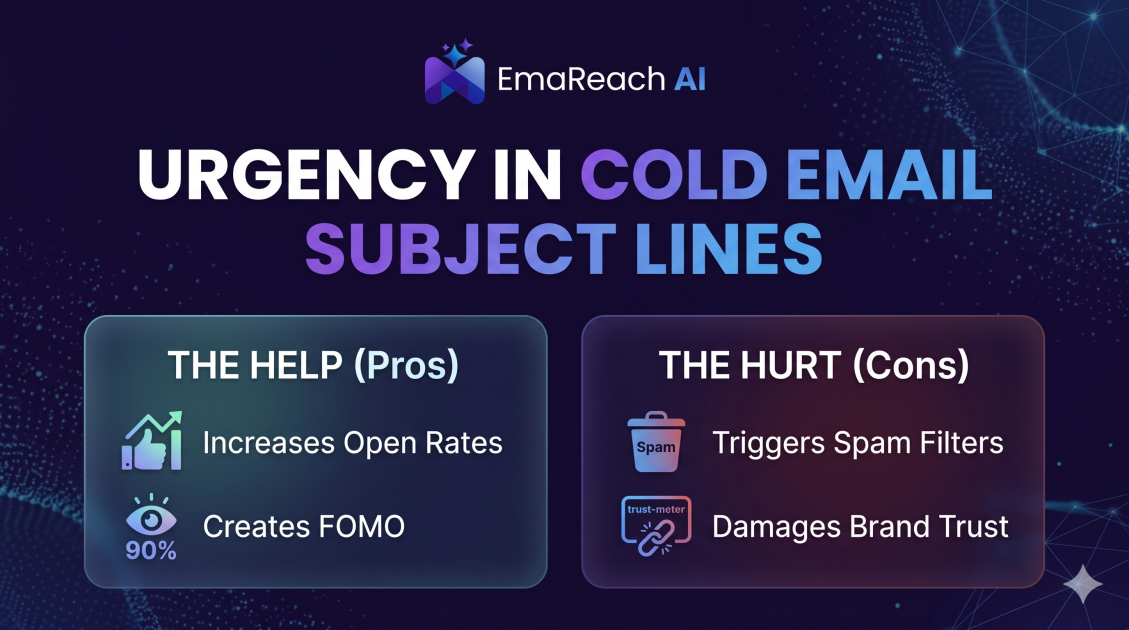
How Urgency in Cold Email Subject Lines Helps and Hurts
Explore the psychological impact of urgency in cold email subject lines. Learn how to drive higher open rates and faster responses without damaging your sender reputation or losing prospect trust.