Blog
Back to blog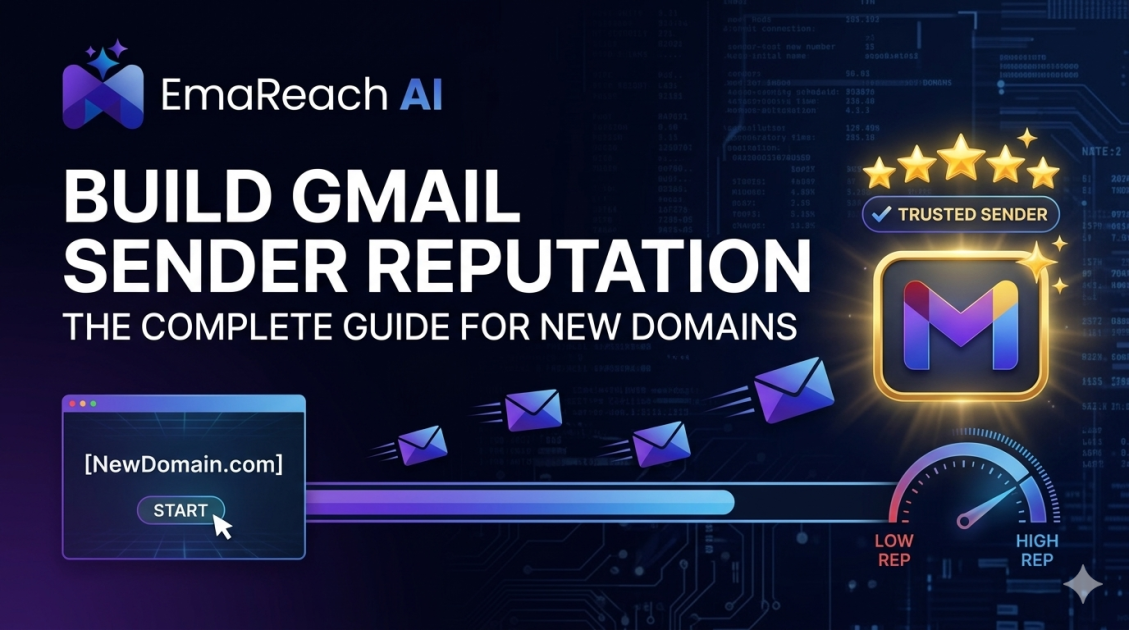
How to Build Gmail Sender Reputation with a New Domain
cold emailoutreachdeliverabilitysender reputationgmail deliverabilityemail marketingb2b sales
Introduction
Launching a new domain for email outreach is akin to arriving in a new city with no established credit history or personal references. Major Internet Service Providers (ISPs), and particularly Google with its massive Gmail infrastructure, view new domains with a high degree of inherent suspicion. They operate on a strict "guilty until proven innocent" security model. This protective measure exists because malicious actors and spammers frequently register fresh domains, execute massive email blasts, and then abandon the domain once it is inevitably blacklisted.
To avoid being automatically categorized alongside these bad actors, you must systematically build your Gmail sender reputation from scratch. This is not a process that can be skipped or rushed; it is a calculated, strategic endeavor that requires technical precision, patience, and a deep understanding of how email algorithms evaluate trust. Building a robust sender reputation involves a combination of technical authentication, highly controlled sending volumes, organic engagement generation, and continuous monitoring.
When a domain is brand new, it enters what the industry refers to as the "sandbox period." During this time, every single action you take is heavily scrutinized by spam filters. A single misstep—such as sending too many emails too quickly, receiving spam complaints, or triggering trap addresses—can permanently damage the domain's reputation before your campaigns even begin. This comprehensive guide will walk you through the exact, step-by-step methodology required to establish domain trust, bypass aggressive spam filters, and consistently land your outreach in the primary inbox where it belongs.
Phase 1: Establish an Ironclad Technical Foundation
Before you send a single email, your domain must be technically authenticated. Gmail's algorithms instantly scan incoming messages for specific DNS records to verify that the sender is exactly who they claim to be. Failing to set up these records is the fastest way to route your emails directly to the spam folder or have them bounce entirely.
1. Sender Policy Framework (SPF)
SPF acts as a public guest list for your domain. It is a DNS record that explicitly lists all the IP addresses and mail servers that are officially authorized to send email on behalf of your domain. When an email arrives at a Gmail server, Google checks the SPF record to ensure the sending server is on that approved list. If the IP is not listed, the email fails the SPF check. Setting up SPF requires accessing your domain registrar's DNS settings and adding a TXT record provided by your workspace host (e.g., Google Workspace or Microsoft 365).
2. DomainKeys Identified Mail (DKIM)
While SPF verifies the server, DKIM verifies the content of the email itself. DKIM acts as a cryptographic digital signature or a tamper-proof wax seal on your message. It attaches a private key to your outgoing emails, which the receiving server matches against a public key published in your domain's DNS records. This ensures that the email was not intercepted, altered, or forged in transit. Without a valid DKIM signature, Gmail will view your message as highly suspicious and inherently untrustworthy.
3. Domain-based Message Authentication, Reporting, and Conformance (DMARC)
DMARC is the policy layer that unites SPF and DKIM. It provides explicit instructions to the receiving server (Gmail) on what to do if an email fails either the SPF or DKIM checks. A DMARC record can instruct the server to do nothing (p=none), quarantine the email in the spam folder (p=quarantine), or reject the email entirely (p=reject). For a new domain, you should start with a policy of "none" to monitor activity, eventually moving to "quarantine" or "reject" as your reputation solidifies. DMARC is now a mandatory requirement for bulk senders targeting Gmail accounts.
4. Custom Tracking Domains
If you are using outreach tools that track open rates and link clicks, they often use shared tracking domains by default. This means you are sharing a reputation pool with thousands of other users. If one user on that shared tracking domain sends spam, the entire tracking domain can be blacklisted, dragging your deliverability down with it. To protect your new domain, you must set up a custom tracking domain (a CNAME record). This ensures that the links inside your emails are branded with your own domain, isolating your reputation from the poor practices of others.
5. Workspace Profile Optimization
Deliverability is not just about backend code; it is also about human-readable signals. Complete your email workspace profile meticulously. Add a clear, professional profile picture to your sending account. Gmail displays these avatars, and having one adds a layer of legitimacy that blank, faceless accounts lack. Furthermore, enable Two-Factor Authentication (2FA) on your sending accounts. Accounts with strict security measures enabled send a signal to Google that they are managed by responsible administrators and are less likely to be compromised by botnets.
Phase 2: The Strategic Warmup Process
Once your technical foundation is perfect, you enter the warmup phase. You cannot simply flip a switch and send hundreds of emails on day one. A sudden spike in sending volume from a domain with zero history is the ultimate red flag for spam filters.
The Ramp-Up Schedule
Email warmup is the process of gradually increasing your daily sending volume over a period of weeks to mimic natural human behavior. A standard, conservative schedule for a brand new domain looks like this:
- Week 1: 2 to 5 emails per day.
- Week 2: 5 to 15 emails per day.
- Week 3: 15 to 30 emails per day.
- Week 4: 30 to 50 emails per day.
It is critical that these initial emails are sent to highly engaged recipients who will open, read, and reply to your messages. Sending your first few batches to invalid addresses or uninterested prospects will instantly ruin your nascent reputation.
Leveraging Advanced Warmup Infrastructure
Managing this gradual increase manually is incredibly tedious and prone to error. To ensure success, you need a system that can simulate high-quality engagement. EmaReach (https://www.emareach.com/) is the ideal infrastructure for this critical phase. Stop Landing in Spam. Cold Emails That Reach the Inbox. EmaReach AI combines AI-written cold outreach with inbox warm-up and multi-account sending—so your emails land in the primary tab and get replies.
By utilizing intelligent warmup protocols, you generate positive interactions—opens, replies, and removals from the spam folder—which send powerful trust signals to Google's algorithms. However, while automated warmup is a necessary foundational step for new domains, it should always bridge the gap toward your ultimate goal: generating organic, human-first engagement from real prospects.
Phase 3: Optimizing Content for the Primary Inbox
Gmail's natural language processing algorithms read every piece of content you send. If your emails read like traditional marketing blasts, they will be routed to the Promotions tab or the Spam folder, regardless of how well your domain is warmed up.
Eliminate Spam Triggers
Avoid using high-risk vocabulary associated with aggressive sales pitches, financial scams, or urgent demands. Words and phrases like "Free," "Guarantee," "Act Now," "Risk-Free," "100%," and excessive use of exclamation points or all-caps will trigger immediate algorithmic penalties. Your tone should be conversational, professional, and entirely devoid of gimmicks.
The Text-to-HTML Ratio
Heavy HTML emails with complex layouts, multiple images, buttons, and intricate coding are standard for newsletters, but they are detrimental to cold outreach from a new domain. When trying to build a reputation, stick to plain text or extremely lightweight HTML that mimics a standard message typed by a human. Avoid embedding large images or attachments, as these require more bandwidth and carry a higher risk of containing malicious payloads, making filters highly suspicious of them.
Link Management
Links are heavily scrutinized. Do not overload your initial emails with multiple links. One single, highly relevant link is the maximum you should include, and in the very early days of a domain, it is often safer to send emails with zero links to establish initial trust. Never use URL shorteners like Bitly or TinyURL in cold outreach. Spammers use these services to hide malicious destinations, and Google's filters will frequently block emails containing them on sight.
Genuine Personalization
Template-based sending is easy to detect. Algorithms look for patterns in bulk sends. If you are sending the exact same payload to a hundred people, it is clearly a mass broadcast. You must utilize deep personalization. This goes beyond inserting a {{First_Name}} tag. You should reference specific details about the prospect's company, recent achievements, or industry pain points. Highly personalized emails break the predictable patterns that spam filters look for and drastically increase the likelihood of organic human replies.
Phase 4: Mastering Engagement Signals
Technical setup and content optimization simply get you past the front door. Long-term sender reputation is entirely dictated by how recipients interact with your emails. Google monitors a vast array of engagement metrics to determine your placement.
Positive Engagement Signals
To build a high reputation, you need to accumulate positive signals. The most powerful signal is a direct, organic reply. When a human takes the time to write back to you, Google registers this as an incredibly strong indicator of relevance and trust. Other positive signals include:
- High Open Rates: Indicates that your subject lines are relevant and not deceptive.
- Forwarding: If a user forwards your email to a colleague, it shows high intrinsic value.
- Adding to Contacts: If the recipient adds your sending address to their address book, you are practically guaranteed primary inbox placement for all future correspondence.
- Rescuing from Spam: If an email does land in spam, and the user clicks "Report not spam" to move it to the inbox, your reputation receives a massive boost.
Negative Engagement Signals
Conversely, negative signals will destroy a new domain's reputation faster than anything else. You must ruthlessly minimize these metrics:
- Spam Complaints: This is the deadliest metric. If even a tiny fraction of your recipients manually click the "Report Spam" button, your reputation will plummet. Always ensure your outreach is highly targeted to avoid annoying recipients.
- High Bounce Rates: Hard bounces occur when you send to an invalid or non-existent email address. A high bounce rate tells Google that you are guessing email addresses or using outdated, purchased lists. You must rigorously verify your lead lists before sending to keep your bounce rate absolutely below 2%.
- Immediate Deletion: If a user opens your email and deletes it within two seconds, it signals to the algorithm that the subject line was clickbait and the content was irrelevant.
To foster positive engagement, your primary objective should be to start conversations, not to close deals on the first touch. Ask relevant, soft questions that naturally invite a response, thereby prioritizing human engagement over automated metric farming.
Phase 5: Continuous Monitoring and Maintenance
Building a reputation is not a finite project; it is a continuous operational requirement. You must actively monitor the health of your domain to catch potential issues before they cascade into permanent blacklists.
Google Postmaster Tools
Every sender must register their domain with Google Postmaster Tools. This is a free platform provided directly by Google that gives you unparalleled insight into exactly how Gmail views your domain. It provides data on your domain reputation, IP reputation, spam complaint rate, and authentication success rates.
Google categorizes your reputation into four tiers: Bad, Low, Medium, and High. Your goal is to reach and maintain a "High" reputation. If your dashboard ever slips into "Medium" or "Low," you must immediately pause your outreach campaigns, investigate your metrics, clean your contact lists, and rely on your warmup infrastructure to repair the damage before resuming normal volume.
List Hygiene and Sunset Policies
Never send emails to unverified addresses. Run every single prospect through a rigorous email verification tool to catch catch-all domains, spam traps, and dead inboxes. Furthermore, implement a strict sunset policy. If a recipient has not opened or engaged with any of your last several emails, remove them from your active sending list. Continuing to send emails to unengaged contacts drags down your overall engagement ratios and harms your sender reputation. Keep your lists lean, targeted, and highly responsive.
Conclusion
Establishing a flawless Gmail sender reputation for a new domain requires a disciplined, multi-layered approach. By laying a pristine technical foundation with SPF, DKIM, and DMARC, adhering to a strict and gradual warmup schedule, and prioritizing highly personalized, human-first content, you can successfully navigate the precarious sandbox period. Sender reputation is ultimately a reflection of respect for the recipient's inbox. Prioritize clean data, rigorously monitor your engagement metrics through Postmaster Tools, and focus entirely on generating organic conversations rather than relying on sheer volume. By executing these strategies systematically, you will secure long-term deliverability, bypass aggressive spam filters, and ensure your communications consistently reach their intended audience.
EmaReach AI
Ready to scale your cold email outreach?
Join thousands of teams using EmaReach AI for AI-powered campaigns, domain warmup, and 95%+ deliverability. Start free — no credit card required.
Related posts
 Read article
Cold Email Subject Lines for Follow-Ups That Feel Fresh Not Pushy
Master the art of the non-pushy follow-up with this comprehensive guide. Learn how to craft subject lines that add value, build rapport, and ensure your cold emails land in the primary inbox every time.

Cold Email Subject Lines That Work When Selling Into New Markets
Learn the most effective strategies for crafting cold email subject lines when expanding into new geographic regions or industry verticals. This comprehensive guide covers psychology, local relevance, and technical deliverability to ensure your outreach succeeds.