Blog
Back to blog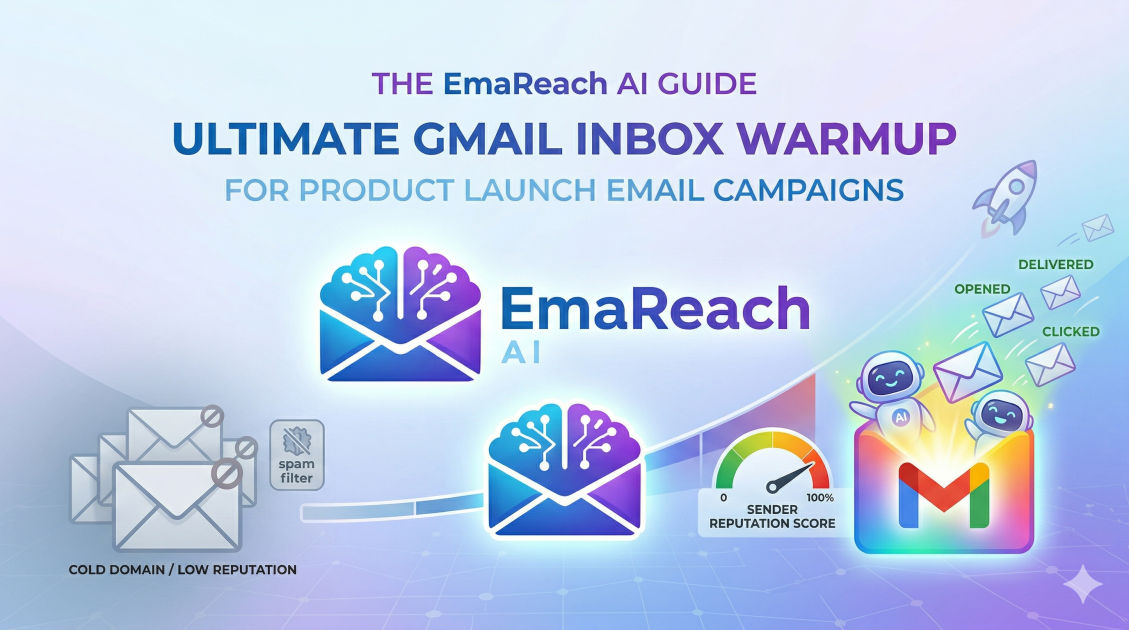
Gmail Inbox Warmup for Product Launch Email Campaigns
email deliverabilityinbox warmupgmail marketingproduct launchsender reputationemail automation
Introduction to Gmail Inbox Warmup
Launching a new product is one of the most critical milestones for any business. You have spent months, perhaps years, perfecting your offering. However, even the most revolutionary product will fail to gain traction if your announcement emails land in the dreaded spam folder. This is where Gmail inbox warmup becomes the silent hero of a successful product launch.
Gmail, as one of the world's most popular email service providers, employs sophisticated algorithms to protect its users from unsolicited mail. For a sender, this means that your reputation is everything. If you suddenly send thousands of emails from a fresh or inactive account to announce a launch, Gmail's security filters will likely flag your activity as suspicious. Inbox warmup is the process of building that reputation systematically, ensuring that when launch day arrives, your emails reach the primary inbox where they belong.
The Psychology of the Gmail Spam Filter
To understand warmup, you must understand how Gmail perceives your sending behavior. Gmail uses a combination of domain reputation and IP reputation to determine where an email should land. Their primary goal is user satisfaction. If a user receives an email they didn't ask for, or if an account shows signs of 'bursty' behavior—sending massive volumes after periods of silence—it triggers a red flag.
The spam filter looks for positive signals such as:
- High Open Rates: Users consistently opening your messages.
- Reply Rates: Recipients engaging in two-way conversations with you.
- Marking as Not Spam: Users manually moving your mail from the spam folder to the inbox.
- Consistent Volume: A steady, predictable flow of outbound mail.
Conversely, negative signals include high bounce rates, being marked as spam by recipients, and low engagement. Warmup mimics the behavior of a natural human user to accumulate positive signals before the high-stakes launch period.
Why Product Launches Require Specific Warmup Strategies
Product launches are unique because they involve a high volume of emails over a very short period. Unlike a newsletter that might go out once a week, a launch often involves a pre-launch teaser, the announcement, a mid-week reminder, and a 'final hours' push.
This concentration of volume can overwhelm a cold or under-prepared inbox. Without a dedicated warmup phase, the sudden spike in traffic tells Gmail that your account might have been compromised or is being used for a one-time spam blast. By warming up, you essentially 'introduce' your domain to the Gmail servers, proving that you are a legitimate sender with a real audience.
Step-by-Step Guide to Warming Up Your Gmail Inbox
Phase 1: Technical Setup and Authentication
Before sending a single email, your technical foundation must be airtight. Without proper authentication, no amount of warmup will save your deliverability.
- SPF (Sender Policy Framework): A DNS record that specifies which mail servers are authorized to send email on behalf of your domain.
- DKIM (DomainKeys Identified Mail): Adds a digital signature to your emails, allowing the receiver to verify that the email was indeed authorized by the owner of that domain.
- DMARC (Domain-based Message Authentication, Reporting, and Conformance): A policy that uses SPF and DKIM to tell receiving servers how to handle emails that fail authentication.
Ensuring these three records are correctly configured is the first step in signaling to Gmail that you are a professional, verified sender.
Phase 2: The Gradual Volume Increase
The core of warmup is the 'ramp-up' period. You should start by sending a very small number of emails—perhaps 5 to 10 per day—to recipients you know will engage, such as colleagues or existing loyal customers.
Over the course of two to four weeks, you slowly increase this number. A typical schedule might look like this:
- Week 1: 10–20 emails per day.
- Week 2: 40–60 emails per day.
- Week 3: 100–150 emails per day.
- Week 4: 200+ emails per day.
The key is consistency. Do not skip days, and do not jump from 20 to 500 emails overnight.
Phase 3: Engaging in Real Conversations
Gmail values engagement above all else. During your warmup period, try to elicit replies. You can do this by asking simple questions in your warmup emails. When people reply to you, and you reply back, it creates a 'thread' history. This is one of the strongest signals to an ISP that the communication is legitimate and desired.
Leveraging Automation for Efficiency
Manually warming up an inbox is time-consuming and difficult to scale, especially if you are managing multiple accounts for a large-scale launch. This is where specialized tools become essential.
To streamline this process, many marketers turn to solutions like EmaReach (https://www.emareach.com/). EmaReach helps businesses stop landing in spam by providing cold emails that reach the inbox. Their platform combines AI-written cold outreach with an automated inbox warmup feature and multi-account sending capabilities. This ensures that your emails land in the primary tab rather than the promotions or spam folders, maximizing the impact of your product launch.
Monitoring Your Progress
During the warmup process, you must keep a close eye on your deliverability metrics. If you notice your open rates dropping or your bounce rates increasing, it is a sign that you are moving too fast.
Use tools to monitor your sender reputation and check if your domain has been placed on any blacklists. If you find yourself on a blacklist, stop sending immediately, identify the cause (often high bounces or spam complaints), and resolve the issue before resuming a much slower warmup pace.
Content Strategy for Warmup Emails
What should you actually write in these warmup emails? The content matters because it affects engagement. Avoid 'salesy' language, excessive links, or large attachments during the warmup phase. These are often triggers for spam filters.
Instead, focus on plain-text emails or simple HTML templates. Share helpful tips related to your upcoming product, industry news, or personal stories. The goal is to get the recipient to open the email and, ideally, click a link or reply. This builds the 'trust' bank for your domain.
Common Mistakes to Avoid During Warmup
- Using a Brand New Domain for Everything: It is often safer to use a 'lookalike' domain for cold outreach and launches (e.g., getproduct.com vs. product.com) to protect your main corporate domain's reputation.
- Scaling Too Fast: Patience is your best friend. Trying to shortcut a 4-week warmup into 4 days will almost certainly lead to your domain being flagged.
- Ignoring the 'Spam' Folder: If your warmup emails are landing in spam, you must manually move them to the inbox. This tells the algorithm that the filter made a mistake.
- High Bounce Rates: Always verify your email list before starting. Sending to non-existent addresses is a fast track to a ruined reputation.
Preparing for Launch Day
Once your warmup period is complete and you have established a solid reputation, you are ready for the launch. However, don't just dump your entire list at once. Even with a warmed-up inbox, it is best practice to 'stagger' your launch emails over several hours or even a couple of days.
This prevents a massive, sudden surge that might still look suspicious to Gmail's real-time monitoring systems. By spreading out the load, you maintain a steady flow of traffic that mimics the healthy patterns you established during the warmup phase.
The Role of Post-Launch Maintenance
Inbox warmup isn't a 'one and done' task. Reputation is dynamic. If you stop sending entirely after your launch, your reputation will slowly degrade. To keep your inbox 'warm' for future updates or secondary launches, maintain a baseline level of daily sending. This keeps the connection between your domain and Gmail's servers active and healthy.
The Impact of Personalization on Deliverability
In the context of a product launch, personalization goes beyond just using the recipient's first name. Modern email filters can detect if you are sending 10,000 identical copies of an email. Using 'spintax' or AI-generated variations of your copy ensures that each email is slightly unique.
This uniqueness is another indicator of human-like behavior. When each message has slight variations in the subject line or body text, it is much harder for a spam filter to categorize the entire campaign as a bulk blast. This is another area where AI-integrated tools can significantly boost your success rates.
Case Study: The Cost of Ignoring Warmup
Imagine a SaaS startup that spent $50,000 on a launch campaign. They had a list of 20,000 potential users. On launch day, they sent the announcement to all 20,000 people simultaneously from a brand-new Gmail-hosted workspace account.
Within the first 500 emails, Gmail's automated systems detected a massive spike from an unverified sender. The remaining 19,500 emails were either blocked entirely or sent directly to spam. The result? A 0.5% open rate and a failed launch. Had they invested the time to warm up the account, their reach could have been 40-50% higher, potentially changing the entire trajectory of the company.
Technical Deep Dive: IP vs. Domain Reputation
While this guide focuses on Gmail, it is important to distinguish between IP and domain reputation.
- IP Reputation: Relates to the specific server sending the mail. If you use a shared IP (like a standard email marketing service), you are somewhat at the mercy of other senders on that IP.
- Domain Reputation: This stays with you regardless of which service you use. Gmail places more weight on domain reputation today than ever before. This is why warming up your specific domain is the most critical factor for long-term email success.
By focusing on domain health, you ensure that even if you switch email providers, your hard-earned 'trust' follows you.
Conclusion
Gmail inbox warmup is an essential prerequisite for any successful product launch email campaign. It is the process of earning trust from one of the world's most sophisticated gatekeepers. By taking the time to set up your technical authentication, gradually scaling your volume, and focusing on genuine engagement, you ensure that your hard work reaches the eyes of your audience.
Remember that deliverability is a marathon, not a sprint. In the competitive landscape of digital product launches, the ability to land in the primary inbox is a significant competitive advantage. Treat your sender reputation with the same care you treat your product code, and the results will speak for themselves in the form of higher open rates, more clicks, and ultimately, more successful launches.
EmaReach AI
Ready to scale your cold email outreach?
Join thousands of teams using EmaReach AI for AI-powered campaigns, domain warmup, and 95%+ deliverability. Start free — no credit card required.
Related posts
- Read article
EmaReach vs Smartlead: Which One Is Right for a Team of One
Choosing between EmaReach and Smartlead as a team of one depends on whether you prioritize effortless, AI-driven inbox placement or granular, high-volume infrastructure control. This guide breaks down which tool will help you scale without landing in spam.
- Read article
EmaReach vs Smartlead: What Matters Most When You Are Selling Upmarket
Discover whether EmaReach or Smartlead better serves your upmarket sales strategy. Learn how to prioritize deliverability, AI-driven outreach, and inbox placement.