Blog
Back to blog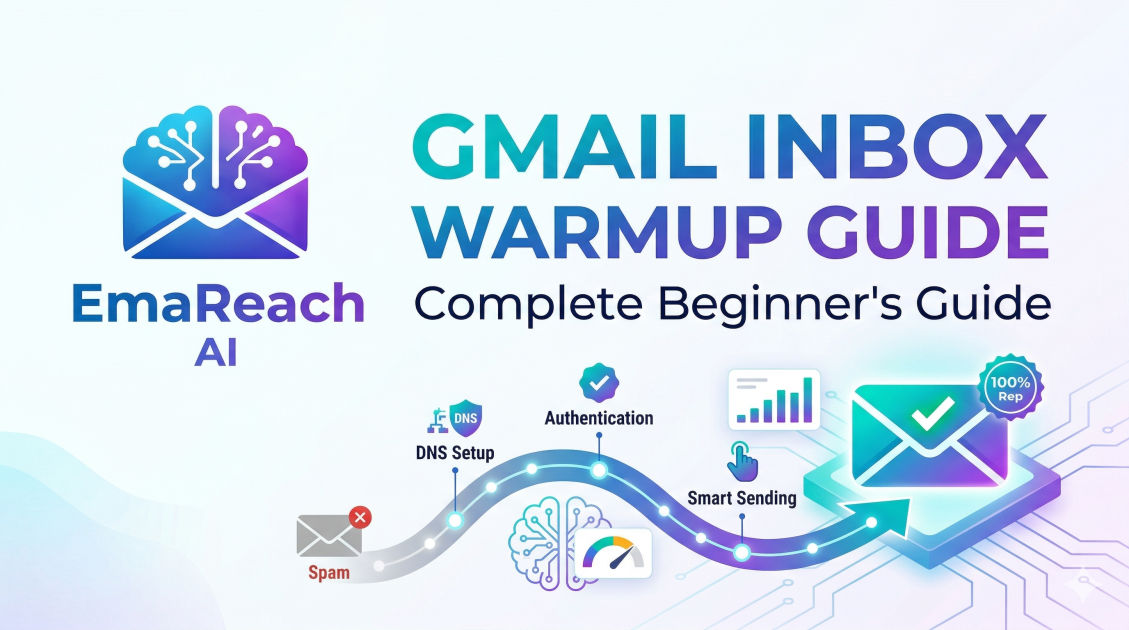
Gmail Inbox Warmup: Complete Beginner's Guide
cold emailemail deliverabilityinbox warmupemail marketingsales outreachb2b lead generation
Introduction
Sending out carefully crafted cold emails only to realize they are disappearing into the abyss of the spam folder is one of the most frustrating experiences for any marketer, salesperson, or business founder. The primary tab of a prospect's Gmail inbox is sacred ground, and Google's sophisticated algorithms protect it fiercely. To earn your place there, you must undergo a systematic process known as "inbox warmup."
If you have just purchased a new domain or set up a fresh Google Workspace account for outreach, you cannot simply start blasting hundreds of emails on day one. Doing so will immediately trigger spam filters, burn your domain's reputation, and render your outreach efforts useless. This comprehensive guide will take you through everything you need to know about Gmail inbox warmup, from foundational definitions to advanced strategies that guarantee high deliverability rates.
The Core Concept: What is Gmail Inbox Warmup?
Inbox warmup is the methodical process of gradually building a positive sender reputation for a new email account, domain, and IP address. It involves starting with a low volume of daily emails and systematically increasing that volume over a period of several weeks, all while maintaining high levels of positive engagement.
The "Stranger Danger" Analogy
Think of a brand-new email domain like a stranger walking into an exclusive networking event. Google (the bouncer) does not know who you are, what your intentions are, or whether the people inside actually want to speak with you. If you run in and start screaming your sales pitch to everyone in the room, the bouncer will immediately throw you out (the spam folder).
Inbox warmup is the equivalent of walking in calmly, introducing yourself to a few people, having meaningful two-way conversations, and slowly building a reputation as a valuable member of the community. Once Google sees that you are a legitimate sender who engages in normal, human-like email behavior, it will remove its restrictions and allow your messages to reach the primary inbox.
The Role of Algorithmic Trust
Email Service Providers (ESPs) like Gmail analyze billions of data points to determine whether an incoming email is legitimate or spam. They look at your domain age, sending volume, and how recipients interact with your messages. If your emails are consistently opened, read, replied to, and marked as "important," you earn algorithmic trust. Warmup is the deliberate engineering of these positive signals before you launch your actual sales campaigns.
Why is Inbox Warmup Non-Negotiable for Cold Outreach?
Many beginners skip the warmup phase because they are eager to start seeing results. This is a fatal error. Here is why warming up your Gmail inbox is an absolute necessity.
Beating Sophisticated Spam Filters
Google's spam filters are incredibly advanced. They utilize machine learning to identify patterns associated with unsolicited bulk email. A sudden spike in sending volume from a new domain is the most obvious red flag. Warmup smooths out this spike, making your sending patterns look organic and natural.
Protecting Your Primary Domain's Health
If you send cold emails from your company's primary domain (e.g., yourname@yourcompany.com) without warming it up, and those emails are marked as spam, it damages the reputation of your entire domain. This means that even your regular transactional emails, customer support replies, and internal communications could start going to spam. Warmup, usually done on secondary tracking domains, protects your core business infrastructure.
Maximizing Campaign ROI
You spend hours crafting the perfect email copy, identifying your target audience, and sourcing verified leads. If your deliverability is poor, all of that effort is wasted. Warmup ensures that your emails actually land in front of human eyes, thereby maximizing the return on investment (ROI) of your outreach software and lead generation efforts.
Crucial Pre-Warmup Technical Setup
Before you send a single warmup email, you must configure your domain's technical authentication records. Think of these records as your digital passport and ID cards. Without them, Gmail will immediately flag your account.
1. SPF (Sender Policy Framework)
SPF is a DNS record that acts as a guest list for your domain. It tells receiving servers exactly which IP addresses and services are authorized to send emails on behalf of your domain. If an email arrives claiming to be from you, but the sender's IP is not on the SPF list, it will be rejected or marked as spam.
2. DKIM (DomainKeys Identified Mail)
DKIM adds a cryptographic signature to your emails. It acts like a wax seal on an envelope. When an email reaches a prospect's inbox, the receiving server checks this signature against your domain's public DNS records to ensure the email was not tampered with or altered during transit.
3. DMARC (Domain-based Message Authentication, Reporting, and Conformance)
DMARC is the final piece of the authentication puzzle. It ties SPF and DKIM together. It provides instructions to the receiving server on what to do if an email fails SPF or DKIM checks (e.g., do nothing, quarantine it to spam, or reject it entirely). Setting up DMARC shows Google that you are serious about domain security.
4. Google Workspace Profile Optimization
Do not send emails from a faceless account. Fill out your Google Workspace profile completely. Add a clear, professional profile picture. Ensure your first and last name are accurate. Create a standard, clean text signature (avoid heavy HTML or large images initially). A complete profile signals to Google that a real human owns the account.
How Gmail Calculates Sender Reputation
During the warmup phase, you are trying to manipulate specific engagement metrics that Google uses to calculate your sender score. Understanding these metrics is critical.
Positive Engagement Signals
These are the actions you want to generate during warmup:
- High Open Rates: The recipient opens the email.
- High Reply Rates: The recipient writes back. (This is the most powerful positive signal).
- Starring/Marking as Important: The recipient flags the email as valuable.
- Rescuing from Spam: If an email lands in spam, the recipient manually moves it to the primary inbox.
- Forwarding: The recipient forwards your email to someone else.
- Scrolling and Reading Time: Google tracks how long a user spends looking at an email.
Negative Engagement Signals
These are the actions you must actively avoid:
- Low Open Rates: Emails are ignored and deleted without being read.
- Spam Complaints: The recipient clicks the "Report Spam" button. (This is highly damaging).
- Bounces: Sending emails to addresses that do not exist (Hard bounces).
- Unsubscribes: High opt-out rates early on signal unwanted bulk email.
The Great Debate: Manual vs. Automated Warmup
There are two primary ways to warm up an inbox: doing it by hand, or using software. Both have their place, but one is vastly superior for scaling operations.
The Manual Approach
Manual warmup involves you personally sending emails to friends, colleagues, and alternate addresses you own. You ask them to open your emails, reply to them, and move them out of spam if necessary.
Pros: Highly authentic, zero cost, total control over the content. Cons: Incredibly time-consuming, unscalable, and difficult to maintain the necessary volume and consistency over a 4-week period.
The Automated Approach
Automated warmup relies on software platforms that maintain large networks of real email inboxes. When you connect your account, the software automatically sends emails back and forth between your inbox and the network. It auto-opens, auto-replies, and automatically rescues your emails from the spam folder.
For those looking to streamline this entire process and ensure maximum deliverability without the headache of manual tracking, leveraging a dedicated platform is highly recommended. You might want to consider EmaReach. Stop Landing in Spam. Cold Emails That Reach the Inbox. EmaReach AI combines AI-written cold outreach with inbox warm-up and multi-account sending—so your emails land in the primary tab and get replies. By automating the engagement protocols that Google looks for, tools like this allow you to focus on crafting the perfect pitch while the software handles the reputation building in the background.
The Ultimate 4-Week Gmail Warmup Schedule
If you choose to manage your warmup carefully, or if you are configuring the settings on an automated tool, following a structured schedule is vital. Rushing this process will result in failure.
Week 1: Earning Initial Trust (Volume: 5-15 emails/day)
- The Goal: Establish basic activity without triggering any alarms.
- The Strategy: During the first week, keep your volume incredibly low. Send 5 to 15 emails per day.
- The Content: Do not send anything resembling a sales pitch. Send plain text emails. Ask questions, share a brief thought, or just say hello. Subscribe to a few high-quality newsletters to start generating incoming mail (Google likes to see an inbox that receives as well as sends).
- Reply Expectation: Aim for a 50-80% reply rate. You need heavy two-way engagement here.
Week 2: Gradual Acceleration (Volume: 15-30 emails/day)
- The Goal: Show Google that your network is expanding naturally.
- The Strategy: Increase your sending volume by 2 to 3 emails per day.
- The Content: You can start including very natural, conversational business topics, but avoid heavy links or attachments. Keep the focus on text-based communication.
- Reply Expectation: Maintain a high reply rate (30-50%). Ensure your replies are threaded properly to simulate real conversations.
Week 3: Introducing Complexity (Volume: 30-50 emails/day)
- The Goal: Prepare the inbox for standard campaign formatting.
- The Strategy: Continue scaling volume steadily. You are now reaching the territory of a normal business user.
- The Content: You can now begin adding a single link to your signature or body copy. This helps warm up the domain associated with the link, not just the email sending domain.
- Reply Expectation: A reply rate of 20-30% is acceptable here as volume increases.
Week 4 and Beyond: Cruising Altitude and Continuous Warmup (Volume: 50+ emails/day)
- The Goal: Transition into campaign sending while maintaining a safety net.
- The Strategy: You are now ready to begin your actual cold outreach campaigns. However, you should start small and blend your campaign emails with your warmup emails.
- The Golden Rule: Never stop warming up. Even when you are running full campaigns, keep your warmup running in the background. If you send 100 cold emails a day, you should be sending 30-40 warmup emails a day to offset any negative signals (like ignored emails or spam complaints) generated by your cold campaigns.
Fatal Warmup Mistakes That Ruin Deliverability
Even with the right schedule, certain actions can sabotage your efforts instantly. Avoid these common pitfalls.
1. The "Blast and Pray" Method
Never set up an account on Monday and send 500 emails on Tuesday. This is the single fastest way to get your domain permanently blacklisted by Google.
2. Relying on Spammy Content During Warmup
If your warmup emails contain words like "FREE," "Discount," "Crypto," or "Buy Now," Google's natural language processing will flag them, regardless of who is receiving them. Keep warmup content conversational and mundane.
3. Using Custom Tracking Domains Too Early
Open and click tracking work by routing links through a tracking domain. If this domain is not warmed up alongside your email, it will drag your deliverability down. Wait until Week 3 or 4 to introduce tracking, and always use a custom tracking domain rather than the default shared domains provided by your sending software.
4. Sending at Identical Intervals
If you send exactly one email every 3.5 minutes, 24 hours a day, it looks like a machine is operating the account. Ensure your sending behavior has randomized intervals and respects standard human sleeping hours.
How to Monitor Your Warmup Progress
You cannot manage what you do not measure. During the warmup phase, you must keep a close eye on your deliverability health.
Google Postmaster Tools
This is a free tool provided by Google. By verifying your domain with Postmaster Tools, you get direct access to Google's data on your domain. It will show you your Domain Reputation (Bad, Low, Medium, High), your IP Reputation, and your spam complaint rate. Aim for a "High" domain reputation before launching major campaigns.
Seed List Testing
Seed lists are groups of test email addresses spread across different providers (Gmail, Outlook, Yahoo). By sending a test email to a seed list, you can see exactly where your message is landing (Primary, Promotions, or Spam) across different platforms before you hit send on your real campaign.
Conclusion
Warming up a Gmail inbox is not a barrier to your outreach; it is the foundation of its success. By treating your new email domain with care, configuring your technical records correctly, and executing a gradual, engagement-heavy warmup schedule, you build an ironclad sender reputation. Whether you manage this process manually or utilize advanced automated platforms, the principles remain the same: mimic authentic human behavior, prioritize two-way engagement, and never rush the process. A properly warmed inbox is the most valuable asset in any cold outreach strategy, ensuring that your perfectly crafted messages consistently reach the eyes of your most important prospects.
EmaReach AI
Ready to scale your cold email outreach?
Join thousands of teams using EmaReach AI for AI-powered campaigns, domain warmup, and 95%+ deliverability. Start free — no credit card required.
Related posts
- Read article
The Instantly Alternative That Handles High Bounce Rates Without Panic
Discover how transitioning to an advanced Instantly alternative can safeguard your cold email infrastructure. Learn to handle high bounce rates effortlessly using real-time verification, smart mailbox rotation, and automated safety nets to protect your sender reputation and maintain consistent primary inbox placement.
- Read article
Beyond Instantly: The Cold Email Platforms Worth Taking Seriously
Discover the top advanced cold email platforms that go beyond basic multi-inbox rotation. Learn how to optimize your technical infrastructure, leverage advanced personalization, and scale your B2B sales pipeline safely without landing in the spam folder.