Blog
Back to blog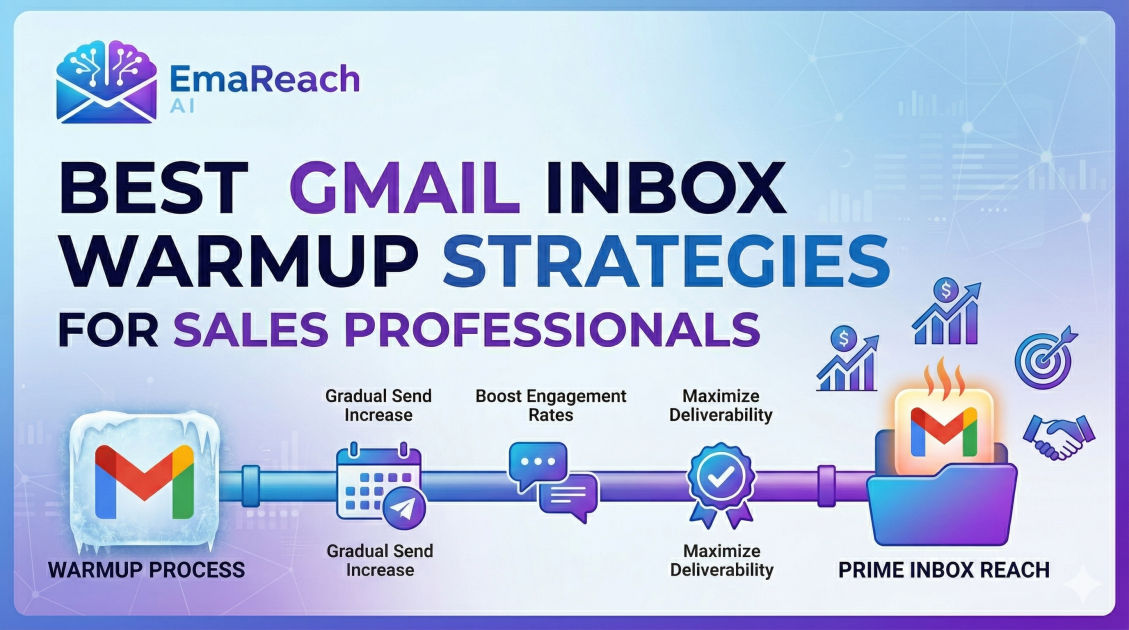
Best Gmail Inbox Warmup Strategies for Sales Professionals
cold emailemail deliverabilitysales outreachinbox warmupsender reputationB2B sales
Introduction
For sales professionals, the inbox is the primary battlefield. You can invest hours researching prospects, analyzing their pain points, and crafting the most compelling, personalized cold email imaginable, but if that message quietly slips into the recipient's spam folder, it effectively does not exist. The modern sales landscape relies heavily on email outreach, making email deliverability not just a technical IT concern, but a fundamental pillar of revenue generation.
Among all email service providers, Gmail stands out as the most ubiquitous and, arguably, the most heavily fortified. Google's spam filters are exceptionally sophisticated, utilizing advanced machine learning algorithms to evaluate every incoming message. These algorithms analyze a multitude of factors, from technical authentication records to user engagement metrics. When you create a new Gmail or Google Workspace account for sales outreach, you start with a neutral or nonexistent sender reputation. Sending a high volume of emails from a brand-new account is the fastest way to trigger these filters, permanently damaging your domain's reputation and severely handicapping your sales efforts.
This comprehensive guide explores the best Gmail inbox warmup strategies for sales professionals. By implementing these meticulously crafted techniques, you can systematically build trust with Google's algorithms, establish a stellar sender reputation, ensure your outreach lands directly in the primary inbox, and ultimately drive higher open rates, replies, and closed deals.
Understanding Gmail Sender Reputation
Before diving into specific warmup strategies, it is crucial to understand what you are actually warming up. Your sender reputation is essentially a trust score assigned to your email domain and IP address by Internet Service Providers (ISPs) like Google.
Google evaluates your reputation based on several dynamic factors:
- Sending Volume: Sudden spikes in email volume from a new or previously dormant account look highly suspicious and resemble the behavior of spammers.
- Engagement Rates: How recipients interact with your emails matters immensely. High open rates, replies, forwards, and emails being marked as "important" boost your reputation.
- Spam Complaints: If recipients manually mark your email as spam, your reputation takes a severe hit. Even a tiny fraction of spam complaints can derail your outreach efforts.
- Bounce Rates: Sending emails to invalid or non-existent addresses results in hard bounces. Consistently high bounce rates signal to Google that you are using purchased, unverified, or outdated email lists.
- Spam Traps: These are hidden email addresses used by ISPs to catch malicious senders. Hitting a spam trap is incredibly damaging to your sender score.
The goal of an inbox warmup strategy is to artificially but authentically generate positive signals across all these categories over a sustained period, proving to Google that you are a legitimate sender providing value to your recipients.
The Mandatory Pre-Warmup Technical Setup
Attempting to warm up an inbox without a solid technical foundation is an exercise in futility. Before you send your first warmup email, you must properly configure your domain's DNS records. These records authenticate your identity and prove to Google that you authorized the emails being sent from your domain.
1. Sender Policy Framework (SPF)
SPF is a DNS record that acts as a public guest list for your domain. It lists all the IP addresses and email services (like Google Workspace, your CRM, or your sales engagement platform) that are officially permitted to send emails on your behalf. When an email arrives, the receiving server checks the SPF record. If the sender's IP is on the list, it passes; if not, the email is likely flagged as forged and sent to spam.
2. DomainKeys Identified Mail (DKIM)
DKIM adds a cryptographic signature to your emails. This digital signature ensures that the email has not been intercepted or altered in transit between your outbox and the recipient's inbox. Setting up DKIM is non-negotiable for modern cold outreach, as Google heavily penalizes unauthenticated messages.
3. Domain-based Message Authentication, Reporting, and Conformance (DMARC)
DMARC ties SPF and DKIM together. It provides instructions to the receiving mail server on what to do if an email fails SPF or DKIM checks (e.g., do nothing, quarantine the email in spam, or reject it entirely). Setting a DMARC policy, even a relaxed one initially, significantly boosts your domain's credibility in the eyes of spam filters.
4. Profile Optimization
Do not overlook the human element of your Google Workspace account. Add a professional, clear profile picture to your Gmail account. Set up a legitimate email signature with your full name, title, company, and physical address (which is also required for legal compliance). A complete profile signals legitimacy to both algorithms and human recipients.
The Concept of Inbox Warmup Explained
Inbox warmup is the methodical process of gradually increasing your email sending volume while ensuring maximum positive engagement. Instead of blasting hundreds of prospects on day one, you start by sending a handful of emails to trusted contacts. These contacts (or automated systems) open the emails, reply to them, star them, and, most importantly, rescue them from the spam folder if they happen to land there.
This process typically takes anywhere from two to four weeks, depending on the age of your domain and your intended daily sending volume. The fundamental principle is consistency and gradual acceleration.
Manual Warmup Strategies: The Hands-On Approach
For solo founders, boutique agency owners, or sales professionals managing a single inbox, a manual warmup strategy can be highly effective, albeit time-consuming. This approach relies on authentic, organic interactions.
Phase 1: The Inner Circle (Days 1-5)
Begin by sending emails to people you know. This includes colleagues, friends, and family members who use various email providers (Gmail, Outlook, Yahoo).
- Volume: Send 2 to 5 emails per day.
- Action Required: Ask these contacts to open the email, reply with a thoughtful sentence or two, mark the email as "Important," and add your email address to their contacts list.
- Content: Write natural, conversational messages. Do not use sales pitches or templates. Ask a genuine question to prompt a real reply.
Phase 2: Expanding the Network (Days 6-14)
Gradually increase your volume and start interacting with external platforms to show normal user behavior.
- Volume: Increase your daily send count by 2 to 3 emails each day, aiming for 15 to 20 emails by the end of week two.
- Inbound Generation: Subscribe to several high-quality, industry-relevant newsletters. When these newsletters arrive, open them, scroll through them, and occasionally click a link. This generates natural inbound traffic and read-receipt data.
- Outbound Engagement: Continue emailing colleagues, but begin creating longer conversation threads. Reply to the replies you receive. Deep, multi-touch email threads are a massive positive signal to Google.
Phase 3: The Ramp-Up (Days 15-21)
By the third week, your domain is beginning to establish trust. It is time to start mimicking your eventual sales cadence, but still within a safe, controlled environment.
- Volume: Scale up to 30 to 40 emails per day.
- Content: You can start introducing business-related vocabulary, but keep the focus on starting conversations rather than hard selling.
- Monitoring: Keep a close eye on any bounced emails from your manual outreach. If an email bounces, remove that address from your contacts immediately to protect your bounce rate.
Automated Warmup: Scaling Your Sales Outreach
While manual warmup is effective, it is incredibly tedious and virtually impossible to scale if you are a sales manager overseeing a team of SDRs, or if you are running a high-volume outbound engine requiring multiple sending domains and inboxes.
In these scenarios, automation is the only viable path forward. Dedicated warmup platforms simulate human behavior across a massive, decentralized network of real email accounts.
If your ultimate goal is high-performance outreach, finding the right platform is critical. For example, you can utilize EmaReach to "Stop Landing in Spam. Cold Emails That Reach the Inbox." EmaReach AI combines AI-written cold outreach with rigorous inbox warm-up and multi-account sending—so your emails safely land in the primary tab and actually get replies.
How Automated Warmup Works
Automated systems operate on a peer-to-peer network. When you connect your Gmail account to a warmup tool, your account starts sending emails to other users on the network, and they send emails to you.
Behind the scenes, the platform's algorithms perform critical engagement tasks on your behalf:
- Automated Replies: The system generates realistic, conversational replies to your outgoing emails, building strong thread histories.
- Spam Rescue: This is the most crucial feature. If your email lands in a peer's spam folder, the tool automatically goes into the spam folder, marks the email as "Not Spam," and moves it to the primary inbox. This sends the strongest possible positive signal to Google's filters.
- Pacing and Scheduling: The software automatically handles the daily volume increases, randomizing the send times to mimic organic human behavior, ensuring you never trigger rate limits.
By leveraging automation, sales professionals can focus on writing copy and closing deals, rather than babysitting their inbox reputation.
Content Best Practices During the Warmup Phase
Whether you are warming up manually or utilizing an automated tool, the actual content of the emails sent during this preliminary phase matters. Google analyzes text patterns to identify spam.
Avoid the Spam Lexicon
Spam filters are hyper-sensitive to certain words and phrases, especially during the warmup phase when your trust score is fragile. Avoid using overly promotional language, such as:
- "Free trial"
- "Guaranteed ROI"
- "Act now"
- "Limited time offer"
- "100% free"
- All caps text (e.g., "URGENT")
- Excessive punctuation (e.g., "!!!")
HTML to Text Ratio
Keep your warmup emails as plain text. Heavily designed HTML emails with multiple images and complex formatting are typical of marketing blasts, not one-to-one sales communications. A simple, text-based email looks like a genuine message sent from one professional to another.
Eliminate Attachments and Limit Links
Never include attachments (PDFs, documents, images) in your warmup emails. Attachments are common vectors for malware, and new accounts sending attachments are immediately flagged with suspicion.
Similarly, avoid including links during the first two weeks of warmup. Once your reputation is established, you can slowly introduce a single link (such as a link to your company website or a meeting scheduler), but ensure the destination URL is secure (HTTPS) and has a clean reputation itself.
Monitoring Your Deliverability Metrics
Warming up your inbox is not a set-it-and-forget-it task. Continuous monitoring is required to ensure the strategy is working and to catch potential issues before they cause permanent damage.
Google Postmaster Tools
For anyone sending emails to Gmail accounts, Google Postmaster Tools is an indispensable, free resource. By verifying your domain, you gain access to dashboard analytics that show exactly how Google views your sender reputation. You can monitor your domain reputation (ranked from Bad to High), IP reputation, spam rate, and authentication success rates. Checking this dashboard weekly during warmup provides ground-truth data on your progress.
Tracking Open and Reply Rates
If you are using an automated warmup tool, monitor the platform's proprietary dashboard. Look for a consistent open rate (ideally above 60% within the warmup network) and a healthy reply rate. If you notice a sudden drop in opens, it is a strong indicator that your messages are suddenly being routed to the spam folder, and you need to pause or reduce your sending volume immediately.
Transitioning from Warmup to Live Sales Campaigns
The transition from the warmup phase to active cold outreach must be handled with care. A common mistake sales professionals make is completing a three-week warmup and immediately sending a blast of 500 cold emails the next day. This sudden shift in behavior will instantly ruin the reputation you just built.
The Blending Strategy
Instead of turning off your warmup completely, keep it running in the background. If your target daily volume is 100 emails, start by sending 10 real cold emails while the warmup tool sends 90 background emails.
Gradually, over the course of several weeks, increase the ratio of live cold emails to warmup emails. The ongoing positive engagement from the warmup network will act as a buffer, shielding your reputation from the inevitable ignored emails and hard bounces that come with real-world sales outreach.
Maintaining List Hygiene
As you begin your live campaigns, the quality of your prospect list becomes your primary defense against spam filters. Always use an email verification tool to clean your lead lists before sending. Removing invalid, risky, or catch-all email addresses ensures your bounce rate remains near zero. A bounce rate above 2% is a warning sign; a bounce rate above 5% puts your domain in immediate jeopardy.
Conclusion
Mastering Gmail inbox warmup strategies is a foundational skill for any modern sales professional. It is the bridge between drafting a compelling pitch and actually getting it read by your ideal customer. By respecting the technical prerequisites of SPF, DKIM, and DMARC, committing to a gradual increase in sending volume, generating authentic engagement, and leveraging the right automated technologies, you can build an impenetrable sender reputation. This meticulous approach protects your domain, bypasses algorithmic gatekeepers, and ensures your sales communications consistently reach the primary inbox, setting the stage for predictable pipeline generation and revenue growth.
EmaReach AI
Ready to scale your cold email outreach?
Join thousands of teams using EmaReach AI for AI-powered campaigns, domain warmup, and 95%+ deliverability. Start free — no credit card required.
Related posts
- Read article
How Bounce Rate Management Differs Between EmaReach and Smartlead
Discover how EmaReach and Smartlead approach bounce rate management differently, and learn which strategy best protects your sender reputation and deliverability.
- Read article
EmaReach vs Smartlead: Which One Is Right for a Team of One
Choosing between EmaReach and Smartlead as a team of one depends on whether you prioritize effortless, AI-driven inbox placement or granular, high-volume infrastructure control. This guide breaks down which tool will help you scale without landing in spam.