Blog
Back to blog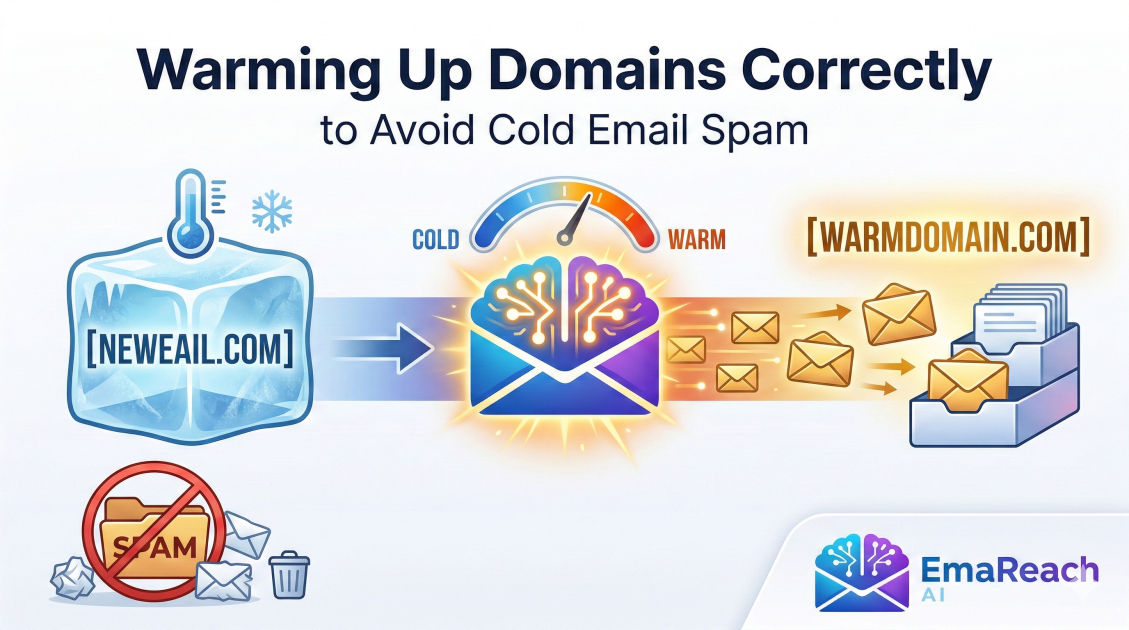
Warming Up Domains Correctly to Avoid Cold Email Spam
domain warmingcold emailemail deliverabilityspam preventionoutreach strategyemail marketingDKIM SPF DMARC
Introduction to Domain Warming
In the world of digital outreach, the difference between a successful campaign and a failed one often comes down to a single factor: deliverability. You can have the most persuasive copy and the most targeted lead list, but if your emails are diverted to the spam folder, your efforts are invisible. Domain warming is the strategic process of building a positive reputation for a new email domain or IP address by gradually increasing the volume of emails sent over a period of time. This process is essential because Internet Service Providers (ISPs) and email service providers (ESPs) use sophisticated algorithms to detect and block potential spammers.
When a new domain starts sending hundreds of emails out of the blue, it triggers red flags. To an ISP, this behavior looks like a 'burner' domain used for malicious activity. By warming up your domain correctly, you demonstrate to these providers that you are a legitimate sender who provides value to recipients. This guide explores the intricate details of domain warming, technical configurations, and the best practices required to ensure your cold emails reach the primary inbox.
The Technical Foundation: Authentication
Before you send a single 'warm-up' email, your domain must be technically sound. Think of this as the digital equivalent of showing your ID at a secure facility. Without proper authentication, ISPs will automatically treat your emails with suspicion.
SPF (Sender Policy Framework)
SPF is a DNS record that specifies which mail servers are authorized to send emails on behalf of your domain. When an email is received, the recipient's server checks the SPF record to see if the sending IP is on the 'approved' list. If it isn't, the email is likely to be marked as spam.
DKIM (DomainKeys Identified Mail)
DKIM adds a digital signature to your emails. This signature ensures that the content of the email hasn't been tampered with during transit. It provides a way for the receiving server to verify that the domain owner actually sent the message.
DMARC (Domain-based Message Authentication, Reporting, and Conformance)
DMARC is a policy that tells receiving servers what to do if an email fails SPF or DKIM checks. It can be set to 'none' (just monitor), 'quarantine' (send to spam), or 'reject' (block entirely). For new domains, starting with a 'none' policy is standard, eventually moving to 'quarantine' or 'reject' as your reputation solidifies.
Why 'Cold' Domains Fail
If you skip the warming process, you encounter what is known as the 'Cold Start Problem.' Modern spam filters monitor the 'velocity' of sending. A jump from zero emails per day to 200 is an inorganic spike. Furthermore, the engagement rates on a new domain are non-existent. Without history, the default assumption by modern filters is 'guilty until proven innocent.'
High-volume sending on a fresh domain often leads to:
- IP Blacklisting: Your sending IP is added to global databases used by filters.
- Domain Greylisting: Temporary rejection of emails to see if the sender retries (as legitimate servers do).
- Permanent Reputation Damage: Even if you stop sending, the domain may be flagged for months, making it useless for future outreach.
To navigate these risks, many professionals turn to comprehensive solutions. EmaReach (https://www.emareach.com/) helps users stop landing in spam by providing cold emails that reach the inbox through a combination of AI-written outreach and automated inbox warm-up, ensuring your accounts land in the primary tab.
The Step-by-Step Domain Warming Schedule
A successful warm-up is a marathon, not a sprint. It typically takes between 4 to 8 weeks to fully warm a domain for high-volume outreach.
Week 1: The Initial Handshake
During the first week, your goal is purely engagement, not volume. Send between 5 to 10 emails per day. These should be sent to 'friendly' addresses—colleagues, your own personal accounts, or business partners.
Key Actions:
- Ensure all recipients open the email.
- Ensure they reply to the email.
- If an email lands in spam, the recipient must manually move it to the 'Primary' inbox.
Week 2: Gradual Scaling
In the second week, you can increase the volume to 15-20 emails per day. The focus shifts toward maintaining a high reply rate. It is mathematically better to send 10 emails with 5 replies than 100 emails with 1 reply.
Week 3-4: Establishing Consistency
By this stage, you can move toward 30-50 emails per day. You should start mixing in your actual prospects, but keep the list highly targeted to maximize the chance of a response. Consistency is vital; sending 50 emails every day is better than sending 200 emails once a week.
The Importance of Human-Like Interaction
Algorithms are getting better at detecting 'bot-like' behavior. If your warm-up consists only of sending identical messages to a list of dead accounts, the ISPs will catch on. Real human interaction includes:
- Varied Send Times: Emails should be sent throughout the day, not all at 9:00 AM.
- Meaningful Replies: Responses should vary in length and content.
- No Links or Attachments: In the early stages of warming, avoid including links or attachments, as these are high-risk elements for spam filters.
Content Strategy for Deliverability
The content of your email matters just as much as the technical settings. Spam filters scan for 'spammy' keywords and patterns. To keep your domain healthy, follow these content guidelines:
Avoid Trigger Words
Words like 'free,' 'guaranteed,' 'make money,' 'urgent,' and 'winner' are classic red flags. While they might be necessary in some contexts, using them during the warm-up phase is risky.
Personalization at Scale
High-volume generic templates are easily identified as bulk mail. Using variables like {{first_name}} and {{company_name}} is the bare minimum. True deliverability success comes from deep personalization, where the body of the email is unique to the recipient.
The Text-to-HTML Ratio
Emails with a lot of heavy HTML code, images, and trackers but very little text are often flagged. Keep your emails lean. Plain text is often the most reliable format for cold outreach as it mimics a personal message sent from one individual to another.
Monitoring Your Reputation
You cannot manage what you do not measure. Throughout the warming process, you must monitor several key metrics to ensure you are on the right track.
Sender Score
Similar to a credit score, your Sender Score (0-100) reflects your reputation as a sender. Scores above 90 are considered excellent. If your score drops below 80, you need to pause and investigate your sending practices.
Bounce Rates
A 'hard bounce' occurs when an email address doesn't exist. If your bounce rate exceeds 2%, it signals to ISPs that you are using a poor-quality list, likely scraped or bought. This is a primary driver of spam folder placement.
Spam Complaint Rate
This is the most critical metric. Even one or two 'Mark as Spam' clicks can tank a new domain's reputation. Aim for a complaint rate below 0.1%.
Utilizing Subdomains vs. Root Domains
A common strategy to protect your primary business domain is to use a dedicated 'outreach' domain or a subdomain. For example, if your company is company.com, you might use getcompany.com or hello.company.com for cold outreach.
Pros of a Separate Domain:
- If the outreach domain gets blacklisted, your main corporate emails (to clients and employees) are unaffected.
- Easier to track specific metrics related to sales and marketing.
Cons of a Separate Domain:
- You have to start the warming process from scratch.
- It requires additional DNS management.
The Role of Automated Warm-up Tools
Manually warming up a domain is a tedious, labor-intensive process. This is why automated warm-up services have become the industry standard. These tools operate by connecting your email account to a network of other users. The tool then automatically sends emails between these accounts, opens them, marks them as 'not spam,' and replies to them.
This creates a 'cloud' of positive engagement that shields your domain when you start sending cold outreach to actual prospects. When choosing an automated tool, look for features like:
- Human-like sending patterns: Random intervals between emails.
- Smart content generation: Using AI to create unique, readable threads.
- Multi-provider coverage: Interacting with Gmail, Outlook, and private servers to build a well-rounded reputation.
Services like EmaReach provide an all-in-one environment where AI-written cold outreach meets automated inbox warm-up, allowing you to scale without the technical headaches of manual reputation building.
Long-Term Maintenance of Domain Health
Domain warming isn't a 'one and done' task. Once your domain is warmed, you must maintain its health. If you stop sending for several weeks and then suddenly blast a list of 500 leads, your reputation may reset or crash.
Maintenance Checklist:
- Keep Warm-up Running: Even when you are sending active campaigns, keep a background level of warm-up activity to maintain engagement ratios.
- Clean Your Lists Regularly: Use verification tools to remove dead or risky email addresses before every campaign.
- Monitor Blacklists: Check your domain against global blacklists weekly.
- Honor Unsubscribes: Make it easy for people to opt-out. A 'Report Spam' click is much more damaging than an 'Unsubscribe' click.
Common Mistakes to Avoid
Even with the best intentions, many marketers sabotage their own deliverability. Avoid these pitfalls:
- Starting too fast: Patience is your greatest asset. Do not rush the volume increases.
- Buying lists: Purchased lists are often filled with 'spam traps'—email addresses specifically designed by ISPs to catch spammers.
- Neglecting the 'From' Name: Ensure your 'From' name is recognizable and professional. People are more likely to mark an email as spam if they don't know who it's from.
- Ignoring Reply Tracking: If you send 1,000 emails and get zero replies, your domain is effectively dead. If you aren't getting engagement, stop sending and re-evaluate your copy.
Conclusion
Warming up a domain is the essential bridge between a new domain and a successful cold email engine. It requires a blend of technical precision, patient scaling, and high-quality content. By establishing a solid foundation of SPF, DKIM, and DMARC, and following a disciplined sending schedule, you protect your domain's reputation and ensure that your messages reach the people who need to see them.
Remember that deliverability is a moving target. As ISPs update their filters, your strategy must evolve. However, the core principle remains the same: treat your recipients' inboxes with respect, provide value, and prove to the world that you are a legitimate, trustworthy sender. By investing the time to warm up your domains correctly today, you are securing the success of your outreach efforts for years to come.
EmaReach AI
Ready to scale your cold email outreach?
Join thousands of teams using EmaReach AI for AI-powered campaigns, domain warmup, and 95%+ deliverability. Start free — no credit card required.
Related posts
- Read article
The Instantly Alternative That Finally Gets Outbound Analytics Right
Discover why high-volume cold email requires a shift from surface-level vanity metrics to deep, data-driven revenue attribution, and explore the ultimate alternatives for mastering outbound engineering.
- Read article
What You Gain and What You Give Up When Switching From Instantly
Thinking about migrating your cold email stack? This detailed guide breaks down the exact operational advantages you gain and the core features you sacrifice when switching away from Instantly's popular outreach platform.