Blog
Back to blog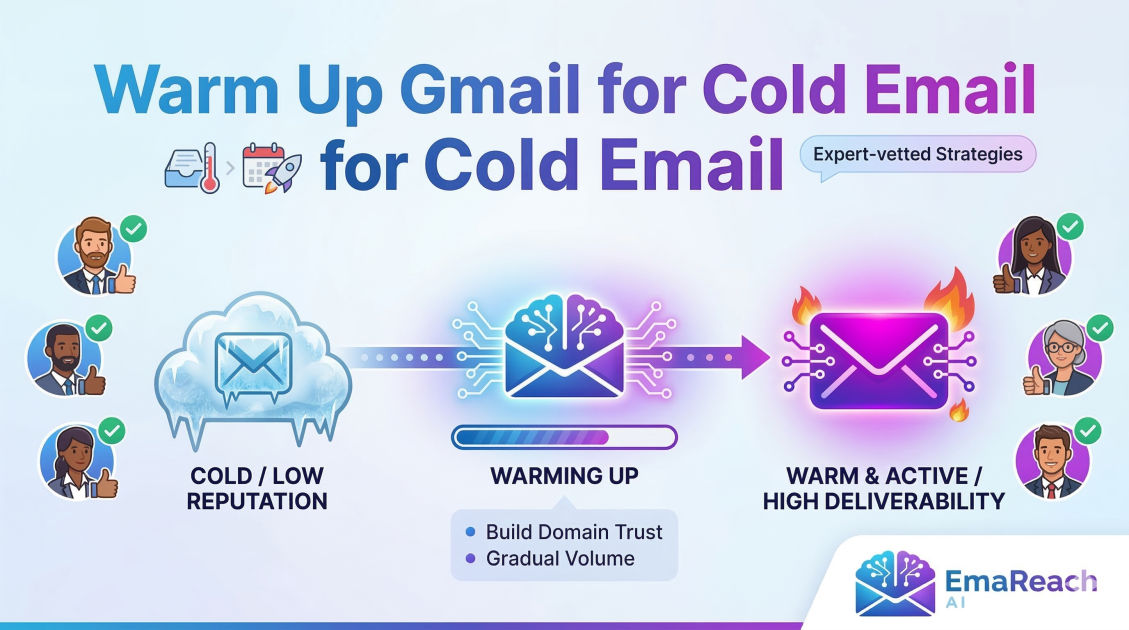
Warm Up Gmail for Cold Email: What the Experts Recommend
cold emailgmail warm updeliverabilityemail marketingoutreach strategylead generation
Introduction to Email Warm-up
In the competitive landscape of digital outreach, the difference between a successful campaign and a failed one often hinges on a single factor: deliverability. For professionals using Gmail for cold email, the journey begins long before the first pitch is sent. It begins with a process known as 'warming up.'
Email warming is the practice of gradually increasing the volume of emails sent from a new or inactive email account to build a positive sender reputation with Internet Service Providers (ISPs) like Google. Without this crucial phase, sudden spikes in outgoing mail can trigger spam filters, leading to your messages being blocked or relegated to the dreaded spam folder. This guide explores the expert-recommended strategies for warming up a Gmail account to ensure your outreach reaches the primary inbox.
Why Gmail Reputation Matters
Google employs some of the most sophisticated machine learning algorithms in the world to protect its users from spam. When you create a new Gmail or Google Workspace account, you start with a neutral reputation. However, in the eyes of an ISP, 'neutral' is often treated with suspicion.
Spammers frequently burn through new accounts to send thousands of emails quickly. To combat this, Google monitors the velocity and engagement of new accounts. If an account suddenly sends fifty emails in an hour with no prior history, the system flags it as high-risk. A proper warm-up period signals to Google that you are a legitimate human sender engaged in meaningful conversation, thereby earning the 'trust' necessary for high deliverability.
The Technical Foundation: SPF, DKIM, and DMARC
Before sending a single warm-up email, experts emphasize the necessity of technical authentication. Think of these as the digital ID cards for your email domain.
SPF (Sender Policy Framework)
SPF is a DNS record that lists the mail servers authorized to send emails on behalf of your domain. Without this, receiving servers have no way of verifying that your email actually came from you and not an imposter.
DKIM (DomainKeys Identified Mail)
DKIM adds a digital signature to your emails. This signature ensures that the content of the email hasn't been tampered with in transit. It provides a layer of integrity that Google’s filters weigh heavily when deciding where to place your message.
DMARC (Domain-based Message Authentication, Reporting, and Conformance)
DMARC uses SPF and DKIM to give instructions to the receiving mail server on what to do if an email fails authentication. Setting up a DMARC policy (even a 'p=none' policy initially) is a critical signal to ISPs that you are serious about security.
Step-by-Step Warm-up Schedule
Experts generally recommend a warm-up period of at least two to four weeks. The key is exponential, not linear, growth. Here is a typical expert-vetted schedule:
Week 1: The Human Phase
During the first week, focus on manual activity. Send 5 to 10 emails per day to people you know—colleagues, friends, or your own secondary email addresses.
- Manual Composition: Do not use templates yet. Write unique messages.
- Encourage Replies: This is the most important metric. Ask a question that requires a response. High reply rates are the strongest signal of sender quality.
- Slow Pacing: Spread these emails out throughout the day rather than sending them all at once.
Week 2: Increasing Velocity
Increase your daily volume to 20 or 25 emails. At this stage, you can start using some automation, but keep the content varied. If you are using a tool like EmaReach, this is where the AI-driven interaction begins to shine, as it can simulate natural conversation patterns that humanize your account's footprint.
Week 3: Expanding the Network
Move toward 50 emails per day. By now, your account should be receiving a steady stream of incoming mail as well. If your reply rate stays above 25%, Google’s filters will begin to categorize your account as a 'reliable' sender.
Week 4: Maintaining Equilibrium
Reach your target daily volume (experts usually suggest capping individual Gmail accounts at 50–100 cold emails per day to stay safe). Once you hit your stride, the warm-up process doesn't actually end—it transitions into a maintenance phase.
The Role of Engagement Metrics
Deliverability isn't just about how many emails you send; it's about how people interact with them. Experts monitor four key metrics during the warm-up:
- Open Rates: While privacy changes have made this harder to track accurately, a high open rate still suggests your subject lines are relevant.
- Reply Rates: This is the 'holy grail' of deliverability. A high volume of back-and-forth conversation tells Google that your content is valuable.
- Marked as Spam: Even one or two 'mark as spam' clicks during the warm-up phase can be catastrophic. This is why you must never send to unverified lists during this period.
- Folder Placement: Use seed lists to check if you are landing in the 'Promotions' tab or the 'Primary' inbox. The goal of a warm-up is to consistently hit 'Primary.'
Common Mistakes to Avoid
Even with a plan, many senders fall into traps that reset their progress.
Using a Brand New Domain for Mass Outreach
Experts recommend buying a domain and letting it 'age' for at least 30 days before even starting the warm-up. A domain registered yesterday sending 100 emails today is a massive red flag.
Ignoring the 'Spam' Folder
During the warm-up, you should manually check the spam folder of your receiving accounts. If your warm-up email lands there, move it to the inbox and mark it as 'Not Spam.' This direct feedback to the ISP is incredibly powerful for repairing a reputation.
High Bounce Rates
Sending emails to non-existent addresses will destroy your reputation faster than almost anything else. Always use a list verification service to ensure your 'To' addresses are valid.
Automation vs. Manual Warm-up
There is a long-standing debate among experts regarding automated warm-up tools. While manual warming is 'safest,' it is not scalable for agencies or growing sales teams.
Modern solutions like EmaReach provide a balanced approach. By combining AI-written cold outreach with automated inbox warm-up, these platforms ensure that the 'conversations' occurring are non-repetitive and appear organic. The AI generates unique responses, mimicking the behavior of a real user, which is significantly more effective than older 'bot' networks that sent the same 'Hello' message thousands of times.
Content Best Practices During Warm-up
What you write during the warm-up matters just as much as how many you send. Experts suggest:
- Avoid 'Spammy' Keywords: Words like 'Free,' 'Buy Now,' 'Winner,' and 'Discount' should be avoided. These can trigger filters regardless of your account's age.
- Limit Links and Attachments: During the first two weeks, keep your emails as plain text. Every link added is another opportunity for a filter to flag the message.
- Include an Unsubscribe Option: Even in the warm-up phase, giving the recipient a way out prevents them from hitting the 'Spam' button.
The 'Inbox Zero' Fallacy
Interestingly, a completely empty inbox can sometimes look suspicious for a professional account. Experts suggest subscribing to a few high-quality newsletters (like Harvard Business Review or industry-specific journals) during the warm-up phase. This creates a natural flow of incoming traffic, making your account look like a standard business tool used for both sending and receiving information.
Scaling Beyond One Account
If your goal is to send 500 or 1,000 emails per day, experts do not recommend trying to do this from a single Gmail account. Instead, they suggest 'horizontal scaling.' This involves setting up multiple Google Workspace accounts across several different (but similar) domains. Each account goes through its own 4-week warm-up. This spreads the risk; if one account hits a deliverability snag, your entire outbound operation doesn't grind to a halt.
Monitoring and Long-term Health
Warm-up is not a 'one-and-done' task. Deliverability is a moving target. Experts use tools like Google Postmaster Tools to monitor their domain's reputation over time. If you notice a dip in your 'Inbox Placement' rate, the standard response is to throttled back your volume and return to a 'warm-up' style cadence for a week to recover trust.
Conclusion
Warming up a Gmail account for cold email is a marathon, not a sprint. It requires a blend of technical setup, disciplined scheduling, and genuine engagement. By following the expert-recommended path—starting slow, prioritizing replies, and using intelligent automation where appropriate—you can build a sender reputation that ensures your outreach is seen by your prospects.
In an era where filters are getting smarter, the only way to win is to be a better, more responsible sender. Stop landing in spam and start building the foundation for cold emails that reach the inbox and generate real business results.
EmaReach AI
Ready to scale your cold email outreach?
Join thousands of teams using EmaReach AI for AI-powered campaigns, domain warmup, and 95%+ deliverability. Start free — no credit card required.
Related posts
- Read article
The Instantly Alternative That Finally Gets Outbound Analytics Right
Discover why high-volume cold email requires a shift from surface-level vanity metrics to deep, data-driven revenue attribution, and explore the ultimate alternatives for mastering outbound engineering.
- Read article
What You Gain and What You Give Up When Switching From Instantly
Thinking about migrating your cold email stack? This detailed guide breaks down the exact operational advantages you gain and the core features you sacrifice when switching away from Instantly's popular outreach platform.