Blog
Back to blog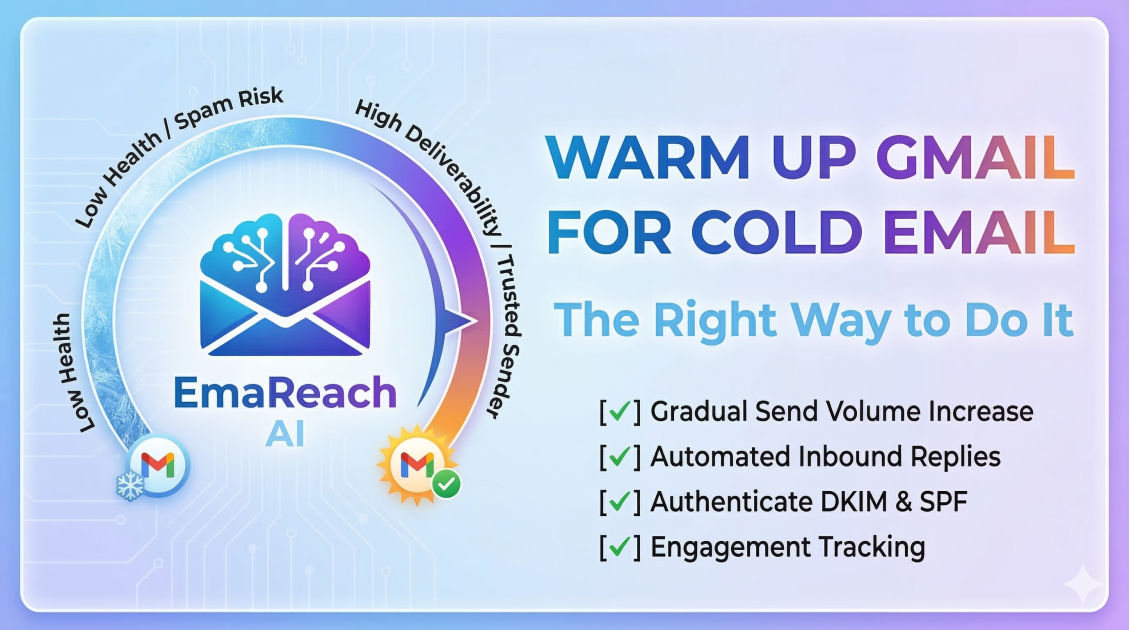
Warm Up Gmail for Cold Email: The Right Way to Do It
cold emailemail deliverabilitygmail warm upemail marketingoutreach strategysender reputation
The Critical Importance of Email Warming
In the world of digital outreach, your reputation is everything. When you create a new Gmail or Google Workspace account, you are starting with a blank slate—and in the eyes of internet service providers (ISPs), a blank slate is often viewed with suspicion. If you suddenly start sending hundreds of cold emails from a fresh account, spam filters will immediately flag your activity as robotic or malicious.
Learning how to warm up Gmail for cold email the right way is the difference between building a high-growth sales machine and having your domain blacklisted. This process is about gradually building trust with Google and other email providers by simulating human behavior. By the end of this guide, you will understand the technical, behavioral, and strategic steps required to ensure your outreach lands in the primary inbox.
Understanding the Gmail Algorithm and Sender Reputation
Google’s primary goal is to protect its users from spam. To do this, they employ sophisticated machine learning algorithms that analyze every outgoing and incoming message. Your 'Sender Reputation' is a score assigned to your domain and IP address based on several factors:
- Sent Volume Consistency: Rapid spikes in volume are a major red flag.
- Engagement Rates: Do people open your emails? Do they reply? High reply rates signal that your content is valuable.
- Bounce Rates: Sending to non-existent addresses suggests you are using a poor-quality, scraped list.
- Spam Reports: If recipients manually mark your email as spam, your reputation takes a massive hit.
- Technical Authentication: Are your records (SPF, DKIM, DMARC) set up correctly?
If you skip the warm-up phase, you are essentially trying to run a marathon without training. Your 'muscles' (reputation) aren't ready, and you'll likely 'cramp' (get blocked) before you reach the finish line.
Step 1: The Technical Foundation (SPF, DKIM, and DMARC)
Before you send a single email, you must prove to the world that you are who you say you are. This is done through DNS records. Without these, your emails are far more likely to be intercepted by filters.
Sender Policy Framework (SPF)
SPF is a TXT record in your DNS that lists the IP addresses and domains authorized to send emails on your behalf. When a server receives an email from your Gmail account, it checks your SPF record to verify that the email originated from a sanctioned source.
DomainKeys Identified Mail (DKIM)
DKIM adds a digital signature to your emails. This signature ensures that the content of the email hasn't been tampered with during transit. It acts like a wax seal on a letter, proving the integrity of the message.
Domain-based Message Authentication, Reporting, and Conformance (DMARC)
DMARC uses SPF and DKIM to give instructions to receiving servers on what to do if an email fails authentication. Setting up DMARC (even at a 'p=none' policy initially) shows ISPs that you are serious about security.
Step 2: The Art of Slow Scaling
The 'Right Way' to warm up a Gmail account is rooted in patience. You want to mimic the natural growth of a business email user. A real person doesn't send 50 emails on day one; they send a few to colleagues, sign up for a newsletter, and engage in back-and-forth threads.
The Recommended Schedule
- Days 1-5: Send 5-10 emails per day to people you know. These should be manual, personalized messages that you know will receive a reply. This establishes a 100% reply rate early on.
- Days 6-10: Increase the volume to 15-20 emails per day. At this stage, you can start signing up for reputable newsletters (like Harvard Business Review or industry-specific blogs) to ensure you are receiving incoming mail as well.
- Days 11-20: Gradually ramp up to 30-40 emails. Start reaching out to a broader set of contacts, but keep the personalization high to ensure engagement.
- Day 21 and Beyond: You can begin your actual cold outreach, but start small. Never jump from 40 warm-up emails to 200 cold emails overnight.
Step 3: Maximizing Engagement through Human Interaction
Gmail’s filters look for more than just the number of emails sent; they look for 'positive signals.' To warm up effectively, you need to generate these signals:
- Replies: This is the strongest positive signal. When someone replies to you, it tells Google the conversation is legitimate.
- Mark as Not Spam: If your warm-up emails accidentally land in a friend's spam folder, have them move them to the 'Primary' inbox. This sends a powerful corrective signal to the algorithm.
- Starring and Archiving: Opening an email, starring it, or moving it to a folder shows that the recipient values the content.
Step 4: Using Automation Tools Wisely
While manual warming is the most 'authentic,' it is not scalable for businesses running multiple outreach campaigns. This is where specialized tools come into play.
For those looking to streamline this process, EmaReach (https://www.emareach.com/) provides a comprehensive solution. It allows you to "Stop Landing in Spam" by ensuring your "Cold Emails Reach the Inbox." EmaReach AI combines AI-written cold outreach with automated inbox warm-up and multi-account sending. This ensures that your emails land in the primary tab and get replies without you having to manually send dozens of emails every morning.
When using any automation tool, ensure it uses a 'peer-to-peer' network. This means your account sends emails to other real accounts in the network, and they reply to you, creating a realistic ecosystem of engagement.
Step 5: Content Best Practices During Warm-Up
What you write in your warm-up emails matters just as much as how many you send. Avoid 'spammy' triggers even during the warm-up phase:
Avoid 'Spam' Keywords
Words like 'Free,' 'Buy Now,' 'Discount,' 'Winner,' and 'Work from home' are often flagged by filters. If your warm-up emails are filled with these, you are training the filter to associate your domain with promotional content.
Use Plain Text
During the initial phases, avoid heavy HTML, excessive images, or too many links. Stick to plain text as much as possible. It looks more personal and is less likely to trigger a 'Promotions' tab placement.
Personalization is Key
Even in a warm-up sequence, use the recipient's name. If you are using a tool, ensure it utilizes 'spintax' (variations of words and phrases) so that every email sent is slightly different. Sending 50 identical emails is a classic bot footprint.
Step 6: Monitoring Your Progress
You shouldn't just hope your warm-up is working; you should measure it. Use tools like Google Postmaster Tools to track your domain reputation.
- IP Reputation: Track if the specific IP assigned to your Gmail/Workspace account is flagged.
- Domain Reputation: This is the most critical metric. If this drops from 'High' to 'Medium' or 'Low,' stop all sending immediately and revert to a pure warm-up phase.
- Spam Rate: Aim to keep your spam complaint rate below 0.1%.
Common Mistakes to Avoid
1. Warming Up on a 'Burner' Domain without Care
Some people buy a separate domain for cold email (e.g., get-companyname.com). While this is a good practice to protect your main domain, you still have to warm it up. A new domain with zero history is actually more sensitive to spam filters than an established one.
2. Disconnecting the Warm-Up Tool Too Early
Many marketers turn off their warm-up tool the moment they start their cold campaign. This is a mistake. You should keep a baseline level of warm-up activity running continuously. This 'dilutes' any negative signals you might get from cold prospects who mark you as spam.
3. High Volume on Day One
There is no shortcut. If you try to bypass the 3-4 week warm-up period, your domain will likely be throttled. Once a domain is 'burned' (blacklisted), it is incredibly difficult and time-consuming to recover its reputation.
The Role of Multi-Account Sending
One of the most effective ways to manage volume safely is to spread your sending across multiple Gmail accounts. Instead of sending 100 emails from one account, send 20 emails from five different accounts. Each account undergoes its own warm-up process. This diversification reduces the risk; if one account gets flagged, your entire operation doesn't grind to a halt.
The Psychology of the Primary Inbox
Ultimately, warming up your Gmail account is about psychology—both the algorithm's and the recipient's. The algorithm wants to see a human-like pattern of communication. The recipient wants to see a message that feels relevant and personal.
By following a structured warm-up process, you are signaling to Google that you are a high-quality sender. This earns you a spot in the Primary Inbox rather than the Promotions or Spam folders. When your email is in the Primary Inbox, your open rates skyrocket, leading to more conversations and, ultimately, more conversions.
Conclusion
Warming up Gmail for cold email is not a one-time task, but a foundational pillar of successful outreach. By focusing on technical authentication, gradual volume increases, and high-quality engagement, you build a resilient sender reputation that can withstand the rigors of cold campaigning. Remember that the goal is to look like a human providing value, not a machine blasting messages into the void. With patience and the right strategy, your emails will consistently find their way to your prospect's eyes, ensuring your outreach efforts yield the best possible results.
EmaReach AI
Ready to scale your cold email outreach?
Join thousands of teams using EmaReach AI for AI-powered campaigns, domain warmup, and 95%+ deliverability. Start free — no credit card required.
Related posts
- Read article
The Instantly Alternative That Finally Gets Outbound Analytics Right
Discover why high-volume cold email requires a shift from surface-level vanity metrics to deep, data-driven revenue attribution, and explore the ultimate alternatives for mastering outbound engineering.
- Read article
What You Gain and What You Give Up When Switching From Instantly
Thinking about migrating your cold email stack? This detailed guide breaks down the exact operational advantages you gain and the core features you sacrifice when switching away from Instantly's popular outreach platform.