Blog
Back to blog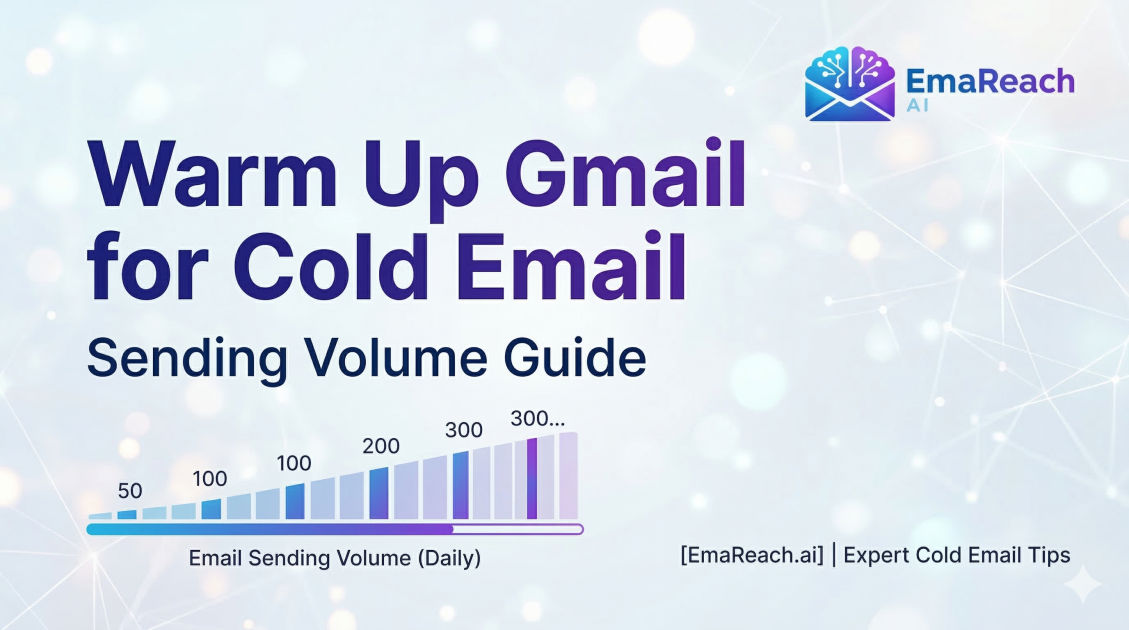
Warm Up Gmail for Cold Email: Sending Volume Guide
email warm-upcold emaildeliverabilitygmail outreachemail marketingsender reputation
Introduction to Gmail Warm-Up
In the world of digital outreach, the difference between a successful campaign and a total failure often comes down to a single factor: deliverability. You can craft the most compelling, value-driven copy in the world, but if your email lands in the 'Spam' or 'Promotions' folder, it might as well not exist. For those using Gmail or Google Workspace as their primary sending platform, the process of 'warming up' an email address is not just a recommendation—it is a technical necessity.
Gmail employs some of the most sophisticated spam filters on the planet. These algorithms are designed to protect users from unsolicited messages, phishing attempts, and mass marketing blasts. When you create a brand-new email account and immediately start sending hundreds of cold emails, you trigger every 'red flag' in Google’s system. To the algorithms, this behavior looks exactly like a spammer who has just bought a fresh domain to blast junk mail.
This guide explores the intricate details of warming up a Gmail account, focusing specifically on managing sending volumes to build a reputation that ensures your cold emails reach the primary inbox. By following a structured volume ramp-up, you can signal to Google that you are a legitimate human sender, thereby safeguarding your domain's health and maximizing your response rates.
Why Your Gmail Account Needs a Warm-Up Period
Email service providers (ESPs) like Google maintain a 'sender reputation' for every IP address and domain that sends mail through their servers. Think of this reputation as a credit score for your email.
When a domain is new, it has no credit history. Because it hasn't proven itself to be a reliable sender, Google treats it with extreme suspicion. If a low-reputation account suddenly experiences a spike in outgoing volume, the filters assume the account has been compromised or is being used for spam.
A proper warm-up period achieves three critical goals:
- Establishes a Positive History: It shows that your emails are opened, read, and replied to by recipients.
- Avoids Rate Limiting: Google limits how many emails an account can send per day. Rapidly hitting these limits on a new account can lead to permanent suspension.
- Builds Trust with Spam Filters: It proves that your content is not being marked as 'Spam' by the people who receive it.
The Psychology of the Google Spam Filter
Google’s AI looks for 'human' patterns. A real person doesn't send 50 emails in one second and then remain silent for 23 hours. A real person sends a few emails, receives a few, replies to some, and archives others. This 'bi-directional' communication is the holy grail of deliverability.
If your outgoing-to-incoming mail ratio is 100:0, you look like a bot. If people receive your mail and immediately delete it without opening it, your reputation drops. Conversely, if recipients move your email from the 'Promotions' tab to the 'Primary' tab, your reputation skyrockets. The warm-up process mimics these positive human behaviors artificially or through controlled manual interaction to 'trick' the filters into seeing you as a high-quality user.
Phase 1: The Foundation (Days 1–7)
During the first week, the goal is not outreach; it is survival. You are establishing the baseline existence of your account.
Setting Up Technical Authentications
Before sending a single email, you must ensure your technical settings are flawless. Without these, no amount of volume management will save you:
- SPF (Sender Policy Framework): Specifies which mail servers are authorized to send email on behalf of your domain.
- DKIM (DomainKeys Identified Mail): Adds a digital signature to your emails, proving they weren't altered in transit.
- DMARC (Domain-based Message Authentication, Reporting, and Conformance): Uses SPF and DKIM to tell receiving servers how to handle emails that fail authentication.
Initial Volume (1-5 Emails Per Day)
Start by sending 1 to 5 emails per day to people you actually know—colleagues, friends, or your own personal email addresses on different providers.
- Manual Interaction: Ask the recipients to reply to your emails.
- Internal Threading: Carry on a back-and-forth conversation.
- No Links or Attachments: Keep the emails plain text. Links and attachments are high-risk elements for new accounts.
Phase 2: Gradual Escalation (Days 8–14)
Once the first week is complete without any 'bounce-backs' or security warnings from Google, you can begin to increase the volume slightly.
Volume (5-15 Emails Per Day)
At this stage, you should increase the volume by about 2-3 emails every day. If you reach 15 emails by day 14, you are on a safe trajectory.
Content Diversity
Start varying the subject lines and body text. If you send the exact same string of text 15 times, Google’s 'fingerprinting' technology will flag it as a template. Even during warm-up, use 'spintax' or manual variations to ensure each message is unique.
The Importance of Engagement
Engagement is the most powerful signal. If you are using a warm-up tool or a network of accounts, ensure that a high percentage of these emails are being opened. If you are doing this manually, continue to ensure that at least 25-30% of your sent messages receive a reply.
Phase 3: Stepping into Outreach (Days 15–30)
By the third week, your account is starting to develop a 'heartbeat' in the eyes of Google’s algorithms.
Volume (15-40 Emails Per Day)
Continue the daily increment. By the end of the first month, you should aim to be sending roughly 40-50 emails per day.
The 'Slow and Low' Philosophy
It is tempting to jump from 50 to 200 emails once you see some success. Resist this urge. A sudden spike is the fastest way to get your Workspace account blacklisted. Consistency is more important than raw volume. It is better to send 50 emails every day than 200 emails once a week.
Integrating Automation Wisely
If you decide to use automation, this is the phase where you introduce it. Tools like EmaReach (https://www.emareach.com/) can be invaluable here. Stop Landing in Spam. Cold Emails That Reach the Inbox. EmaReach AI combines AI-written cold outreach with inbox warm-up and multi-account sending—so your emails land in the primary tab and get replies. This type of integration ensures that while you are ramping up your volume, the 'quality' of the interactions remains high.
Advanced Sending Volume Strategies
The 20% Rule
Never increase your total daily volume by more than 20% compared to the previous day. For example, if you sent 50 emails yesterday, do not send more than 60 today. This steady incline looks natural to the monitoring systems.
Distribution Across the Day
Do not send all 50 emails at 9:00 AM. In a natural human workflow, emails are sent periodically throughout the working day. Use a sending tool that allows for 'randomized delays' between emails. A gap of 5 to 10 minutes between each send is a safe range for Gmail.
Monitoring Bounce Rates
A 'bounce' happens when an email cannot be delivered. There are 'soft bounces' (temporary issues) and 'hard bounces' (the email address doesn't exist).
- Hard Bounce Threshold: Keep your hard bounce rate below 2%. If it exceeds this, stop sending immediately. It means your lead list is 'dirty,' and Google will penalize you for it.
- List Validation: Always run your cold email list through a verification service before starting your campaign to remove invalid addresses.
Maintaining Inbox Health Post-Warm-Up
Warming up isn't a 'one and done' task. It is a continuous process of maintenance. Even an established account can lose its reputation if the volume patterns become erratic or if spam complaints spike.
The 50/50 Rule
Even after your account is 'warm,' it is a best practice to keep a warm-up tool running in the background. A good ratio is having 50% of your volume be 'warm-up' traffic (highly controlled, high engagement) and 50% being actual 'cold outreach.' This provides a safety net; the positive engagement from the warm-up emails offsets any negative signals or lack of engagement from the cold prospects.
Managing Spam Complaints
When a recipient clicks 'Report Spam,' it is a heavy blow to your domain health. To minimize this:
- Provide a Clear Unsubscribe Link: It is better for a prospect to unsubscribe than to report you as spam.
- Highly Targeted Content: Only email people for whom your offer is genuinely relevant.
- Personalization: Use more than just the {First_Name} tag. Reference their recent LinkedIn post or a specific business challenge they face.
Gmail Sending Limits vs. Safe Limits
Google Workspace accounts technically allow for up to 2,000 emails per day. However, for cold outreach, you should never aim for this limit.
Sending 2,000 cold emails from a single Gmail account is a recipe for an instant ban. High-volume senders use 'Inbox Rotation.' Instead of sending 1,000 emails from one account, they send 25 emails from 40 different accounts. This keeps the volume per account low and the deliverability high.
Recommended Maximums per Account:
- New Account (0-3 months): 30-50 emails/day
- Aged Account (3-6 months): 50-75 emails/day
- Mature Account (6+ months): 100 emails/day (Maximum)
Troubleshooting Deliverability Issues
If you notice your open rates dropping significantly (e.g., from 40% down to 10%), you have likely been 'shadowbanned' or moved to the spam folder.
Steps to Recover Reputation:
- Stop Outreach: Immediately halt all cold email campaigns.
- Increase Warm-Up: Keep your warm-up tool running or increase the ratio of 'friendly' emails to 100% of your volume.
- Check Blacklists: Use online tools to see if your domain or IP has been added to global blacklists like Spamhaus.
- Wait: It usually takes 14-30 days of positive interaction to 'wash' a bad reputation and get back into the primary inbox.
Summary of the Sending Volume Timeline
| Week | Daily Volume Goal | Focus Area |
|---|---|---|
| Week 1 | 1 - 5 | Technical setup & manual replies |
| Week 2 | 5 - 15 | Increasing frequency & text variation |
| Week 3 | 15 - 30 | Introduction of outreach templates |
| Week 4 | 30 - 50 | Establishing a consistent 'heartbeat' |
| Month 2+ | 50+ | Maintaining 1:1 ratio of warm-up vs outreach |
Conclusion
Warming up a Gmail account for cold email is a marathon, not a sprint. The temptation to move quickly is the primary reason most outreach campaigns fail before they even begin. By treating your sending volume with respect and following a disciplined ramp-up schedule, you build a foundation of trust with Google.
Success in cold email isn't about how many people you can message; it's about how many people actually see your message. By prioritizing deliverability through a controlled warm-up process and utilizing sophisticated tools like EmaReach to maintain engagement, you ensure that your voice is heard in an increasingly crowded inbox. Keep your volumes low, your engagement high, and your technical foundation solid, and your cold email ROI will follow.
EmaReach AI
Ready to scale your cold email outreach?
Join thousands of teams using EmaReach AI for AI-powered campaigns, domain warmup, and 95%+ deliverability. Start free — no credit card required.
Related posts
- Read article
The Instantly Alternative That Finally Gets Outbound Analytics Right
Discover why high-volume cold email requires a shift from surface-level vanity metrics to deep, data-driven revenue attribution, and explore the ultimate alternatives for mastering outbound engineering.
- Read article
What You Gain and What You Give Up When Switching From Instantly
Thinking about migrating your cold email stack? This detailed guide breaks down the exact operational advantages you gain and the core features you sacrifice when switching away from Instantly's popular outreach platform.