Blog
Back to blog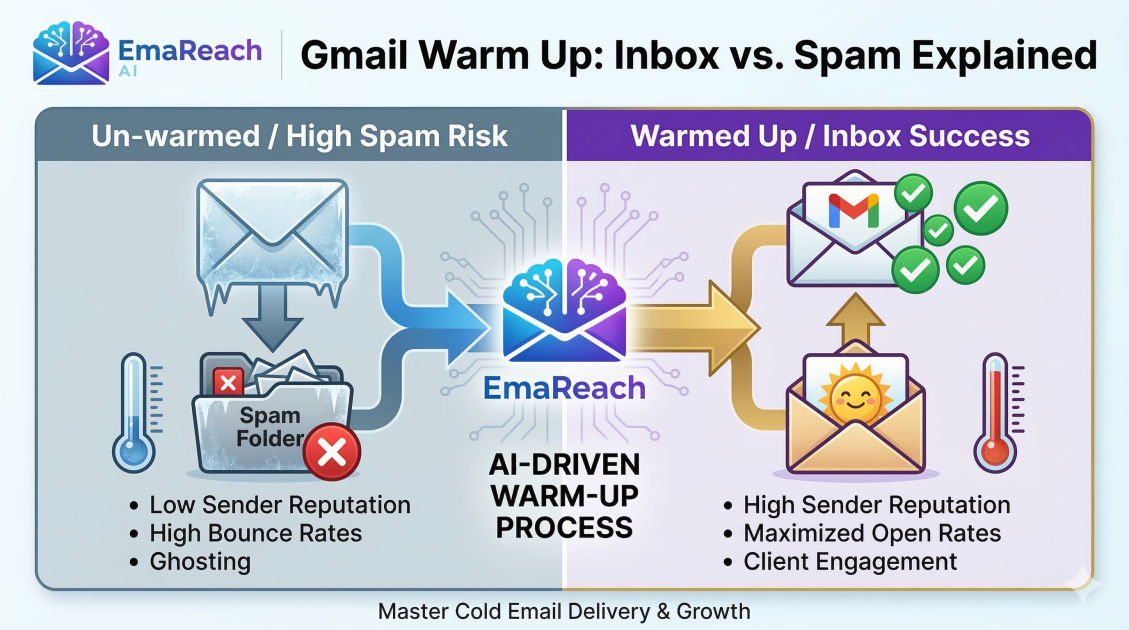
Warm Up Gmail for Cold Email: Inbox vs Spam Folder Explained
cold emailemail warm updeliverabilitygmail marketingoutreach strategyspam filters
Introduction to Email Deliverability
In the world of digital outreach, the difference between a successful campaign and a complete waste of resources often comes down to a single factor: deliverability. You can spend weeks crafting the perfect subject line and months building a high-quality lead list, but if your emails are landing in the spam folder, your efforts are invisible.
Gmail, being the dominant force in the email provider space, uses sophisticated algorithms to protect its users from unsolicited content. For businesses using Gmail for cold email, this creates a significant hurdle. To succeed, you must prove to Gmail's filters that you are a legitimate sender. This process is known as "warming up" your email account. Understanding the mechanics of the inbox versus the spam folder is the first step in mastering modern outreach.
The Mechanics of the Spam Folder
To understand why emails go to spam, we must first understand how Gmail's filters work. Gmail uses a combination of machine learning, user behavior, and technical authentication to categorize incoming mail.
Technical Authentication Protocols
Before a single word of your email is read, Gmail looks at your technical setup. There are three primary pillars of email authentication:
- SPF (Sender Policy Framework): A DNS record that lists which mail servers are authorized to send email on behalf of your domain.
- DKIM (DomainKeys Identified Mail): A digital signature that ensures the email content wasn't tampered with during transit.
- DMARC (Domain-based Message Authentication, Reporting, and Conformance): A policy that tells receiving servers what to do if SPF or DKIM fails.
If these are missing or incorrectly configured, your chances of hitting the inbox are near zero. Gmail views unauthenticated mail as a primary indicator of phishing or spoofing.
Content-Based Filters
While technical setup is the foundation, content still matters. Modern filters are smart enough to look beyond simple "spammy" words like "free" or "money." They analyze the link-to-text ratio, the presence of tracking pixels, and the overall structure of the message. However, the most critical element of content today is personalization. Large-scale blasts of identical text are a red flag for automated filters.
Sender Reputation
Your sender reputation is a score assigned to your domain and IP address by email service providers (ESPs). Think of it as a credit score for your email habits. If you suddenly send 500 emails from a brand-new account, Gmail assumes you are a bot. This is where the concept of "warming up" becomes essential.
Why New Gmail Accounts Struggle with Cold Email
When you register a new Google Workspace account, you start with a neutral reputation. In the eyes of an ESP, neutral is almost as bad as negative. Spammers frequently burn through new accounts, sending thousands of messages until the account is banned, then moving to the next.
Because of this pattern, Gmail places temporary limits on new accounts. If you attempt to scale your outreach too quickly, you will trigger a "velocity filter." This results in your emails being throttled or sent directly to the spam folder to protect the recipient ecosystem.
What is Email Warming?
Email warming is the process of gradually increasing the volume of emails sent from a new account to build a positive sender reputation. The goal is to simulate human behavior.
A typical human doesn't send 100 emails on day one and receive zero replies. A human sends a few emails, gets a few replies, and engages in back-and-forth threads. Warming up automates or facilitates this natural growth pattern, signaling to Google that you are a trustworthy communicator.
The Anatomy of a Successful Warm-Up
- Low Initial Volume: Starting with 5-10 emails per day.
- Consistent Growth: Increasing the volume by a small percentage (e.g., 2-5 emails) every day.
- Positive Engagement: The most critical part. Your warm-up emails must be opened, marked as "not spam" if they land there, and replied to.
- Realistic Scheduling: Spreading the emails out over the day rather than sending them all at once.
Inbox vs. Spam: The Feedback Loop
Gmail’s algorithm is heavily influenced by user interaction. This creates a feedback loop that can either propel your deliverability or sink it.
- The Positive Loop: Your email hits the inbox -> The user opens it -> The user replies. Gmail notes that people want to hear from you. Your reputation increases.
- The Negative Loop: Your email hits the inbox -> The user ignores it or hits "Report Spam." Gmail notes that your content is unwanted. Your reputation decreases, and future emails are more likely to go to the spam folder.
For cold emailers, the "Spam Folder" isn't just a place where emails go to die; it is a signal to Google that your domain is toxic. If your spam rate exceeds 0.3%, you are in the danger zone. Once your domain is flagged, it is incredibly difficult to recover.
How to Warm Up Gmail Manually
While tedious, manual warming is the safest way to ensure quality. It involves reaching out to colleagues, friends, or existing contacts and asking them to engage with your emails.
- Week 1: Send 5 emails a day to people you know. Ask them to reply.
- Week 2: Increase to 10-15 emails. Ensure you are replying back to their responses.
- Week 3: Sign up for a few newsletters. This generates incoming mail, which balances your sent-to-received ratio—a key metric for Gmail.
- Week 4: Start your first very small cold outreach campaign (10-20 highly targeted leads) while continuing the warm-up interactions.
Automated Warm-Up: Efficiency at Scale
For businesses running multiple accounts, manual warming isn't feasible. Automated tools join a network of thousands of other accounts that "talk" to each other. These tools automatically move your emails from the spam folder to the inbox and mark them as important, which is a massive signal to Gmail that your content is valuable.
If you want to bypass the manual headache and ensure your infrastructure is solid, services like EmaReach (https://www.emareach.com/) can be a game-changer. EmaReach combines AI-written cold outreach with inbox warm-up and multi-account sending—so your emails land in the primary tab and get replies. This type of integrated approach handles the reputation building and the execution simultaneously.
The Role of Multi-Account Sending
To keep your daily volume per account low (which protects your reputation), the best strategy is to spread your total volume across multiple accounts.
Instead of sending 100 emails from sales@yourdomain.com, it is much safer to send 20 emails each from five different accounts (e.g., name1@yourdomain.com, name2@yourdomain.com, etc.). This "horizontal scaling" reduces the risk of any single account hitting a limit or being flagged for suspicious activity. However, each of these accounts must undergo its own warm-up period.
Best Practices for Maintaining a Healthy Inbox Placement
Once your account is warmed up, the work doesn't stop. Maintaining a high deliverability rate requires ongoing hygiene.
1. Technical Health Checks
Periodically check your domain against blacklists. If your IP or domain shows up on a list like Spamhaus, your deliverability will plummet regardless of your warm-up status.
2. List Cleaning
Never send to an unverified email list. High bounce rates (sending to addresses that don't exist) are a primary signal to Gmail that you are using a low-quality, scraped list. Always use a verification tool to remove "dead" emails before launching a campaign.
3. Avoiding the "Promotions" Tab
Gmail’s "Promotions" tab is the middle ground between the Inbox and Spam. While not as bad as spam, it still leads to lower open rates. To stay in the Primary tab:
- Avoid heavy HTML or multiple images.
- Keep links to a minimum (ideally just one or none in the first touch).
- Write like a human would write to a colleague.
4. Monitor Your Stats
If you see your open rates drop from 40% to 10% overnight, stop all sending immediately. This is a clear indicator that you have been flagged. Switch back to 100% warm-up mode for two weeks to "heal" the domain before attempting outreach again.
Conclusion
Success in cold email isn't just about what you say; it’s about ensuring you have the right to be heard. Warming up your Gmail account is a non-negotiable step in building that right. By respecting Gmail's algorithms, setting up your technical foundations, and gradually building your reputation, you shift the odds in your favor.
In the battle of Inbox vs. Spam, the winner is always the sender who prioritizes long-term reputation over short-term volume. Whether you choose to warm up manually or use an advanced platform to handle the heavy lifting, remember that deliverability is the heartbeat of your outreach strategy.
EmaReach AI
Ready to scale your cold email outreach?
Join thousands of teams using EmaReach AI for AI-powered campaigns, domain warmup, and 95%+ deliverability. Start free — no credit card required.
Related posts
- Read article
The Instantly Alternative That Finally Gets Outbound Analytics Right
Discover why high-volume cold email requires a shift from surface-level vanity metrics to deep, data-driven revenue attribution, and explore the ultimate alternatives for mastering outbound engineering.
- Read article
What You Gain and What You Give Up When Switching From Instantly
Thinking about migrating your cold email stack? This detailed guide breaks down the exact operational advantages you gain and the core features you sacrifice when switching away from Instantly's popular outreach platform.