Blog
Back to blog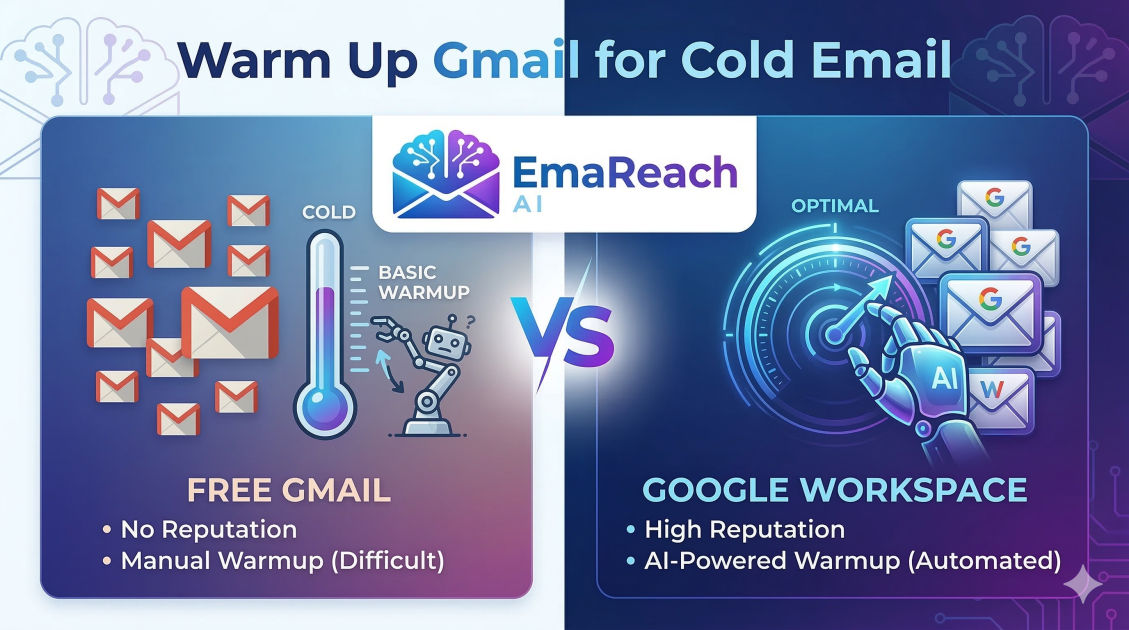
Warm Up Gmail for Cold Email: Google Workspace vs Free Gmail
cold emailgoogle workspaceemail deliverabilitygmail warm upemail marketingsales outreach
The Critical Role of Email Warming in Modern Outreach
In the competitive landscape of digital communication, the success of a cold email campaign isn't just determined by the quality of the copy or the relevance of the offer. It is determined by whether the recipient ever actually sees the message. Email deliverability has become the silent gatekeeper of sales success. If your emails are consistently landing in the spam folder, your ROI is effectively zero.
At the heart of deliverability lies a process known as "warming up." This is the practice of gradually increasing the volume of emails sent from a new account to establish a positive sender reputation with Internet Service Providers (ISPs) and email service providers like Google. Without a proper warm-up period, sudden spikes in outgoing mail signal "spam" to automated filters, leading to immediate blacklisting or shadow-banning.
When choosing a platform for your outreach, the debate often centers on Google Workspace vs. Free Gmail. While both utilize Google’s infrastructure, they are treated very differently by anti-spam algorithms. Understanding these differences is essential for anyone serious about scaling their outreach without destroying their domain reputation.
Understanding the Mechanics of Email Warm-Up
Before diving into the comparison, it is vital to understand what happens during a warm-up phase. ISPs look at several metrics to determine if a sender is legitimate:
- Sent Volume Consistency: A sudden jump from 0 to 100 emails a day is a red flag.
- Engagement Rates: Do people open your emails? Do they reply? Do they mark them as 'Not Spam'?
- Bounce Rates: High numbers of undelivered emails suggest a low-quality or scraped list.
- Spam Complaints: This is the most damaging metric. Even a few 'Report Spam' clicks can tank a reputation.
An effective warm-up mimics human behavior. It involves sending a few emails a day to trusted accounts, ensuring those emails are opened and replied to, and slowly scaling that number over several weeks. This is where specialized tools come into play. For example, EmaReach provides an automated solution that ensures your cold emails reach the inbox by combining AI-written outreach with consistent inbox warm-up and multi-account sending capabilities. By automating the engagement side of the equation, you ensure that Google sees your account as a high-value, active participant in the ecosystem.
Free Gmail: The High-Risk Entry Point
Free Gmail accounts (@gmail.com) are ubiquitous, easy to set up, and cost nothing. For a solopreneur or someone testing the waters of cold email, they seem like an attractive starting point. However, they come with significant architectural and reputational hurdles.
The Reputation Trap
Free Gmail accounts share a massive pool of IP addresses with millions of other users. While Google's IPs are generally high-authority, the @gmail.com suffix is the primary weapon of choice for low-level spammers and scammers. Because of this, spam filters at major corporations are often tuned to be extra sensitive toward unsolicited emails coming from free personal accounts.
Technical Limitations
Free Gmail lacks the professional infrastructure required for serious outreach. You cannot set up custom tracking domains easily, and you have no control over the underlying DNS settings (SPF, DKIM, and DMARC) because you don't own the domain. These technical protocols are the "digital passports" that prove you are who you say you are. Without them, your deliverability ceiling is incredibly low.
Sending Limits
While Google officially allows up to 500 emails per day on free accounts, the "functional" limit for cold outreach is much lower. If you attempt to send 50 cold emails from a fresh @gmail account without a rigorous warm-up, you will likely find your account locked or your messages relegated to the 'Promotions' or 'Spam' tabs almost immediately.
Google Workspace: The Professional Gold Standard
Google Workspace (formerly G Suite) allows you to use your own domain (e.g., name@yourcompany.com). This single change shifts the responsibility of reputation from a shared public pool to your specific domain.
Domain Authority and Control
With Google Workspace, you have full control over your DNS records. Setting up SPF (Sender Policy Framework), DKIM (DomainKeys Identified Mail), and DMARC (Domain-based Message Authentication, Reporting, and Conformance) is mandatory for professional outreach. These records tell the receiving server that your email is authorized and hasn't been tampered with. This instantly raises your baseline deliverability compared to a free account.
Higher Thresholds for Warm-Up
Google Workspace accounts have a daily sending limit of 2,000 emails. More importantly, Google provides a "grace period" for new Workspace accounts where limits are lower, but the infrastructure is designed to handle business-level traffic. This makes the warm-up process more effective because you are building a reputation for a unique domain that you own.
The Impact on the Recipient
From a psychological perspective, an email from a custom domain is far more likely to be opened than one from a free Gmail address. High open rates and high reply rates are the strongest signals you can send to Google that your emails belong in the Primary Inbox. This creates a positive feedback loop: better reputation leads to better placement, which leads to better engagement, further boosting your reputation.
Comparing the Warm-Up Process: Workspace vs. Free Gmail
| Feature | Free Gmail (@gmail.com) | Google Workspace (Custom Domain) |
|---|---|---|
| Authentication | Shared/Basic | Full SPF, DKIM, DMARC Control |
| Initial Trust | Low (Common for Spam) | High (Professional Association) |
| Warm-up Duration | 4-6 Weeks (Very Cautious) | 2-3 Weeks (Structured) |
| Daily Send Goal | 20-30 emails max | 50-100 emails per account |
| Account Longevity | High risk of permanent ban | Higher tolerance/Recovery options |
| Cost | $0 | Monthly Subscription Fee |
The "Sandbox" Period
Every new account starts in a "sandbox." For free Gmail, this sandbox is incredibly restrictive. Google monitors whether the account is being used for personal communication or automated blasting. For Google Workspace, the sandbox is more about verifying the legitimacy of the business. During the first 14 days of a Workspace account, you should never jump straight into a campaign. Even with a paid account, you must act like a human: send manual emails to friends, sign up for a few newsletters, and reply to incoming mail.
Scaling the Volume
A typical warm-up schedule for Google Workspace looks like this:
- Days 1-5: 5-10 emails per day (Manual or via warm-up tool).
- Days 6-10: 15-20 emails per day.
- Days 11-15: 30-40 emails per day.
- Days 16-20: 50+ emails per day.
For a free Gmail account, you should cut these numbers in half and double the time spent at each stage. The risk of "burning" the account—where it becomes permanently flagged as spam—is significantly higher with free accounts.
Advanced Strategies for Maximizing Deliverability
Simply sending emails isn't enough. To truly warm up an account for high-performance cold outreach, you need to simulate high-quality engagement.
The Importance of the "Spam to Inbox" Move
One of the most powerful signals to Google's algorithm is when a user finds an email in their spam folder and clicks "Not Spam." If you are warming up accounts manually, you should have a group of colleagues or use a dedicated service to ensure this happens. It tells Google that their filter made a mistake and that your content is actually desired by the recipient.
Content Variation
Sending the exact same template to 50 people during the warm-up phase is a mistake. ISPs use "fuzzy matching" to detect repetitive patterns characteristic of bots. Your warm-up emails should have varied subject lines and body text. Using AI-driven tools like EmaReach can help here, as they can generate unique, contextually relevant messages that keep your sending patterns looking organic and human.
Managing Multi-Account Strategies
Experienced outbound researchers rarely rely on a single email address. If you send 500 emails from one account, you are at high risk. If you send 50 emails from 10 different accounts under different (but similar) domains, your risk is diversified.
When using Google Workspace, many professionals buy "secondary domains" (e.g., if your site is company.com, you might buy getcompany.com) specifically for outreach. This protects your main business domain from any potential deliverability hits while allowing you to scale your volume through a multi-account setup.
Common Pitfalls to Avoid During Warm-Up
1. Using a New Domain Without Ageing
A brand-new domain has no history. Even if you set up Google Workspace perfectly, the age of the domain itself is a factor. Ideally, you should purchase your outreach domains 1-3 months before you intend to start heavy sending. During this dormant period, set up the DNS records and do a very light warm-up.
2. Skipping the Inbound Traffic
Communication is a two-way street. If an account only sends mail but never receives any, it looks like a broadcast bot. During your warm-up, ensure you are receiving emails. This happens naturally if you are getting replies to your outreach, but in the early stages, you may need to send mail to yourself from other accounts or use an automated system to generate inbound flow.
3. Neglecting the Tracking Domain
Most cold email tools use a shared tracking pixel to tell you when someone opens an email. If thousands of other people are using that same tracking link, and some of them are spammers, that link can get blacklisted. Always use a Custom Tracking Domain (available in Google Workspace settings) to ensure that the links in your emails are unique to your domain's reputation.
4. High Bounce Rates
Nothing kills a warm-up faster than a high bounce rate. If you are sending warm-up emails to addresses that don't exist, Google assumes you are using a stale or guessed list. Always use a lead verification tool to ensure that every address you contact is active and valid.
Conclusion: Which Should You Choose?
While Free Gmail is a low-cost way to experiment, it is rarely the right choice for a professional business strategy. The lack of technical authentication (SPF/DKIM), the shared reputation of the @gmail.com suffix, and the strict filters make it a minefield for cold outreach.
Google Workspace is the clear winner for anyone looking to build a sustainable, scalable outreach machine. It provides the professional appearance, technical control, and higher volume thresholds necessary to reach the modern inbox. However, regardless of the platform you choose, the warm-up process is non-negotiable.
By taking a disciplined approach—slowly ramping up volume, ensuring high engagement, and utilizing professional tools to manage the complexity—you can ensure that your cold emails don't just get sent, but get read. The goal is to build a sender reputation so strong that Google views your outreach as a valuable service to its users, rather than an intrusion. Invest the time in a proper warm-up today, and your future campaigns will reap the rewards in the form of higher open rates, more replies, and ultimately, more revenue.
EmaReach AI
Ready to scale your cold email outreach?
Join thousands of teams using EmaReach AI for AI-powered campaigns, domain warmup, and 95%+ deliverability. Start free — no credit card required.
Related posts
- Read article
The Instantly Alternative That Works Better for Trigger-Based Campaigns
Discover why Instantly falls short for advanced, signal-driven outbound and explore the ultimate API-first alternatives optimized for high-converting, trigger-based cold email campaigns.
- Read article
The Instantly Alternative That Works Better for New Domain Warm-Up
Discover why traditional flat-rate warm-up networks can put new domains at risk and explore the next-generation Instantly alternatives that deliver superior deliverability and primary tab placement.