Blog
Back to blog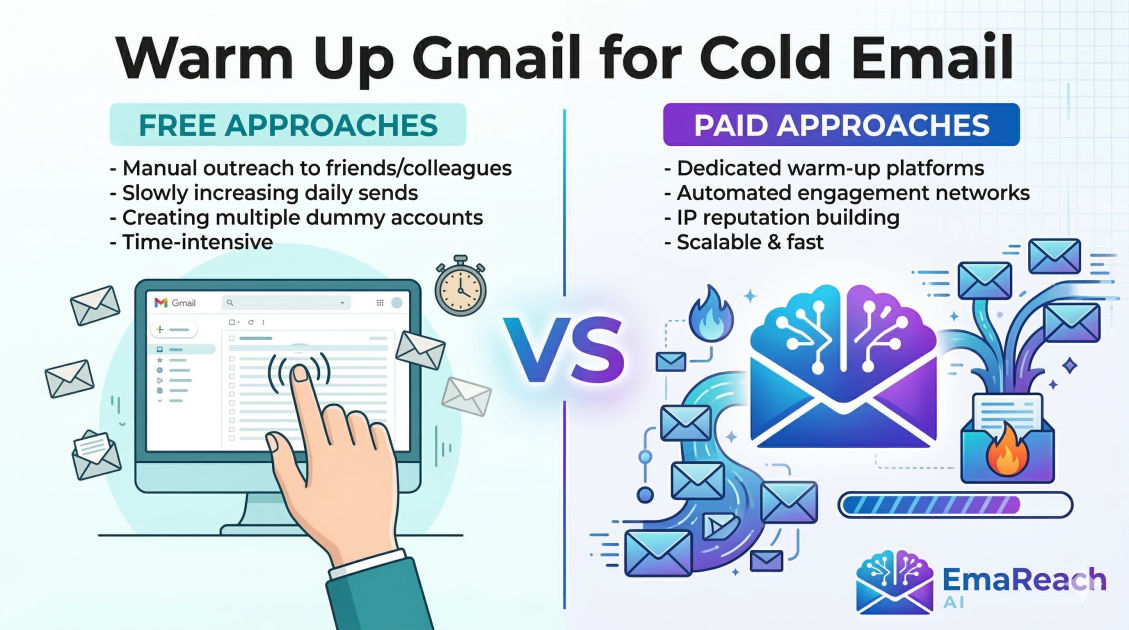
Warm Up Gmail for Cold Email: Free vs Paid Approaches
cold emailemail warm upgmail outreachdeliverabilitysales automationlead generation
Introduction to Email Warming
In the modern landscape of digital communication, the success of a cold email campaign is determined long before the first message is even drafted. The difference between a high-performing outreach strategy and one that fails to generate a single lead often comes down to one technical factor: email deliverability. For those using Gmail or Google Workspace, the process of 'warming up' an email account is the essential bridge between a fresh, untrusted inbox and a powerful sales engine.
Email warming is the systematic process of building a positive reputation with Internet Service Providers (ISPs). When you create a new Gmail account, Google has no historical data to determine if you are a legitimate sender or a spammer. If you immediately begin sending hundreds of cold emails, automated filters will flag your behavior as suspicious, relegating your messages to the spam folder or, worse, suspending your account entirely.
This guide explores the comprehensive strategies for warming up your Gmail account, comparing the meticulous manual (free) methods against the automated (paid) solutions available today. Whether you are a solo founder on a budget or a scaling sales team, understanding these approaches is critical to ensuring your voice is actually heard by your prospects.
The Mechanics of Sender Reputation
To understand why warming is necessary, one must understand how Google evaluates your 'Sender Reputation.' This is a hidden score assigned to your domain and IP address based on several behavioral signals:
- Sent Volume Consistency: Rapid spikes in volume are a major red flag.
- Engagement Rates: Do recipients open your emails, click links, and reply?
- Spam Complaints: How many people are hitting the 'Report Spam' button?
- Bounce Rates: Are you sending to non-existent addresses?
- Inbox Placement: Are your emails being moved from the 'Promotions' or 'Spam' tabs back to the 'Primary' inbox by users?
When you warm up an account, you are essentially 'faking' or 'simulating' organic, high-quality engagement to prove to Google that you are a human being engaging in meaningful conversation.
The Manual Approach: Free Email Warming
The manual approach is the traditional way to build reputation. It costs nothing but time and discipline. This method is ideal for those who have a low volume of outreach or are in the very early stages of testing a market.
Phase 1: The Technical Foundation
Before sending a single email, you must ensure your technical records are flawless. Even a perfectly warmed account will fail if your 'passport' isn't in order. This involves setting up:
- SPF (Sender Policy Framework): A DNS record that specifies which mail servers are permitted to send email on behalf of your domain.
- DKIM (DomainKeys Identified Mail): Adds a digital signature to your emails, ensuring the content hasn't been tampered with in transit.
- DMARC (Domain-based Message Authentication, Reporting, and Conformance): A policy that tells receiving servers what to do if an email fails SPF or DKIM checks.
Phase 2: The Slow Ramp-Up
In the manual free approach, you must act like a standard business user. Start by sending emails to people you know—friends, colleagues, or your own alternative email addresses.
- Week 1: Send 5-10 emails per day. Ensure these people reply to you. If you send an email from Account A to Account B, make sure Account B replies. This 'back-and-forth' is the strongest signal of legitimacy.
- Week 2: Increase to 15-20 emails per day. Start joining newsletters (like morning news digests or industry blogs). These incoming emails show Google that your inbox is active and receiving mail, not just sending it.
- Week 3: Increase to 30-40 emails. Start reaching out to acquaintances or low-stakes prospects. Ensure your content is highly personalized to minimize the risk of a spam report during this sensitive period.
Phase 3: Engagement Mimicry
To truly optimize a free warm-up, you must engage with the emails you receive. Open them, click a link within them, and occasionally move them from the 'Social' or 'Promotions' tab to the 'Primary' tab. This tells Google’s algorithms that your content is valuable to users.
Pros of Free Manual Warming:
- Zero financial cost.
- High quality of interaction (real human conversations).
- Total control over the process.
Cons of Free Manual Warming:
- Extremely time-consuming.
- Hard to scale across multiple accounts.
- Difficult to maintain consistency.
- No data or analytics to prove the account is 'ready.'
The Automated Approach: Paid Email Warming
As cold outreach scales, manual warming becomes a bottleneck. Paid warming tools have emerged to automate the entire process, using networks of thousands of real email accounts to simulate human interaction.
How Paid Tools Work
When you connect your Gmail account to a paid warming service, the tool joins you into a 'pool' of other users. The software then automatically:
- Sends emails from your account to other accounts in the pool.
- Opens the emails received by those accounts.
- Removes your emails from the spam folder if they land there (this is a massive 'positive' signal to Google).
- Replies to your emails automatically using AI-generated text to simulate a conversation.
- Gradually increases the daily volume based on proven algorithms.
Selecting a Paid Strategy
Paid approaches often provide a dashboard that shows your 'Deliverability Score.' This takes the guesswork out of the process. You can see exactly what percentage of your warm-up emails are landing in the Primary tab versus Spam.
For businesses looking for an all-in-one solution, EmaReach offers a sophisticated path. Stop Landing in Spam. Cold Emails That Reach the Inbox. EmaReach AI combines AI-written cold outreach with inbox warm-up and multi-account sending—so your emails land in the primary tab and get replies. This type of integrated approach is often more effective than standalone warm-up tools because it maintains the warm-up activity even while your actual cold campaigns are running, preventing 'reputation decay.'
Pros of Paid Automated Warming:
- Set it and forget it; saves hours of manual work.
- Scales easily to 10, 50, or 100+ accounts.
- Provides 'Spam to Inbox' recovery—the tool actively pulls your mail out of spam.
- Detailed analytics on your sender health.
Cons of Paid Automated Warming:
- Monthly subscription costs.
- Risk of 'footprints' if the tool uses low-quality or non-human-like patterns (though top-tier tools avoid this).
Comparing Free vs. Paid: A Strategic Breakdown
To help you decide which route to take, let's look at a side-by-side comparison of the two methodologies.
| Feature | Free (Manual) | Paid (Automated) |
|---|---|---|
| Cost | $0 | $15 - $100+ per month |
| Time Investment | 30-60 mins daily | 5 mins (initial setup) |
| Reliability | Variable (depends on your discipline) | High (algorithmic consistency) |
| Spam Recovery | Difficult | Automatic and highly effective |
| Scalability | Not feasible for multiple domains | Built for scale |
| Analytics | None | Real-time health dashboards |
Best Practices for Gmail Warming (Regardless of Method)
Whether you choose the free or paid route, certain universal rules apply to Gmail and Google Workspace accounts.
1. Don't Stop Warming When You Start Sending
One of the biggest mistakes users make is turning off their warm-up tool (or stopping manual warm-up) the moment they launch their cold email campaign. Your warm-up should run in the background permanently. This balances out the cold emails (which have lower engagement) with the warm-up emails (which have 100% engagement), keeping your overall sender score high.
2. Use a Custom Tracking Domain
If you use tracking links in your cold emails, Gmail may flag the default tracking domains used by many software providers. By setting up a custom tracking domain (a subdomain of your own domain), you keep your reputation entirely under your control.
3. Mind the 'Daily Limit'
While a Google Workspace account technically allows for up to 2,000 emails per day, you should never reach this with cold email. A safe, warmed-up account should rarely exceed 50-75 cold emails per day. If you need to send 500 emails per day, the professional approach is to use 10 different accounts, each sending 50 emails.
4. Personalization is the Ultimate Shield
No amount of warming can save an account that sends identical, generic templates to thousands of people. Google’s algorithms are excellent at detecting 'patterned' sending. Use liquid syntax and AI-driven personalization to ensure every email sent from your Gmail account is unique.
Transitioning from Warm-up to Outreach
The transition period is where most accounts get burned. You should not jump from 0 cold emails to 50 overnight.
- The Overlap Period: Once your account has been warming for at least 14 days, start your first cold campaign at just 5 emails per day while the warm-up continues at 20-30 per day.
- The Monitoring Phase: Check your bounce rates daily. If your bounce rate exceeds 3%, stop immediately. This means your lead list is 'dirty,' and it will destroy the reputation you just spent weeks building.
- The Scaling Phase: Increase your cold outreach by 5-10 emails per day every week until you hit your target volume.
Common Pitfalls to Avoid
Using 'Burner' Domains Incorrectly
Many people use secondary domains (e.g., using getcompany.com instead of company.com) to protect their main domain. This is a smart move, but these secondary domains need more warming because they have zero history. Do not treat a burner domain as 'disposable' in a way that leads to reckless sending.
Neglecting the 'Inbox' Side
Sending is only half the battle. If your Gmail account never receives mail, it looks suspicious. This is why joining newsletters and having a warm-up tool send mail to you is just as important as sending mail from you.
Ignoring Google Workspace Settings
Ensure that your Google Workspace profile is complete. Add a profile picture, set up a signature, and enable 2-Factor Authentication. A 'bare-bones' account looks more like a bot to Google's security filters.
Conclusion
In the debate between free and paid Gmail warming, the right choice depends on your goals. If you are a student or a freelancer sending five emails a week, the free manual method is a great way to learn the ropes and save money. However, for any business where lead generation is a core function, the manual method is an expensive use of time.
Paid automated warming is no longer a luxury; it is a standard operational requirement for modern outreach. It provides a level of insurance for your domain reputation that manual efforts simply cannot match. By leveraging automation, you ensure that your technical foundation is solid, allowing you to focus on what actually matters: writing compelling copy and closing deals.
Regardless of the path you choose, remember that email deliverability is a marathon, not a sprint. Respect the algorithms, provide value to your recipients, and keep your inbox 'warm,' and you will find that the doors to your prospects' primary inboxes remain wide open.
EmaReach AI
Ready to scale your cold email outreach?
Join thousands of teams using EmaReach AI for AI-powered campaigns, domain warmup, and 95%+ deliverability. Start free — no credit card required.
Related posts
- Read article
The Instantly Alternative That Finally Gets Outbound Analytics Right
Discover why high-volume cold email requires a shift from surface-level vanity metrics to deep, data-driven revenue attribution, and explore the ultimate alternatives for mastering outbound engineering.
- Read article
What You Gain and What You Give Up When Switching From Instantly
Thinking about migrating your cold email stack? This detailed guide breaks down the exact operational advantages you gain and the core features you sacrifice when switching away from Instantly's popular outreach platform.