Blog
Back to blog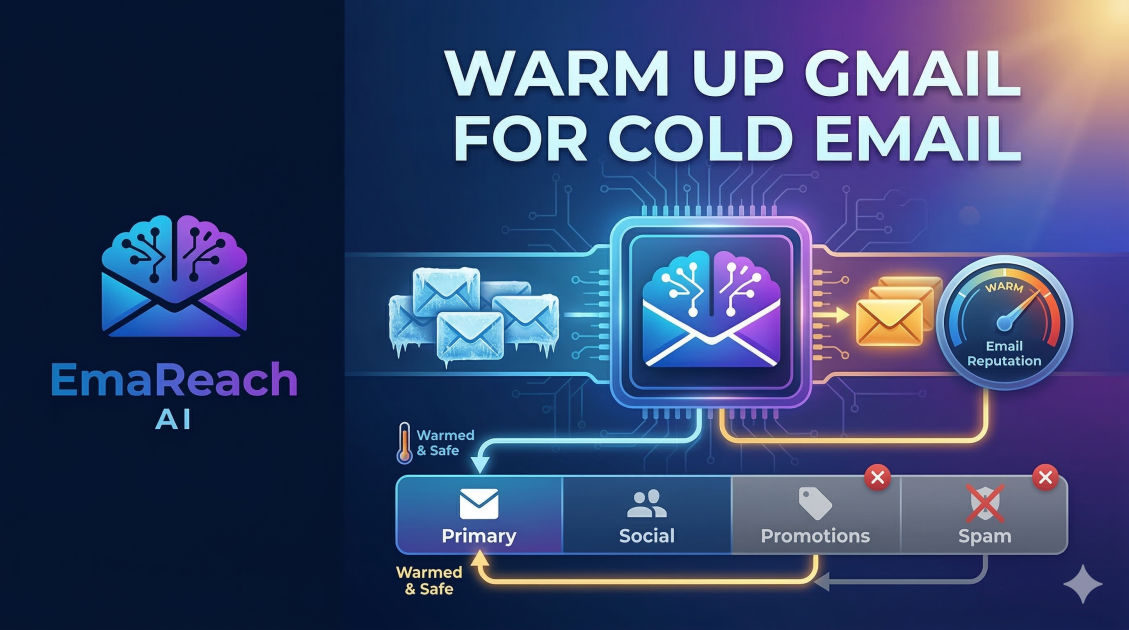
Warm Up Gmail for Cold Email: Avoiding the Promotions Tab
cold emailemail deliverabilitygmail warm upoutreach strategyinbox placementemail marketing
Introduction to Email Deliverability
Landing in the primary inbox is the holy grail of cold outreach. For many marketers and sales professionals using Gmail, the journey often hits a roadblock known as the Promotions tab—or worse, the Spam folder. When you send a cold email, you aren't just fighting for the recipient's attention; you are fighting against sophisticated algorithms designed to filter out noise.
To succeed in modern outreach, you must understand that Gmail views a brand-new or inactive email account with suspicion. If you suddenly start sending fifty emails a day from a fresh account, Google’s filters will flag this as 'bot-like' behavior. This is where the process of 'warming up' your email comes into play. Warming up is the intentional process of building a sender reputation so that email service providers (ESPs) recognize you as a human, trustworthy sender.
Why the Promotions Tab is the Enemy of Cold Outreach
While the Promotions tab is technically part of the inbox, it is where emails go to be ignored. Studies suggest that emails landing in the Primary tab have significantly higher open rates compared to those buried in the Promotions or Social tabs. Google uses machine learning to categorize incoming mail based on various triggers: the presence of 'salesy' language, an abundance of links, high image-to-text ratios, and most importantly, the historical interaction between the sender and the recipient.
If your cold emails consistently land in Promotions, your response rates will crater. To avoid this, you need to transition your account from a 'marketing' profile to a 'personal' profile in the eyes of the algorithm. This requires a strategic warm-up period and a deep dive into technical configurations.
The Technical Foundations: SPF, DKIM, and DMARC
Before you send a single warm-up email, your technical house must be in order. Without these three authentication protocols, your emails are essentially traveling without a passport.
Sender Policy Framework (SPF)
SPF is a DNS record that lists the mail servers authorized to send emails on behalf of your domain. When a server receives your email, it checks the SPF record to see if the sender is 'on the list.' If not, it’s a one-way ticket to Spam.
DomainKeys Identified Mail (DKIM)
DKIM adds a digital signature to your emails. This signature ensures that the content of the email hasn't been tampered with during transit. It acts as a seal of authenticity.
Domain-based Message Authentication, Reporting, and Conformance (DMARC)
DMARC uses SPF and DKIM to give instructions to the receiving server on what to do if the authentication fails (e.g., do nothing, quarantine the email, or reject it). Having a DMARC policy in place is a massive trust signal to Google.
The Anatomy of an Email Warm-Up
Email warming is the process of gradually increasing your sending volume while maintaining a high engagement rate. If you have a new domain, you cannot rush this.
Phase 1: The Initial Trickle
Start by sending 2-5 emails per day to people you know—colleagues, friends, or your own secondary accounts. The key here is engagement. These recipients should open the email, click any links, and most importantly, reply.
Phase 2: Scaling the Volume
After the first week, increase your volume to 10-15 emails per day. At this stage, you should start using an automated warm-up tool. These tools connect you to a network of other real accounts that interact with your emails automatically. This creates a pattern of 'healthy' traffic: emails being opened, marked as 'not spam,' and moved from Promotions to Primary.
Phase 3: Maintaining the Momentum
Even after you begin your actual cold outreach campaigns, you should never stop the warm-up process. Continuing to send a steady stream of high-engagement emails helps offset any potential negative signals from people who might mark your cold outreach as spam.
For those looking to automate this complex process, EmaReach provides a comprehensive solution. It combines AI-written cold outreach with an integrated inbox warm-up and multi-account sending system. By ensuring your emails reach the primary tab, it helps you stop landing in spam and start getting real replies.
Strategies to Bypass the Promotions Tab
Even with a warmed-up account, your content can still trigger the Promotions filter. Here are the primary factors that influence categorization:
1. Remove Tracking Pixels
Most cold email tools use a 1x1 pixel image to track opens. While data is great, these pixels are a massive 'red flag' for the Promotions tab. If you find your deliverability dropping, try disabling open tracking. A delivered email that isn't tracked is better than a tracked email that is never seen.
2. Simplify Your Signature
Avoid using complex HTML, social media icons, or heavy images in your signature. A text-based signature looks like a personal email. An image-heavy signature looks like a newsletter.
3. Personalization Beyond the First Name
Google's algorithms can detect templates. If you send 500 emails that are 95% identical, you will be flagged. Use deep personalization. Mention a specific detail about the recipient's recent work or their company. The more unique each email is, the less likely it is to be identified as a bulk promotion.
4. Limit Links and Attachments
Try to keep your first cold email link-free. If you must include a link, include only one. Attachments are even riskier; they are often flagged for security reasons or categorized as marketing collateral.
The Role of User Engagement
Google monitors how users interact with your domain. If your emails have a high 'Mark as Spam' rate, your reputation will plummet. Conversely, if users 'Star' your emails, move them to folders, or reply to them, your reputation soars.
To encourage engagement in your cold outreach:
- Ask a low-friction question: Instead of asking for a 30-minute demo, ask a simple 'Yes/No' question.
- Provide value upfront: Give them a tip or a resource without requiring a click-through.
- Make opting out easy: Ironically, having a clear way to opt-out (like a simple 'Reply STOP to unsub') can prevent people from hitting the 'Report Spam' button.
Common Warm-Up Mistakes to Avoid
- Starting Too Fast: Jumping from 0 to 100 emails in three days is the fastest way to get your account blacklisted.
- Using a New Domain for Everything: Never use your primary company domain for cold outreach. If the reputation of
company.comis ruined, your internal team's emails won't reach clients. Use a 'neighbor' domain likegetcompany.comorcompanyoutreach.com. - Inconsistent Sending Patterns: Sending 100 emails on Monday and 0 on Tuesday looks suspicious. Aim for a steady, natural growth curve.
- Neglecting the 'Reply' Factor: If you send 1000 emails and get 0 replies, Google assumes you are a spammer. A healthy inbox has a balanced ratio of sent-to-received mail.
Monitoring Your Reputation
You cannot fix what you cannot measure. Use tools like Google Postmaster Tools to monitor your domain's health. It provides data on your spam rate, encryption, and delivery errors. If you see your domain reputation moving from 'High' to 'Medium,' it's time to pause your campaigns and increase your warm-up activity.
Understanding IP vs. Domain Reputation
While Gmail focuses heavily on domain reputation, the IP address used by your mail server also matters. If you are using a shared IP from a cheap email provider, the 'bad' behavior of other users on that IP can bleed over into your deliverability. This is why using high-quality providers or dedicated IPs is often recommended for high-volume outreach.
Conclusion
Warming up a Gmail account is not a one-time task; it is a fundamental part of the outreach lifecycle. By focusing on technical authentication, gradual volume scaling, and human-centric content, you can consistently bypass the Promotions tab. Remember that deliverability is a marathon, not a sprint. Every reply you receive and every email that lands in a primary inbox builds the 'trust equity' your domain needs to thrive. Maintain a clean list, write personalized copy, and use the right tools to ensure your voice is heard by the people who matter most to your business.
EmaReach AI
Ready to scale your cold email outreach?
Join thousands of teams using EmaReach AI for AI-powered campaigns, domain warmup, and 95%+ deliverability. Start free — no credit card required.
Related posts
- Read article
The Instantly Alternative That Works Better for Trigger-Based Campaigns
Discover why Instantly falls short for advanced, signal-driven outbound and explore the ultimate API-first alternatives optimized for high-converting, trigger-based cold email campaigns.
- Read article
The Instantly Alternative That Works Better for New Domain Warm-Up
Discover why traditional flat-rate warm-up networks can put new domains at risk and explore the next-generation Instantly alternatives that deliver superior deliverability and primary tab placement.