Blog
Back to blog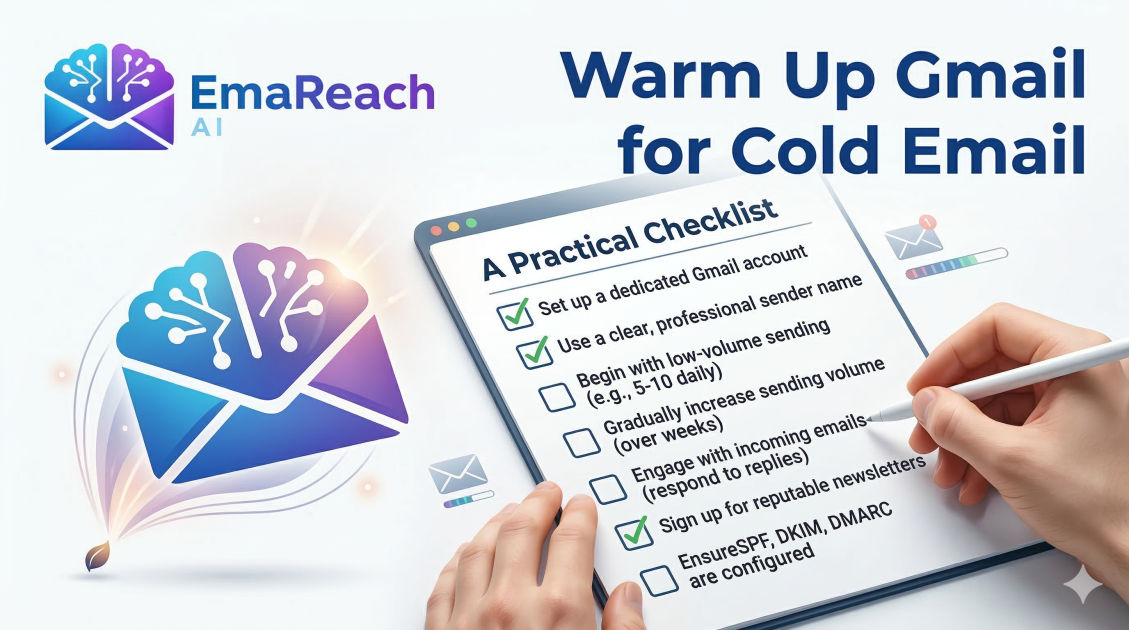
Warm Up Gmail for Cold Email: A Practical Checklist
gmail warm upcold emailemail deliverabilityoutreach strategygoogle workspaceemail marketing
Introduction to Gmail Warm-Up
In the world of digital outreach, your email deliverability is the foundation of your success. You could have the most compelling offer and the most precise targeting, but if your emails are landing in the spam folder, your ROI will remain zero. Gmail, being one of the most sophisticated email service providers (ESPs), utilizes complex algorithms to determine whether an incoming message is helpful or harmful.
When you create a new Gmail or Google Workspace account, it starts with a 'neutral' reputation. If you immediately begin sending hundreds of outbound emails, Gmail's filters flag this sudden spike in activity as 'spammy' behavior. To prevent this, you must undergo a process known as 'warming up.' This article provides a comprehensive, step-by-step checklist to ensure your Gmail account is primed for high-volume cold email outreach without risking suspension or the dreaded spam folder.
Why Your Gmail Account Needs Warming
Email service providers like Google prioritize the user experience. They want to protect their users from unsolicited, low-quality content. A brand-new account has no history of sending or receiving legitimate mail. If that account suddenly sends 50 emails in its first hour, it triggers a red flag.
Warming up is the process of building a positive sender reputation by gradually increasing your email volume and engaging in realistic, human-like conversations. This signals to Google that you are a legitimate user. Proper warm-up ensures that your domain is trusted and that your messages land in the primary inbox rather than the promotions or spam tabs.
Phase 1: Technical Setup and Infrastructure
Before you send a single email, you must ensure your technical foundation is unshakeable. Missing even one of these steps can lead to immediate deliverability issues.
1. Set Up SPF (Sender Policy Framework)
SPF is a DNS record that specifies which mail servers are authorized to send email on behalf of your domain. Without this, receiving servers cannot verify if an email from your domain is actually from you.
2. Configure DKIM (DomainKeys Identified Mail)
DKIM adds a digital signature to your emails. This signature proves to the recipient's server that the email was indeed sent by the domain owner and wasn't altered in transit. Google Workspace provides a specific DKIM key that you must add to your DNS settings.
3. Implement DMARC (Domain-based Message Authentication, Reporting, and Conformance)
DMARC uses SPF and DKIM to provide instructions to the receiving mail server on how to handle emails that fail authentication. A basic 'p=none' policy is a great starting point to show providers you are serious about security.
4. Enable Custom Tracking Domains
Most cold email tools track opens and clicks using a shared tracking pixel. If other users of that shared domain are sending spam, your reputation could be damaged by association. Setting up a custom tracking domain (a CNAME record) ensures that the links in your emails are branded to your domain, increasing trust with filters.
5. Profile Optimization
Fill out your Google profile completely. Add a professional profile picture, a clear display name, and a standard email signature. A 'hollow' account with no profile data looks like a bot to Google’s automated scanners.
Phase 2: The Manual Warm-Up Period (Week 1)
During the first week, your goal is to mimic authentic human behavior. Automated tools are helpful, but initial manual interaction creates a 'organic' baseline for your account.
Step 1: Subscribe to Newsletters
Sign up for 10-15 high-quality newsletters (think industry news, marketing blogs, or reputable media outlets). This ensures you receive a steady stream of incoming mail, which is a key indicator of a real user.
Step 2: Respond to Newsletters
Don't just let the newsletters sit there. Open them and occasionally reply to one. This creates a healthy 'sent-to-received' ratio.
Step 3: Direct Peer-to-Peer Interaction
Send 5-10 manual emails daily to colleagues, friends, or your own alternative accounts. Ensure these people open the emails and, most importantly, reply to them. If your emails land in spam during this phase, have the recipient move them to the 'Inbox' and mark them as 'Not Spam.'
Step 4: Low-Volume Sending
Limit your total outbound volume to under 20 emails per day during this first week. This includes your manual tests and replies.
Phase 3: Automated Warm-Up Strategy
Maintaining a manual warm-up is time-consuming and difficult to scale. This is where specialized technology becomes essential. To truly scale your outreach, you need a system that automates these interactions while keeping them natural.
For those looking to streamline this process, EmaReach is an excellent solution. It helps you stop landing in spam by ensuring your cold emails reach the inbox. EmaReach AI combines AI-written cold outreach with inbox warm-up and multi-account sending—so your emails land in the primary tab and get replies. This type of automated assistance is vital for maintaining a consistent warm-up schedule without manual oversight.
The Mechanics of Automated Warm-Up
Automated warm-up tools work by:
- Sending emails from your account to a network of other 'warm-up' accounts.
- Automatically opening those emails.
- Marking them as 'Important.'
- Moving them from the spam folder to the inbox if necessary.
- Replying to the emails using AI-generated, relevant text.
Phase 4: The Gradual Scaling Checklist
Once your account has been active for at least two weeks with consistent engagement, you can begin the 'ramping' phase. This must be a steady incline, not a vertical jump.
The 20% Rule
A safe rule of thumb is to increase your daily sending volume by no more than 20% every two to three days. For example:
- Day 1-3: 20 emails/day
- Day 4-6: 24 emails/day
- Day 7-9: 29 emails/day
Monitoring Deliverability Metrics
During the scaling phase, keep a close eye on your metrics. If you see your open rates drop below 30-40%, it is an immediate signal that you are likely hitting the spam folder. Pause the increase and return to a lower volume until your reputation recovers.
Bounce Rate Management
Ensure your list is verified before sending. A bounce rate higher than 3% can destroy a new account's reputation instantly. Use a verification tool to remove catch-all, invalid, or risky email addresses from your prospect list.
Phase 5: Maintaining a Healthy Inbox (Ongoing)
Warm-up isn't a 'one-and-done' task; it's a permanent part of your email infrastructure. Even a seasoned account can lose its reputation if sending habits become erratic.
Keep Warm-Up Active During Campaigns
You should never turn off your warm-up tool. As you increase your real cold email volume, keep the warm-up volume active in the background. This provides a 'buffer' of positive engagement (opens and replies) that offsets any negative signals from cold prospects who might delete your email without opening it.
Diversify Your Content
Avoid sending the exact same subject line and body to 100 people at once. Google's filters look for repetitive patterns. Use 'spintax' (word variations) and dynamic variables like the recipient’s name, company, or a specific detail about their work to ensure every email is technically unique.
Space Out Your Sends
Never send a burst of 50 emails in one minute. Human beings don't work that way. Use your sending software to 'drip' emails throughout the day with random intervals between each send (e.g., one email every 3 to 7 minutes).
The Gmail Warm-Up Practical Checklist: Summary
To simplify your journey, here is a quick-reference checklist you can follow for every new Gmail account you launch:
-
Technical Foundation:
- SPF Record added to DNS.
- DKIM Signature enabled in Google Admin.
- DMARC Policy (p=none) established.
- Custom Tracking Domain (CNAME) configured.
- Profile photo and signature uploaded.
-
Initial Engagement (Week 1):
- 10-15 Newsletter subscriptions active.
- 5-10 Manual peer emails per day.
- 100% reply rate on manual emails.
- Manual 'Not Spam' marking if necessary.
-
Automation & Scaling (Week 2+):
- Automated warm-up tool active (e.g., EmaReach).
- Daily volume increasing by <20% increments.
- All cold email lists verified (Bounce rate <3%).
- Sending intervals set to 3-10 minutes between emails.
-
Long-Term Maintenance:
- Warm-up tool left running indefinitely.
- Regular monitoring of 'Spam' vs 'Inbox' placement.
- Content updated to avoid 'fingerprinting' by filters.
Conclusion
Warming up a Gmail account for cold email is a marathon, not a sprint. The impatience to 'just start sending' is the primary cause of failed outreach campaigns. By following this systematic approach—securing your technical settings, building initial human rapport, and leveraging automated tools to maintain engagement—you create a resilient sender reputation. This foundation allows you to reach your prospects' primary inboxes consistently, ensuring that your hard work in crafting the perfect message actually gets seen. Remember, the goal of warming up is to prove to Google that you are a helpful communicator, not a source of noise. Respect the process, and the results will follow.
EmaReach AI
Ready to scale your cold email outreach?
Join thousands of teams using EmaReach AI for AI-powered campaigns, domain warmup, and 95%+ deliverability. Start free — no credit card required.
Related posts
- Read article
The Instantly Alternative That Works Better for Trigger-Based Campaigns
Discover why Instantly falls short for advanced, signal-driven outbound and explore the ultimate API-first alternatives optimized for high-converting, trigger-based cold email campaigns.
- Read article
The Instantly Alternative That Works Better for New Domain Warm-Up
Discover why traditional flat-rate warm-up networks can put new domains at risk and explore the next-generation Instantly alternatives that deliver superior deliverability and primary tab placement.