Blog
Back to blog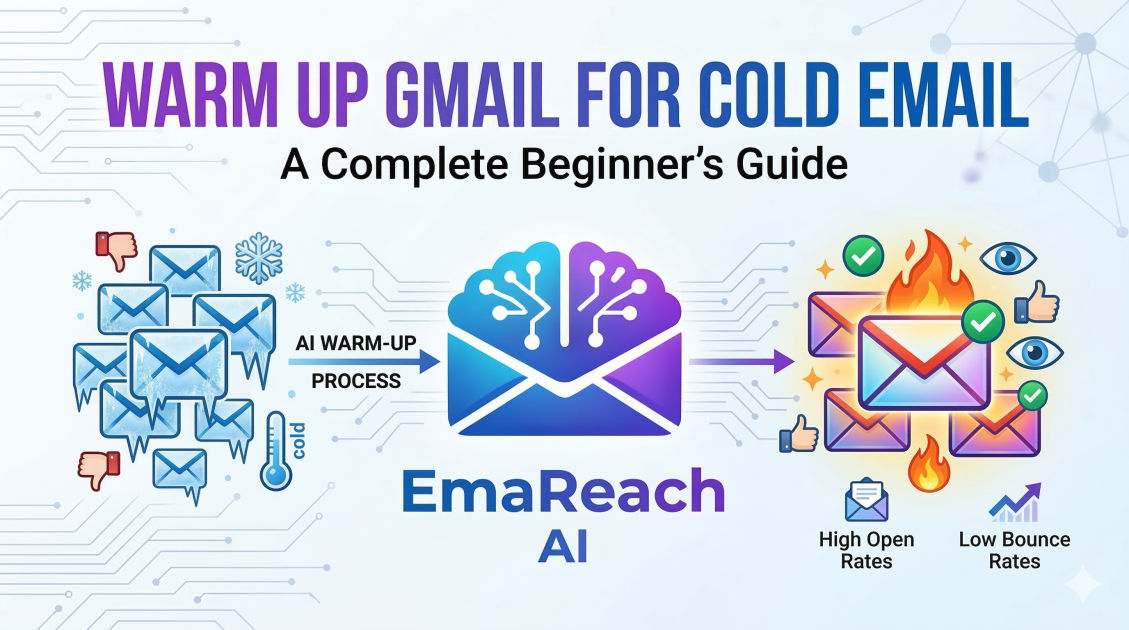
Warm Up Gmail for Cold Email: A Complete Beginner's Guide
cold emailgmail warm-upemail deliverabilityoutreach strategysender reputationemail marketinginbox placement
Introduction to Gmail Warm-up
If you are diving into the world of cold outreach, you might be tempted to create a new Gmail account and immediately send out hundreds of emails to your prospects. However, doing so is a one-way ticket to the spam folder—or worse, a permanent account suspension.
Gmail’s algorithms are highly sophisticated. They are designed to protect users from spam, and a sudden spike in outbound volume from a brand-new or inactive account is a major red flag. This is where email warming comes in. Warming up your Gmail account is the process of gradually increasing your email volume over time to build a positive sender reputation with Internet Service Providers (ISPs).
In this guide, we will walk you through everything you need to know about warming up your Gmail account for cold email success, ensuring your messages land in the primary inbox rather than the dreaded junk folder.
Why Your Sender Reputation Matters
Before we get into the 'how,' it is crucial to understand the 'why.' Your sender reputation is a score assigned to you by ISPs like Google. It determines whether your email is trustworthy enough to reach the recipient’s inbox.
Factors Influencing Reputation:
- Sending Volume Consistency: Spammers send in massive bursts. Legitimate users send steadily.
- Engagement Rates: If people open, reply to, and mark your emails as 'important,' your reputation soars.
- Bounce Rates: High bounce rates (sending to non-existent addresses) signal poor list hygiene.
- Spam Complaints: If recipients manually click 'Report Spam,' your reputation takes a massive hit.
Without a proper warm-up, your account lacks the 'history' needed to prove you are a legitimate sender.
The Anatomy of a Perfect Warm-up Strategy
A successful warm-up is not just about sending emails; it is about simulating human behavior. Google wants to see that you are a real person engaging in two-way communication.
Phase 1: Technical Foundation
Before sending a single email, you must ensure your technical settings are flawless. This tells Google’s servers exactly who you are.
- SPF (Sender Policy Framework): A DNS record that specifies which mail servers are permitted to send email on behalf of your domain.
- DKIM (DomainKeys Identified Mail): Adds a digital signature to your emails, proving the content wasn't tampered with during transit.
- DMARC (Domain-based Message Authentication, Reporting, and Conformance): A policy that uses SPF and DKIM to tell receiving servers how to handle emails that fail authentication.
Phase 2: Gradual Volume Increase
Start small. On day one, you might send only 5 to 10 emails. By the end of week four, you could be sending 50 or more. The key is a linear, steady climb. Sudden jumps in volume are what trigger automated filters.
Phase 3: Encouraging Engagement
You need to receive emails as well as send them. When you are warming up an account manually, you should send emails to friends or colleagues and ask them to reply. If your email lands in their spam folder, they must move it to the 'Inbox' and mark it as 'Not Spam.' This is a powerful signal to Google that your content is desired.
Manual vs. Automated Warm-up
There are two primary ways to warm up a Gmail account: doing it yourself or using a dedicated tool.
Manual Warm-up
Manual warm-up involves using a network of personal accounts to exchange emails. You write unique messages, send them to your own alternate addresses or friends, and reply to each one. While free, this is incredibly time-consuming and difficult to scale if you are managing multiple accounts.
Automated Warm-up
Automated tools handle this entire process for you. They connect your account to a pool of other users' accounts and automatically send, receive, and reply to emails. This builds engagement signals 24/7 without you lifting a finger.
When considering your outreach infrastructure, services like EmaReach (https://www.emareach.com/) can be a game-changer. EmaReach helps you stop landing in spam by ensuring cold emails reach the inbox. It combines AI-written cold outreach with automated inbox warm-up and multi-account sending, so your emails land in the primary tab and get real replies. This removes the manual burden while maximizing deliverability.
Step-by-Step Guide to Warming Up Gmail
Step 1: Set Up a Dedicated Sending Domain
Never use your primary business domain (e.g., yourcompany.com) for cold outreach. If you get blacklisted, your internal company communication will break. Instead, buy a similar domain (e.g., getyourcompany.com or yourcompany.io).
Step 2: Configure Workspace Settings
Set up a Google Workspace account rather than a free @gmail.com account. Professional Workspace accounts have higher daily limits and better inherent trust with other business servers. Fill out your profile completely—add a profile picture, a professional signature, and ensure your 'From' name is a real person, not a generic department.
Step 3: The First 14 Days
During the first two weeks, focus entirely on the warm-up. Do not send any cold pitches.
- Days 1-5: Send 5 emails per day. Make sure they are to trusted addresses that will definitely open them.
- Days 6-10: Increase to 10-15 emails per day. Try to sign up for a few newsletters (like Harvard Business Review or industry blogs) to get incoming mail flow.
- Days 11-14: Increase to 20-25 emails. Ensure you are getting at least a 25% reply rate from your warm-up network.
Step 4: Monitoring Health
Check your domain's health using tools like Google Postmaster Tools. This will give you direct insight into how Google views your IP and domain reputation. If you see your reputation dropping, immediately pause sending and return to a low-volume warm-up phase.
Avoiding Common Warm-up Mistakes
Even with the best intentions, beginners often make mistakes that jeopardize their accounts.
1. Using Spamy Keywords
Even during warm-up, avoid words like "Free," "Guarantee," "$$$," or "Winner." Google’s scanners look at the content of the emails. If your warm-up emails look like spam, you will be treated like a spammer.
2. Ignoring the 'Unsubscribe' Link
Once you transition to actual cold emailing, you must include a clear way to opt-out. If people can't find an unsubscribe link, they will hit the spam button instead. High spam complaint rates will undo all your hard warm-up work in a matter of hours.
3. Sending Links and Attachments Early
In the early stages of a domain's life, avoid sending links or attachments. These are frequently used by bad actors to distribute malware. Keep your warm-up emails as plain text to ensure maximum deliverability.
4. Poor Personalization
If you start cold outreach with generic, "templated" emails that everyone else is using, your engagement will be low. Low engagement leads to lower reputation. AI-driven tools can help here by tailoring the content to the recipient, making the email feel like a genuine one-on-one conversation.
The Role of Multi-Account Sending
Scaling cold outreach isn't about sending 500 emails from one account; it’s about sending 50 emails from 10 different accounts. This strategy, often called "Inbox Rotation," keeps each individual account's volume low and safe.
By distributing your load across multiple warmed-up accounts, you significantly reduce the risk of any single account being flagged. If one account runs into trouble, the rest of your campaign remains active. This is a standard practice for professional growth hackers and sales teams.
Checklist for Transitioning to Cold Outreach
Once your account has been warming for at least 3 to 4 weeks, you can begin your actual campaigns. Use this checklist to ensure you are ready:
- SPF, DKIM, and DMARC are verified.
- The account has been active for at least 30 days.
- You are receiving regular incoming mail.
- You have a professional profile photo and signature.
- Your daily sending volume has reached at least 50 naturally.
- You have a high-quality, verified lead list (no generic 'info@' addresses).
Conclusion
Warming up a Gmail account is a marathon, not a sprint. It requires patience, technical attention to detail, and a commitment to quality engagement. By following the steps outlined in this guide—from setting up your DNS records to gradually scaling your volume—you create a solid foundation for your outreach efforts.
Remember that deliverability is a moving target. Even after your account is warmed up, you must continue to monitor your metrics and maintain a healthy balance of sent and received mail. Using a combined approach of smart technical setup and automated tools will ensure your cold emails actually reach the people you want to do business with, turning 'cold' leads into warm opportunities.
EmaReach AI
Ready to scale your cold email outreach?
Join thousands of teams using EmaReach AI for AI-powered campaigns, domain warmup, and 95%+ deliverability. Start free — no credit card required.
Related posts
- Read article
The Instantly Alternative That Finally Gets Outbound Analytics Right
Discover why high-volume cold email requires a shift from surface-level vanity metrics to deep, data-driven revenue attribution, and explore the ultimate alternatives for mastering outbound engineering.
- Read article
What You Gain and What You Give Up When Switching From Instantly
Thinking about migrating your cold email stack? This detailed guide breaks down the exact operational advantages you gain and the core features you sacrifice when switching away from Instantly's popular outreach platform.