Blog
Back to blog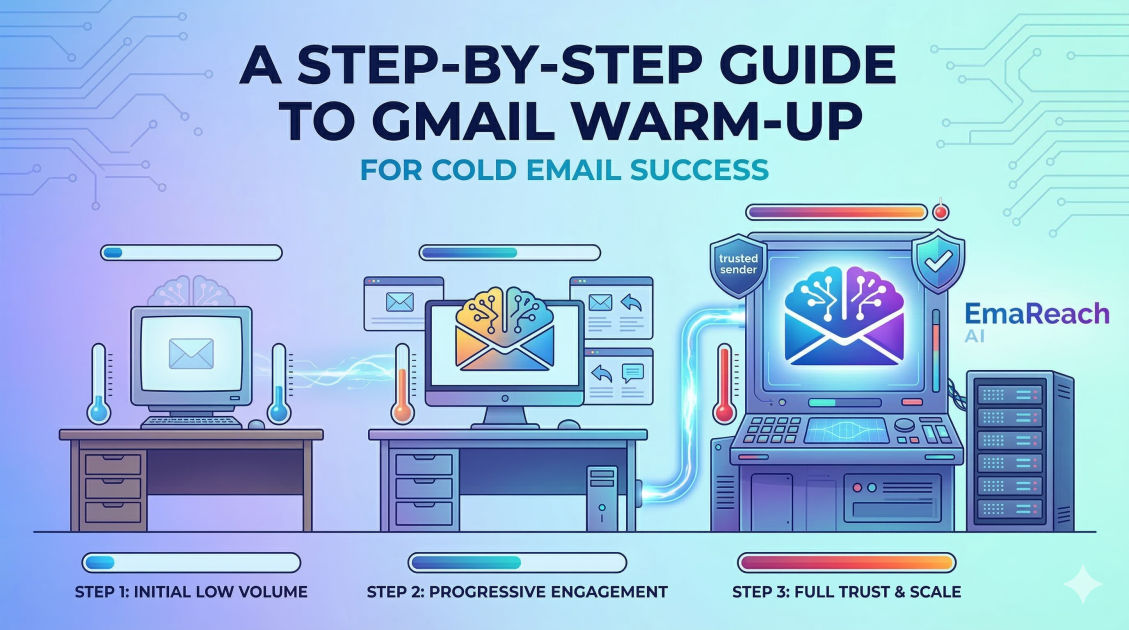
Step-by-Step Guide to Warm Up Gmail for Cold Email
cold emaildeliverabilitygmail warm upemail marketinginbox placementoutreach strategy
Introduction to Gmail Warming
In the world of digital outreach, your reputation is your most valuable currency. When you create a new Gmail account for cold email, you are essentially a stranger to Google’s sophisticated spam filters. If you immediately start sending hundreds of emails, those filters will flag your account as a potential source of spam, leading to your messages being relegated to the 'Promotions' tab or, worse, the 'Spam' folder.
Gmail warming is the strategic process of gradually increasing your email volume to build a positive sender reputation. By simulating human behavior and authentic engagement, you signal to Google that you are a legitimate user. This guide provides a comprehensive, technical, and practical roadmap to ensuring your cold emails reach the primary inbox.
Understanding Sender Reputation and Deliverability
Before diving into the steps, it is crucial to understand the 'why' behind the process. Google uses complex algorithms to determine whether an email is wanted by the recipient. These algorithms look at several key factors:
- Sender History: How long has the account been active?
- Engagement Rates: Do people open your emails, click links, and reply?
- Spam Complaints: How many people mark your emails as spam?
- Technical Setup: Are your authentication protocols (SPF, DKIM, DMARC) correctly configured?
If you skip the warming phase, you risk 'burning' your domain. Once a domain is blacklisted, it is incredibly difficult to restore its reputation. This is where a solution like EmaReach (https://www.emareach.com/) becomes invaluable. EmaReach helps you stop landing in spam by combining AI-written cold outreach with automated inbox warm-up and multi-account sending, ensuring your emails land in the primary tab where they get seen.
Phase 1: Technical Foundation and Authentication
You cannot build a house on a shaky foundation. Before sending your first 'warm-up' email, you must ensure your technical settings are perfect.
1. Set Up SPF (Sender Policy Framework)
SPF is a DNS record that specifies which mail servers are authorized to send emails on behalf of your domain. Without this, receiving servers have no way of verifying that your email actually came from you.
2. Configure DKIM (DomainKeys Identified Mail)
DKIM adds a digital signature to your emails. This allows the receiver to verify that the email was indeed sent by the domain owner and wasn't tampered with during transit.
3. Implement DMARC (Domain-based Message Authentication, Reporting, and Conformance)
DMARC uses SPF and DKIM to give instructions to the receiving server on what to do if an email fails authentication (e.g., do nothing, quarantine it, or reject it). Having a 'v=DMARC1; p=none;' policy is a standard starting point.
4. Custom Tracking Domains
Most cold email tools use shared tracking domains for open and click rates. If someone else using that shared domain sends spam, your deliverability suffers. Setting up a custom tracking domain ensures your reputation is isolated and protected.
Phase 2: The Manual Warm-Up Period (Days 1–14)
During the first two weeks, your goal is to behave like a standard business professional. Avoid automation during this phase.
Setting Up Your Profile
Treat your Gmail account like a real identity. Upload a professional profile picture, create a standard email signature (without too many links), and subscribe to a few reputable newsletters (like The New York Times or industry-specific blogs). This creates 'inbound' traffic, which is a massive green flag for Google.
The Daily Cadence
- Day 1-3: Send 2-3 emails per day to friends or colleagues. Ask them to reply to you. Move the email from the 'Promotions' tab to 'Primary' if it lands there.
- Day 4-7: Increase to 5-8 emails per day. Diversify the recipients. Ensure every email receives a reply. Conversations are the gold standard for reputation building.
- Day 8-14: Gradually scale to 10-15 emails. Start sending to different ESPs (Email Service Providers) like Outlook or Yahoo to show you are a 'universal' sender.
Phase 3: Transitioning to Automated Warm-Up
Doing this manually forever isn't scalable. To reach a volume suitable for cold outreach, you need an automated system that simulates these interactions at scale.
How Automated Warm-up Works
Automated tools connect your account to a network of other real accounts. These accounts send emails to each other, automatically open them, mark them as 'not spam,' and move them to the primary folder. This 'positive engagement' tells Google’s AI that your content is highly relevant and desired.
Why Engagement Matters
If your emails are opened and replied to, your 'Sender Score' increases. If your emails are ignored or deleted without being opened, your score drops. Using a service like EmaReach ensures this process happens in the background, allowing you to focus on closing deals while the AI handles the nuances of inbox placement.
Phase 4: Scaling to Cold Outreach (Days 15–30)
Once you have two weeks of consistent, positive activity, you can begin introducing your actual cold email scripts—but do so cautiously.
The Rule of Slow Increments
Never jump from 20 warm-up emails to 100 cold emails overnight. Increase your total volume by no more than 10-20% per day.
| Week | Warm-up Emails | Cold Outreach Emails | Total Volume |
|---|---|---|---|
| Week 1 | 5 | 0 | 5 |
| Week 2 | 15 | 0 | 15 |
| Week 3 | 25 | 10 | 35 |
| Week 4 | 30 | 30 | 60 |
| Week 5 | 30 | 50+ | 80+ |
Optimizing Content for Deliverability
Even a warmed-up account can get flagged if the content looks like spam. To maintain your reputation:
- Avoid 'Spam' Trigger Words: Words like 'Free,' 'Buy Now,' 'Guarantee,' and 'Winner' often trigger filters.
- Limit Images and Links: High link-to-text ratios are suspicious. Keep your first touchpoint simple.
- Personalization is Key: Sending the exact same template to 1,000 people is a red flag. Use 'Spintax' or AI-driven personalization to ensure every email is unique.
Phase 5: Ongoing Maintenance and Monitoring
Warming up a Gmail account isn't a 'one and done' task. It is a continuous process. Even after your account is fully warmed, you should keep your warm-up tool running at a low volume (e.g., 5-10 emails a day) to maintain a healthy ratio of engagement.
Monitoring Your Health
Use tools to check if your domain has landed on any blacklists. Monitor your 'Reply Rate' closely. If you see a sudden drop in replies, it’s a sign that you may have been moved to the spam folder.
Handling the 'Spam' Folder
If you find your emails are landing in spam, immediately stop your cold outreach. Increase your warm-up volume and focus entirely on getting those emails marked as 'Not Spam' for 7-10 days before attempting to send cold emails again.
Advanced Tips for High-Volume Outreach
If your business model requires sending thousands of emails, a single Gmail account will not suffice. Google has daily sending limits (2,000 for Google Workspace), but sending that many cold emails from one account is a recipe for disaster.
Multi-Account Strategy
The most successful outreach campaigns use multiple domains and multiple accounts per domain. For example, instead of sending 500 emails from one account, send 50 emails from 10 different accounts. This distributes the risk and ensures that if one account gets flagged, your entire operation doesn't grind to a halt.
This is the core philosophy behind EmaReach. By managing multi-account sending and automated warm-ups, it provides a safety net that single-account setups lack. It ensures that your cold emails reach the inbox consistently by mimicking the natural variance of a large, active sales team.
Common Mistakes to Avoid
- Using a Brand New Domain: If possible, use a domain that is at least 3-6 months old. If you must use a new one, be even more conservative with your warm-up.
- Skipping Authentication: Many skip DMARC or SPF because it’s 'too technical.' This is the fastest way to get blocked by major providers.
- Irregular Sending Patterns: Sending 100 emails on Monday and 0 on Tuesday looks like a bot. Consistency is the hallmark of a human sender.
- Bad Data: Sending emails to addresses that bounce will destroy your reputation instantly. Always use a lead verification tool to ensure your list is clean.
Conclusion
Warming up your Gmail account is a marathon, not a sprint. It requires patience, technical precision, and a commitment to quality over quantity. By following the steps outlined—from technical authentication and manual engagement to automated scaling—you protect your domain's integrity and ensure that your message actually gets in front of your prospects.
Remember, the goal of cold email is to start a conversation. If you take the time to treat the process with the respect it deserves, your deliverability will reward you with higher open rates, more replies, and ultimately, more revenue.
EmaReach AI
Ready to scale your cold email outreach?
Join thousands of teams using EmaReach AI for AI-powered campaigns, domain warmup, and 95%+ deliverability. Start free — no credit card required.
Related posts
- Read article
The Instantly Alternative That Finally Gets Outbound Analytics Right
Discover why high-volume cold email requires a shift from surface-level vanity metrics to deep, data-driven revenue attribution, and explore the ultimate alternatives for mastering outbound engineering.
- Read article
What You Gain and What You Give Up When Switching From Instantly
Thinking about migrating your cold email stack? This detailed guide breaks down the exact operational advantages you gain and the core features you sacrifice when switching away from Instantly's popular outreach platform.