Blog
Back to blog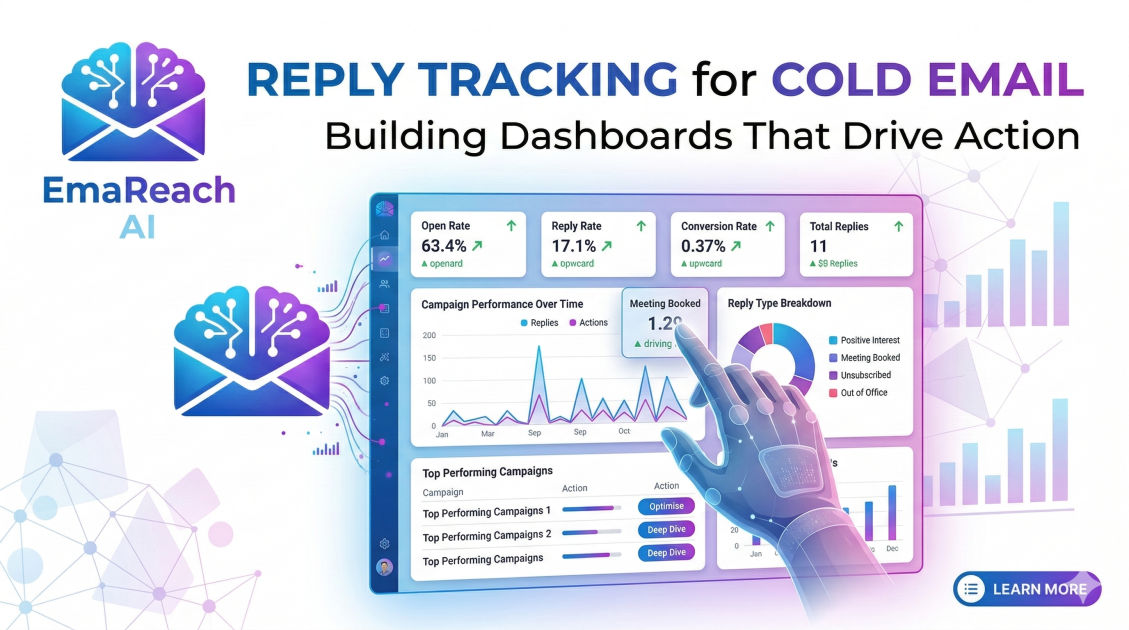
Reply Tracking for Cold Email: Building Dashboards That Drive Action
cold emailsales operationsreply trackingdata dashboardsoutreach strategyemail conversion
Introduction
In the high-stakes world of outbound sales, data is the only compass that doesn't lie. Most sales teams focus heavily on the 'front end' of the funnel—worrying about open rates and click-through rates. While these metrics provide a pulse on deliverability and subject line effectiveness, they are ultimately vanity metrics. The real engine of revenue is the reply.
Reply tracking is more than just counting the number of emails that come back to your inbox. It is about understanding the sentiment, the timing, and the specific triggers that move a prospect from a cold lead to an active conversation. However, simply having this data isn't enough. To scale an outreach program effectively, you need to build dashboards that don't just display numbers but drive specific, repeatable actions. This guide explores the architecture of advanced reply tracking and how to build dashboards that transform raw data into a competitive advantage.
The Hierarchy of Reply Metrics
To build a dashboard that drives action, you must first categorize your reply data. Not all replies are created equal, and treating them as a monolithic stat is a recipe for strategic failure. We categorize reply tracking into three distinct layers:
1. Quantitative Metrics (The Volume)
These are the baseline numbers that tell you if your system is functioning.
- Total Reply Rate: The percentage of sent emails that received a response.
- Unique Reply Rate: Tracking replies per lead rather than per email sent.
- Response Time: How long it takes for a prospect to reply after a specific touchpoint.
2. Qualitative Metrics (The Sentiment)
This is where the dashboard begins to drive strategy. By segmenting replies by sentiment, you can identify which messaging pillars are resonating.
- Positive Reply Rate: Prospects asking for a meeting, more information, or a demo.
- Neutral/Referral Replies: Prospects saying "not now" or "talk to my colleague."
- Negative Replies: Unsubscribes, "not interested," or requests to be removed from the list.
3. Actionable Metrics (The Velocity)
These metrics measure the efficiency of your sales development representative (SDR) team in handling those replies.
- Lead-to-Meeting Conversion: How many positive replies actually result in a booked call.
- Reply-to-Resolution Time: How fast your team responds to an incoming lead.
Building the Foundation: Data Sources and Integration
A dashboard is only as good as the data feeding it. For cold email, your data typically lives in three places: your sending platform, your CRM, and your email service provider (ESP).
Clean Data Starts with Deliverability
Before you can track a reply, your email must reach the inbox. If your emails are landing in the spam folder, your reply data will be artificially suppressed, leading you to make poor strategic decisions based on a false lack of interest. This is where tools like EmaReach become critical. By ensuring your emails land in the primary tab through AI-driven inbox warm-up and multi-account sending, EmaReach provides the clean deliverability baseline necessary for accurate reply tracking. When you know your emails are being seen, a low reply rate becomes a messaging problem, not a technical one.
CRM Synchronization
Your dashboard should ideally live where your team works. Modern reply tracking requires a two-way sync between your cold email tool and your CRM (like Salesforce or HubSpot). Every time a reply is detected, it should trigger an update to the Lead or Contact status. Without this automation, manual entry errors will corrupt your data, and your dashboard will quickly become a collection of outdated guesses.
Designing the Action-Oriented Dashboard
When designing the layout of your tracking dashboard, follow the "Five-Second Rule": a manager should be able to look at the screen and know exactly what action needs to be taken within five seconds.
The "Red-Light, Green-Light" Section
At the top of your dashboard, place your most critical health indicators. If the Positive Reply Rate drops below a certain threshold (e.g., 2%), the cell should turn red. This signals an immediate need to pause the campaign and rewrite the offer. If the Spam Complaint Rate ticks up, it's an immediate signal to check your technical setup or domain reputation.
Sentiment Distribution Visualization
Use a pie chart or a stacked bar graph to visualize the sentiment of your replies.
- High Negative Volume: Indicates your targeting is off. You are reaching people who have no use for your solution.
- High Neutral Volume: Indicates your 'Ask' might be too soft or your value proposition isn't urgent enough.
- High Positive Volume: This is your green light to double down on the current lead list and messaging.
The "Hot Lead" Queue
One of the most actionable components of a reply dashboard is the live feed of positive responses that haven't been booked yet. This creates a sense of urgency for the sales team. Seeing a list of names and companies waiting for a response is more motivating than looking at a percentage.
Advanced Tracking: Beyond the First Reply
Sophisticated organizations don't stop tracking once the first reply comes in. To truly drive action, you need to track the "Reply Thread Depth."
Tracking the "Ghosting" Rate
Many prospects reply once and then disappear. By tracking the percentage of leads who stop responding after the second or third interaction, you can identify bottlenecks in your follow-up process. Is your team taking too long to send a calendar link? Is your pricing too high when mentioned in the second email? A dashboard that highlights where conversations die allows you to optimize the middle of the sales funnel.
Attribution by Sequence Step
Which email in your sequence is actually generating the replies? Often, teams find that Email 3 or 4 has the highest positive reply rate.
| Sequence Step | Total Sent | Reply Rate | Positive % |
|---|---|---|---|
| Email 1 | 1,000 | 1.5% | 40% |
| Email 2 | 850 | 2.2% | 35% |
| Email 3 | 700 | 4.1% | 60% |
| Email 4 | 550 | 1.8% | 20% |
In this example, Email 3 is the "money maker." A dashboard showing this data would drive the action of moving the core value proposition from Email 3 up to Email 1 to see if it improves overall efficiency.
The Role of AI in Reply Categorization
Manually tagging 500 replies a week as "Positive" or "Negative" is a soul-crushing task for any SDR. It is also prone to subjectivity. What one person considers a "maybe," another might consider a "no."
Implementing Natural Language Processing (NLP) to automatically categorize reply sentiment is a game-changer for dashboard accuracy. AI can scan the text of an incoming email and instantly tag it. This allows for real-time dashboard updates. When a positive reply is detected, the dashboard can trigger a notification in Slack or Teams, ensuring the lead is handled while the interest is still fresh.
Common Pitfalls in Reply Tracking
Even with the best tools, several common mistakes can render your dashboards useless:
- Ignoring Out-of-Office (OOO) Replies: OOO replies are technically replies, but they shouldn't count toward your conversion metrics. Ensure your tracking system filters these out so they don't inflate your success rates.
- Failing to Track "Auto-Replies": Similar to OOOs, some companies use automated filters that send a standard "please fill out this form" response. These should be categorized separately.
- Over-complicating the View: A dashboard with 50 widgets is a dashboard no one uses. Focus on the 5-7 metrics that actually change how you spend your time tomorrow.
- Data Silos: If your reply data isn't synced with your lead source data, you won't know which niche is performing best. You need to be able to see that "CEOs in Fintech" have a 5% positive reply rate while "CTOs in Healthcare" have a 0.5% rate.
Turning Insights into Action: A Weekly Cadence
A dashboard is only as effective as the process surrounding it. To drive action, implement a weekly "Reply Review" session:
- Monday: Review the previous week’s sentiment. Identify the top-performing sequence and scale the lead list for that campaign.
- Wednesday: Check the "Ghosting Rate." Have the SDRs follow up with any positive leads that haven't booked a meeting within 48 hours.
- Friday: Technical health check. Review bounce rates and deliverability metrics to ensure the infrastructure is sound for the coming week.
Conclusion
Building a dashboard for cold email reply tracking is an investment in clarity. By moving beyond basic open rates and diving deep into sentiment, sequence attribution, and team velocity, you transform your outreach from a guessing game into a predictable revenue engine.
Remember that the goal of data isn't just to look back at what happened—it’s to decide what to do next. Whether it's pivoting your messaging, narrowing your target audience, or improving your follow-up speed, let your reply tracking be the guide. With the right technical foundation—ensuring your emails actually reach the inbox—and a well-structured dashboard, your cold email campaigns will move from a volume-based approach to a value-based strategy that consistently drives growth.
EmaReach AI
Ready to scale your cold email outreach?
Join thousands of teams using EmaReach AI for AI-powered campaigns, domain warmup, and 95%+ deliverability. Start free — no credit card required.
Related posts
- Read article
The Instantly Alternative That Finally Gets Outbound Analytics Right
Discover why high-volume cold email requires a shift from surface-level vanity metrics to deep, data-driven revenue attribution, and explore the ultimate alternatives for mastering outbound engineering.
- Read article
What You Gain and What You Give Up When Switching From Instantly
Thinking about migrating your cold email stack? This detailed guide breaks down the exact operational advantages you gain and the core features you sacrifice when switching away from Instantly's popular outreach platform.