Blog
Back to blog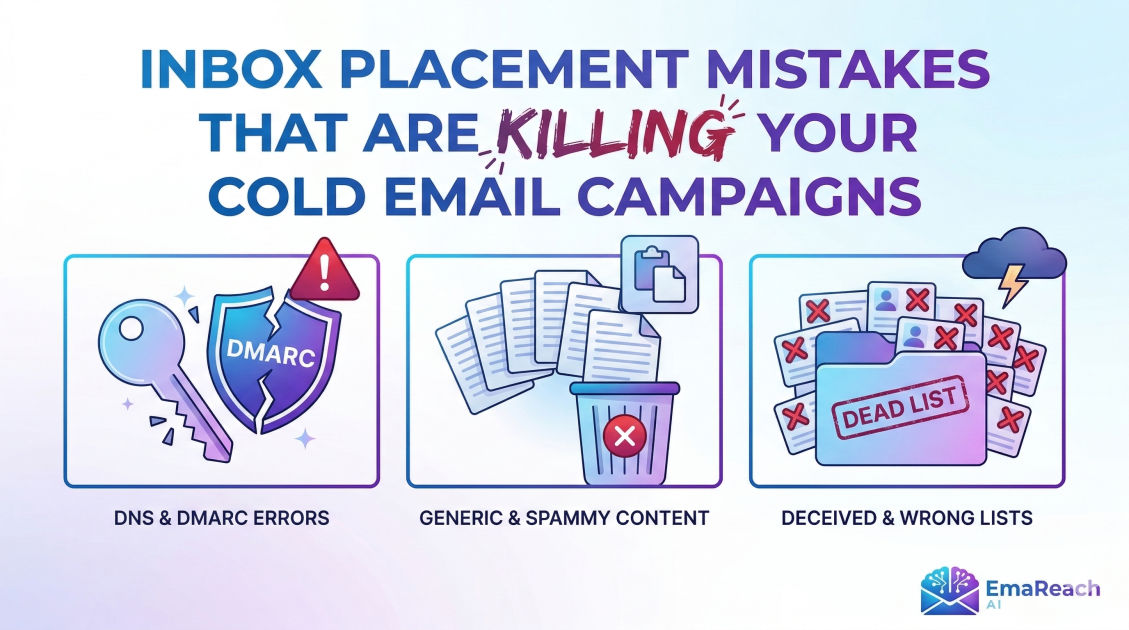
Inbox Placement Mistakes That Are Killing Your Cold Email Campaigns
cold emaildeliverabilityemail marketinginbox placementlead generationoutreach strategyspam filters
Introduction: The Invisible Barrier to Outreach Success
You have spent hours researching your prospects. You have crafted a compelling value proposition, polished your call to action, and built a list of high-intent leads. You hit 'send' and wait for the replies to roll in. But instead of a flooded inbox, you hear nothing but silence.
When cold email campaigns fail, most marketers look at their copywriting or their offer. While those are important, the real culprit is often invisible: Inbox Placement. If your emails are landing in the spam folder or the dreaded 'Promotions' tab, your prospects will never see them, let alone read them.
In the current landscape of digital communication, ISPs (Internet Service Providers) and email giants like Google and Outlook have become incredibly sophisticated. They aren't just looking for 'spammy' words anymore; they are looking at technical configurations, sending patterns, and engagement signals. If you are making these common inbox placement mistakes, you aren't just losing a few leads—you are killing your entire outreach strategy.
To ensure your messages reach their destination, you need a robust strategy. Services like EmaReach help businesses stop landing in spam by combining AI-written cold outreach with inbox warm-up and multi-account sending, ensuring your emails land in the primary tab and get replies.
1. Neglecting Technical Authentication (SPF, DKIM, and DMARC)
The foundation of email deliverability is trust. Before a mail server even looks at your subject line, it asks: "Is this sender who they say they are?" If you haven't set up your technical authentication properly, the answer is a resounding "No."
SPF (Sender Policy Framework)
SPF is a DNS record that specifies which mail servers are authorized to send emails on behalf of your domain. If you send an email from a server that isn't listed in your SPF record, the receiving server flags it as suspicious. Many senders forget to update this when they switch tools or add new sending IP addresses.
DKIM (DomainKeys Identified Mail)
DKIM adds a digital signature to your emails. It allows the receiver to verify that the email was indeed authorized by the owner of that domain and that the content hasn't been tampered with during transit. Without DKIM, your emails look like they could be forged, which is a massive red flag for spam filters.
DMARC (Domain-based Message Authentication, Reporting, and Conformance)
DMARC ties SPF and DKIM together. It tells the receiving server what to do if the authentication fails—either do nothing, quarantine the email (send to spam), or reject it entirely. Not having a DMARC policy is increasingly becoming a reason for automatic rejection by major providers.
2. Using a Brand New Domain Without 'Warming Up'
One of the most common mistakes in cold outreach is the "Burn and Churn" approach with new domains. You buy get-companyname.com, set up an email, and immediately blast 500 emails a day. This is the fastest way to get your domain blacklisted.
The Importance of Warm-up
Mail servers track the reputation of every domain. A new domain has no reputation, which makes it a high-risk entity. You must gradually increase your sending volume over several weeks. This process, known as 'warming up,' involves sending a small number of emails and ensuring they get opened and replied to.
Multi-Account Sending
Instead of sending 200 emails from one account, it is much safer to send 40 emails from five different accounts. This distributes the load and keeps you under the radar of volume-based spam triggers. Using a platform like EmaReach can automate this multi-account strategy, keeping your primary domain safe while maximizing reach.
3. Ignoring Domain and IP Reputation
Your inbox placement is heavily dependent on your 'Sender Score.' If you have been flagged as spam in the past, or if you are sharing an IP address with a known spammer, your deliverability will plummet.
Blacklists
There are hundreds of public blacklists (like Spamhaus or SURBL). If your domain ends up on one of these, your emails will be blocked by most major providers. You should regularly monitor your domain's status. If you find yourself blacklisted, you must stop all sending immediately and resolve the underlying issue—usually poor list hygiene or high complaint rates.
Tracking Pixel Issues
While tracking opens is important for analytics, many standard tracking pixels are hosted on 'dirty' domains shared by thousands of other users. If a spammer uses the same tracking domain as you, your email might be flagged by association. Custom tracking domains are a must for serious cold outreach.
4. Poor List Hygiene and High Bounce Rates
Sending emails to addresses that don't exist is a signal to ISPs that you are using a scraped, outdated, or unverified list. This is a hallmark of a spammer.
Hard vs. Soft Bounces
A hard bounce occurs when an email address is invalid or non-existent. You should never have a hard bounce rate higher than 1-2%. If your bounce rate hits 5%, your deliverability will tank. Soft bounces (temporary issues like a full inbox) are less damaging but still need to be monitored.
The Danger of 'Catch-All' Emails
Some domains are configured to 'catch' all emails sent to them, even if the specific address doesn't exist. These are notoriously difficult to verify. Sending too many emails to unverified catch-all addresses can increase your risk profile.
5. Over-Optimization of 'Spammy' Content and Keywords
While modern filters are smarter than just looking for the word "Free" or "Winner," the content of your email still matters. Overloading your email with aggressive sales language remains a mistake.
Trigger Words
Words like "Guarantee," "Risk-free," "Act now," and "Investment" can still trigger filters if used excessively. The key is balance. Your copy should sound like a human-to-human conversation, not a late-night infomercial.
HTML vs. Plain Text
Heavy HTML emails (lots of colors, fonts, and images) are a signature of marketing newsletters. Cold emails should ideally be plain text or very simple HTML. The more your email looks like a personal message from one professional to another, the more likely it is to land in the Primary tab rather than the Promotions or Spam folders.
6. Lack of Personalization and Relevance
Spam filters now incorporate engagement metrics. If users consistently delete your emails without opening them, or if they open them and immediately hit 'Report Spam,' your reputation will suffer.
The 'Spam' Button is the Ultimate Kill-switch
When a recipient marks your email as spam, it is a direct signal to their provider. If this happens frequently, your emails will bypass the inbox for everyone, not just that specific recipient. The best way to avoid the spam button is to be relevant. If your offer is highly targeted to the recipient's pain points, they are much less likely to be annoyed by your outreach.
Beyond First Name Tags
Basic personalization like {First_Name} is the bare minimum. True personalization involves mentioning a recent company achievement, a specific pain point relevant to their industry, or a shared connection. High-quality AI writing tools can now assist in generating these personalized opening lines at scale, ensuring your outreach feels bespoke.
7. Including Too Many Links and Attachments
A common mistake is trying to close the deal in the first email by including links to a calendar, a demo video, a whitepaper, and a case study.
Link-to-Text Ratio
An email with three sentences and four links looks suspicious. It is a common tactic for phishing attacks. For a first cold touch, aim for one link—or better yet, no links at all. Ask a question to start a conversation instead. Once the prospect replies, the 'trust' is established, and you can send links more freely.
The Danger of Attachments
Never send an attachment (PDF, Word doc, etc.) in a first-time cold email. Attachments are the primary way malware is distributed. Most security filters will automatically quarantine an unsolicited email containing an attachment.
8. Failing to Provide an Easy Opt-Out
It might seem counterintuitive to make it easy for people to stop receiving your emails, but it is actually essential for your deliverability.
The Compliance Factor
Laws like GDPR and CAN-SPAM require you to provide a clear way for recipients to opt out of future communications. Beyond the legal requirement, an 'Unsubscribe' link or a simple "Reply 'No' if you'd like me to stop reaching out" prevents frustrated prospects from hitting the 'Report Spam' button. A 'No' is much better for your reputation than a spam report.
9. Inconsistent Sending Patterns
ISPs look for patterns. If you send zero emails for three weeks and then suddenly send 2,000 in one day, it triggers an alarm. This 'spike' behavior is typical of hacked accounts or botnets.
Steady Volume
You should aim for a consistent daily volume. If you need to scale up, do it incrementally. This is where automation tools become invaluable, as they can throttle your sending to ensure it remains within the limits of human-like behavior.
10. Neglecting Mobile Optimization
Over 40% of emails are opened on mobile devices. If your email looks broken, has tiny text, or features a layout that requires horizontal scrolling, the recipient will delete it instantly.
Subject Line Length
Mobile screens truncate subject lines much earlier than desktop screens. If your hook is at the end of a 10-word subject line, the mobile user will never see it. Keep subject lines short (3-5 words) to ensure they are fully visible across all devices.
11. Ignoring the 'Reply' Signal
In the eyes of Google and Outlook, a reply is the ultimate vote of confidence. It tells them: "This person knows the sender and finds their message valuable."
Encouraging a Response
Your goal shouldn't be to get a 'Click.' Your goal should be to get a 'Reply.' Ask low-friction, open-ended questions. Instead of "Click here to book a call," try "Is this something your team is currently focusing on?" The more replies you get, the higher your sender reputation becomes, which in turn improves your inbox placement for future leads.
Conclusion: Mastering the Art of Deliverability
Inbox placement isn't a one-time setup; it is an ongoing process of maintenance and optimization. By avoiding these critical mistakes—from technical authentication errors to poor list hygiene and aggressive content—you can ensure that your cold email campaigns actually have a chance to succeed.
Success in cold outreach is a game of margins. A 10% increase in inbox placement can lead to a massive increase in revenue over time. Focus on building trust with both the mail servers and your recipients. When you prioritize the technical health of your domain and the relevance of your message, you move from being a 'spammer' to a welcome guest in your prospect's inbox.
EmaReach AI
Ready to scale your cold email outreach?
Join thousands of teams using EmaReach AI for AI-powered campaigns, domain warmup, and 95%+ deliverability. Start free — no credit card required.
Related posts
- Read article
The Instantly Alternative That Works Better for Trigger-Based Campaigns
Discover why Instantly falls short for advanced, signal-driven outbound and explore the ultimate API-first alternatives optimized for high-converting, trigger-based cold email campaigns.
- Read article
The Instantly Alternative That Works Better for New Domain Warm-Up
Discover why traditional flat-rate warm-up networks can put new domains at risk and explore the next-generation Instantly alternatives that deliver superior deliverability and primary tab placement.