Blog
Back to blog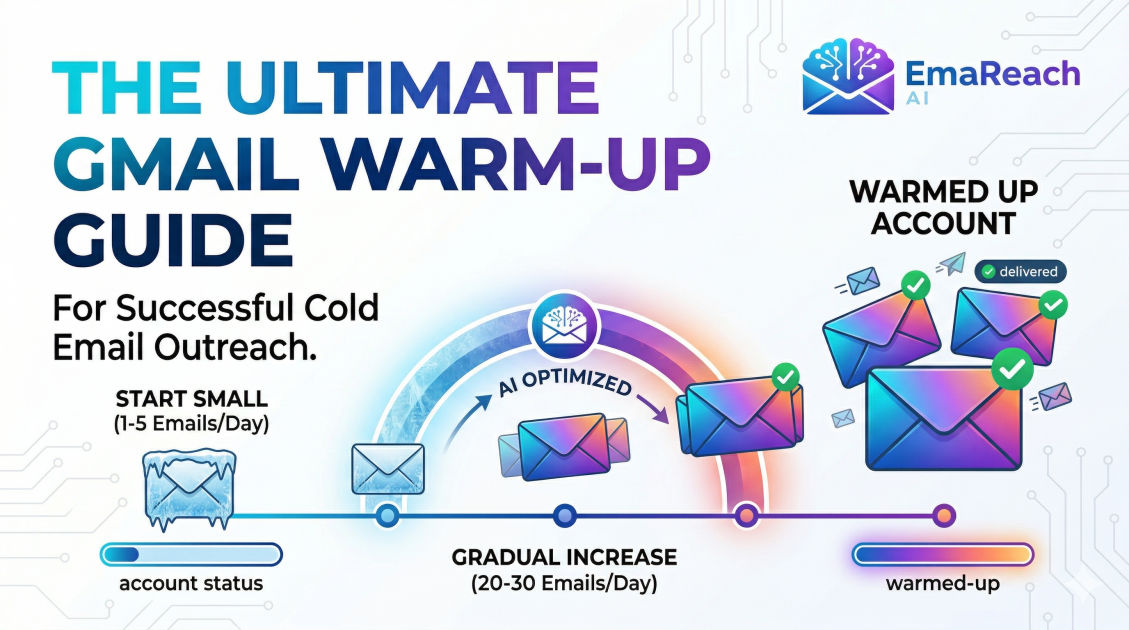
How to Warm Up Your Gmail Account for Cold Email Outreach
cold emailemail deliverabilitygmail warm upoutreach strategyemail marketingsender reputation
Introduction
Launching a cold email campaign is often met with a mix of excitement and anxiety. You have a list of high-value prospects, a compelling offer, and a script that hits all the right pain points. However, there is a silent killer that halts even the most brilliant campaigns before they begin: the spam folder. For Gmail users, the stakes are particularly high. Google employs some of the most sophisticated filtering algorithms in the world, designed to protect users from unsolicited and low-quality content.
If you take a brand-new Gmail account and immediately start blasting out 50 or 100 emails a day, Google’s automated systems will flag your account as a 'spammer' almost instantly. Once your sender reputation is tarnished, recovering it is a long and arduous process. This is where the concept of 'warming up' comes into play. Warming up a Gmail account is the process of gradually increasing your email volume and engagement levels to build a positive sender reputation with Internet Service Providers (ISPs).
In this comprehensive guide, we will explore the technical, behavioral, and strategic steps required to warm up your Gmail account correctly, ensuring your outreach reaches the primary inbox.
Understanding Sender Reputation and Deliverability
Before diving into the 'how,' it is crucial to understand the 'why.' Deliverability is not just about whether an email was sent; it is about where it lands. To determine this, Google looks at several factors that comprise your sender reputation.
The Role of IP and Domain Reputation
Your sender reputation is split into two main categories: IP reputation and domain reputation. While Gmail users generally share IP addresses with millions of others, your specific domain reputation is unique to you. If your domain is new, it has no history. In the eyes of an ISP, no history is almost as suspicious as a bad history. A warm-up period provides the data Google needs to trust that you are a legitimate human sender rather than a bot.
Engagement Metrics
Google doesn't just look at how many emails you send; it looks at how recipients interact with them. Positive signals include:
- Open rates: Are people actually looking at the mail?
- Reply rates: Is there a two-way conversation happening?
- Marked as 'Not Spam': If an email lands in spam and a user moves it to the inbox, this is a massive boost to your reputation.
- Moving to Folders: If users categorize your email, it shows relevance.
Conversely, negative signals like high bounce rates (sending to non-existent addresses) or 'Mark as Spam' clicks will tank your deliverability instantly.
Phase 1: Technical Setup and Authentication
You cannot warm up an account that isn't technically sound. Before sending your first 'warm-up' email, you must ensure your DNS settings are configured to prove your identity.
SPF (Sender Policy Framework)
SPF is a TXT record in your DNS settings that lists the mail servers authorized to send emails on behalf of your domain. Without this, receiving servers have no way of verifying that the email actually came from you.
DKIM (DomainKeys Identified Mail)
DKIM adds a digital signature to your emails. This ensures that the content of the email hasn't been tampered with during transit. It’s like a wax seal on a medieval letter; it proves authenticity.
DMARC (Domain-based Message Authentication, Reporting, and Conformance)
DMARC uses SPF and DKIM to give the receiving server instructions on what to do if an email fails authentication. Setting up a DMARC record (even if set to p=none initially) is a critical signal to Google that you take security seriously.
Custom Tracking Domains
Most cold email tools use shared tracking domains for open and click tracking. If another user on that shared domain sends spam, your deliverability could suffer. Setting up a custom tracking domain (a subdomain like link.yourdomain.com) ensures your reputation is isolated from others.
Phase 2: The Manual Warm-Up Process
If you prefer a hands-on approach or are working with a very limited budget, manual warm-up is the most 'organic' way to build trust. This process typically takes 4 to 8 weeks.
Week 1: Establish a Baseline
Start by sending emails to people you already know—colleagues, friends, or your own alternative email addresses.
- Volume: 5-10 emails per day.
- Content: Keep it conversational. Ask a question that requires a response.
- Engagement: Ensure every single email you send gets a reply. Open the emails on different devices and different networks if possible.
Week 2: Broaden the Circle
Start signing up for a few high-quality newsletters (like Harvard Business Review, Morning Brew, or niche industry blogs).
- Why? This creates a flow of incoming mail, which makes your account look like a standard, active user account rather than a dedicated 'outbound-only' machine.
- Volume: Increase your outbound to 15-20 emails per day.
Week 3: Slow and Steady Increase
Begin reaching out to acquaintances or low-stakes professional contacts.
- Volume: 25-30 emails per day.
- Consistency: Do not send all 30 emails at 9:00 AM. Spread them out throughout the day. Automation tools often mimic this, but if you are doing it manually, try to send a few every hour.
Week 4 and Beyond: Hitting the 'Cruising' Altitude
By the end of a month, you can move toward 50 emails per day. For most standard Gmail or Google Workspace accounts, 50-100 cold emails per day is the 'safe' upper limit for long-term sustainability, even though Google’s technical limits are higher.
Phase 3: Content Best Practices During Warm-Up
What you write during the warm-up period is just as important as how much you send. Google’s filters analyze the text of your messages for 'spammy' characteristics.
Avoid 'Spam-Trigger' Words
Words like "Free," "Winner," "Cash," "Act Now," and excessive use of exclamation points can trigger filters. During the warm-up phase, keep your language neutral and professional.
Personalization is Mandatory
If you send the exact same template to 50 people, Google’s 'fingerprinting' technology will identify it as a mass blast. Use merge tags to ensure each email has unique elements like the recipient's name, company, or a specific industry reference.
Minimize Links and Attachments
Links and attachments are common vectors for malware and phishing. During your first few weeks of warming up, avoid them entirely. Once your reputation is established, you can introduce one or two links, but never use URL shorteners like bit.ly, as these are frequently blacklisted.
Phase 4: Leveraging Automation for Scalability
Manual warm-up is effective but difficult to scale, especially if you are managing multiple accounts. This is where specialized tools become essential. To ensure your efforts aren't wasted, you might consider a solution like EmaReach. Stop Landing in Spam. Cold Emails That Reach the Inbox. EmaReach AI combines AI-written cold outreach with inbox warm-up and multi-account sending—so your emails land in the primary tab and get replies.
Automated warm-up tools work by placing your email address into a 'pool' of other users. The system automatically sends emails between these accounts, opens them, marks them as important, and moves them out of the spam folder if they land there. This creates a perfect 'simulated' engagement profile that satisfies Google's algorithms.
Benefits of Automated Warm-Up:
- Consistency: The tool never forgets to send your daily quota.
- Positive Signal Generation: It automatically 'rescues' your emails from spam folders, which is a signal you can't easily replicate manually.
- Scalability: You can warm up 10 or 20 accounts simultaneously without any extra manual labor.
Monitoring Your Progress
How do you know when your account is 'ready'? You should monitor your sender health throughout the process.
Google Postmaster Tools
This is a free resource provided by Google that shows you exactly how they view your domain. It provides data on your spam rate, IP reputation, and domain reputation. If your domain reputation is 'High,' you are ready for full-scale outreach.
Seed List Testing
Before launching a major campaign, send a test email to a 'seed list'—a group of email addresses across different providers (Gmail, Outlook, Yahoo). Check where the email lands. If it’s hitting the inbox consistently across the board, your warm-up was successful.
The 'Spam Rate' Metric
Once you begin actual outreach, keep your spam complaint rate below 0.1%. If you hit 0.3%, Google may begin a permanent throttling of your messages.
Best Practices for Maintaining a Warm Account
Warming up isn't a 'one-and-done' task. Deliverability is a moving target. To maintain your hard-earned reputation, follow these long-term strategies:
- Never Stop the Warm-Up: Even when you are sending live campaigns, keep your warm-up tool running in the background. It provides a 'cushion' of positive engagement that can offset the occasional spam complaint from a grumpy prospect.
- Verify Your Lead List: Use a verification tool to remove 'catch-all' or invalid email addresses. High bounce rates are the fastest way to kill a warm account.
- Use Multiple Accounts: Instead of sending 500 emails from one account, send 50 emails from 10 different accounts. This spreads the risk and keeps each account well within the 'human-like' activity threshold.
- Monitor Blacklists: Occasionally check if your domain or IP has been added to blacklists like Spamhaus or Barracuda. If you find yourself listed, stop sending immediately and investigate the cause.
Conclusion
Warming up a Gmail account for cold outreach is a marathon, not a sprint. By focusing on a solid technical foundation, gradual volume increases, and high-quality engagement, you can bypass the spam filters that thwart your competitors. Whether you choose to do it manually or use a platform to automate the heavy lifting, the goal remains the same: building a bridge of trust between your domain and the recipient's inbox. With a properly warmed account, your messages will finally get the attention they deserve, turning cold prospects into warm leads.
EmaReach AI
Ready to scale your cold email outreach?
Join thousands of teams using EmaReach AI for AI-powered campaigns, domain warmup, and 95%+ deliverability. Start free — no credit card required.
Related posts
- Read article
The Instantly Alternative That Works Better for Trigger-Based Campaigns
Discover why Instantly falls short for advanced, signal-driven outbound and explore the ultimate API-first alternatives optimized for high-converting, trigger-based cold email campaigns.
- Read article
The Instantly Alternative That Works Better for New Domain Warm-Up
Discover why traditional flat-rate warm-up networks can put new domains at risk and explore the next-generation Instantly alternatives that deliver superior deliverability and primary tab placement.