Blog
Back to blog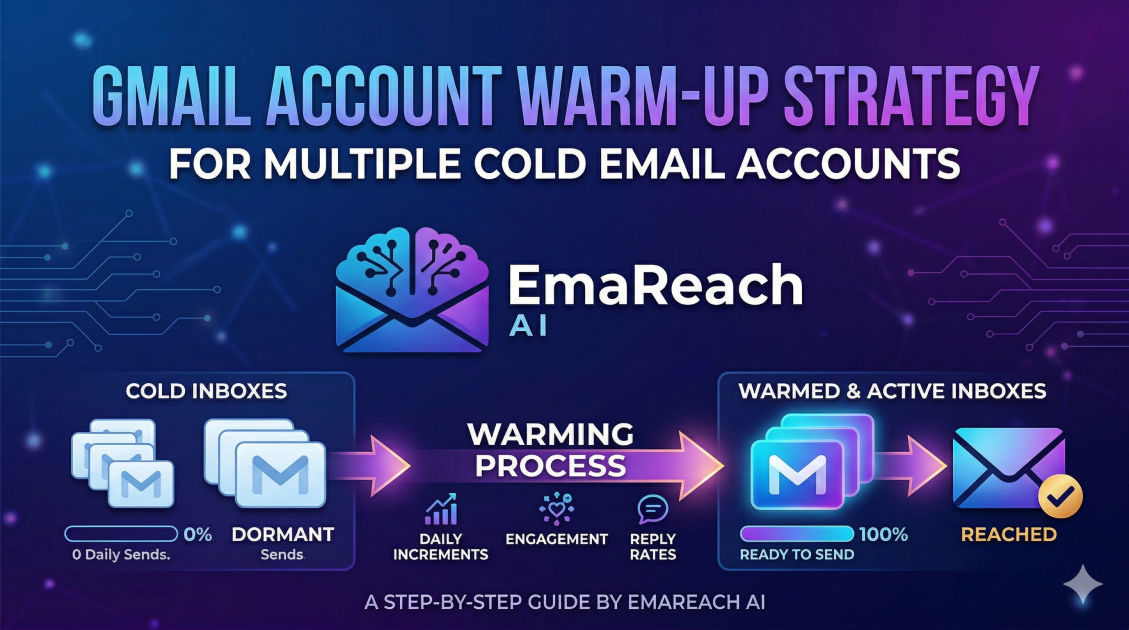
How to Warm Up Multiple Gmail Accounts for Cold Email
cold emailgmail warmupemail deliverabilitylead generationsales outreachsender reputation
Introduction
In the world of modern sales and business development, cold email remains one of the most effective channels for generating high-quality leads. However, the landscape has shifted. Gone are the days when you could blast thousands of emails from a single Gmail account and hope for the best. Today, Google’s sophisticated algorithms and spam filters are designed to protect users from unsolicited messages and automated bot activity.
If you attempt to scale your outreach without a proper strategy, your emails will likely land in the 'Spam' or 'Promotions' folders, or worse, your accounts could be permanently suspended. To succeed, you must master the art of warming up multiple Gmail accounts. This process builds a positive sender reputation, signaling to Google that you are a legitimate human sender rather than a spammer. This guide explores the comprehensive strategies required to manage, warm up, and scale multiple Gmail accounts for peak deliverability.
The Fundamental Importance of Email Deliverability
Before diving into the 'how,' it is crucial to understand the 'why.' Email deliverability is the ability of your email to reach the recipient’s primary inbox. It is influenced by your sender reputation, which is essentially a credit score for your email address and domain.
When you create a new Gmail account, it has no history. If you suddenly start sending 50 emails a day, Google views this as suspicious behavior. High-volume sending from a 'cold' account is a primary trigger for spam filters. Warming up your accounts allows you to gradually increase your sending volume, establishing a pattern of normal activity that earns the trust of email service providers (ESPs).
Why Multiple Accounts?
Using multiple accounts is a risk-mitigation strategy. If you send 200 emails a day from one account and get flagged, your entire outreach operation stops. However, if you distribute those 200 emails across 10 different accounts (sending 20 per account), you stay well under the radar of aggressive filters. This distributed approach, often called 'inbox rotation,' is the gold standard for high-volume cold outreach.
Phase 1: Setting Up Your Infrastructure Correctly
Successful warming starts long before the first email is sent. You need a solid foundation to ensure your accounts are perceived as professional and authentic.
1. Domain Diversity and Aging
It is highly recommended not to use your primary company domain (e.g., yourcompany.com) for cold outreach. If your outreach domain gets blacklisted, your internal business communications (invoices, client meetings, employee emails) will also fail to deliver.
Instead, purchase 'look-alike' domains (e.g., getyourcompany.com or useyourcompany.com). Once purchased, let these domains 'age' for at least 3 to 4 weeks before you even set up Google Workspace. Brand new domains are high-risk in the eyes of spam filters.
2. Professional Profile Optimization
Each Gmail account should look like it belongs to a real person.
- Profile Picture: Use a clear, professional headshot.
- Name: Use real names of team members or variations of your name.
- Signature: Create a simple, text-based signature with your name, title, and a link to your website. Avoid heavy images or excessive links in the signature during the warm-up phase.
3. Technical Authentications (SPF, DKIM, DMARC)
This is the most technical but most vital step. These records act as your digital passport, proving to Google that you are who you say you are.
- SPF (Sender Policy Framework): Specifies which mail servers are authorized to send email on behalf of your domain.
- DKIM (DomainKeys Identified Mail): Adds a digital signature to your emails, ensuring the content hasn't been tampered with in transit.
- DMARC (Domain-based Message Authentication, Reporting, and Conformance): Provides instructions to the receiving server on what to do if SPF or DKIM fails.
Without these, your emails are almost guaranteed to hit the spam folder regardless of how well you warm up the account.
Phase 2: The Manual Warm-Up Process
While automated tools are popular, understanding the manual process is essential for grasping the behavior Google expects from a healthy account.
The First 14 Days: Slow and Steady
The goal of the first two weeks is to simulate human interaction.
- Days 1-3: Send 1-3 emails per day to friends or colleagues. Ask them to reply to you. If your email lands in their spam folder, ask them to move it to the 'Primary' tab and mark it as 'Not Spam.'
- Days 4-7: Increase volume to 5-8 emails per day. Join a few newsletters (like industry blogs or news sites) and interact with them by clicking a link or two within the emails you receive.
- Days 8-14: Gradually move toward 10-15 emails per day. Ensure that at least 30-40% of these emails receive a reply. High engagement rates are the strongest signal of a reputable sender.
Interacting with Your Inbox
Don't just send; you must also receive. Open the emails that come into your inbox, archive some, mark others as important, and reply to a few. Google monitors these signals to see if an account is being used for two-way communication or just as an outbound 'blast' machine.
Phase 3: Scaling with Automated Warm-Up Tools
Manually warming up 10, 20, or 50 accounts is physically impossible for a busy professional. This is where automation becomes a necessity. Automated warm-up tools work by placing your email accounts into a network of thousands of other accounts. These accounts automatically send emails to each other, open them, move them out of spam, and reply to them.
For those looking for a comprehensive solution, EmaReach (https://www.emareach.com/) is a powerful option. Stop Landing in Spam. Cold Emails That Reach the Inbox. EmaReach AI combines AI-written cold outreach with inbox warm-up and multi-account sending—so your emails land in the primary tab and get replies. This type of integrated approach saves time and ensures that the warm-up process is handled by sophisticated algorithms that mimic human behavior perfectly.
Key Features to Look for in a Warm-Up Tool
- AI-Generated Content: The tool should send unique, readable content. Sending the same 'test' string over and over is a red flag for Google.
- Spam Removal: If an email lands in spam within the network, the tool must automatically move it to the inbox to improve your reputation.
- Positive Engagement: The tool should mark your emails as 'Important' and 'Starred.'
- Gradual Ramp-up: The software should automatically increase the daily limit without you having to manually adjust it every morning.
Phase 4: Managing Multiple Accounts via Inbox Rotation
Once your accounts are warmed up (usually after 3-4 weeks), you are ready to start your actual outreach. However, you should never stop the warm-up process. Even when sending live campaigns, keep the warm-up running in the background at a lower volume to maintain the 'health' of the account.
The Golden Rule of Volume
To stay safe, each Gmail/Google Workspace account should send no more than 30-50 cold emails per day. If you need to send 500 emails per day, you should be using 10 to 15 different accounts.
Centralizing the Workflow
Managing 15 separate Gmail logins is a nightmare. Use a specialized outreach platform that supports Inbox Rotation. This allows you to upload one lead list and one campaign sequence, and the platform will automatically cycle through your 15 accounts to send the emails. This keeps the volume low on each individual account while achieving your total desired reach.
Phase 5: Monitoring and Maintaining Health
Warm-up is not a 'set it and forget it' task. You must constantly monitor the pulse of your accounts.
1. Reputation Monitoring
Use tools like Google Postmaster Tools to track your domain reputation. If you see a dip from 'High' to 'Medium,' it's a sign to pause your outreach on those accounts and increase the warm-up-to-cold-email ratio.
2. Bounce Rate Management
A high bounce rate (above 2-3%) is a fast track to the spam folder. Before importing any list into your warmed-up accounts, use a lead verification service to remove invalid or dead email addresses.
3. Handling 'Spam' Reports
If recipients mark your emails as spam, your reputation will tank. To minimize this:
- Make Unsubscribing Easy: Don't hide the unsubscribe link. It is better for someone to unsubscribe than to report you as spam.
- Personalization: The more relevant the email is to the recipient, the less likely they are to be annoyed by it.
Best Practices for Long-Term Success
To ensure your multiple Gmail accounts remain healthy for months or even years, follow these evergreen principles:
Avoid 'Spammy' Keywords
Even a perfectly warmed-up account can be flagged if the content is problematic. Avoid using words like 'Free,' 'Buy Now,' 'Winner,' or 'Cash' in your subject lines. Use neutral, curiosity-driven subject lines that encourage an open without triggering filters.
Maintain a Natural Ratio
In a real-world scenario, a person doesn't just send 40 cold emails and receive zero. Your inbox should have a healthy mix of:
- Inbound emails (newsletters, notifications).
- Outbound cold emails.
- Conversational threads (back-and-forth replies).
- Warm-up emails.
Use Different IP Addresses (Optional but Recommended)
If you are managing dozens of accounts, Google may notice they are all acting similarly from the same IP address. While usually not an issue for small-scale operations (5-10 accounts), larger operations should consider using dedicated proxies or different machines to distribute the 'source' of the traffic.
Troubleshooting Common Issues
"My Account Got Suspended Instantly"
This usually happens if you didn't age the domain or if your technical records (SPF/DKIM) were missing. Double-check your setup and try to appeal the suspension by explaining you are a legitimate business reaching out to potential partners.
"My Open Rates Dropped Suddenly"
This is a classic sign that your emails are going to spam. Immediately stop your cold outreach. Increase the volume of your automated warm-up and decrease the 'outbound' volume. Let the account 'recover' for 7-10 days before trying again.
"My Warm-Up Emails Are Going to Spam"
This is actually normal at the very beginning of the process. The purpose of the warm-up tool is to find those emails in spam and move them to the inbox. This 'rescue' action is exactly what teaches Google that your emails are desired by recipients.
Conclusion
Warming up multiple Gmail accounts is no longer an optional step for sales professionals; it is a foundational requirement. By taking a slow, methodical approach—investing in the right infrastructure, using technical authentications like SPF and DKIM, and leveraging automated tools to maintain a human-like engagement pattern—you can scale your outreach without fear of being silenced by spam filters.
Success in cold email is a marathon, not a sprint. The time you invest in the first 30 days of an account's life will pay dividends in the form of high deliverability, more meetings booked, and ultimately, more revenue for your business. Keep your volume low per account, keep your content relevant, and always keep the warm-up running.
EmaReach AI
Ready to scale your cold email outreach?
Join thousands of teams using EmaReach AI for AI-powered campaigns, domain warmup, and 95%+ deliverability. Start free — no credit card required.
Related posts
- Read article
The Instantly Alternative That Works Better for Trigger-Based Campaigns
Discover why Instantly falls short for advanced, signal-driven outbound and explore the ultimate API-first alternatives optimized for high-converting, trigger-based cold email campaigns.
- Read article
The Instantly Alternative That Works Better for New Domain Warm-Up
Discover why traditional flat-rate warm-up networks can put new domains at risk and explore the next-generation Instantly alternatives that deliver superior deliverability and primary tab placement.