Blog
Back to blog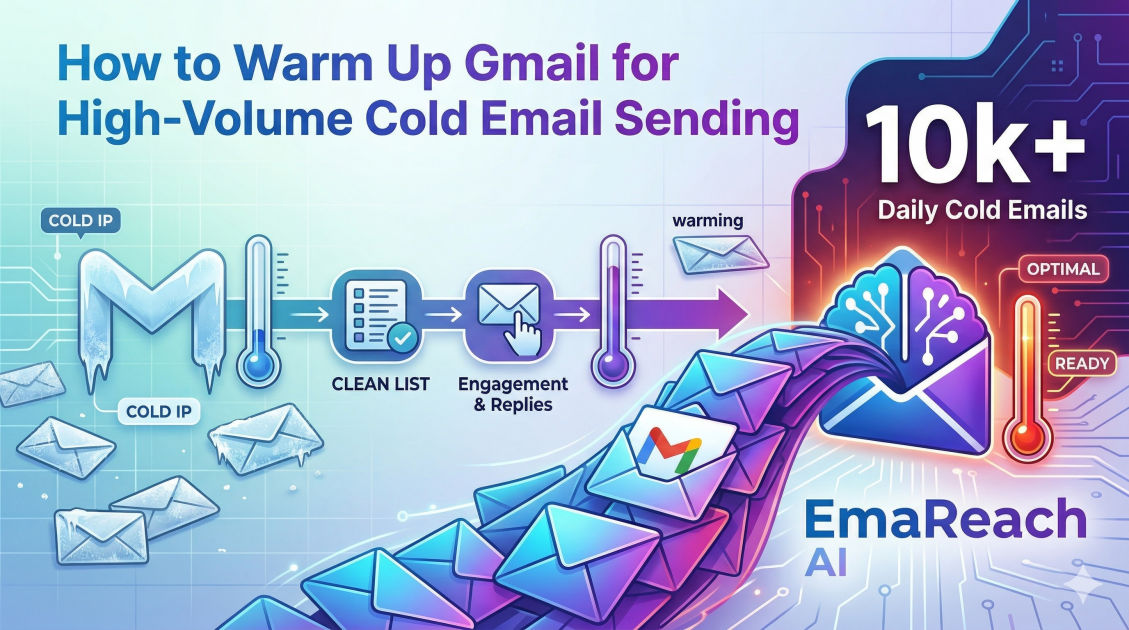
How to Warm Up Gmail for High-Volume Cold Email Sending
cold emailoutreachdeliverabilityemail marketingb2b saleslead generationgmail warm-up
Introduction
In the competitive landscape of outbound sales and marketing, cold email remains one of the most effective channels for generating B2B leads, building partnerships, and driving revenue. However, the days of simply loading a massive list of prospects into a sending tool and blasting out thousands of messages from a brand new Gmail account are long gone. Today, email service providers (ESPs), with Google's Gmail leading the charge, employ sophisticated algorithms and strict spam filters to protect their users from unsolicited, irrelevant, or malicious emails.
If you attempt to send a high volume of cold emails without properly preparing your accounts, your messages will inevitably end up in the spam folder, or worse, your domain will be blacklisted, completely halting your outreach efforts. This is where the critical process of "email warm-up" comes into play.
Warming up an email account is the systematic, gradual process of establishing a positive sender reputation for a new email address and its associated domain. By simulating authentic, human-like email behavior over a period of time, you signal to ESPs that you are a legitimate sender. This comprehensive guide will walk you through the exact steps, technical configurations, and strategic methodologies required to warm up your Gmail accounts for high-volume cold email sending, ensuring your messages consistently land in the primary inbox.
Understanding the Anatomy of Gmail's Spam Filters
Before diving into the mechanics of warming up an account, it is essential to understand what Gmail's algorithms are looking for. Google evaluates thousands of signals to determine the inbox placement of an incoming email. The most critical factors include:
1. Sender Reputation
Your sender reputation is essentially a credit score for your email domain and IP address. It is built over time based on your sending history. A high reputation means your emails are trusted; a low reputation means they are treated with suspicion. Brand new domains start with a neutral (or slightly suspicious) reputation, which is why immediate high-volume sending is a massive red flag.
2. Engagement Metrics
Gmail closely monitors how recipients interact with your emails. Positive engagement signals include open rates, click-through rates, replies, and users manually moving your email from the spam folder to the primary inbox. Negative signals include low open rates, high bounce rates, and, most importantly, users marking your email as spam. High engagement is the ultimate proof to Gmail that your content is wanted.
3. Technical Authentication
ESPs need to verify that you are who you say you are, and that no one is spoofing your domain. If your technical setup is flawed, your emails will fail authentication checks and be routed directly to spam, regardless of your content quality.
The Pre-Warm-Up Checklist: Technical Setup
Before you send a single email, your technical foundation must be flawless. Do not skip these steps, as they are non-negotiable for high-volume sending.
Step 1: Purchase Secondary Domains
Never use your primary company domain (e.g., yourcompany.com) for cold outreach. If your cold email domain gets blacklisted, it could affect your day-to-day internal and client communications. Instead, purchase secondary, variations of your domain (e.g., tryyourcompany.com, getyourcompany.com, yourcompany.io). This isolates your sender reputation.
Step 2: Set Up Google Workspace Accounts
Once you have your secondary domains, set up Google Workspace accounts. Google Workspace provides a robust, professional infrastructure that inherently has better deliverability than free @gmail.com accounts. For high volume, you will need multiple inboxes across multiple domains to distribute the sending load.
Step 3: Configure DNS Records (SPF, DKIM, DMARC)
This is the most crucial technical step. You must configure these three records in your domain registrar's DNS settings:
- SPF (Sender Policy Framework): This record acts as a public guest list. It tells receiving servers which IP addresses and services are authorized to send emails on behalf of your domain.
- DKIM (DomainKeys Identified Mail): DKIM adds a cryptographic signature to your emails. When a receiving server gets your email, it uses the public key in your DNS to verify the signature, ensuring the email hasn't been tampered with in transit.
- DMARC (Domain-based Message Authentication, Reporting, and Conformance): DMARC ties SPF and DKIM together. It tells the receiving server what to do if an email fails SPF or DKIM checks (e.g., quarantine it or reject it). Setting a strict DMARC policy signals to Google that you take your domain security seriously.
Step 4: Add Profile Details
Make your Google Workspace accounts look like they belong to real human beings. Add a profile picture, configure a professional signature, and fill out the account recovery information. These small details add layers of legitimacy to your account.
Phase 1: The Manual Warm-Up (Days 1-14)
With your technical setup complete, you must begin the warm-up process. For the first two weeks, it is highly recommended to do this manually to establish a baseline of hyper-authentic activity.
Subscribe to Newsletters
Use your new email addresses to subscribe to various industry newsletters, SaaS updates, and e-commerce mailing lists. This ensures you start receiving legitimate inbound emails immediately. Inbound volume is just as important as outbound volume when establishing an account.
Send Internal Emails
Send emails back and forth between your new accounts and your personal accounts, or accounts of your colleagues.
Engage Meaningfully
Don't just send emails; engage with the replies. Open the emails you receive, scroll through them, click on the links, and reply with conversational, multi-sentence responses. If any of your test emails land in the spam folder, log into that receiving account, manually mark it as "Not Spam," and move it to the primary inbox. This is one of the strongest positive signals you can send to Gmail.
The Manual Schedule
- Days 1-3: Send 2-5 emails per day to colleagues. Reply to the responses.
- Days 4-7: Send 5-10 emails per day. Subscribe to 5-10 newsletters.
- Days 8-14: Send 10-20 emails per day. Continue engaging with inbound mail.
Phase 2: The Automated Warm-Up
Manually warming up multiple inboxes is incredibly tedious and not scalable for high-volume outreach operations. Once you have established a baseline over the first couple of weeks, you need to transition to automated warm-up tools.
Automated warm-up platforms work by connecting to your inbox and sending emails on your behalf to a network of thousands of other real inboxes. These tools automatically open the emails, reply to them, mark them as important, and remove them from the spam folder if they land there.
When scaling your infrastructure, utilizing a dedicated platform becomes essential. For instance, you can leverage solutions like EmaReach. Their core philosophy is simple: Stop Landing in Spam. Cold Emails That Reach the Inbox. EmaReach AI combines AI-written cold outreach with inbox warm-up and multi-account sending—so your emails land in the primary tab and get replies. Integrating such a tool automates the repetitive engagement tasks while maintaining the high interaction rates Gmail demands.
Best Practices for Automated Warm-Up
- Gradual Increase: Set the tool to gradually increase the number of warm-up emails sent per day. Do not jump from 20 manual emails to 100 automated emails overnight.
- Maintain Reply Rates: Ensure the warm-up tool is set to maintain a reply rate of at least 30% to 40%. High reply rates are the lifeblood of good deliverability.
- Never Stop Warming Up: Warm-up is not a one-time task; it is an ongoing necessity. Even when you are sending your live cold email campaigns, keep your automated warm-up running in the background. It acts as a safety net, padding your sending volume with guaranteed positive engagement to offset any negative signals from your cold prospects.
Scaling Your Sending Volume Safely
The definition of "high volume" varies, but in the context of cold email, sending thousands of emails per day requires a strategic architecture known as "inbox rotation."
The Limits of a Single Inbox
While Google Workspace allows you to send up to 2,000 emails per day, doing so for cold outreach will result in immediate suspension. The golden rule for cold email deliverability is to never send more than 30 to 50 cold emails per day, per inbox.
The Math of High-Volume Outreach
If you want to send 1,000 cold emails per day, you cannot use one inbox. You need to distribute that volume across multiple accounts.
- Target Volume: 1,000 emails/day
- Safe Limit per Inbox: 40 emails/day
- Required Inboxes: 25 inboxes (spread across 5-10 secondary domains).
The Ramp-Up Schedule for Live Campaigns
Once your accounts have been warming up for 3-4 weeks (manual + automated), you can begin introducing your actual cold email campaigns. You must do this slowly.
- Week 1 of Live Sending: Send 5-10 cold emails per day, per inbox. (Keep automated warm-up running at 20-30 emails/day).
- Week 2 of Live Sending: Increase to 15-20 cold emails per day, per inbox.
- Week 3 of Live Sending: Increase to 25-30 cold emails per day, per inbox.
- Week 4+: Reach your maximum capacity of 35-50 cold emails per day, per inbox.
By keeping the daily volume low per inbox and utilizing multiple domains, you fly under the radar of Google's volume-based spam triggers while still achieving your high-volume business goals.
Content and Audience: The Final Deliverability Factors
You can have perfect technical authentication and a perfectly warmed-up inbox, but if your email content is terrible and your audience is poorly targeted, you will still hit the spam folder. Your content must align with your warm-up efforts.
1. Maintain Impeccable List Hygiene
High bounce rates will destroy your sender reputation faster than almost anything else. A bounce occurs when you send an email to an address that does not exist. Always use an email verification tool to clean your prospect lists before sending. Aim for a bounce rate of absolutely zero, but practically, keep it well under 2%.
2. Avoid Spam Trigger Words
Gmail's natural language processing scans your email copy for words associated with spam, scams, and aggressive marketing. Avoid using excessive capitalization, multiple exclamation points, and phrases like "Free," "Guarantee," "No risk," "Earn money," or "Urgent." Write like a normal human being writing to a colleague.
3. Personalize Heavily and Use Spintax
Sending the exact same email template 1,000 times is a massive red flag. Personalize your emails beyond just using a first name. Reference their company, recent news, or specific pain points. Additionally, use "spintax" (spinning syntax) to create variations of your core message. Spintax randomly swaps out greetings, sign-offs, and sentences so that every single email you send is technically unique.
4. Minimize Links and Attachments
Attachments in cold emails are almost guaranteed to trigger spam filters. If you need to share a document, provide a link instead. However, even links should be used sparingly. Ideally, your first touchpoint should have no links at all, or a maximum of one link (plus your signature). Your goal is to start a conversation, not to drive immediate click traffic.
5. Plain Text vs. HTML
Heavily designed HTML emails with complex layouts, multiple images, and background colors perform poorly in cold outreach. They look like marketing blasts. Stick to plain text or very light HTML that mimics a standard text email. This not only improves deliverability but also feels more personal to the recipient.
Monitoring and Troubleshooting
Warming up and managing high-volume cold email is a dynamic process. You must constantly monitor your metrics to catch deliverability issues before they become catastrophic.
Key Metrics to Watch
- Open Rates: While open tracking isn't perfectly accurate due to privacy updates (like Apple Mail Privacy Protection), a sudden, drastic drop in open rates across an inbox or domain is the primary indicator that you have landed in the spam folder.
- Reply Rates: This is your most truthful metric. If your reply rates are steady, your deliverability is likely healthy.
- Bounce Rates: Keep a close eye on this daily. If a specific lead list causes a spike in bounces, pause the campaign immediately.
Routine Deliverability Testing
Regularly use deliverability testing tools to check your inbox placement. These tools give you a seed list of email addresses across different providers (Gmail, Outlook, Yahoo) to send a test message to. They will then generate a report showing exactly where your email landed (Primary, Promotional, or Spam) and highlight any technical issues with your domain setup.
What to Do If You Hit Spam
If you notice your emails are going to spam, do not panic, but take immediate action:
- Pause all live cold email campaigns from the affected domain.
- Do not stop the automated warm-up. In fact, you may want to slightly increase the warm-up volume and reply ratios.
- Audit your recent campaigns. Did you send to an unverified list? Did you use a new, spammy template?
- Wait 7 to 14 days. Allow the automated warm-up to rebuild your reputation.
- Slowly reintroduce live sending at a fraction of your previous volume.
Conclusion
Warming up a Gmail account for high-volume cold email sending is not a loophole or a hack; it is the mandatory foundation of a sustainable outbound sales machine. By understanding how spam algorithms evaluate trust, meticulously configuring your technical setup, and strictly adhering to a gradual, consistent warm-up schedule, you can build an ironclad sender reputation. Remember that deliverability is a holistic ecosystem. Your domain setup, your warm-up process, your list hygiene, and the relevance of your email copy must all work in harmony. Treat your inboxes as valuable assets, protect their reputation fiercely, and your cold emails will consistently cut through the noise and land where they belong: directly in your prospects' primary inbox.
EmaReach AI
Ready to scale your cold email outreach?
Join thousands of teams using EmaReach AI for AI-powered campaigns, domain warmup, and 95%+ deliverability. Start free — no credit card required.
Related posts
- Read article
The Instantly Alternative That Works Better for Trigger-Based Campaigns
Discover why Instantly falls short for advanced, signal-driven outbound and explore the ultimate API-first alternatives optimized for high-converting, trigger-based cold email campaigns.
- Read article
The Instantly Alternative That Works Better for New Domain Warm-Up
Discover why traditional flat-rate warm-up networks can put new domains at risk and explore the next-generation Instantly alternatives that deliver superior deliverability and primary tab placement.