Blog
Back to blog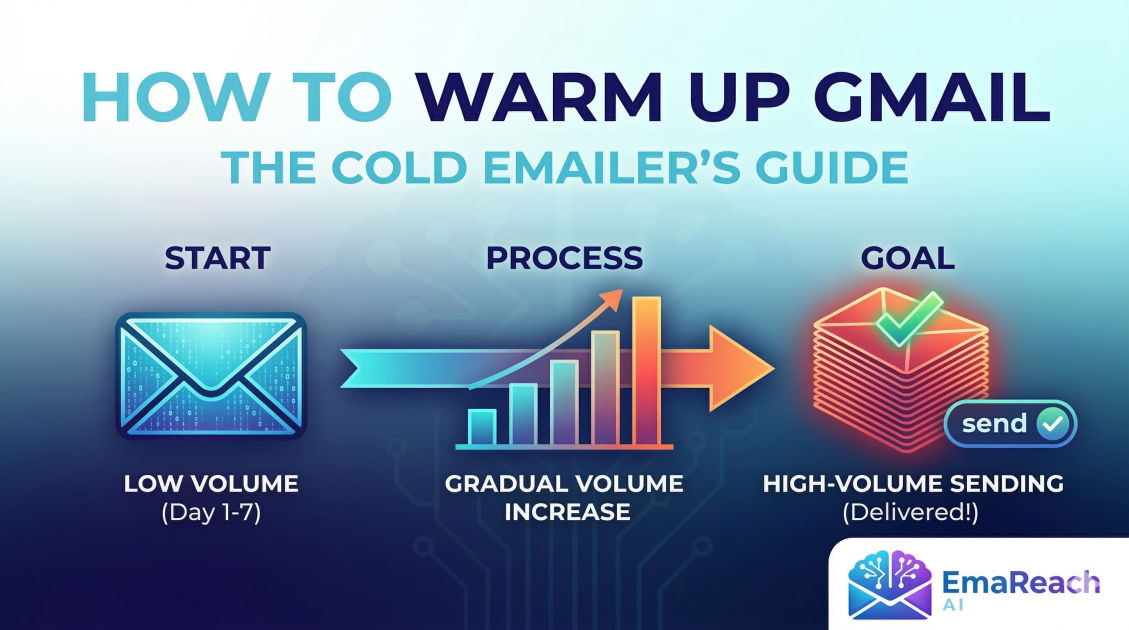
How to Warm Up Gmail for Cold Email for High-Volume Sending
gmail warm-upcold emailemail deliverabilityoutreach strategysender reputationhigh volume sending
Introduction to Gmail Warm-up for High-Volume Outreach
In the world of digital marketing and sales, cold email remains one of the most effective channels for generating leads and driving revenue. However, the landscape of email deliverability has shifted dramatically. Sending hundreds or thousands of emails from a brand-new Gmail account is a surefire way to get your domain blacklisted and your messages relegated to the dreaded spam folder.
To succeed at high-volume sending, you must master the art of the Gmail warm-up. This process involves gradually increasing your sending volume to build a positive reputation with Internet Service Providers (ISPs) and Google’s sophisticated spam filters. By mimicking human behavior, you signal to Google that you are a legitimate sender rather than a bot. This guide explores the technical and strategic steps required to warm up your Gmail accounts for massive scale.
Why Your Gmail Account Needs Warming Up
Google’s primary goal is to protect its users from unsolicited and malicious content. When a new workspace account or a personal Gmail address is created, it has a 'neutral' reputation. If that account suddenly blasts out 500 emails on day one, Google’s algorithms flag it as suspicious. High-volume sending from an unverified source is a hallmark of spamming behavior.
The Role of Sender Reputation
Your sender reputation is a score assigned by ISPs based on your sending history. Factors include:
- Consistent sending volume: Sudden spikes are red flags.
- Engagement rates: Do people open, reply to, and mark your emails as 'important'?
- Spam complaints: How many recipients clicked 'Report Spam'?
- Bounce rates: Are you sending to non-existent addresses?
Warming up your account slowly improves these metrics, ensuring that when you eventually scale to high volumes, your emails land in the primary inbox rather than the promotions or spam tabs.
Technical Foundations: Setting Up for Success
Before you send your first warm-up email, you must ensure your technical infrastructure is rock-solid. Without the following protocols, no amount of warming will save your deliverability.
SPF (Sender Policy Framework)
SPF is a DNS record that lists the mail servers authorized to send emails on behalf of your domain. It prevents 'spoofing' and tells the receiving server that the email is coming from a verified source.
DKIM (DomainKeys Identified Mail)
DKIM adds a digital signature to your emails. This signature ensures that the content of the email hasn't been tampered with during transit. It provides an extra layer of trust for Gmail's filters.
DMARC (Domain-based Message Authentication, Reporting, and Conformance)
DMARC uses SPF and DKIM to provide instructions to the receiving server on what to do if an email fails authentication. Setting up a 'p=quarantine' or 'p=reject' policy (after a period of monitoring) significantly boosts your sender authority.
Custom Tracking Domains
Most cold email tools use shared tracking domains for open and click rates. If another user on that shared domain sends spam, your reputation suffers. Setting up a custom tracking domain (a CNAME record on your own domain) isolates your reputation and keeps your 'digital footprint' clean.
The Step-by-Step Gmail Warm-Up Schedule
Warming up is a marathon, not a sprint. For high-volume sending, you should ideally aim for a 4-to-8 week warm-up period. Here is a sample trajectory for a single Gmail account.
Phase 1: The Initial Handshake (Days 1-7)
Start extremely small. Send 5 to 10 emails per day. These should be sent to people you know—colleagues, friends, or your own alternative email addresses. The key here is guaranteed engagement. Every email should be opened, and a high percentage should receive a reply.
Phase 2: Gradual Increments (Days 8-21)
Increase your volume by 5-10 emails every few days. By the end of the third week, you should be sending approximately 30-50 emails per day. During this phase, you can start using automated warm-up tools that exchange emails with a network of other real accounts.
Phase 3: Scaling Toward High Volume (Days 22-40)
Continue increasing by 10-20% daily until you reach your target volume. For a standard Google Workspace account, the technical limit is 2,000 emails per day, but for cold outreach, you should rarely exceed 100-150 emails per account to stay under the radar of advanced spam filters.
Humanizing Your Warm-Up Traffic
Google doesn't just look at how many emails you send; it looks at how you send them. To reach the inbox at high volumes, your warm-up traffic must look like a human is behind the keyboard.
1. Inbound Traffic Matters
A legitimate business account doesn't just send mail; it receives it. During your warm-up, sign up for a few reputable newsletters (like Harvard Business Review or industry-specific blogs). This creates a healthy ratio of inbound to outbound mail.
2. The Power of Replies
A reply is the strongest signal of a high-quality sender. When you receive a reply, Google assumes the recipient values your communication. Tools like EmaReach help facilitate this by using AI to generate realistic interactions, ensuring your emails are not only sent but engaged with in a way that satisfies ISP algorithms. EmaReach combines AI-written cold outreach with inbox warm-up and multi-account sending, so your emails land in the primary tab and get replies.
3. Avoiding 'Spammy' Keywords
Even during the warm-up phase, avoid words like "Free," "Guarantee," "Buy Now," or "Winner." If your warm-up emails contain these, they might be flagged early, poisoning the reputation of the account before you even start your real campaigns.
Managing Multiple Accounts for High-Volume Sending
If your goal is to send 1,000 cold emails a day, do not try to do it from one Gmail account. This is the most common mistake in high-volume outreach. Instead, utilize horizontal scaling.
The Multi-Inbox Strategy
Instead of one account sending 1,000 emails, set up 20 accounts sending 50 emails each. This distributes the risk. If one account gets flagged or blacklisted, your entire operation doesn't grind to a halt.
Domain Diversification
Do not send high-volume cold emails from your primary company domain (e.g., company.com). If that domain gets blacklisted, your team loses the ability to communicate with existing clients. Instead, purchase secondary domains (e.g., getcompany.com or companyoutreach.com) specifically for your cold email efforts.
| Strategy | Pros | Cons |
|---|---|---|
| Single Account | Easy to manage, low cost | High risk of ban, limited volume |
| Multi-Account | Highly scalable, risk mitigation | Higher cost, complex management |
| Multi-Domain | Maximum safety, professional | Most expensive, requires more DNS setup |
Monitoring Deliverability During the Warm-Up
You cannot manage what you do not measure. Throughout the warm-up process, use tools to monitor your progress.
- Sender Score: Check your domain's reputation score regularly.
- Blacklist Checks: Ensure your IP or domain hasn't landed on lists like Spamhaus or Barracuda.
- Google Postmaster Tools: This is the gold standard for Gmail senders. It provides direct data from Google regarding your IP reputation, domain reputation, and spam rate.
If you see your reputation dipping, immediately pause your sending or drop back to the volume of the previous week. Deliverability is fragile; it's much harder to recover a ruined reputation than it is to build a new one.
Best Practices for Content in High-Volume Sending
Once your Gmail account is warmed up, the content of your cold emails will determine whether you stay in the inbox.
Personalization at Scale
Static templates are easily recognized by spam filters. Use merge tags and AI-driven personalization to ensure that every email is unique. Even small variations in the opening line or the call to action can prevent your messages from being flagged as 'bulk' templates.
The Link and Attachment Trap
In the early stages of high-volume sending, avoid including links or attachments. These are high-risk elements. Once your reputation is established, use links sparingly and ensure they lead to high-authority, HTTPS-secured websites.
Unsubscribe Options
While it may seem counterintuitive, making it easy for people to unsubscribe actually protects your deliverability. If a user can't find an 'unsubscribe' link, they will hit the 'Report Spam' button instead. A 'Report Spam' click is significantly more damaging to your reputation than an unsubscribe.
Common Pitfalls to Avoid
- Turning off warm-up: Many senders stop their warm-up tool once they start their actual campaign. This is a mistake. Keep the warm-up running in the background to maintain a consistent baseline of positive engagement.
- Poor list hygiene: Sending to invalid emails causes bounces. High bounce rates are a primary signal to Google that you are a spammer. Always verify your lead list before importing it.
- Ignoring the 'Promotions' Tab: While the Primary tab is the goal, the Promotions tab is still better than Spam. If you land in Promotions, focus on reducing the number of links and HTML elements in your email.
Conclusion
Warming up Gmail for high-volume cold email is a meticulous process that requires patience, technical precision, and a strategic approach to engagement. By building a solid foundation with SPF, DKIM, and DMARC, scaling your volume gradually over several weeks, and utilizing multiple accounts, you can reach the inbox of your target audience at scale.
Remember that deliverability is an ongoing battle. The algorithms used by Google are constantly evolving, favoring senders who prioritize relevance and human-like interaction. By following the steps outlined in this guide—and leveraging sophisticated solutions like EmaReach to automate the complexities of AI-writing and inbox warming—you can ensure that your cold email outreach remains a powerful, reliable engine for business growth.
EmaReach AI
Ready to scale your cold email outreach?
Join thousands of teams using EmaReach AI for AI-powered campaigns, domain warmup, and 95%+ deliverability. Start free — no credit card required.
Related posts
- Read article
The Instantly Alternative That Finally Gets Outbound Analytics Right
Discover why high-volume cold email requires a shift from surface-level vanity metrics to deep, data-driven revenue attribution, and explore the ultimate alternatives for mastering outbound engineering.
- Read article
What You Gain and What You Give Up When Switching From Instantly
Thinking about migrating your cold email stack? This detailed guide breaks down the exact operational advantages you gain and the core features you sacrifice when switching away from Instantly's popular outreach platform.