Blog
Back to blog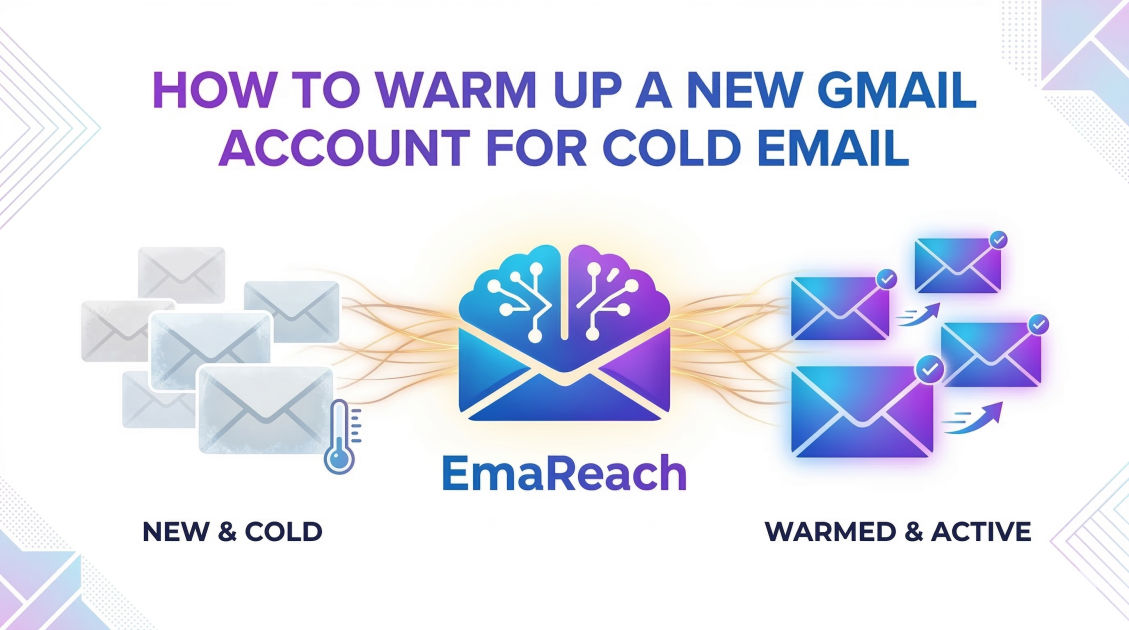
How to Warm Up a New Gmail Account for Cold Email
cold emailgmaildeliverabilityemail marketinglead generationsales outreachemail warm-up
Introduction to Email Warming
Launching a cold email campaign with a brand-new Gmail account is like trying to run a marathon without stretching. If you start sprinting immediately, you are going to get hurt—or in the world of digital marketing, your emails are going to land straight in the spam folder. When Google detects a sudden surge in outgoing mail from a fresh account, its automated security systems flag the behavior as suspicious.
To ensure your messages reach the primary inbox of your prospects, you must go through a process known as 'warming up.' This involves gradually increasing your sending volume and building a reputation as a legitimate user. By mimicking human behavior, you signal to Google's algorithms that you are a real person engaging in meaningful conversations, not a bot blasting unsolicited spam. This guide provides a comprehensive blueprint for warming up your Gmail account to achieve maximum deliverability.
The Psychology of Spam Filters
To understand why warming up is necessary, you first need to understand how Gmail’s filters work. Google employs sophisticated machine learning models that analyze billions of data points to protect users from spam. These filters look at several key metrics:
- Sender Reputation: Does this domain and IP address have a history of sending quality content?
- Engagement Rates: Do recipients open, click, and reply to these emails?
- Bounce Rates: Is the sender attempting to reach non-existent addresses?
- Spam Complaints: Are users marking these emails as 'Spam'?
A new account has no history, meaning it has a 'neutral' reputation. In the eyes of an ISP (Internet Service Provider), neutral is almost as risky as negative. If a neutral account suddenly sends 200 emails in a day, the filters assume the account has been compromised or created specifically for spamming. Warming up is the deliberate act of creating a positive paper trail.
Step 1: Technical Setup and Optimization
Before you send a single 'Hello,' your account must be technically sound. This foundation tells Google that you are a verified sender.
Authenticate Your Domain
If you are using a custom domain with Google Workspace (formerly G Suite), you must set up three critical authentication protocols:
- SPF (Sender Policy Framework): A DNS record that lists the mail servers authorized to send emails on behalf of your domain.
- DKIM (DomainKeys Identified Mail): An encrypted digital signature that proves the email was indeed sent by you and wasn't tampered with in transit.
- DMARC (Domain-based Message Authentication, Reporting, and Conformance): A policy that tells receiving servers what to do if an email fails SPF or DKIM checks.
Without these, your emails are likely to be blocked or filtered before they even reach the recipient's spam folder.
Set Up a Custom Tracking Domain
Most cold email tools track opens and clicks using a shared pixel. If other users of that tool are sending spam, the shared domain might be blacklisted. Setting up a custom tracking domain (a CNAME record) ensures that your tracking links are unique to your reputation.
Optimize Your Profile
Treat your Gmail account like a personal identity. Upload a professional profile picture, set up a clean email signature, and ensure your 'Display Name' is your real name. Avoid using generic names like 'Sales Team' or 'Marketing Dept,' as these are often associated with automated outreach.
Step 2: The Manual Warm-Up Phase
During the first week, your goal is to behave like a normal human being. Avoid automated tools during these initial days.
Day 1 to 3: The 'Human' Signature
Start by sending 5-10 emails per day to people you actually know—colleagues, friends, or your own alternative email addresses.
- The Content Matters: Do not use templates. Write unique, short messages. Ask a question and wait for a response.
- The Reply Factor: Engagement is the most important metric. Ensure that at least 50% of the emails you send receive a reply. Reply back to those replies. This back-and-forth conversation is the strongest signal of legitimacy.
- Consistency: Don't send all 10 emails at 9:00 AM. Space them out throughout the day.
Day 4 to 7: Expanding the Circle
Increase your volume to 15-20 emails per day. Continue to focus on high-engagement threads. At this stage, you should also sign up for a few reputable newsletters (like Harvard Business Review or industry-specific blogs). This creates 'inbound' traffic, showing Google that your account isn't just a megaphone, but a mailbox that receives content too.
Step 3: Leveraging Automated Warm-Up Tools
Manual warming is effective but difficult to scale if you are managing multiple accounts. This is where automated warm-up services become essential. These tools connect your account to a network of other users. The system automatically sends emails between accounts, opens them, marks them as 'important,' and moves them out of the spam folder if they land there.
When choosing a tool, look for services like EmaReach (https://www.emareach.com/). These platforms leverage AI to generate realistic, non-repetitive content that keeps your account under the radar of Google’s pattern-detection algorithms. EmaReach specifically helps in ensuring your cold emails reach the primary tab rather than the promotions or spam tabs by maintaining a constant stream of positive interactions.
How Automated Warming Works
- Peer-to-Peer Network: Your account sends emails to other real accounts in the network.
- Automatic Interaction: The receiving account opens the email and marks it as 'Not Spam.'
- Natural Throttling: The tool gradually ramps up the volume from 5 per day to 50 or more over several weeks.
- Content Variation: AI-driven tools vary the subject lines and body text so that Google doesn't see a thousand identical messages, which is a hallmark of spam bots.
[Image showing the workflow of an automated email warm-up tool]
Step 4: The Progressive Ramp-Up Schedule
Whether you are warming manually or using a tool, you must follow a strict schedule. If you jump from 20 emails to 100 emails in 24 hours, you will trigger a manual review.
Week 2: Scaling Up
- Volume: 25-35 emails per day.
- Strategy: Begin mixing in a small number of actual prospects, but keep the content highly personalized. If you get a 'bounce' (the email address is invalid), stop immediately. High bounce rates in a new account are a death sentence.
Week 3: Building Momentum
- Volume: 40-50 emails per day.
- Strategy: Monitor your 'Sender Score.' Use free tools to see if your domain has appeared on any blacklists. If your open rates are above 40%, you are on the right track.
Week 4: Nearing Full Capacity
- Volume: 60-80 emails per day.
- Strategy: By now, the account should have a healthy mix of outgoing cold emails, warm-up emails, and inbound newsletters. Most experts recommend staying under 100-150 cold emails per day per Gmail account to maintain long-term health, even after the warm-up is complete.
Step 5: Critical Best Practices for Longevity
Warming up is not a 'one and done' task. Deliverability is an ongoing maintenance project.
Never Stop Warming
Even when you are in the middle of a heavy campaign, keep your automated warm-up tool running in the background. This provides a 'buffer' of positive engagement. If a particular batch of cold emails gets flagged or ignored by prospects, the steady stream of positive interactions from the warm-up tool can help stabilize your reputation.
Use 'Spintax' to Avoid Patterns
Spam filters look for footprints. If you send the same message to 500 people, it is easy to detect. Use Spintax (Spinning Syntax) to vary your language.
- Example:
{Hi|Hello|Hey} {{first_name}}, I {noticed|saw|observed} your post on LinkedIn.
This creates thousands of unique variations, making it much harder for automated filters to categorize your outreach as a bulk blast.
Maintain a Low Bounce Rate
Use an email verification tool before uploading any list to your sending platform. If your bounce rate exceeds 3%, your deliverability will plummet. A new account should ideally have a bounce rate as close to 0% as possible.
Watch Your Sending Frequency
Avoid sending spikes. Instead of sending 200 emails on Tuesday and 0 on Wednesday, send 100 on both days. Use a 'delay' between emails—typically 120 to 300 seconds—to mimic a person actually typing and sending messages.
Troubleshooting Common Issues
What if, despite your best efforts, you land in spam?
The 'Spam' Rescue Mission
If you notice your open rates dropping, immediately pause your cold outreach. Increase the volume of your automated warm-up tool and start manual 'rescue' threads. Ask friends to find your email in their spam folder and click 'Report as Not Spam.' This is a powerful signal to Google that their filters made a mistake.
Check for Blacklists
Sometimes, it isn't your account—it's your domain or IP. Check public blacklists. If your domain is listed, you may need to reach out to the blacklist provider to request removal or, in extreme cases, start fresh with a new domain (and a new warm-up process).
Conclusion
Warming up a Gmail account is a test of patience. In a world of instant gratification, waiting four weeks to launch a campaign feels like an eternity. However, the difference between a warmed account and a cold one is the difference between a 70% open rate and a 0% open rate.
By focusing on technical authentication, manual engagement, and the strategic use of automated tools like EmaReach, you build a foundation of trust with Google. This trust is your most valuable asset in cold outreach. Remember: start slow, prioritize engagement, and never stop monitoring your metrics. Treat your email reputation as a garden; water it daily with positive interactions, and it will yield a harvest of replies and conversions for months to come.
EmaReach AI
Ready to scale your cold email outreach?
Join thousands of teams using EmaReach AI for AI-powered campaigns, domain warmup, and 95%+ deliverability. Start free — no credit card required.
Related posts
- Read article
The Instantly Alternative That Works Better for Trigger-Based Campaigns
Discover why Instantly falls short for advanced, signal-driven outbound and explore the ultimate API-first alternatives optimized for high-converting, trigger-based cold email campaigns.
- Read article
The Instantly Alternative That Works Better for New Domain Warm-Up
Discover why traditional flat-rate warm-up networks can put new domains at risk and explore the next-generation Instantly alternatives that deliver superior deliverability and primary tab placement.