Blog
Back to blog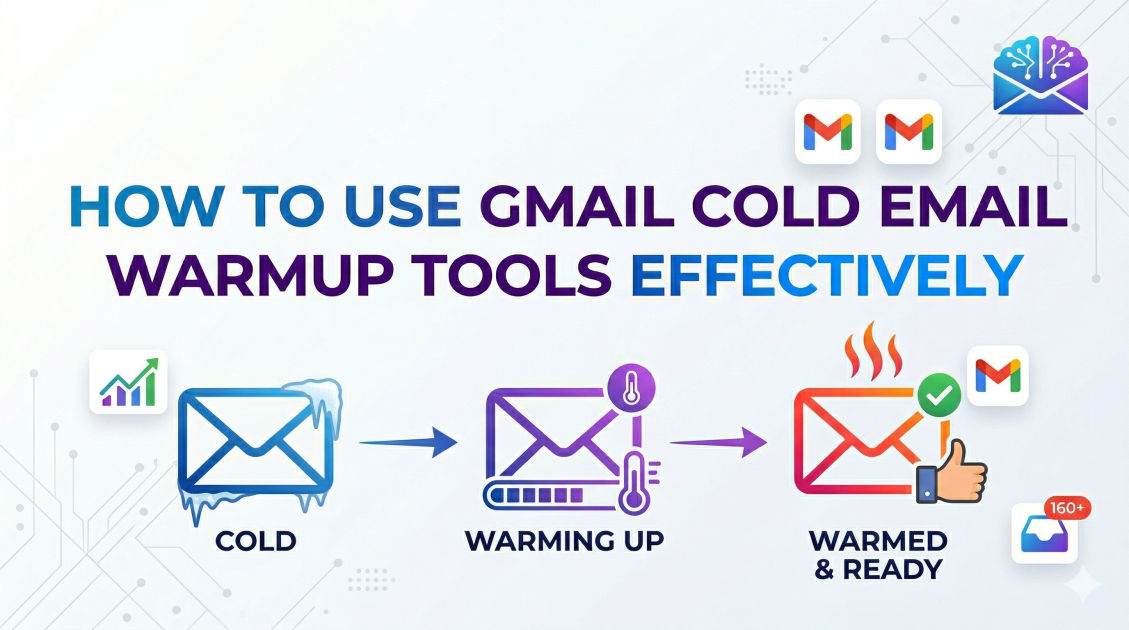
How to Use Gmail Cold Email Warmup Tools Effectively
cold emailemail deliverabilityemail warmupoutreach strategyb2b salesgmail optimization
Introduction
Cold email outreach remains one of the most powerful and scalable mechanisms for acquiring new clients, building partnerships, and driving business growth. However, the landscape of email deliverability is increasingly complex. Email service providers, particularly Gmail, have implemented highly sophisticated, AI-driven spam filters designed to protect their users from unsolicited or malicious content. If you are launching a new outreach campaign, simply buying a domain, setting up a Google Workspace account, and blasting hundreds of emails will almost certainly guarantee that your messages land in the spam folder.
To bridge the gap between a brand-new email account and a high-volume sending machine, you must establish trust with these email service providers. This is where email warmup becomes essential. An email warmup process mimics human behavior, gradually building your sender reputation so that your emails consistently reach the primary inbox.
In this comprehensive guide, we will explore the intricate mechanics of email deliverability, the pivotal role that warmup tools play in your outreach strategy, and how to effectively use a Gmail cold email warmup tool to maximize your campaign's success. By the end of this article, you will have a deep understanding of the technical prerequisites, strategic configurations, and best practices required to build and maintain an impeccable domain reputation.
Understanding the Mechanics of Email Deliverability
Before diving into the specifics of warmup tools, it is crucial to understand the foundation of email deliverability. Deliverability is not merely about hitting "send" and hoping your message arrives; it is a calculated score based on multiple factors that email service providers use to evaluate your trustworthiness.
Sender Reputation
Your sender reputation is a score assigned to your domain and IP address by Internet Service Providers (ISPs). Think of it as a credit score for your email account. A high score means your emails are welcomed into the primary inbox; a low score routes them directly to the spam or promotions folders. This score fluctuates based on your sending behavior, the quality of your recipient list, and how those recipients interact with your messages.
Domain vs. IP Reputation
There are two main components to your overall reputation: domain reputation and IP reputation. Your IP reputation is tied to the server sending your emails. If you are using Google Workspace (Gmail), you are sharing an IP pool with millions of other users. Google maintains an excellent IP reputation overall. However, your domain reputation is entirely your responsibility. Even if you use Gmail's pristine servers, a poor domain reputation will ruin your deliverability.
Engagement Metrics
Email service providers heavily weight how recipients interact with your emails. Positive engagement signals include high open rates, frequent replies, users moving your email from the spam folder to the primary inbox, and users marking your emails as "important." Conversely, negative engagement signals include low open rates, high bounce rates, users deleting your email without opening it, and, worst of all, users manually reporting your email as spam.
What is an Email Warmup Tool?
An email warmup tool is an automated system designed to artificially but organically build your sender reputation. It achieves this by interacting with a network of actual email accounts (often referred to as seed accounts) operated by the warmup service provider.
When you connect your new email account to a warmup tool, the software begins sending a low volume of emails to these seed accounts. The seed accounts are programmed to engage with your emails positively. They will open your messages, reply to them, favorite them, and—most importantly—if your email happens to land in their spam folder, they will drag it out of spam and into the primary inbox.
This continuous, positive interaction sends a strong signal to algorithms that your account is authentic, your content is valued, and you are a responsible sender. Over time, the warmup tool gradually increases the volume of emails sent, slowly acclimatizing your account to higher sending limits.
Why Gmail Requires Specialized Warmup Strategies
Google Workspace is the preferred infrastructure for most B2B sales professionals due to its intuitive interface and robust features. However, Google's spam detection algorithms are arguably the most advanced in the industry.
Google relies on massive neural networks and machine learning models to analyze billions of data points daily. They do not just look at the technical authentication of your email; they analyze the text, the sending patterns, the velocity of your output, and the exact engagement ratios. If a brand-new Google Workspace account suddenly sends five hundred identical emails in a single hour, Google's algorithms will immediately flag the account, throttle the sending limits, and permanently damage the domain reputation.
Therefore, warming up a Gmail account requires a highly systematic approach. The warmup tool must not only generate replies but must also pace the email volume to reflect natural human workflows. It must simulate the behavior of a normal business professional who takes breaks, sleeps, and sends varied content rather than robotic, templated blasts.
The Pre-Warmup Checklist: Technical Authentication
No warmup tool in the world can save your deliverability if your domain lacks the proper technical foundations. Before you even connect your account to a warmup service, you must configure three critical DNS records. Failing to do so is the equivalent of trying to board an international flight without a passport.
SPF (Sender Policy Framework)
SPF is a DNS record that acts as a public guest list for your domain. It explicitly tells email service providers which IP addresses and services are authorized to send emails on behalf of your domain. When a receiving server gets an email from you, it checks your SPF record. If the sending IP is not on the list, the email is rejected or flagged. When using Gmail for outreach, your SPF record must specifically authorize Google's servers.
DKIM (DomainKeys Identified Mail)
DKIM adds a cryptographic signature to every email you send. This signature ensures that the content of your email has not been tampered with or altered in transit. The receiving server uses a public key published in your DNS records to verify the signature. If the keys match, the email is considered authentic. DKIM protects your domain from being spoofed by malicious actors.
DMARC (Domain-based Message Authentication, Reporting, and Conformance)
DMARC is the policy that ties SPF and DKIM together. It provides instructions to the receiving server on what to do if an email fails SPF or DKIM checks. A strict DMARC policy tells the server to reject unauthorized emails, thereby protecting your brand's reputation. Setting up DMARC is now heavily enforced by major providers like Google and Yahoo, making it an absolute necessity for cold outreach.
Step-by-Step Guide to Configuring Your Warmup Tool
Once your technical records are flawless, you are ready to configure your warmup tool. The settings you choose will dictate how quickly and safely your domain builds its reputation.
1. Establishing the Starting Volume
If you have a brand-new domain and a new Google Workspace account, you must start exceptionally slow. A common mistake is instructing the warmup tool to send fifty emails on day one. Instead, set your initial volume to no more than one to three emails per day. This perfectly mimics the behavior of a user who has just registered a new account and is merely testing it or sending a few internal messages.
2. Configuring the Daily Ramp-Up Increment
The ramp-up increment determines how many additional emails the tool will send each subsequent day. For maximum safety, set the daily increase to one or two emails per day. While this requires patience, it is the most reliable way to build an unbreakable reputation. Gradual scaling prevents Gmail's algorithms from detecting sudden, unnatural spikes in activity.
3. Setting the Maximum Warmup Volume
Your maximum warmup volume should reflect your eventual campaign goals. However, it is vital to remember that a single Google Workspace inbox should rarely send more than thirty to fifty cold emails per day to remain completely safe. Therefore, your maximum warmup limit should generally be set between thirty and forty emails per day. Once the tool reaches this ceiling, it should maintain that volume consistently.
4. Optimizing the Reply Rate Strategy
The reply rate is the most critical metric in the warmup process. When seed accounts reply to your automated emails, Gmail views this as a two-way conversation, which is the strongest indicator of legitimate human interaction. Initially, you should set the reply rate high—around thirty to forty percent. This builds robust early trust.
As you begin to launch your actual outreach campaigns, you should slowly lower the warmup reply rate. Why? Because your real cold emails will likely receive a much lower reply rate (typically between one and five percent). If your warmup tool is generating a fifty percent reply rate and your real campaigns are generating a one percent reply rate, the aggregate engagement might look suspicious to Gmail. Blending the two naturally is key.
5. Utilizing Custom Warmup Templates
Some advanced warmup tools allow you to input your own custom templates or industry-specific jargon into the warmup sending sequence. By doing so, you are training Google's AI to associate your domain with your specific niche and vocabulary. If your real campaigns will focus on highly technical software development terminology, running warmup emails containing that same terminology helps normalize your content and prevents future spam flags based on keyword analysis.
Integrating Advanced Platforms for Seamless Outreach
Managing DNS records, calculating daily limits, and monitoring reply rates can quickly become overwhelming, especially if you are scaling your outreach across multiple domains and inboxes. This is where comprehensive platforms become invaluable to modern sales teams.
For instance, many professionals turn to comprehensive solutions like EmaReach to streamline this exact process. EmaReach AI combines AI-written cold outreach with automated inbox warm-up and multi-account sending functionalities. By unifying the warmup process with the actual sending infrastructure, tools like this ensure that your warmup strategy perfectly mirrors your campaign strategy, ultimately helping your emails land in the primary tab and generating higher reply rates. Consolidating your stack minimizes the risk of user error and ensures that your reputation management runs uninterrupted in the background.
Common Pitfalls and Mistakes to Avoid
Even with the best tools, human error can sabotage your deliverability. Avoiding these common mistakes will save you from burning your domains.
Using Your Primary Company Domain
This is perhaps the most fatal error in cold outreach. Never use your main company domain (e.g., yourcompany.com) for cold emailing. If your cold outreach domain is flagged for spam, your internal communications, customer support emails, and transactional emails will also start landing in spam. Always purchase secondary domains (e.g., getyourcompany.com, tryyourcompany.com) specifically dedicated to outreach. If a secondary domain burns, you can simply replace it without impacting your core business operations.
Stopping the Warmup Process
A pervasive myth in the industry is that warmup is a temporary phase—that you run a tool for three weeks, turn it off, and then start blasting campaigns forever. This is entirely false. Warmup is an ongoing necessity. When you launch your real outreach campaigns, you must leave your warmup tool running simultaneously.
The warmup tool provides a continuous stream of positive engagement that acts as a buffer against the negative signals inevitably generated by cold outreach (such as ignored emails or the occasional spam complaint). If you turn off the warmup tool, your engagement ratios will plummet, and your deliverability will quickly degrade.
Rushing the Timeline
Patience is difficult when revenue targets are looming, but rushing the warmup process always backfires. It takes a minimum of fourteen to twenty-one days for a new domain to establish a baseline reputation, and truly excellent deliverability takes weeks or months to cement. Attempting to accelerate this timeline by overriding daily limits will inevitably trigger Gmail's security protocols.
Ignoring Bounce Rates
Warmup tools can build your reputation, but bad data can destroy it instantly. If you are sending real campaigns to unverified, outdated email lists, your bounce rate will skyrocket. High bounce rates signal to Gmail that you are an irresponsible sender scraping low-quality data. Always clean and verify your prospect lists before launching a campaign. Aim to keep your bounce rate strictly below two percent.
Monitoring Your Long-Term Deliverability
Effective use of a warmup tool requires ongoing observation. You should not just "set it and forget it." Regularly monitor your deliverability metrics to ensure everything remains healthy.
Pay close attention to your open rates. While open rates are becoming less accurate due to privacy protections like Apple Mail Privacy Protection, a sudden, steep drop in open rates across the board is a glaring red flag that your domain has landed on a blacklist or that your emails are defaulting to the spam folder.
Additionally, utilize placement testing tools periodically. These tools allow you to send a test email to a controlled network of inboxes across different providers to see exactly where your email lands (Primary, Promotions, or Spam). This diagnostic data is invaluable for catching deliverability issues before they impact your actual prospect list.
Finally, monitor your Google Postmaster Tools account. Google provides this free dashboard to show you exactly how they view your domain reputation. It tracks your IP reputation, domain reputation, authentication success rates, and spam complaint rates. If your reputation drops from "High" to "Medium" or "Low," you must immediately pause your real outreach campaigns and let your warmup tool run exclusively until the reputation recovers.
Conclusion
Mastering Gmail cold email warmup tools is not merely a technical prerequisite; it is a foundational pillar of modern outbound sales. In an era where email service providers are relentlessly focused on protecting user inboxes, earning and maintaining a pristine sender reputation is the only reliable way to ensure your message is heard.
By meticulously setting up your DNS records, implementing a patient and mathematical ramp-up schedule, and leveraging the continuous positive engagement generated by warmup tools, you can navigate Gmail's strict algorithms with confidence. Remember to treat your sender reputation as a fragile and valuable asset. Protect it by using secondary domains, verifying your data, and committing to an ongoing warmup strategy rather than a temporary fix. When executed correctly, these strategies will transform your email infrastructure from a potential liability into a highly efficient engine for consistent growth and authentic connections.
EmaReach AI
Ready to scale your cold email outreach?
Join thousands of teams using EmaReach AI for AI-powered campaigns, domain warmup, and 95%+ deliverability. Start free — no credit card required.
Related posts
- Read article
The Instantly Alternative That Works Better for Trigger-Based Campaigns
Discover why Instantly falls short for advanced, signal-driven outbound and explore the ultimate API-first alternatives optimized for high-converting, trigger-based cold email campaigns.
- Read article
The Instantly Alternative That Handles High Bounce Rates Without Panic
Discover how transitioning to an advanced Instantly alternative can safeguard your cold email infrastructure. Learn to handle high bounce rates effortlessly using real-time verification, smart mailbox rotation, and automated safety nets to protect your sender reputation and maintain consistent primary inbox placement.