Blog
Back to blog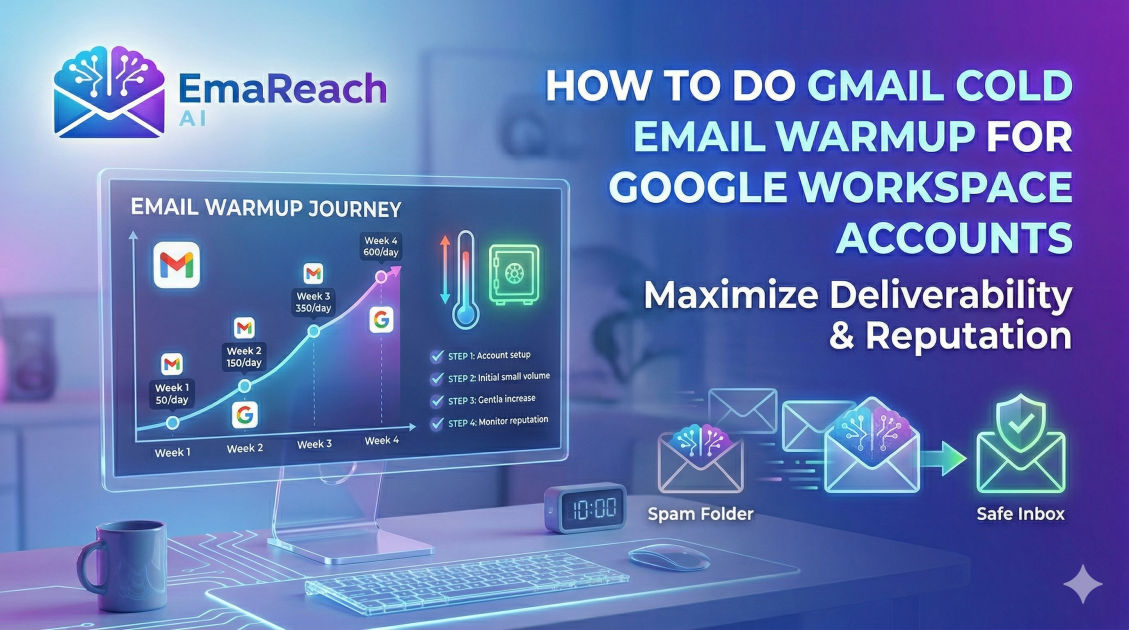
How to Do Gmail Cold Email Warmup for Google Workspace Accounts
cold emailemail deliverabilityGoogle Workspaceemail warmupB2B saleslead generationoutreach
Introduction
Launching a cold email campaign can feel like navigating a minefield. You spend hours researching your target audience, crafting the perfect pitch, and finding accurate contact information, only to realize your emails are landing straight in your prospects' spam folders. If you are using Google Workspace (formerly G Suite) for your outreach, you have access to one of the most robust and trusted email infrastructures in the world. However, Google's sophisticated algorithms are highly protective of their users. If you create a brand new Google Workspace account and immediately blast hundreds of cold emails, Google will instantly flag your account as spam, permanently damaging your domain reputation.
This is where the process of email warmup comes into play. Gmail cold email warmup is the systematic, gradual process of establishing a positive sender reputation for a new or inactive email account. By mimicking human behavior, gradually increasing sending volume, and proving to Google that you are a legitimate sender whose emails are valued by recipients, you can bypass the spam filters and land directly in the primary inbox.
In this comprehensive guide, we will walk you through the exact steps required to properly warm up a Google Workspace account for cold email outreach. From the foundational technical configurations to day-by-day sending schedules and scaling strategies, you will learn everything you need to know to achieve maximum deliverability.
Why Domain and IP Reputation Matter
Before diving into the mechanics of email warmup, it is crucial to understand how email service providers (ESPs) like Google, Microsoft, and Yahoo evaluate incoming mail.
Whenever you send an email, ESPs analyze your sender reputation. Think of this reputation as a credit score for your email domain. Just as you cannot walk into a bank with no credit history and demand a massive loan, you cannot create a new email domain and immediately demand access to thousands of inboxes.
Your sender reputation is tied to two main factors:
- Domain Reputation: This is the reputation of your website domain (e.g.,
@yourcompany.com). If multiple inboxes associated with your domain are flagged for spamming, the entire domain's reputation will tank, affecting all current and future users. - IP Reputation: This is the reputation of the server sending the email. Since you are using Google Workspace, you share IP addresses with millions of other Google users. Google aggressively monitors these shared IPs to ensure a few bad actors do not ruin the deliverability for everyone else.
When a new domain is registered, it enters a neutral, highly scrutinized phase. ESPs treat it with suspicion. If your initial sending behavior looks robotic—sending the exact same message to hundreds of unverified addresses, receiving low open rates, and getting high bounce rates—your sender score will plummet. Email warmup builds this score by generating consistent, positive engagement signals over time.
Phase 1: The Foundational Technical Setup
Attempting to warm up an email account without configuring your DNS records is like trying to build a house without a foundation. Before you send a single email, you must authenticate your domain. These technical protocols prove to receiving servers that you are who you say you are and that your emails have not been tampered with in transit.
1. Sender Policy Framework (SPF)
SPF acts as a public guest list for your domain. It is a DNS record that lists all the IP addresses and third-party applications (like Google Workspace, Mailchimp, or your CRM) that are authorized to send emails on behalf of your domain.
When an email arrives at a prospect's inbox, the receiving server checks your domain's SPF record. If the email came from an IP address listed in the SPF record, it passes the check. If not, it is likely to be marked as spam or rejected outright. For Google Workspace, setting up SPF involves adding a specific TXT record to your domain's DNS settings pointing to Google's servers.
2. DomainKeys Identified Mail (DKIM)
If SPF is the guest list, DKIM is a secure wax seal on your email. DKIM adds a cryptographic signature to every email you send. This signature is tied to a public key published in your domain's DNS records.
When the receiving server gets your email, it uses the public key to verify the signature. If the signature matches, it proves two things: the email actually originated from your domain, and the contents of the email were not altered while in transit. Google Workspace allows you to generate a DKIM key directly from the admin console, which you then add as a TXT record in your DNS provider.
3. Domain-based Message Authentication, Reporting, and Conformance (DMARC)
DMARC is the policy enforcer. It ties SPF and DKIM together. A DMARC record tells receiving servers exactly what to do if an email fails the SPF or DKIM checks.
You can configure your DMARC policy to three different states:
- None: Monitor only. The receiving server will still deliver the email but will send you a report about the failure.
- Quarantine: Send the failing email to the recipient's spam folder.
- Reject: Block the failing email completely.
For a new domain, starting with a p=none policy is recommended to monitor traffic, eventually upgrading to quarantine or reject as your domain matures.
4. Custom Tracking Domains
If you plan to use open and click tracking in your cold emails, it is imperative to set up a custom tracking domain. By default, most email sending tools use shared tracking domains. Because these domains are shared among thousands of users, they are often blacklisted by spam filters due to the bad behavior of others.
Setting up a custom tracking domain ensures that your tracking links use your own domain name (e.g., track.yourcompany.com), isolating your reputation from other senders and significantly boosting your deliverability.
5. Google Workspace Profile Optimization
Spam filters also look at the sender's profile. An empty profile with no picture looks suspicious. Before warming up, ensure your Google Workspace account looks like it belongs to a real human being:
- Upload a professional, clear profile picture.
- Set a realistic first and last name.
- Add a standard text-based signature (avoid heavy HTML, excessive links, or large images in the signature during the warmup phase).
Phase 2: The Manual Warmup Strategy
Once your technical foundation is rock solid, you can begin the actual warmup process. While automation is eventually necessary for scaling, understanding the manual warmup phase provides vital insight into what positive email behavior looks like to an algorithm.
Week 1: Establishing Human Behavior
The goal of the first week is to look exactly like a new employee setting up their inbox. There should be no sales pitches and no bulk sending.
- Account Setup: Sign up for industry newsletters, reliable SaaS products, and community forums. This will generate incoming mail, which is a strong signal that the inbox is active and legitimate.
- Internal Communication: Send 5 to 10 emails daily to colleagues within your own company. These emails should have varying subject lines and varied lengths of body text. Encourage your colleagues to reply.
- External Friends and Family: Send a few emails to people you know outside your organization who use different email providers (Gmail, Outlook, Yahoo). Ask them to reply, and importantly, ask them to check their spam folders. If your email lands in their spam, ask them to manually mark it as "Not Spam." This action sends a massive positive signal to Google's algorithms.
Week 2: Gradual Volume Increase
In the second week, you can begin to increase your sending volume slightly, focusing heavily on engagement and reply rates.
- Volume: Send 10 to 20 emails per day.
- Content: Maintain conversational, non-salesy language. You can begin reaching out to secondary connections or networking contacts.
- Engagement: The key metric here is the reply rate. You want to aim for a reply rate of 30% to 50% during this phase. Engage in multi-threaded conversations where you reply back to their replies.
Week 3: Introducing Low-Volume Outreach
By week three, your domain has established a baseline of positive behavior. You can now introduce a very small amount of actual cold outreach.
- Volume: 20 to 30 emails per day total (a mix of warmup emails and cold outreach).
- Cold Emails: Keep the cold emails to less than 10 per day. Ensure the copy is highly personalized, plain text, and contains no links or attachments. Your only goal is to start a conversation, not to close a deal or drive traffic to a landing page.
- Monitoring: Keep a close eye on bounce rates. If you hit a hard bounce (an invalid email address), remove it from your list immediately. High bounce rates are fatal to a new domain.
Phase 3: Automated Email Warmup
While manual warmup is effective for a single inbox, it becomes mathematically impossible to manage when scaling a sales team with dozens of Google Workspace accounts. This is where automated email warmup networks become essential.
An automated warmup tool connects your inbox to a peer-to-peer network of thousands of other real email accounts. The software automatically sends emails from your account to others in the network, and simultaneously receives emails from them.
Crucially, the software performs positive engagement actions automatically:
- It opens your emails.
- It replies to your emails with realistic, AI-generated text.
- It marks your emails as important.
- If your email lands in the spam folder of a peer network account, the software automatically removes it from spam and places it in the primary inbox.
If you want to ensure your domain reputation remains pristine while automating this tedious process, tools like EmaReach are invaluable. EmaReach AI combines AI-written cold outreach with inbox warm-up and multi-account sending—so your emails land in the primary tab and get replies. By keeping your sender reputation high in the background, you can focus purely on closing deals rather than worrying about deliverability algorithms.
When using an automated warmup tool, follow these guidelines:
- Ramp-up Increment: Set the tool to increase sending volume by 2 to 3 emails per day.
- Maximum Limit: Cap the daily warmup volume at around 30 to 40 emails.
- Reply Rate: Set the automated reply rate to roughly 30%.
- Continuous Warmup: Never turn the warmup tool off. Even when you are running full-scale cold email campaigns, leave the warmup software running in the background. It provides a constant stream of positive engagement that buffers any negative signals (like prospects deleting your email without opening it or marking it as spam).
Best Practices for Cold Emailing on Google Workspace
Even with a perfectly warmed-up domain, poor sending practices will eventually ruin your reputation. To maintain the health of your Google Workspace accounts, adhere to the following strict guidelines.
Respect Realistic Sending Limits
Google Workspace advertises a sending limit of 2,000 emails per day per user. However, this limit is designed for internal company communications and opt-in newsletters, not cold email. If you attempt to send 2,000 cold emails in a day from a single Workspace account, Google will suspend your account within hours.
For cold email, the golden rule is horizontal scaling. A single, fully warmed-up inbox should never send more than 30 to 50 cold emails per day. If you need to send 500 emails per day, do not push one inbox to the limit. Instead, purchase 10 separate Google Workspace inboxes (e.g., firstname@yourdomain.com, first.last@yourdomain.com), warm them all up, and distribute the sending volume evenly across them.
Data Hygiene and Bounce Rates
Your list quality is just as important as your domain setup. Sending emails to outdated or invalid addresses results in a hard bounce. When Google sees a high bounce rate, it assumes you are a spammer blindly guessing email addresses.
Before sending a single campaign, run your lead list through a reputable email verification service. This service will ping the recipient's server to ensure the inbox exists without actually sending an email. Your goal should be to maintain a bounce rate of strictly under 2%.
Copywriting for Deliverability
The actual text of your email heavily influences whether it lands in the primary inbox or the spam folder. Spam filters analyze your copy for trigger words, heavy HTML, and suspicious link structures.
- Avoid Spam Words: Words like "Free," "Guarantee," "Act Now," "No catch," and excessive use of dollar signs trigger spam algorithms. Keep your language natural and conversational.
- Plain Text Over HTML: While beautiful HTML templates work well for opt-in e-commerce newsletters, they perform terribly for B2B cold outreach. Use plain text or extremely light HTML. It looks more authentic and passes through spam filters much easier.
- Limit Links and Attachments: Never include attachments (like PDFs or slide decks) in a cold email. They are major red flags for malware. Furthermore, limit your links to a maximum of one or two, including the link in your signature.
- Use Spintax: If you send the exact same text 50 times a day, Google will recognize the pattern. Use Spintax (spinning syntax) to create dynamic variations of your greetings, call-to-actions, and sign-offs so that every single email that leaves your outbox is uniquely coded.
Monitoring Your Domain Health
Deliverability is not a "set it and forget it" process. You must actively monitor your domain's health to catch issues before they snowball into blacklisting.
Google Postmaster Tools
Google Postmaster Tools is a free, essential service provided by Google that gives you direct insight into how Gmail views your domain. By adding a TXT record to your DNS, you can unlock dashboards showing:
- Domain Reputation: Graded on a scale of Bad, Low, Medium, or High. You want to stay in the High or Medium tier.
- IP Reputation: Similar to domain reputation, but for the specific IP addresses sending your mail.
- Spam Rate: The percentage of users marking your emails as spam. This must be kept under 0.3%.
- Authentication Errors: Reports on whether your SPF, DKIM, and DMARC are functioning correctly.
Check Google Postmaster Tools weekly. If you see your domain reputation dip from High to Medium, immediately pause your cold outreach campaigns, increase the ratio of your automated warmup, and review your lead lists and email copy for issues.
Blacklist Monitoring
Occasionally, despite your best efforts, your domain or IP might end up on an industry blacklist (such as Spamhaus or Sorbs). Use free online tools to periodically check your domain against major blacklists. If you are listed, most blacklists provide a clear delisting process, which usually involves proving you have cleaned your mailing list and stopped sending spam.
Conclusion
Warming up a Google Workspace account for cold email is a meticulous but strictly necessary process. It requires patience, technical precision, and a commitment to maintaining high-quality sender habits. By securing your domain with proper DNS records, simulating authentic human communication through manual and automated warmup, and adhering to strict daily limits and list hygiene, you build a fortress around your sender reputation. A properly warmed inbox ensures your carefully crafted sales pitches actually reach the eyes of your prospects, transforming your cold email channel from a frustrating guessing game into a predictable, revenue-generating machine.
EmaReach AI
Ready to scale your cold email outreach?
Join thousands of teams using EmaReach AI for AI-powered campaigns, domain warmup, and 95%+ deliverability. Start free — no credit card required.
Related posts
- Read article
The Instantly Alternative That Works Better for Trigger-Based Campaigns
Discover why Instantly falls short for advanced, signal-driven outbound and explore the ultimate API-first alternatives optimized for high-converting, trigger-based cold email campaigns.
- Read article
The Instantly Alternative That Handles High Bounce Rates Without Panic
Discover how transitioning to an advanced Instantly alternative can safeguard your cold email infrastructure. Learn to handle high bounce rates effortlessly using real-time verification, smart mailbox rotation, and automated safety nets to protect your sender reputation and maintain consistent primary inbox placement.