Blog
Back to blog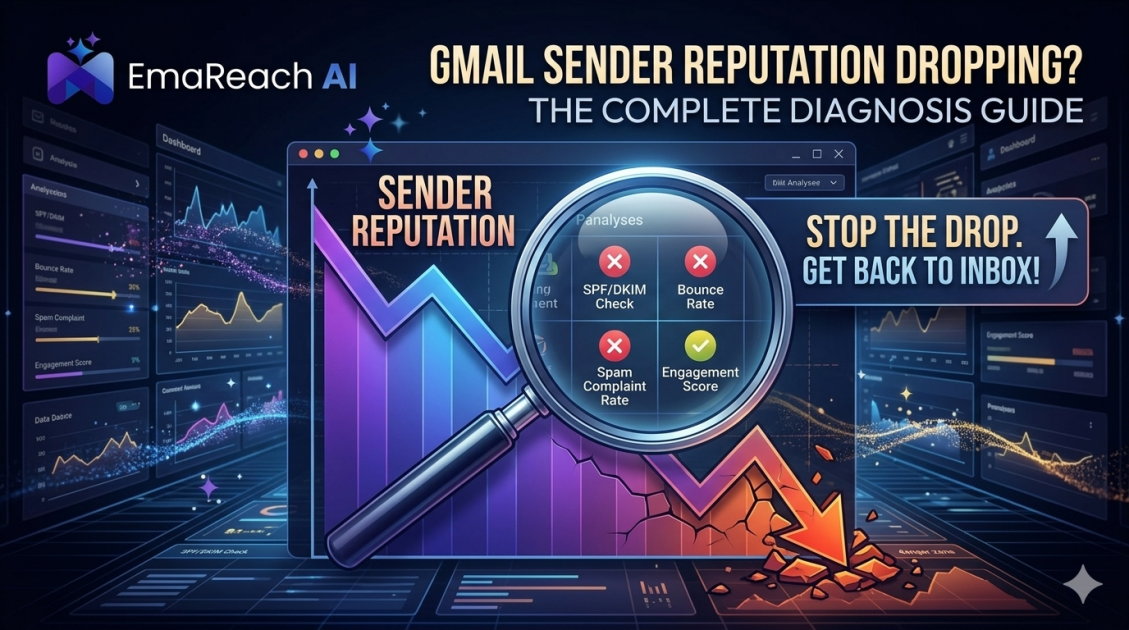
How to Diagnose a Dropping Gmail Sender Reputation
Gmail ReputationEmail DeliverabilitySender ScoreGoogle Postmaster ToolsEmail MarketingCold OutreachDMARC
Introduction
For any business relying on digital communication, the inbox is the ultimate destination. However, when you are targeting Gmail users—who represent a massive portion of both consumer and professional email addresses—the gatekeeper is one of the most sophisticated AI-driven filtering systems in the world. A dropping sender reputation at Gmail can feel like a silent business killer. One day your open rates are hovering at forty percent, and the next, they have plummeted to single digits without a single error message or notification from Google.
Diagnosing a decline in Gmail sender reputation requires a systematic approach. It is not enough to simply guess which subject line was too 'salesy' or which link was broken. You must look at the technical signals, engagement metrics, and infrastructure health that Google’s algorithms use to determine whether you are a trusted sender or a source of spam. This guide provides a comprehensive framework for identifying, analyzing, and reversing a fading reputation to ensure your messages reach the primary inbox.
Understanding the Gmail Reputation Ecosystem
Gmail does not look at your emails in a vacuum. Instead, it maintains a complex 'scorecard' for every sending domain and IP address. This reputation is built on historical data and real-time user interactions. Unlike other providers that might rely heavily on static blocklists, Gmail prioritizes how its users interact with your mail.
If users consistently open, read, and move your emails to folders, your reputation climbs. If they ignore your mail, delete it without opening, or—worst of all—mark it as spam, your reputation takes a hit. When your reputation drops, Gmail begins to apply 'throttling' or diverts your mail to the Promotions tab or the dreaded Spam folder.
The Primary Indicators of Reputation Decay
Before diving into deep technical audits, you must recognize the symptoms of a reputation problem. If you notice the following trends, it is time to perform a full diagnosis:
- Sudden Drop in Open Rates: A sharp decline specifically among Gmail recipients while other providers (like Outlook or Yahoo) remain stable is a classic sign of domain-specific filtering.
- Increased Bounce Rates: While many bounces are due to invalid addresses, a rise in 'policy-related' bounces indicates that Gmail is actively rejecting your mail based on your reputation.
- High Spam Complaint Rates: Even a small uptick in users clicking 'Report Spam' can have a disproportionate impact on Gmail’s trust in your domain.
- Delayed Delivery: If your transactional emails or newsletters are taking hours to arrive in Gmail inboxes, Google may be throttling your connection to protect its users.
Step 1: Analyzing Google Postmaster Tools
Google Postmaster Tools (GPT) is the most critical resource for any sender. It provides a direct window into how Gmail views your sending practices. If you have not authenticated your domain with GPT, doing so is the first step in your diagnosis.
IP and Domain Reputation Dashboards
Within GPT, the IP and Domain Reputation dashboards categorize your standing into four tiers: Bad, Low, Medium, and High.
- High: Your mail is highly likely to reach the inbox.
- Medium: Most mail reaches the inbox, but you may see occasional filtering during high-volume spikes.
- Low: You are likely seeing significant filtering; Gmail is suspicious of your volume or content.
- Bad: Your mail is almost certainly being blocked or sent to spam.
Delivery Errors
This dashboard shows the percentage of your traffic that was rejected or temporarily failed. It often provides specific error codes that indicate whether the failure was due to a lack of authentication (SPF/DKIM) or a poor reputation score.
Spam Rate
This is perhaps the most vital metric. Gmail expects a spam rate well below 0.1%. If your spam rate consistently hits 0.3% or higher, your reputation will suffer immediate and long-term damage.
Step 2: Verifying Technical Authentication
A dropping reputation is often triggered by a failure in technical protocols. If Google cannot verify that an email truly came from you, it will default to a 'low trust' stance. You must audit the following:
SPF (Sender Policy Framework)
Ensure your SPF record is correctly configured in your DNS settings. It should list all IP addresses and third-party services authorized to send mail on your behalf. A common mistake is having multiple SPF records, which invalidates the check entirely.
DKIM (DomainKeys Identified Mail)
DKIM provides a digital signature that proves the email content has not been tampered with in transit. Ensure your DKIM keys are at least 2048-bit for maximum security and that they are passing for 100% of your outgoing mail.
DMARC (Domain-based Message Authentication, Reporting, and Conformance)
DMARC tells Gmail what to do if SPF or DKIM fails. To protect your reputation, you should eventually move to a 'quarantine' or 'reject' policy. If your DMARC is set to 'none' for too long, bad actors could spoof your domain, damaging your reputation by proxy.
Step 3: Evaluating Engagement Signals
Gmail is an engagement-first provider. If your technical setup is perfect but your content is irrelevant, your reputation will still drop. To diagnose engagement issues, segment your data by 'Last Open Date'.
If you find that you are sending mail to thousands of users who haven't opened an email in six months, you are sending 'graymail.' Gmail sees this lack of interest as a sign that you are not a high-quality sender. To fix this, stop sending to inactive users immediately and focus on your most engaged segment to 're-warm' the domain.
Step 4: Content and Link Auditing
Sometimes, the reputation drop isn't about you, but what you are linking to. Gmail scans the URLs inside your email. If you link to a domain that has a bad reputation or is associated with malware, your own sender reputation will be dragged down.
Check your emails for:
- URL Shorteners: Avoid using generic shorteners like bit.ly, which are frequently abused by spammers.
- Tracking Redirects: Ensure your email service provider (ESP) uses a custom tracking domain that matches your sending domain.
- Image-to-Text Ratio: While the 'spamminess' of images is often debated, an email that is just one large image with no text is a red flag for Gmail’s filters.
Leveraging Modern Solutions for Deliverability
Manually diagnosing and fixing a reputation can take weeks or months of meticulous data logging. This is where specialized technology becomes essential. If you are struggling with low reply rates and spam filters, you need a system designed to navigate these hurdles automatically.
EmaReach is built specifically to address these reputation challenges. Stop Landing in Spam. Cold Emails That Reach the Inbox. EmaReach AI combines AI-written cold outreach with inbox warm-up and multi-account sending—so your emails land in the primary tab and get replies. By distributing your volume across multiple accounts and using human-like warm-up patterns, it prevents the kind of reputation spikes that trigger Gmail's alarms.
Step 5: Monitoring External Blocklists
While Gmail uses its own internal logic, it still references major external blocklists like Spamhaus or Barracuda. Use a multi-RBL (Real-time Blackhole List) lookup tool to see if your sending IPs or your root domain have been flagged. If you find yourself on a list, follow the provider's specific 'delisting' procedure, which usually involves proving that you have cleaned your list and addressed the source of the spam complaints.
Step 6: Volume Consistency Check
Gmail's filters are highly sensitive to volume volatility. If you normally send 500 emails a day and suddenly blast 50,000, the system will flag this as 'spam-like' behavior. This is common during seasonal sales or after a long period of inactivity.
During your diagnosis, look at your daily sending volume. If there are massive peaks and valleys, you must implement a 'throttling' strategy. Gradually increasing your volume—a process known as warming up—is the only way to signal to Gmail that you are a legitimate, growing sender rather than a compromised account.
How to Rebuild a Damaged Reputation
If your diagnosis confirms a poor reputation, the path to recovery involves a 'Reset and Protect' strategy:
- Stop All Non-Essential Sending: Pause your largest campaigns for 48–72 hours to let the filters cool down.
- Clean Your List: Run your entire database through a verification tool to remove hard bounces and 'disposable' email addresses.
- Focus on Engagement: For the first two weeks of recovery, only send to users who have opened or clicked an email in the last 15 days. These 'positive' signals will help overwrite the negative history in Gmail’s database.
- Implement Human-First Patterns: Avoid sending at exactly the same time every day. Use tools that randomize sending intervals to mimic human behavior.
Conclusion
A dropping Gmail sender reputation is a technical challenge that requires a data-driven solution. By consistently monitoring Google Postmaster Tools, ensuring your authentication protocols are airtight, and focusing heavily on recipient engagement, you can maintain a high-trust relationship with Google’s infrastructure. Remember that reputation management is not a one-time fix but a continuous process of auditing and optimizing your outreach practices to align with the evolving standards of the world’s most popular email provider.
EmaReach AI
Ready to scale your cold email outreach?
Join thousands of teams using EmaReach AI for AI-powered campaigns, domain warmup, and 95%+ deliverability. Start free — no credit card required.
Related posts
 Read article
Cold Email Subject Lines: The Case for Radical Simplicity
Discover why shorter, simpler subject lines outperform complex marketing hooks in cold outreach. Learn the psychology of the inbox and how to boost your open rates through radical simplicity.

Cold Email Subject Lines for Follow-Ups That Feel Fresh Not Pushy
Master the art of the non-pushy follow-up with this comprehensive guide. Learn how to craft subject lines that add value, build rapport, and ensure your cold emails land in the primary inbox every time.
