Blog
Back to blog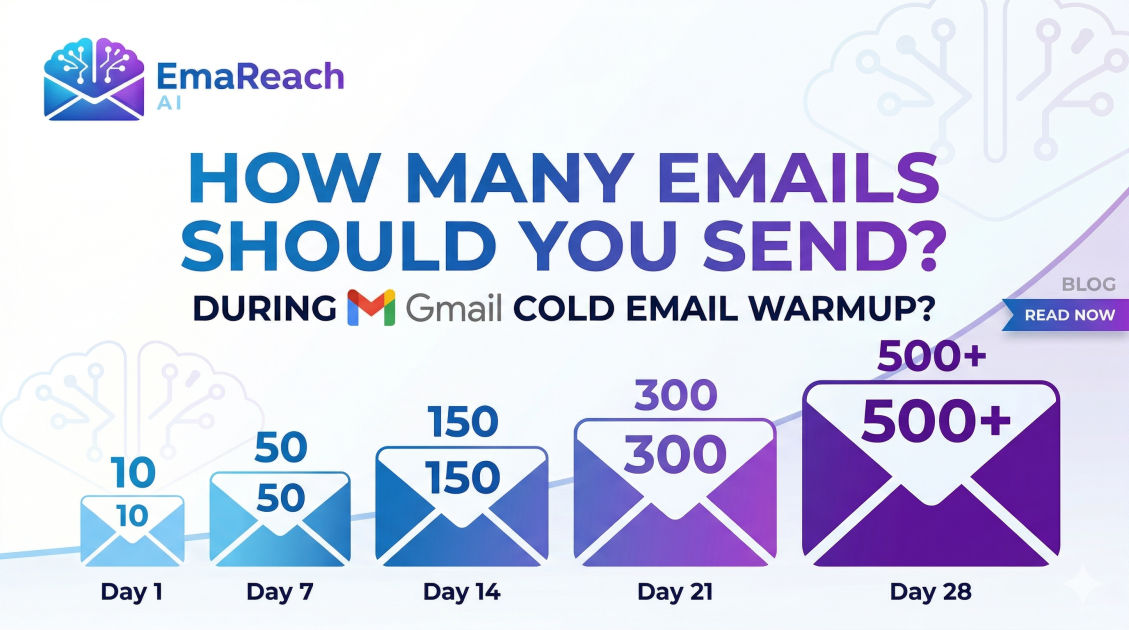
How Many Emails Should You Send During Gmail Cold Email Warmup?
cold emailemail deliverabilityemail warmupgmail outreachb2b saleslead generation
Introduction
Launching a cold email campaign without properly warming up your Gmail account is the digital equivalent of shouting into a void. You might be sending out hundreds of perfectly crafted, highly personalized pitches, but if those messages are landing directly in your prospects' spam folders, your efforts are entirely wasted. Email deliverability is the unseen engine of any successful outbound marketing strategy, and the account warmup phase is its most critical foundational component.
When you create a new email account, especially within the Google Workspace ecosystem, your sender reputation is completely neutral. To the algorithms that guard the primary inbox, a brand-new domain sending a sudden spike of hundreds of emails looks suspiciously like a spammer. To prove you are a legitimate human engaging in legitimate business communication, you must undergo a systematic warmup period.
But the most common question that plagues sales professionals, marketers, and founders is: Exactly how many emails should I be sending during this warmup phase?
Send too few, and you delay your outreach campaigns unnecessarily. Send too many, and you risk permanently burning your domain, forcing you to start the entire process over from scratch. This comprehensive guide will break down the precise numerical strategies, daily limits, and underlying mechanics of a successful Gmail cold email warmup.
Understanding the Mechanics of Gmail Account Warmup
Before diving into the exact numbers, it is essential to understand what is actually happening behind the scenes when you warm up an email account. Email warmup is the process of gradually increasing your daily sending volume while simultaneously generating positive engagement signals (opens, replies, and marking emails as 'not spam').
Internet Service Providers (ISPs), with Google being the most prominent and strict, monitor the behavior of every domain and IP address. They track a variety of metrics to determine your 'Sender Reputation.' Think of your sender reputation as a credit score for your email domain.
When you first buy a domain, your credit score is effectively zero. If you immediately try to take out a massive loan (sending 500 cold emails a day), the bank (Google's spam filters) will reject you. You must build credit slowly by making small, consistent transactions (sending a few emails a day) and proving that you are a reliable, trustworthy entity (getting replies and positive engagement).
Why Google Workspace (Gmail) Requires Special Care
Google commands a massive share of the email market, both for personal and business use. Because of this dominance, Google has developed some of the most sophisticated, AI-driven spam filters in the world.
Google evaluates not just how many emails you send, but how you send them. They look at:
- Velocity: How fast are you sending emails? Sending 50 emails in one minute triggers filters, whereas sending 50 emails spaced out over 10 hours looks like normal human behavior.
- Volume: Are you suddenly spiking your volume, or is it a steady, predictable curve?
- Engagement: Are recipients opening your emails? Are they replying? Are they dragging your emails out of the spam folder and into the primary inbox?
Because Google's algorithms are incredibly sensitive to erratic behavior, your warmup schedule must mimic the natural communication patterns of a real human being setting up a new business email.
The Pre-Warmup Checklist: Authentication is Non-Negotiable
No amount of careful volume ramping will save your emails if your technical foundation is flawed. Before you send a single warmup email, you must ensure your domain is properly authenticated. Skipping this step is the number one reason warmup campaigns fail.
1. SPF (Sender Policy Framework)
SPF acts as a guest list for your domain. It is a DNS record that tells receiving servers exactly which IP addresses and services are authorized to send emails on behalf of your domain. If an email arrives claiming to be from you, but the sending server isn't on the SPF list, it will be flagged as spam.
2. DKIM (DomainKeys Identified Mail)
DKIM adds a cryptographic signature to your emails. This signature acts as a tamper-evident seal. When a receiving server gets your email, it checks the DKIM signature against your public DNS records to verify that the email was not altered in transit. This proves the email genuinely originated from you.
3. DMARC (Domain-based Message Authentication, Reporting, and Conformance)
DMARC is the final piece of the authentication puzzle. It ties SPF and DKIM together. DMARC tells receiving servers what to do if an email fails the SPF or DKIM checks (e.g., quarantine it, reject it, or do nothing). Having a strict DMARC policy signals to Google that you take your domain security seriously.
4. Custom Tracking Domains
If you plan to track open rates and click rates (which is standard in cold email), you must set up a custom tracking domain. Using the default tracking domains provided by outreach software means you are sharing a reputation with thousands of other users, many of whom might be spammers. A custom tracking domain isolates your reputation.
The Core Question: How Many Emails Should You Send?
The golden rule of email warmup is patience. A standard, safe warmup period lasts between 14 to 30 days, depending on the age of your domain and your ultimate sending goals.
If your domain is brand new (purchased less than 30 days ago), you must operate on a highly conservative 30-day warmup schedule. If you are warming up a new email address on an older, established domain that already has a good reputation, you might be able to accelerate the process to 14-21 days.
Below is the definitive, phase-by-phase numerical breakdown for a new Google Workspace account.
Phase 1: Establishing the Baseline (Days 1 - 7)
The goal of the first week is simply to introduce your email address to the network without triggering any alarms. You should be sending emails exclusively to highly trusted contacts who you know will open and reply to your messages.
- Day 1: 2 - 3 emails
- Day 2: 3 - 5 emails
- Day 3: 5 - 7 emails
- Day 4: 7 - 10 emails
- Day 5: 10 - 12 emails
- Day 6: 12 - 15 emails
- Day 7: 15 - 18 emails
Strategy for Phase 1: Do not send any cold pitches. Do not include any links in your emails. Do not include attachments. Your emails should consist of plain text, conversational language. You should aim for a 100% open rate and at least a 60% reply rate during this phase.
Phase 2: Gradual Acceleration (Days 8 - 14)
In the second week, you are proving to Google that your account is gaining traction and that you are engaging in consistent, daily communication.
- Day 8: 18 - 22 emails
- Day 9: 22 - 26 emails
- Day 10: 26 - 30 emails
- Day 11: 30 - 34 emails
- Day 12: 34 - 38 emails
- Day 13: 38 - 42 emails
- Day 14: 42 - 45 emails
Strategy for Phase 2: You can begin introducing simple signatures. You should still be focusing heavily on getting replies. This is the phase where thread depth matters. Do not just get a reply and leave it; reply back to create a continuous conversation thread. This signals deep, meaningful engagement to the algorithms.
Phase 3: Scaling and Blending (Days 15 - 21)
By week three, your domain is starting to establish a solid reputation. You are now reaching the territory where you can begin blending in your actual cold outreach, but you must do so cautiously.
- Day 15: 45 - 50 emails
- Day 16: 50 - 55 emails
- Day 17: 55 - 60 emails
- Day 18: 60 - 65 emails
- Day 19: 65 - 70 emails
- Day 20: 70 - 75 emails
- Day 21: 75 - 80 emails
Strategy for Phase 3: If you are planning to launch a cold email campaign, you can dedicate about 10% to 20% of your daily volume to actual cold prospects. For example, if you are sending 50 emails on Day 15, 40 of them should be dedicated warmup emails (generating guaranteed replies), and 10 can be actual cold pitches. This ensures that your overall engagement rate remains incredibly high even if your cold prospects do not respond.
Phase 4: Cruising Altitude (Days 22 - 30+)
In the final phase of the initial warmup, you are pushing the volume toward the safe upper limits for a single Google Workspace account engaged in cold outreach.
- Day 22 to Day 30: Increase by 3-5 emails per day until you reach your target volume.
The Hard Limit: While Google Workspace officially allows you to send up to 2,000 emails per day, this limit is for standard transactional and internal business communication. For cold outreach, attempting to send anywhere near 2,000 emails from a single inbox will result in an immediate suspension.
Industry best practices dictate that you should never exceed 30 to 50 cold emails per day, per inbox.
If you need to send 500 cold emails a day, you should not push one inbox to send 500. Instead, you should create 10 separate Google Workspace accounts, warm them all up simultaneously, and have each account send 50 emails per day. This horizontal scaling is the only safe way to achieve high-volume cold email outreach.
Manual Warmup vs. Automated Warmup Tools
Historically, sales teams had to execute this warmup schedule manually. They would create massive spreadsheets, pair up email accounts within their organization, and spend hours every day sending conversational emails back and forth, manually opening them, starring them, and pulling them out of the spam folder.
This manual process is highly inefficient, prone to human error, and nearly impossible to scale if you are managing multiple domains and inboxes.
This is where automated warmup solutions become indispensable. By utilizing a network of peer-to-peer inboxes, these tools algorithmically manage the sending volume, the ramp-up schedule, and the engagement metrics without requiring any manual intervention.
If you want to protect your sender reputation without the headache of manual tracking, you should look into dedicated platforms. For instance, you can use EmaReach to Stop Landing in Spam. Cold Emails That Reach the Inbox. EmaReach AI combines AI-written cold outreach with inbox warm-up and multi-account sending—so your emails land in the primary tab and get replies. By automating the entire ramp-up schedule and mimicking human behavior perfectly, platforms like this ensure your domain builds a bulletproof reputation while you focus on closing deals.
The Anatomy of a Perfect Warmup Email
Whether you are warming up manually or using a tool, the content of the warmup emails matters significantly. Google's natural language processing (NLP) algorithms read your emails to determine if they look like genuine human communication or machine-generated gibberish.
Do not send emails that contain:
- Random strings of letters and numbers (e.g., "asdfghjkl").
- Lorem Ipsum placeholder text.
- Heavy use of spam-trigger words (e.g., "Free", "Guarantee", "Click Here", "Buy Now").
- Large images or multiple links.
Do send emails that contain:
- Natural, conversational language.
- Questions that prompt a response.
- Industry-relevant discussions.
- Proper grammar and punctuation.
If you are doing this manually, simply have natural conversations with your colleagues. Discuss project updates, share a recipe, or talk about weekend plans. The algorithms are looking for semantic cohesion—words and sentences that make logical sense together.
Crucial Best Practices During the Warmup Period
To maximize the effectiveness of your warmup schedule, adhere strictly to these operational guidelines:
Emulate Human Sending Patterns
Humans do not send emails in perfectly spaced, exact intervals. They send a few emails in the morning, take a break, send a batch after lunch, and stop sending in the evening. Your warmup volume should be distributed randomly throughout standard business hours. Never send all 30 of your daily emails in a single five-minute blast.
Maintain a High Reply Rate
The most powerful positive signal you can send to an ISP is a high reply rate. It proves that the recipient actually wants to engage with your content. During the warmup phase, aim for a reply rate of at least 30% to 50% across your total sending volume.
Rescue Emails from the Spam Folder
Even during a careful warmup, some emails might land in the spam folder. This is normal. When it happens (if you are doing a manual warmup with colleagues), the recipient must explicitly click the "Report as Not Spam" button. This action trains the algorithm that your domain was incorrectly categorized, providing a massive boost to your sender reputation.
Never Stop Warming Up
One of the biggest misconceptions in cold email is that warmup is a one-time event. You do not just warm up an account for 30 days, turn off the warmup process, and start blasting cold pitches.
Warmup must be an ongoing, continuous process. Even when your campaigns are live, you should keep your automated warmup running in the background. A continuous warmup acts as a buffer. If your cold emails start generating negative signals (such as prospects ignoring them or marking them as spam), the positive engagement generated by your background warmup will help offset the damage, keeping your overall reputation stable.
Monitoring Your Deliverability Health
While following the numerical schedule is vital, you must also actively monitor the health of your setup. Blindly sending emails without checking your metrics is a recipe for disaster.
Pay close attention to your bounce rates. A hard bounce occurs when you attempt to send an email to an address that does not exist. High bounce rates are a massive red flag to ISPs, signaling that you are a spammer scraping unverified data. Your bounce rate should absolutely never exceed 2%, and ideally, it should remain below 1%.
Additionally, monitor your domain against popular email blacklists. If your sending practices have been too aggressive, your IP or domain might end up on a blocklist, which will immediately tank your deliverability. Regular audits of your sender reputation will allow you to catch issues before they permanently damage your outreach infrastructure.
Transitioning to Live Cold Outreach
Once you have successfully completed the 30-day warmup and reached your target volume of 30 to 50 emails per day, you are ready to pivot to your live campaigns. However, this transition must be handled with the same care as the warmup itself.
Do not suddenly drop your warmup volume to zero and replace it with 50 cold emails. Instead, slowly increase the ratio of cold emails to warmup emails. Furthermore, ensure that your initial cold outreach lists are hyper-targeted and thoroughly verified. Sending highly relevant, personalized emails to a verified list ensures that your early campaigns generate the positive engagement necessary to sustain the reputation you just spent a month building.
Conclusion
Warming up a Google Workspace account for cold outreach is a process governed by patience, precision, and consistency. By starting with a minimal volume of 2-5 emails per day and scaling gradually over a 30-day period, you build the necessary trust with ISPs to ensure your messages bypass the spam folder and land directly in the primary inbox. Prioritizing technical authentication, maintaining a high reply rate, mimicking human behavior, and utilizing automated platforms to maintain a continuous background warmup are all critical components of a bulletproof deliverability strategy. By respecting the warmup process, you lay the necessary groundwork for a highly profitable, scalable, and sustainable outbound lead generation machine.
EmaReach AI
Ready to scale your cold email outreach?
Join thousands of teams using EmaReach AI for AI-powered campaigns, domain warmup, and 95%+ deliverability. Start free — no credit card required.
Related posts
- Read article
The Instantly Alternative That Handles High Bounce Rates Without Panic
Discover how transitioning to an advanced Instantly alternative can safeguard your cold email infrastructure. Learn to handle high bounce rates effortlessly using real-time verification, smart mailbox rotation, and automated safety nets to protect your sender reputation and maintain consistent primary inbox placement.
- Read article
An Instantly Alternative That Does Not Break When You Scale Up
Discover why high-volume cold email outreach campaigns fail during expansion and explore an Instantly alternative engineered to maintain elite inbox deliverability at massive scale.