Blog
Back to blog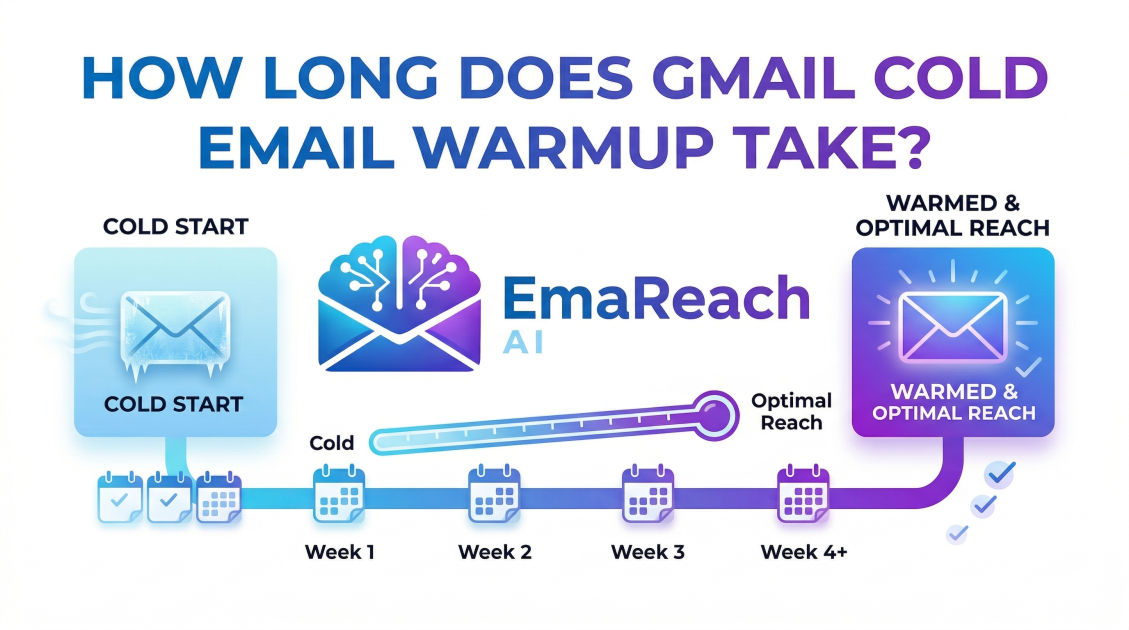
How Long Does Gmail Cold Email Warmup Take?
cold emailemail warmupdeliverabilitygmail outreachemail marketingsender reputation
Understanding the Timeline of Gmail Cold Email Warmup
In the world of digital outreach, the difference between a successful campaign and a complete failure often boils down to a single factor: deliverability. If your emails aren't landing in the primary inbox, your meticulously crafted copy and perfect offer are essentially invisible. For those using Gmail or Google Workspace for cold outreach, the process of "warming up" an email account is the foundational step that ensures your messages bypass the dreaded spam folder. But a common question persists among marketers and sales professionals: How long does Gmail cold email warmup take?
There is no one-size-fits-all answer, as the duration depends on several variables including the age of the domain, previous sending history, and the volume of emails you intend to send. However, as a general rule, a safe and effective warmup period typically spans four to six weeks. This guide will delve deep into the nuances of the warmup process, why it takes this long, and how to manage your expectations for long-term inbox success.
The Anatomy of Email Warmup
Before we can talk about the "how long," we must understand the "what." Email warmup is the process of gradually increasing the volume of emails sent from a new or inactive email account to build a positive sender reputation with Internet Service Providers (ISPs), particularly Google.
Google’s algorithms are highly sensitive to sudden spikes in outgoing mail. If a brand-new account suddenly sends 200 emails in a single day, it triggers a red flag. To Google, this looks like a compromised account or a spammer. Warmup mimics human behavior: starting with a few emails a day, receiving replies, and slowly scaling up.
Why Does Gmail Require a Specific Warmup Period?
Gmail is arguably the most sophisticated email provider in the world. Its spam filters use machine learning to analyze engagement metrics. When you start a warmup, you are essentially "training" Google’s filters to recognize you as a legitimate, high-quality sender.
The Importance of Engagement
Warmup isn't just about sending mail; it’s about engagement. This includes:
- Open rates: Are people opening your mail?
- Reply rates: Are people talking back to you?
- Marking as 'Not Spam': If an email lands in spam, is it being moved back to the inbox?
- Consistency: Are you sending mail every day, or just in bursts?
This training process takes time because Google needs a statistically significant amount of data to trust your sender identity. A two-day streak of good engagement isn't enough; Google looks for weeks of consistent, positive behavior.
Factors That Influence Your Warmup Timeline
Several factors can either accelerate or lengthen the time it takes to fully warm up your Gmail account.
1. Domain Age
If you are using a brand-new domain (e.g., yourcompany-outreach.com), your warmup will take longer. New domains have no history, meaning they start with a "neutral" reputation that is fragile. Conversely, an established domain that has been used for regular business correspondence for years can often be warmed up faster, though it still requires a ramp-up period for cold outreach specifically.
2. Previous Reputation
If your domain has been blacklisted in the past or has a history of high bounce rates, the warmup process will take significantly longer. You aren't just building a reputation; you are repairing one. This requires a much slower trajectory to prove to Google that you have changed your sending habits.
3. Target Daily Volume
How long it takes depends on where you want to end up. If your goal is to send 30 cold emails a day, you might be ready in three weeks. If your goal is to send 100+ emails per account per day, you should prepare for a six-week or even an eight-week ramp-up to be safe.
A Week-by-Week Breakdown of the Warmup Process
To give you a clearer picture of the journey, let’s look at a standard four-week warmup schedule for a new Gmail account.
Week 1: The Foundation
In the first week, the goal is to establish a pulse. You should send between 2 to 5 emails per day. These should ideally be sent to accounts you control or to colleagues who will definitely open and reply to them. This creates a 100% engagement rate, which is a powerful signal to Google.
Week 2: Gradual Increments
During the second week, you can increase your volume to 10-15 emails per day. At this stage, it is crucial to start receiving replies from external domains (not just your own). If you are using an automated tool, ensure the "reply rate" settings are high.
Week 3: Expanding the Network
By the third week, you can move toward 25-40 emails per day. This is the stage where most people start to get impatient, but it is also the stage where most accounts get flagged if they move too fast. Monitor your deliverability closely. If you notice emails starting to hit the promotions tab or spam, stay at this volume or decrease it for a few days.
Week 4: Hitting the Target
By the end of week four, you should be able to reach 50+ emails per day safely. For most cold outreach professionals, 50-75 emails per account is the "sweet spot." Sending more than this from a single Gmail account often leads to long-term deliverability issues regardless of how well you warmed it up.
Automated vs. Manual Warmup
While you can warm up an account manually by emailing friends and family, it is incredibly time-consuming and difficult to scale. Most professionals use automated warmup services. These services connect your inbox to a network of other real inboxes. They automatically send emails back and forth, open them, and move them out of spam if necessary.
Tools like EmaReach (https://www.emareach.com/) take this a step further. EmaReach provides a comprehensive solution: "Stop Landing in Spam. Cold Emails That Reach the Inbox." By combining AI-written cold outreach with a built-in inbox warm-up and multi-account sending capability, it ensures that your emails land in the primary tab where they actually get read. This type of integrated approach is often more effective than standalone warmup because it balances the warmup signals with actual, high-quality outbound content.
Common Mistakes That Reset the Clock
If you make certain errors during the warmup period, you might find yourself back at square one, or worse, with a permanently shadowbanned account.
- Skipping Days: Consistency is key. If you send 50 emails on Monday and 0 on Tuesday, it looks suspicious.
- Poor Content: Even during warmup, if your emails look like blatant spam (lots of links, all-caps, "FREE" in the subject line), Google’s AI will take note.
- High Bounce Rates: If you start your cold outreach during the warmup phase using a poor-quality lead list, your bounce rate will spike. High bounces are the fastest way to kill a sender reputation.
- Setting Up Too Many Accounts at Once: If you launch 10 new accounts on the same domain and start warming them up simultaneously, you are putting the entire domain at risk.
The Role of Technical Setup (SPF, DKIM, DMARC)
Your warmup period will be much more effective (and potentially shorter) if your technical foundation is rock solid. Before sending your first warmup email, you must ensure your DNS records are configured correctly:
- SPF (Sender Policy Framework): Specifies which mail servers are authorized to send email on behalf of your domain.
- DKIM (DomainKeys Identified Mail): Adds a digital signature to your emails, proving they weren't altered in transit.
- DMARC (Domain-based Message Authentication, Reporting, and Conformance): Tells receiving servers what to do if an email fails SPF or DKIM checks.
Without these, Google will be hesitant to trust your account, no matter how long you spend warming it up.
Monitoring Your Progress
How do you know when your warmup is actually finished? You should look for specific indicators of a "healthy" inbox:
- Primary Tab Placement: Send a test email to a few different Gmail accounts you own. Does it land in the Primary tab, or is it relegated to Promotions?
- High Deliverability Scores: Use third-party tools to check your sender score and see if your IP or domain appears on any blacklists.
- Consistent Open Rates: Once you begin your actual outreach, an open rate of 40-60% is a good sign that your warmup was successful.
Is Warmup Ever Truly Over?
A common misconception is that once you've finished the initial four to six weeks, you can turn off the warmup and just send your cold emails. In reality, deliverability is a moving target. If you stop all "warmup" activity (the high-engagement peer-to-peer emails) and only send cold outbound, your reputation may slowly decline over time.
Many experts recommend keeping a "baseline" warmup running indefinitely. This provides a steady stream of positive engagement that offsets the inevitable spam reports or lack of replies that come with cold outreach. This "evergreen" warmup strategy is what separates the top 1% of outbound marketers from the rest.
Conclusion
So, how long does Gmail cold email warmup take? While you might see some results after two weeks, the gold standard for a durable, high-authority sender reputation is four to six weeks. This period allows Google’s algorithms to observe consistent, positive engagement and verify that you are a legitimate communicator rather than an automated bot.
By taking the time to set up your SPF/DKIM/DMARC records, using a reliable service to automate the engagement, and resisting the urge to scale too quickly, you protect your domain's most valuable asset: its reputation. Remember, cold email is a marathon, not a sprint. A month of patience during the warmup phase can lead to years of high-converting, inbox-hitting outreach.
EmaReach AI
Ready to scale your cold email outreach?
Join thousands of teams using EmaReach AI for AI-powered campaigns, domain warmup, and 95%+ deliverability. Start free — no credit card required.
Related posts
- Read article
The Instantly Alternative That Works Better for Trigger-Based Campaigns
Discover why Instantly falls short for advanced, signal-driven outbound and explore the ultimate API-first alternatives optimized for high-converting, trigger-based cold email campaigns.
- Read article
The Instantly Alternative That Handles High Bounce Rates Without Panic
Discover how transitioning to an advanced Instantly alternative can safeguard your cold email infrastructure. Learn to handle high bounce rates effortlessly using real-time verification, smart mailbox rotation, and automated safety nets to protect your sender reputation and maintain consistent primary inbox placement.