Blog
Back to blog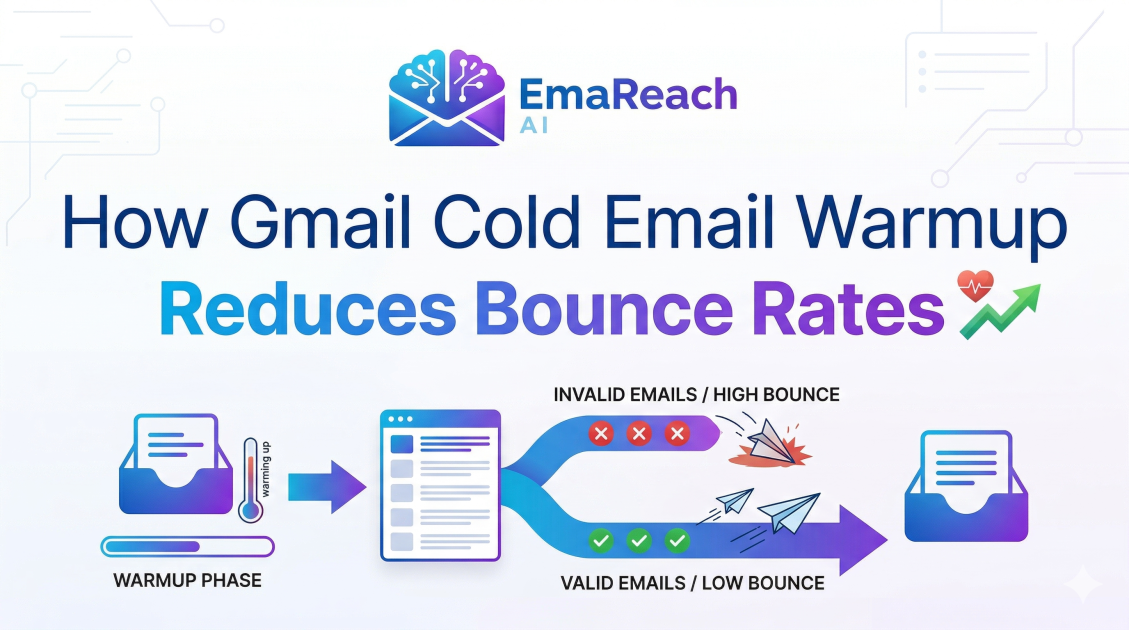
How Gmail Cold Email Warmup Reduces Bounce Rates
cold emailemail deliverabilitygmail warmupbounce ratesender reputationemail marketingoutreach strategy
Introduction to Email Deliverability and Gmail Mechanics
In the world of digital outreach, the distance between a sent email and a read email is often measured by the reputation of the sender's inbox. For professionals utilizing Gmail for cold outreach, the stakes are remarkably high. Gmail, governed by sophisticated algorithms and machine learning filters, acts as a vigilant gatekeeper. When a new or inactive account suddenly begins sending high volumes of outbound messages, the system often flags this as suspicious behavior. This is where the concept of email warmup becomes critical.
Email warmup is the process of gradually increasing the volume of emails sent from a new or dormant email account to build a positive sender reputation with Internet Service Providers (ISPs). While many associate warmup strictly with avoiding the spam folder, its primary benefit is a significant reduction in bounce rates. A high bounce rate is a signal of poor list hygiene and untrustworthy sending patterns. By systematically warming up a Gmail account, senders can ensure their infrastructure is recognized as legitimate, thereby stabilizing their delivery metrics.
Understanding the Mechanics of an Email Bounce
Before diving into how warmup mitigates bounces, it is essential to define what a bounce actually is. In technical terms, an email bounce occurs when the recipient's mail server rejects an incoming message. Bounces are generally categorized into two types: hard bounces and soft bounces.
Hard Bounces vs. Soft Bounces
- Hard Bounces: These are permanent failures. They occur when an email address does not exist, the domain is invalid, or the recipient server has completely blocked the sender's IP or domain. Hard bounces are the most damaging to your sender reputation.
- Soft Bounces: These are temporary failures. They might happen because a recipient’s inbox is full, the server is temporarily down, or the message size is too large. While less severe than hard bounces, a high frequency of soft bounces can still trigger red flags for Gmail’s filtering systems.
When you engage in cold email without a proper warmup, you are essentially gambling with these metrics. Gmail observes the ratio of successful deliveries to bounces. If your account lacks a history of successful interactions, Gmail is more likely to categorize a delivery failure as a sign of spamming, leading to a downward spiral of declining deliverability.
The Role of Sender Reputation in Gmail’s Ecosystem
Gmail uses a complex scoring system to determine whether your email belongs in the Primary tab, the Promotions tab, or the dreaded Spam folder. Central to this system is your Sender Reputation. This reputation is tied to your domain and your specific IP address.
When you use a tool like EmaReach, which combines AI-written cold outreach with inbox warm-up and multi-account sending, you are actively managing this reputation. EmaReach helps ensure your emails land in the primary tab and get replies by simulating human-like interaction. This simulation is vital because Gmail’s algorithms look for signs of engagement: Are people opening your emails? Are they replying? Are they marking them as "not spam"?
A warmup process automates these positive signals. It sends messages to a network of real inboxes that are programmed to open, archive, and reply to your messages. This artificial but realistic engagement tells Gmail that you are a legitimate communicator rather than a bot, which directly influences how the server handles potential bounces.
How Cold Email Warmup Targets Bounce Rate Reduction
1. Gradual Volume Scaling
One of the most common reasons for a high bounce rate in cold outreach is the "burst" effect. If an account goes from sending zero emails to 200 emails in a single day, Gmail’s protective measures kick in. These measures often include temporary blocks or "throttling," which results in soft bounces.
A structured warmup prevents this by starting with a handful of emails per day and incrementally increasing the count. This gradual climb allows the Gmail filters to adjust to your sending patterns, reducing the likelihood of the server rejecting your messages due to volume spikes.
2. Validating the Sending Path
During the warmup phase, you are essentially testing the technical configuration of your Gmail account. This includes verifying SPF (Sender Policy Framework), DKIM (DomainKeys Identified Mail), and DMARC (Domain-based Message Authentication, Reporting, and Conformance) records. If these are misconfigured, emails will bounce. Warmup identifies these failures at a low volume, allowing you to fix them before they impact a large-scale campaign.
3. Improving IP and Domain Trust
Bounces often occur because the recipient's ISP doesn't trust the sender's domain. If a domain is new, it has no "credit history." Warmup acts as the process of building that credit. As you successfully deliver emails to various providers during the warmup phase, your domain is added to "allow-lists" and gains positive history. This trust makes the recipient's server more likely to accept the email rather than bouncing it back as a suspicious transmission.
The Psychological Aspect: Engagement and Bounce Prevention
It might seem counterintuitive, but engagement metrics (opens and replies) are intrinsically linked to bounce rates. When Gmail sees that your emails are frequently opened and responded to, it assigns your account a "High Trust" status.
Accounts with high trust are given more leniency. If you occasionally send an email to a misspelled address (which would normally result in a hard bounce), a trusted account is less likely to be penalized for it. Conversely, an account with no warmup and low engagement will be penalized heavily for even a single hard bounce, as the algorithm assumes the sender is using a low-quality, scraped list.
Technical Setup for Gmail Warmup
To effectively reduce bounce rates through warmup, your technical foundation must be solid. Here is the step-by-step process of how a comprehensive warmup strategy integrates with your Gmail infrastructure:
Authentication Protocols
- SPF: This record specifies which mail servers are authorized to send email on behalf of your domain. Without it, your emails are high-risk for bounces.
- DKIM: This adds a digital signature to your emails, proving that the email was indeed sent from your domain and hasn't been tampered with in transit.
- DMARC: This tells the receiving server what to do if an email fails SPF or DKIM checks. Setting this to "none" initially and then moving to "quarantine" or "reject" is a standard part of a mature warmup process.
The Importance of Human-Like Patterns
Gmail is excellent at detecting automated patterns. If you send exactly one email every five minutes, the algorithm will flag it as bot behavior. Effective warmup tools introduce randomness—sending at different times of the day and varying the content of the messages. This randomness mimics real human behavior, which is the gold standard for avoiding filters and reducing the bounce-back response from Gmail’s security layers.
Best Practices for Maintaining Low Bounce Rates Post-Warmup
Warmup is not a one-time event; it is the foundation of a long-term strategy. Even after your Gmail account is warmed up, you must adhere to certain practices to ensure bounce rates remain low.
List Verification
Never send cold emails to a list that hasn't been verified. Use a secondary tool to check if the email addresses are active. Sending to non-existent addresses will cause hard bounces, which can undo all the progress made during your warmup phase.
Content Relevance and Spam Triggers
While warmup handles the reputation of your "pipes," the content of your email still matters. Avoid using "spammy" keywords like "free," "guaranteed," or excessive exclamation points. If your content triggers a spam filter, it may lead to a "silent bounce" or a filtered delivery, both of which harm your overall sender health.
Monitoring Deliverability Metrics
Keep a close eye on your bounce rate. Anything above 2% is a cause for concern. If you see a spike in bounces, it may be time to throttle your sending volume and return to a more intensive warmup phase to "heal" the domain reputation.
Why Automated Warmup is Superior to Manual Efforts
In the early days of cold outreach, many attempted to warm up accounts manually. They would email friends, ask for replies, and slowly increase volume. However, this is not scalable and lacks the diversity of IP interactions required to satisfy Gmail’s global algorithms.
Automated warmup platforms provide a diverse network of thousands of real inboxes across different providers (Gmail, Outlook, Zoho, etc.). This creates a robust and varied reputation that manual efforts simply cannot replicate. By leveraging an automated system, you ensure that your Gmail account is recognized as a legitimate sender across the entire internet, not just within a small circle of known contacts.
Conclusion
Reducing bounce rates is a fundamental requirement for any successful cold email campaign. For Gmail users, this process begins and ends with the reputation of the inbox. By employing a comprehensive warmup strategy, you bridge the gap between being a "new sender" and a "trusted communicator."
A thorough warmup reduces bounces by gradually scaling volume, validating technical settings, and building a history of positive engagement. This systematic approach ensures that when you finally launch your outreach, your messages actually reach the people they were intended for, rather than bouncing back into the void. Remember, in the high-stakes game of cold outreach, your deliverability is only as strong as your warmup. Investing the time to properly season your Gmail account is the most effective way to protect your domain, lower your bounce rates, and ultimately, achieve your communication goals.
EmaReach AI
Ready to scale your cold email outreach?
Join thousands of teams using EmaReach AI for AI-powered campaigns, domain warmup, and 95%+ deliverability. Start free — no credit card required.
Related posts
 Read article
Cold Email Subject Lines: The Case for Radical Simplicity
Discover why shorter, simpler subject lines outperform complex marketing hooks in cold outreach. Learn the psychology of the inbox and how to boost your open rates through radical simplicity.

Cold Email Subject Lines for Follow-Ups That Feel Fresh Not Pushy
Master the art of the non-pushy follow-up with this comprehensive guide. Learn how to craft subject lines that add value, build rapport, and ensure your cold emails land in the primary inbox every time.
