Blog
Back to blog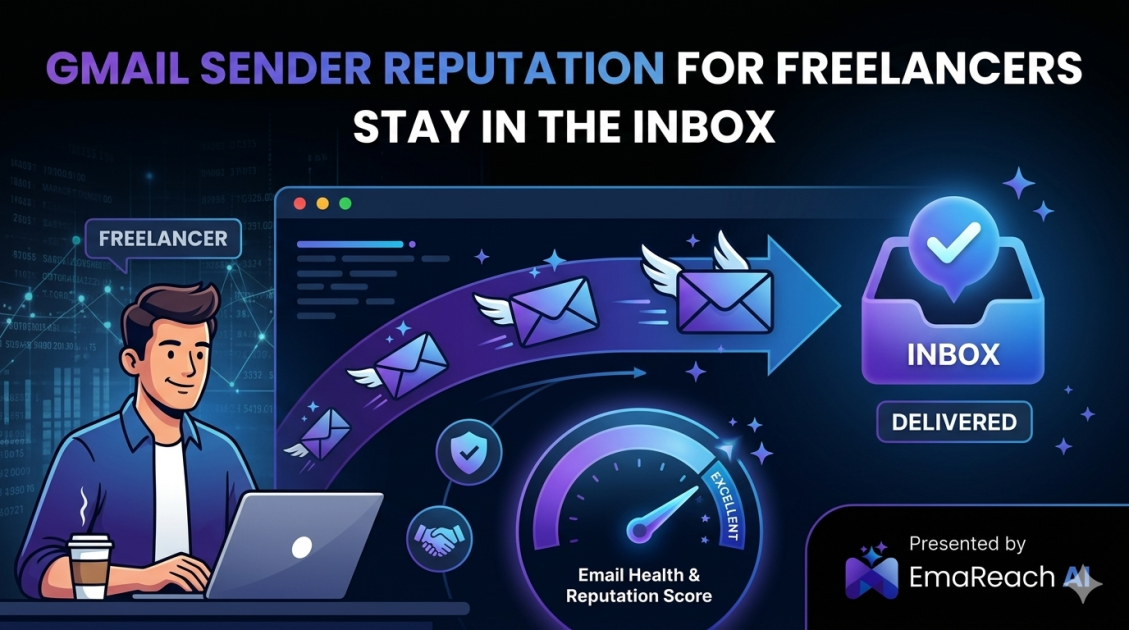
Gmail Sender Reputation for Freelancers: Stay in the Inbox
freelance tipsemail deliverabilitygmail reputationcold outreachinbox placementsender reputation
Introduction to Sender Reputation for Freelancers
For a freelancer, the inbox is the lifeblood of business operations. Whether you are pitching a new prospect, sending a project update to a long-term client, or submitting an invoice, the delivery of that email is non-negotiable. However, many freelancers overlook the technical foundation that governs whether their messages actually arrive: Sender Reputation.
Gmail, as one of the world's most sophisticated email service providers, utilizes complex algorithms to determine the trustworthiness of every sender. If your reputation slips, your carefully crafted pitches will languish in the spam folder, unseen and unread. Maintaining a pristine sender reputation is not just a technical chore; it is a critical component of professional sustainability. This guide explores how freelancers can navigate the intricacies of Gmail's filtering systems to ensure consistent inbox placement.
Understanding the Gmail Reputation Ecosystem
Gmail does not look at a single factor to decide your fate. Instead, it aggregates data across multiple layers to build a 'score' for your identity. This reputation is generally divided into two categories: domain reputation and IP reputation.
Domain Reputation
Your domain reputation is tied to your specific web address (e.g., yourname.com). This is the most portable and important form of reputation for a freelancer. If you change email providers but keep your domain, your reputation follows you. Gmail tracks how users interact with emails from your domain over time. High engagement—opening, clicking, and replying—strengthens this reputation, while high complaint rates or 'mark as spam' actions degrade it.
IP Reputation
IP reputation refers to the health of the server sending your emails. Most freelancers use Google Workspace or standard Gmail accounts, meaning they share IPs with millions of other users. While Google manages the health of these shared IPs diligently, significant spikes in volume or suspicious activity from your specific account can still trigger red flags. For those using third-party outreach tools, the quality of the service provider's infrastructure becomes a pivotal factor in deliverability.
The Technical Foundations of Deliverability
To stay in the inbox, you must first prove to Gmail that you are who you say you are. This is achieved through three core authentication protocols: SPF, DKIM, and DMARC. Skipping these is the fastest way to find your emails in the spam folder.
SPF (Sender Policy Framework)
SPF is a DNS record that lists the specific mail servers authorized to send emails on behalf of your domain. When an email arrives at Gmail, the system checks your SPF record to verify that the sending server is on the 'approved' list. Without this, your emails look like unauthorized spoofs.
DKIM (DomainKeys Identified Mail)
DKIM adds a digital signature to your emails. This signature ensures that the content of your email has not been tampered with during transit. It acts as a seal of authenticity, giving Gmail confidence that the message it received is exactly what you sent.
DMARC (Domain-based Message Authentication, Reporting, and Conformance)
DMARC ties SPF and DKIM together. It provides instructions to receiving servers on what to do if an email fails authentication—whether to do nothing, quarantine the message, or reject it entirely. Implementing a basic DMARC policy is a clear signal to Gmail that you take your domain security seriously.
Strategies for Maintaining High Engagement
Gmail prioritizes user experience above all else. If users like your emails, Gmail likes you. If users ignore or delete your emails, your reputation suffers. For freelancers, this means every email sent must provide value.
The Importance of Human-First Outreach
Automated blasts are easy to spot and even easier to report as spam. The key to staying in the primary tab is creating human-to-human connections. Personalized subject lines and contextual body copy aren't just good for conversions; they are essential for deliverability. When a recipient replies to your email, it sends a powerful positive signal to Gmail's filters, essentially 'whitelisting' you for future communications.
For freelancers struggling to balance personalization with scale, EmaReach offers a sophisticated solution. Stop Landing in Spam. Cold Emails That Reach the Inbox. EmaReach AI combines AI-written cold outreach with inbox warm-up and multi-account sending—so your emails land in the primary tab and get replies. This ensures that even as you grow your freelance business, the quality of your engagement remains high enough to satisfy Gmail's stringent requirements.
Monitoring Bounce Rates
A 'bounce' occurs when an email cannot be delivered. Hard bounces (invalid email addresses) are particularly damaging. A high hard bounce rate tells Gmail that you are using a poor-quality list or 'guessing' email addresses, which are classic behaviors of a spammer. Freelancers should regularly clean their contact lists and verify prospect emails before hitting send.
Best Practices for Content and Formatting
What you write is just as important as how you send it. Gmail’s filters scan content for patterns commonly associated with unsolicited bulk mail.
Avoiding Spam Triggers
While modern filters are more nuanced than they used to be, certain 'spammy' phrases can still cause issues, especially when used in excess. Words like 'Free,' 'Guaranteed,' 'Cash,' or excessive use of exclamation points and all-caps can trigger a defensive response from the filter. Use natural, professional language.
The Link-to-Text Ratio
Including too many links in a single email is a common mistake. Each link is a potential path to a malicious site in the eyes of an automated filter. Keep your emails focused on a single call to action. If you must share multiple resources, consider directing the recipient to a single landing page on your professional website.
Image Usage
Emails that consist entirely of images with very little text are a major red flag. Spammers often use images to hide text from filters. Ensure your emails have a healthy balance of text and images, and always include alt-text for any visual elements you do include.
The Role of Inbox Warm-up
If you have a new domain or have not sent many emails recently, you cannot suddenly start sending fifty pitches a day. This sudden spike in volume is a classic spam indicator. You must 'warm up' your email account.
Incremental Volume Increase
Inboxing is a marathon, not a sprint. Start by sending a few emails a day to people you know will respond. Gradually increase the volume over several weeks. This steady growth builds a history of positive engagement that Gmail can trust. This is particularly relevant for freelancers launching a new brand or pivoting to a new niche.
Maintaining Consistent Sending Patterns
Gmail values predictability. Erratic sending behavior—sending 100 emails on a Monday and none for the rest of the month—can look suspicious. Aim for a consistent, daily rhythm of communication. This stability reinforces your identity as a legitimate professional rather than a bot or a hijacked account.
Managing Your 'Mark as Spam' Rate
The 'Mark as Spam' button is the ultimate weapon against sender reputation. Even a small handful of reports can tank your deliverability. To minimize this risk:
- Make it easy to opt-out: While it might seem counterintuitive, an easy-to-find unsubscribe link or a polite 'reply to be removed' note is far better than being reported as spam.
- Be relevant: Only email people who have a logical reason to hear from you. Contextual relevance is the best defense against a spam report.
- Set expectations: If you are sending a newsletter or recurring updates, let the recipient know how often they will hear from you.
Tools and Monitoring
Maintaining a reputation requires ongoing vigilance. You cannot set it and forget it. Freelancers should utilize available tools to monitor their status.
Google Postmaster Tools
Google Postmaster Tools is an essential resource for anyone sending significant volume to Gmail users. It provides direct data from Google on your spam rate, domain reputation, IP reputation, and authentication errors. Monitoring these dashboards allows you to catch reputation dips before they become catastrophic.
Regular Self-Testing
Periodically send test emails to accounts you own on different platforms. Check if they land in the primary tab, the promotions tab, or the spam folder. If you notice a shift, it is time to audit your content or check your authentication records.
Navigating the Promotions Tab
Many freelancers fear the 'Promotions' tab as much as the spam folder. While the primary tab is the goal for one-on-one outreach, the Promotions tab is not a death sentence. It is designed for commercial content. However, if your high-value pitches are landing there, it usually means your formatting is too 'marketing-heavy.' To stay in the primary tab, keep your emails plain-text or minimalist in design, and avoid heavy HTML templates.
The Impact of Recipient Behavior
Your reputation is partially in the hands of your recipients. When a client moves your email from the 'Promotions' or 'Spam' tab back to the 'Primary' inbox, they are essentially telling Google's AI that your content is important. Encouraging this behavior—perhaps by asking a client to whitelist your address during your onboarding process—can provide a significant boost to your long-term deliverability.
Conclusion
Mastering Gmail sender reputation is a fundamental skill for the modern freelancer. By combining technical authentication (SPF, DKIM, DMARC) with high-quality, human-first engagement and consistent sending habits, you ensure that your professional voice is always heard. Protecting your reputation is an investment in your business’s future, ensuring that every opportunity you reach for has the best possible chance of being realized. Keep your data clean, your content relevant, and your authentication sharp to maintain your place in the inbox.
EmaReach AI
Ready to scale your cold email outreach?
Join thousands of teams using EmaReach AI for AI-powered campaigns, domain warmup, and 95%+ deliverability. Start free — no credit card required.
Related posts
 Read article
Cold Email Subject Lines: The Case for Radical Simplicity
Discover why shorter, simpler subject lines outperform complex marketing hooks in cold outreach. Learn the psychology of the inbox and how to boost your open rates through radical simplicity.

Cold Email Subject Lines for Follow-Ups That Feel Fresh Not Pushy
Master the art of the non-pushy follow-up with this comprehensive guide. Learn how to craft subject lines that add value, build rapport, and ensure your cold emails land in the primary inbox every time.