Blog
Back to blog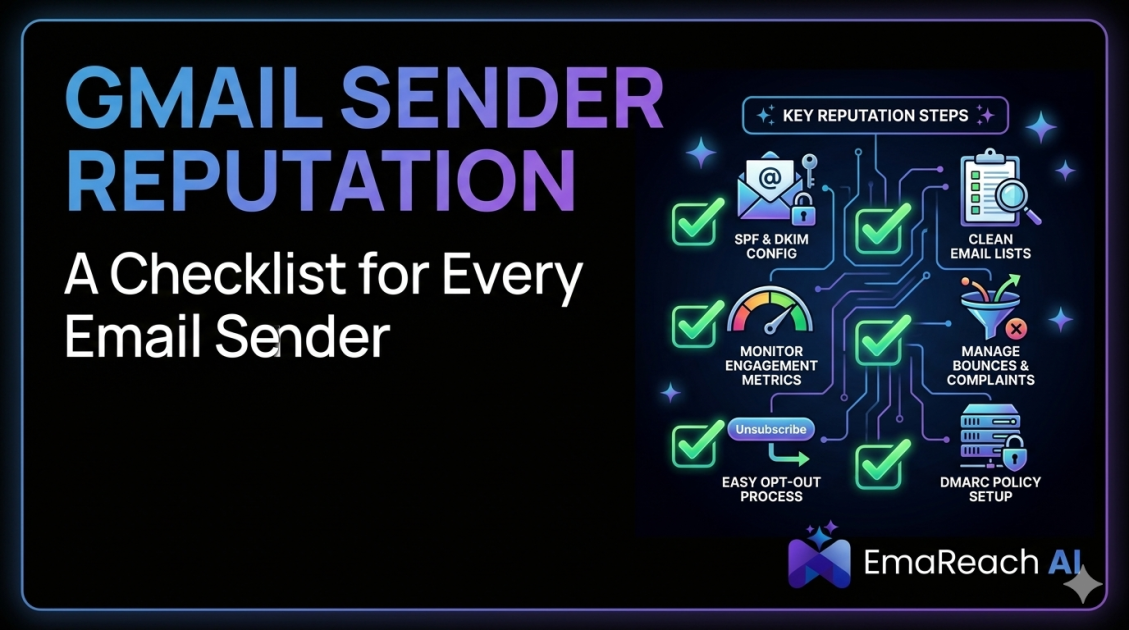
Gmail Sender Reputation: A Checklist for Every Email Sender
email deliverabilitygmail sender reputationcold emailoutreachemail marketinginbox placementdmarc
Introduction
In the complex and ever-evolving landscape of digital communication, sending an email is only half the battle. The true challenge lies in ensuring that your carefully crafted message actually reaches the recipient's primary inbox. For businesses, marketers, and sales professionals, the inbox is sacred ground. However, gatekeepers stand between your outbox and your audience's attention, and none are more formidable than Gmail.
Gmail is universally recognized as having some of the most sophisticated, adaptive, and stringent spam filters in the world. Powered by advanced machine learning algorithms and vast amounts of user data, Google continuously refines its criteria for what constitutes legitimate mail versus unwanted spam. At the very heart of this filtering system is your "Sender Reputation."
Think of your sender reputation as a credit score for your email domain and IP address. Just as a good financial credit score unlocks better interest rates and loan approvals, a high sender reputation guarantees high deliverability rates, ensuring your emails bypass the spam folder and land front and center. Conversely, a poor reputation will banish your campaigns to the dreaded spam or junk folders, severely crippling your outreach efforts, diminishing your return on investment, and silencing your brand's voice.
Whether you are sending transactional receipts, weekly newsletters, or targeted cold outreach campaigns, understanding and actively managing your Gmail sender reputation is non-negotiable. This comprehensive guide provides an exhaustive, actionable checklist to help you build, maintain, and protect a pristine sender reputation.
What Exactly is Gmail Sender Reputation?
Before diving into the checklist, it is crucial to understand how Gmail evaluates you as a sender. Your sender reputation is not a single metric but a holistic evaluation based on thousands of data points collected over time. Gmail primarily looks at two core reputational elements:
Domain Reputation
Your domain reputation is tied directly to the web address from which you send emails (e.g., @yourcompany.com). Because domains can be used across various IP addresses and email service providers, your domain reputation follows you wherever you go. If you burn your domain reputation by sending low-quality, spam-like emails, switching to a new sending platform will not solve your deliverability issues. Gmail remembers the history associated with your domain.
IP Reputation
The IP reputation is linked to the specific server IP address used to dispatch your emails. If you use a shared IP address provided by an email marketing platform, your reputation can sometimes be influenced by the behavior of other senders on that same IP. If you use a dedicated IP, you are solely responsible for its reputation. Gmail tracks the volume and quality of mail originating from an IP to determine its trustworthiness.
Ultimately, Gmail combines both domain and IP reputation, alongside real-time user engagement data, to make split-second decisions about inbox placement every time you hit "send."
Phase 1: Technical Authentication Setup
The foundation of a strong sender reputation is technical authentication. If your emails lack the proper digital signatures, Gmail will instantly view them with suspicion. Authentication proves to receiving servers that you are who you claim to be and that your message has not been tampered with in transit.
1. Implement SPF (Sender Policy Framework)
SPF is a DNS record that lists all the IP addresses and third-party services authorized to send emails on behalf of your domain.
- Action Item: Audit all the tools you use to send emails (marketing platforms, CRM systems, helpdesk software) and ensure their sending IPs are included in your domain's SPF record.
- Why it matters: If an email arrives at Gmail claiming to be from your domain, but the sending IP is not in your SPF record, Gmail will flag it as potential spoofing or phishing, immediately damaging your reputation.
2. Configure DKIM (DomainKeys Identified Mail)
DKIM adds a cryptographic signature to your emails. This digital signature acts like a wax seal on a physical letter, proving that the email originated from your domain and that its contents were not altered after it was sent.
- Action Item: Generate DKIM keys within your email sending platforms and add the corresponding public keys to your domain's DNS settings as TXT records.
- Why it matters: Emails without a valid DKIM signature are highly likely to be penalized by Gmail's filtering algorithms. It is a critical trust signal.
3. Enforce DMARC (Domain-based Message Authentication, Reporting, and Conformance)
DMARC is the policy layer that ties SPF and DKIM together. It tells receiving servers exactly what to do if an email fails SPF or DKIM checks (e.g., do nothing, quarantine it to spam, or reject it entirely).
- Action Item: Publish a DMARC record in your DNS. Start with a monitoring policy (
p=none) to analyze your traffic, and gradually move towards a strict enforcement policy (p=quarantineorp=reject) to prevent bad actors from spoofing your domain. - Why it matters: A strict DMARC policy tells Gmail that you take your domain's security seriously. Senders with properly configured DMARC enjoy a significant boost in domain reputation and deliverability.
4. Ensure Forward and Reverse DNS (rDNS) Alignment
Reverse DNS allows a receiving server to look up the domain name associated with an IP address, verifying that the IP and domain match.
- Action Item: If you are using a dedicated IP address, contact your hosting provider to ensure the PTR record properly resolves back to your sending domain.
- Why it matters: A mismatch in rDNS is a classic indicator of a spammer operating from a hijacked or temporary server.
Phase 2: Audience and List Hygiene Management
Even with perfect technical authentication, sending emails to people who do not want them will ruin your reputation. Gmail heavily weighs user feedback. If you send emails to unengaged users or invalid addresses, your sender score will plummet.
5. Never Buy or Scrape Email Lists
- Action Item: Grow your audience organically through inbound marketing, lead magnets, and transparent opt-in forms.
- Why it matters: Purchased lists are riddled with spam traps (hidden email addresses used by providers to catch spammers) and users who have never heard of you. Hitting a single spam trap can decimate your domain reputation overnight.
6. Implement Double Opt-In
- Action Item: Require new subscribers to verify their email address by clicking a confirmation link sent to their inbox before adding them to your primary list.
- Why it matters: This ensures that the email address is valid, belongs to the person who submitted it, and that they genuinely want to receive your communications. It eliminates accidental sign-ups and malicious bot entries.
7. Monitor and Remove Hard Bounces Immediately
A hard bounce occurs when an email is sent to an address that does not exist, is invalid, or has been permanently closed.
- Action Item: Set up automated rules in your sending platform to instantly suppress or delete any email address that returns a hard bounce.
- Why it matters: Continuing to send emails to invalid addresses signals to Gmail that you are not maintaining your list, a common trait of spammers.
8. Establish a Sunset Policy for Unengaged Subscribers
Subscribers who haven't opened or clicked an email in months drag down your overall engagement metrics.
- Action Item: Segment your list to identify users who haven't engaged in the last 90 to 180 days. Send them a final "re-engagement" campaign. If they do not respond, remove them from your active sending list.
- Why it matters: Gmail tracks how many of your delivered emails are actually opened. Trimming the dead weight artificially inflates your engagement rates, signaling to Gmail that your content is highly desired.
9. Make Unsubscribing Effortless
- Action Item: Place a clear, highly visible unsubscribe link at the bottom (and sometimes the top) of every marketing email. Implement one-click unsubscribe headers (List-Unsubscribe).
- Why it matters: If a user cannot easily find the unsubscribe link, they will take the easiest alternative: clicking the "Mark as Spam" button. Spam complaints are the single most damaging metric to your sender reputation.
Phase 3: Content and Engagement Optimization
Gmail's algorithms read the content of your emails and monitor how users interact with them. Positive engagement boosts your reputation, while negative engagement destroys it.
10. Avoid Spam Trigger Words and Deceptive Subject Lines
- Action Item: Refrain from using overly aggressive sales language (e.g., "Buy Now!!", "100% Free", "Earn $$$ fast"), excessive capitalization, and an abundance of exclamation points. Ensure your subject line accurately reflects the email body.
- Why it matters: Content-based filters scan for these patterns. Furthermore, a misleading subject line will result in high open rates but massive spam complaints once the user reads the irrelevant content.
11. Balance Your Text-to-Image Ratio
- Action Item: Design emails that contain a healthy mix of text and imagery. A good rule of thumb is 60% text and 40% images. Ensure all important information is conveyed in the text, not just embedded in an image.
- Why it matters: Image-only emails are a classic technique used by spammers to hide malicious text from content filters. Gmail is highly suspicious of emails with little to no actual text.
12. Check Your Links and Avoid Link Shorteners
- Action Item: Only link to reputable, secure (HTTPS) domains. Avoid using public link shorteners (like Bitly) in your email campaigns.
- Why it matters: Spammers heavily rely on link shorteners to mask malicious destinations. Including a blocked or blacklisted link in your email will cause the entire message to be filtered to spam, regardless of your domain reputation.
13. Optimize for Positive Engagement Signals
Gmail monitors actions like replying, forwarding, adding to address book, and moving emails from the "Promotions" to the "Primary" tab.
- Action Item: Ask your audience questions to encourage replies. Prompt new subscribers to "whitelist" your address or move your welcome email to their Primary inbox.
- Why it matters: These are the strongest indicators that a user trusts and values your communication, heavily outweighing any negative signals.
Phase 4: Cold Outreach and Warm-up Strategy
Sending cold emails—reaching out to individuals who have not explicitly opted in—requires a meticulous approach to reputation management. Because cold outreach inherently carries a higher risk of spam complaints and low engagement, you must compensate with perfect technical execution and strategic sending.
14. Never Cold Start a New Domain or IP
- Action Item: If you are launching a new domain or using a new dedicated IP, you must "warm it up." Start by sending a tiny volume of emails (e.g., 10-20 per day) to highly engaged, known contacts. Gradually increase the volume over several weeks.
- Why it matters: A sudden spike in email volume from a domain with no history triggers immediate rate-limiting and spam filtering from Gmail.
15. Leverage Specialized Outreach and Warm-Up Platforms
When managing cold outreach, maintaining your Gmail sender reputation becomes exponentially more complex. This is where specialized platforms become indispensable. If you are struggling with your outreach campaigns, you must check out EmaReach. Their promise is simple but powerful: Stop Landing in Spam. Cold Emails That Reach the Inbox.
EmaReach AI combines AI-written cold outreach with inbox warm-up and multi-account sending—so your emails land in the primary tab and get replies. By leveraging such comprehensive tools, you automate the heavy lifting of reputation management. Automated warm-up networks simulate positive human engagement—opening your emails, marking them as important, and pulling them out of spam folders—which artificially builds and protects your domain reputation, allowing your actual sales campaigns to land securely in the primary inbox.
16. Maintain Volume Consistency
- Action Item: Avoid massive, erratic spikes in sending volume. If you normally send 500 emails a day, do not suddenly blast 50,000 emails in a single afternoon.
- Why it matters: Erratic volume patterns suggest a compromised account or a sudden, unauthorized blast, prompting Gmail to temporarily block your emails to protect its users.
Phase 5: Monitoring and Maintenance
Your sender reputation is not static; it fluctuates daily based on your sending behavior and user reactions. Continuous monitoring is required to catch issues before they escalate into permanent domain blacklisting.
17. Register for Google Postmaster Tools (GPT)
This is perhaps the most critical step for any serious email sender. Google Postmaster Tools provides direct insight into how Gmail views your domain.
- Action Item: Verify your domain ownership in Google Postmaster Tools to access critical dashboards.
- Why it matters: GPT provides invaluable data, including your precise IP Reputation (Bad, Low, Medium, High), Domain Reputation, Spam Rate, Authentication successes/failures, and Delivery Errors.
18. Keep Your Spam Rate Below 0.1%
- Action Item: Obsessively monitor the Spam Rate dashboard in Google Postmaster Tools.
- Why it matters: Gmail's threshold for spam complaints is incredibly strict. A spam rate of 0.1% (one complaint per 1,000 emails) is the acceptable limit. If your spam rate hits 0.3% or higher, you will almost certainly face severe deliverability issues and inbox placement penalties.
19. Monitor Major Email Blacklists
- Action Item: Routinely run your sending IP and domain through independent blacklist monitoring services (such as Spamhaus, Spamcop, and MXToolbox).
- Why it matters: While Gmail relies primarily on its proprietary data, it also references major international blacklists. Getting listed on a major blacklist requires immediate remediation and a formal delisting request.
How to Recover a Damaged Gmail Reputation
If you find your emails consistently landing in spam, or if Google Postmaster Tools shows a "Bad" domain reputation, do not panic, but act immediately.
First, pause all promotional and cold outreach sending. Continuing to send while your reputation is poor only digs the hole deeper.
Second, audit your recent campaigns to identify the root cause. Did you recently import a problematic list? Did an authentication record break?
Third, drastically reduce your sending volume. Revert to a warm-up phase, sending only to your most loyal, hyper-engaged segment—those who consistently open and click. This will feed positive data back into Gmail's algorithm.
Finally, implement strict list hygiene. Remove anyone who hasn't engaged recently. It may take weeks or even months of disciplined, high-quality sending to repair a severely damaged reputation, which is why prevention is always the best strategy.
Conclusion
Mastering your Gmail sender reputation is an ongoing commitment to quality, security, and respect for the recipient's inbox. It requires a delicate balance of technical precision, rigorous list hygiene, and highly relevant content. By diligently implementing the checklist provided above—from locking down your authentication protocols to leveraging advanced warm-up technologies for outreach—you build an unbreakable foundation of trust with email providers. When Gmail trusts you as a sender, the spam folder becomes a thing of the past, allowing your message to reach its intended audience, foster meaningful connections, and drive your business forward.
EmaReach AI
Ready to scale your cold email outreach?
Join thousands of teams using EmaReach AI for AI-powered campaigns, domain warmup, and 95%+ deliverability. Start free — no credit card required.
Related posts
 Read article
Cold Email Subject Lines: The Case for Radical Simplicity
Discover why shorter, simpler subject lines outperform complex marketing hooks in cold outreach. Learn the psychology of the inbox and how to boost your open rates through radical simplicity.

Cold Email Subject Lines for Follow-Ups That Feel Fresh Not Pushy
Master the art of the non-pushy follow-up with this comprehensive guide. Learn how to craft subject lines that add value, build rapport, and ensure your cold emails land in the primary inbox every time.
