Blog
Back to blog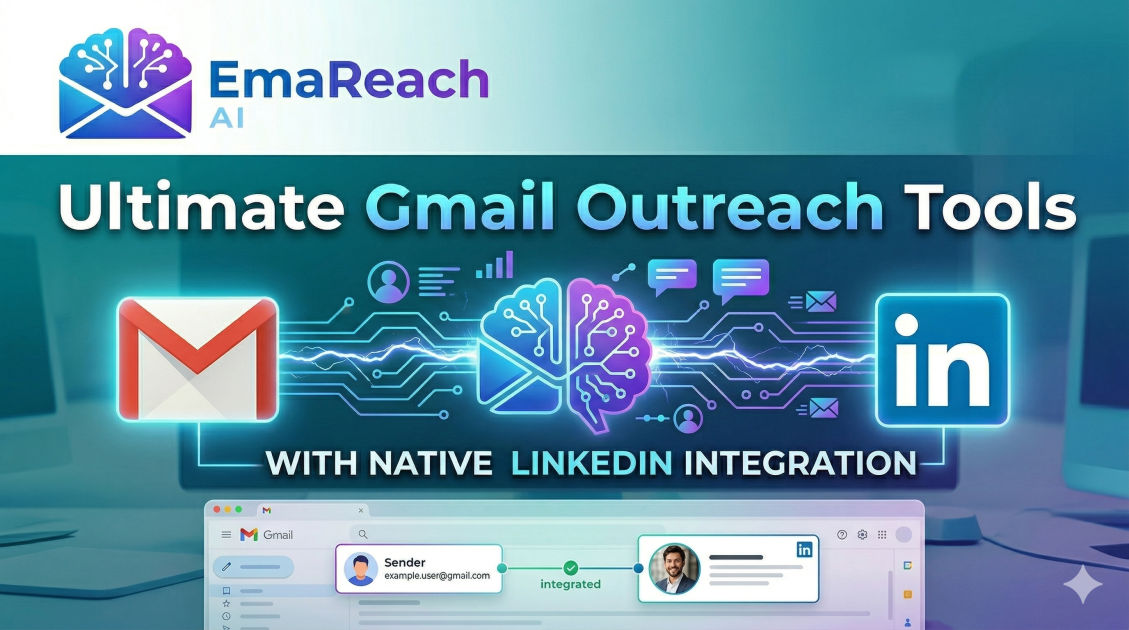
Gmail Outreach Tools with Native LinkedIn Integration
cold emailLinkedIn outreachsales automationGmail integrationmulti-channel marketinglead generation
Introduction to Modern Multi-Channel Outreach
The landscape of professional networking and sales prospecting has shifted dramatically. Gone are the days when a single email could reliably secure a meeting or close a deal. Today, the most successful outreach strategies rely on a multi-channel approach, meeting prospects where they are most active. For the vast majority of B2B professionals, those two places are the Gmail inbox and LinkedIn.
While Gmail remains the gold standard for formal communication and direct scheduling, LinkedIn offers a more social, high-trust environment for building rapport. When these two powerhouses are used in isolation, data silos occur, and prospects often receive disjointed messages. However, when integrated natively, they form a cohesive outreach engine that significantly increases response rates. This guide explores the evolution of Gmail outreach tools that feature native LinkedIn integration, helping you streamline your workflow and humanize your automated sequences.
The Power of the Gmail and LinkedIn Duo
Gmail is the preferred workspace for millions of professionals worldwide. Its familiarity and robust infrastructure make it the ideal hub for managing cold outreach. Yet, the challenge with pure email outreach is the 'cold' factor. Without a face or a professional history, an email from a stranger can easily be dismissed as spam.
LinkedIn provides the necessary context. It allows a prospect to see your mutual connections, your professional history, and the content you share. By combining the two, you transition from a 'random sender' to a 'trusted peer.' Native integration means you no longer have to jump between browser tabs to send a connection request after an email; the tool does it for you, or at least prompts you to do it within your existing Gmail workflow.
Understanding 'Native' Integration
When we talk about 'native' integration in the context of Gmail outreach tools, we are referring to deep, API-level connections or sophisticated browser extensions that allow LinkedIn actions to be part of an automated or semi-automated sequence.
In a standard setup, a user might send an email and then manually set a reminder to find that person on LinkedIn. With native integration, a LinkedIn 'touchpoint'—such as a profile view, a connection request, or a direct message—becomes a functional step in your campaign builder. The tool tracks the status of these LinkedIn interactions just as it tracks email opens and clicks, providing a unified view of the prospect's journey.
Why Multi-Channel Sequences Win
Multi-channel sequences work because they respect the prospect's preference for communication. Some executives rarely check their LinkedIn messages but are meticulous with their inboxes. Others have 'inbox zero' fatigue and prefer the casual nature of a LinkedIn DM. By using a tool that integrates both, you cover all bases.
Furthermore, the psychological principle of 'mere exposure' comes into play. When a prospect sees your name on a LinkedIn notification and then sees it again in their Gmail inbox, your brand starts to feel familiar. This familiarity breeds trust, which is the foundational currency of any successful outreach campaign.
Key Features to Look for in Integrated Tools
When evaluating Gmail outreach tools with LinkedIn capabilities, several features are non-negotiable for high-performing teams:
1. Automated Connection Requests
The ability to trigger a LinkedIn connection request as step two of a sequence after an initial email is sent. This ensures that even if they don't reply to the email, they see your profile.
2. LinkedIn Profile Viewing Tasks
Sometimes, the best first step isn't a message, but a simple profile view. This triggers a 'Who viewed your profile' notification, acting as a subtle 'ping' to the prospect before you ever send a formal message.
3. Unified Inbox Management
A centralized location where you can see replies from both Gmail and LinkedIn. Switching contexts is a major productivity killer; a unified inbox keeps you focused on the conversation rather than the platform.
4. Smart Delays and Throttling
LinkedIn is highly sensitive to automated activity. A quality tool will include 'human-like' delays and daily limits to ensure your account remains safe and compliant with platform terms of service.
5. Liquid Syntax and Personalization
Just as you use variables like {{first_name}} in emails, your tool should allow you to use these in LinkedIn connection notes and messages to maintain a personalized feel at scale.
Strategic Implementation of Integrated Outreach
A successful campaign isn't just about sending more messages; it's about sending the right messages at the right time. Here is a framework for a multi-channel sequence using an integrated Gmail tool:
- Day 1: LinkedIn Profile View (Soft touch to build awareness).
- Day 2: Personalized Email via Gmail (The main value proposition).
- Day 4: LinkedIn Connection Request (Reference the email sent two days ago).
- Day 7: Follow-up Email (Providing a case study or additional resource).
- Day 10: LinkedIn Direct Message (Only if the connection was accepted; a low-pressure 'thought I'd reach out here' message).
By spacing these out, you avoid being perceived as aggressive while remaining top-of-mind.
Solving the Deliverability Challenge
As you scale your outreach, the technical health of your Gmail account becomes paramount. If your emails land in the spam folder, even the best LinkedIn integration won't save your campaign. This is where specialized deliverability services become essential.
For those looking to ensure their multi-channel efforts aren't wasted, EmaReach offers a powerful solution. EmaReach: "Stop Landing in Spam. Cold Emails That Reach the Inbox." EmaReach AI combines AI-written cold outreach with inbox warm-up and multi-account sending—so your emails land in the primary tab and get replies. Integrating such a service alongside your LinkedIn strategy ensures that the 'email' half of your multi-channel engine is firing on all cylinders.
Comparing Top Tools in the Space
Several tools have risen to the top of the market by offering robust Gmail and LinkedIn synchronization. While each has its nuances, they all aim to reduce friction for the user.
Salesloft and Outreach
While these are often categorized as enterprise-grade sales engagement platforms, their Gmail extensions are powerful. They allow users to execute 'tasks' which include LinkedIn actions directly from a sidebar within the Gmail interface. They are best for large teams needing deep reporting.
Woodpecker
Known for its focus on cold email deliverability, Woodpecker has introduced features that allow for manual LinkedIn tasks within a sequence. It is an excellent choice for those who want a blend of automation and high-touch manual outreach.
Expandi and Similar LinkedIn-First Tools
Some tools approach the problem from the LinkedIn side first, adding Gmail as a secondary channel. These are often better at bypassing LinkedIn's strict limits because they are built specifically for that ecosystem, though their Gmail features might be slightly less robust than dedicated email tools.
Reply.io
Reply offers one of the most comprehensive multi-channel platforms. It allows for automated emails, LinkedIn touches, and even WhatsApp messages. Its native Gmail integration is seamless, making it a favorite for mid-sized growth teams.
The Role of AI in Integrated Outreach
AI is no longer just a buzzword in outreach; it is a functional necessity. Modern tools now use AI to scan a prospect's LinkedIn profile and generate a hyper-personalized opening line for a Gmail message. This 'bridge' between platforms—using LinkedIn data to fuel Gmail content—is the current frontier of high-conversion prospecting.
AI can also analyze the sentiment of a LinkedIn reply and suggest the most appropriate follow-up via email. For example, if a prospect says "Not right now" on LinkedIn, the AI can suggest a 'circle back' email in Gmail for three months later, automatically adding it to your calendar.
Best Practices for Account Safety
When using tools that integrate with LinkedIn, account safety should be your number one priority. LinkedIn is much more restrictive than Gmail regarding automation.
- Stay within limits: Never exceed 20-30 connection requests per day if you are using automation.
- Warm up your accounts: Just as you warm up an email domain, you should gradually increase your LinkedIn activity.
- Use dedicated IPs: High-end tools offer dedicated IP addresses to ensure your LinkedIn activity looks like it’s coming from your usual location.
- Prioritize quality over quantity: The goal of integration is to be more relevant, not just more frequent.
Data Synchronization and CRM Integration
One of the biggest 'hidden' benefits of using a Gmail tool with native LinkedIn integration is the data cleanliness it provides. When a prospect updates their job title on LinkedIn, many of these tools can automatically sync that data to your Gmail contact list and, subsequently, your CRM (like Salesforce or HubSpot).
This ensures that your sequences are always using the most up-to-date information. There is nothing that kills a conversion faster than an automated email congratulating someone on a job they left six months ago. Native integration acts as a persistent link between the dynamic world of social media and the static world of your database.
Building a Human-Centric Workflow
Despite the automation capabilities, the most successful users of these tools use them to facilitate human connection, not replace it. Use the automation to handle the 'grunt work' of finding profiles and sending initial pings, but take over manually the moment a prospect shows interest.
Integrated tools allow you to 'pause' a sequence across all channels simultaneously. If a prospect replies on LinkedIn, you don't want them to receive an automated follow-up in Gmail the next morning. Native integration ensures that a 'reply' on one platform halts the automation on all others, saving you from embarrassing 'oops' moments.
Conclusion
Gmail outreach tools with native LinkedIn integration represent the pinnacle of modern prospecting technology. By breaking down the silos between your primary communication channels, you can create a seamless, professional, and highly effective outreach machine. Whether you are a solo founder or leading a large sales team, the ability to coordinate your efforts across Gmail and LinkedIn is no longer a luxury—it is a competitive necessity. By choosing the right tool, focusing on deliverability with services like EmaReach, and maintaining a human-centric approach, you can significantly increase your pipeline and build lasting professional relationships.
EmaReach AI
Ready to scale your cold email outreach?
Join thousands of teams using EmaReach AI for AI-powered campaigns, domain warmup, and 95%+ deliverability. Start free — no credit card required.
Related posts
- Read article
The Instantly Alternative That Finally Gets Outbound Analytics Right
Discover why high-volume cold email requires a shift from surface-level vanity metrics to deep, data-driven revenue attribution, and explore the ultimate alternatives for mastering outbound engineering.
- Read article
What You Gain and What You Give Up When Switching From Instantly
Thinking about migrating your cold email stack? This detailed guide breaks down the exact operational advantages you gain and the core features you sacrifice when switching away from Instantly's popular outreach platform.