Blog
Back to blog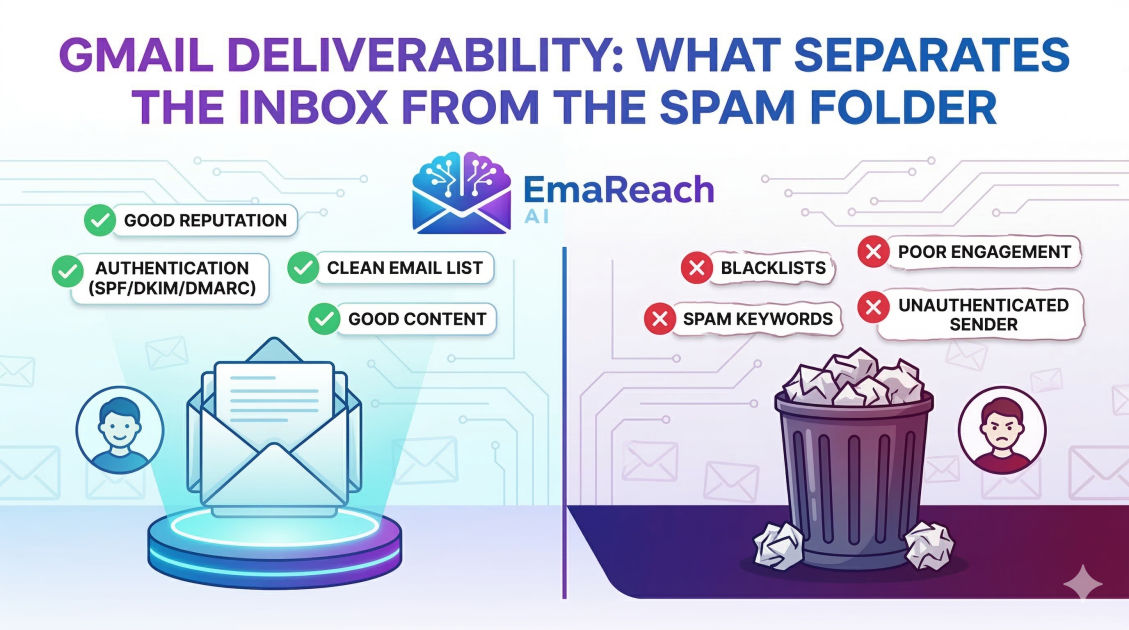
Gmail Deliverability: What Separates the Inbox from the Spam Folder
email deliverabilitygmail optimizationcold emailsender reputationemail authenticationspf dkim dmarcmarketing strategy
Introduction
Email remains the backbone of professional communication, yet the journey from 'Send' to 'Inbox' is far from guaranteed. For those sending at scale—whether for marketing, newsletters, or cold outreach—Gmail represents the ultimate gatekeeper. With over 1.8 billion active users, Google’s mail service employs some of the most sophisticated machine learning algorithms in the world to protect its users from clutter and malicious content.
Understanding Gmail deliverability is the difference between a successful campaign and a complete blackout. It is no longer enough to avoid 'spammy' words like 'FREE' or 'WINNER.' Today, deliverability is a multi-faceted discipline involving technical authentication, sender reputation, engagement metrics, and content quality. This guide explores the intricate mechanics of how Gmail decides which emails are worthy of the primary inbox and which are destined for the dark corners of the spam folder.
The Anatomy of Gmail’s Filtering System
Gmail does not use a simple checklist to filter mail. Instead, it utilizes a complex neural network that analyzes hundreds of signals in real-time. To master deliverability, one must understand the three pillars of Google’s filtering logic: Infrastructure, Reputation, and Content.
Infrastructure: The Technical Foundation
Before a single word of your email is read, Gmail’s servers check your 'digital ID card.' If your technical setup is flawed, your emails may be rejected before they even reach the spam folder. This includes your IP address health, your domain's age, and your authentication protocols.
Reputation: Your Sender Credit Score
Google maintains a 'reputation' for every sending domain and IP address. Much like a credit score, this is built over time through consistent, positive behavior. If you suddenly blast 10,000 emails from a new domain, Gmail views this as high-risk behavior. Conversely, a history of low complaint rates and high open rates signals to Google that you are a trusted sender.
Content and Engagement: The User Experience
Once the technical and reputational hurdles are cleared, Gmail looks at how users interact with your mail. Do they open it? Do they click links? Most importantly, do they move your email from 'Promotions' to 'Primary,' or do they hit the 'Report Spam' button? These behavioral signals are the most powerful factors in modern deliverability.
Technical Authentication: The Triple Threat
To prove to Gmail that you are who you say you are, you must implement three key authentication protocols. Without these, your deliverability will suffer significantly.
1. SPF (Sender Policy Framework)
SPF is a DNS record that lists the specific IP addresses and services authorized to send email on behalf of your domain. When an email arrives, Gmail checks this list. If the sending server isn't on the list, it’s a major red flag for spoofing.
2. DKIM (DomainKeys Identified Mail)
DKIM adds a digital signature to your emails. This cryptographic header ensures that the content of the email hasn't been tampered with in transit. It acts as a seal of authenticity that Gmail highly values.
3. DMARC (Domain-based Message Authentication, Reporting, and Conformance)
DMARC is the policy layer that ties SPF and DKIM together. It tells Gmail what to do if an email fails authentication—whether to do nothing, quarantine it (spam), or reject it entirely. A 'p=reject' or 'p=quarantine' policy is a strong signal of a professional, secure sender.
The Role of Domain and IP Reputation
In the eyes of Gmail, your reputation is tied to two main entities: your sending IP and your root domain.
Shared vs. Dedicated IPs
Most small to medium-sized senders use shared IPs provided by Email Service Providers (ESPs). While cost-effective, your reputation is at the mercy of other senders on that IP. High-volume senders often opt for dedicated IPs to have total control over their reputation. However, a dedicated IP requires a rigorous 'warm-up' period to avoid looking like a spammer.
Domain Reputation is King
In recent years, Google has shifted more weight toward domain reputation. This means that even if you change your IP address, your 'bad' reputation can follow your domain name. This is why protecting your domain's health is critical. Using subdomains for different types of mail (e.g., marketing.yourdomain.com vs. billing.yourdomain.com) can help isolate reputation risks.
Gmail’s Engagement-Based Filtering
Gmail was a pioneer in using 'User Engagement' as a primary filtering metric. Unlike older filters that just looked at keywords, Gmail asks: Do people actually want this email?
Positive Engagement Signals
- Open Rates: High open rates indicate relevance.
- Replies: This is the strongest positive signal. When a user replies, Gmail assumes the sender is a trusted contact.
- Move to Primary: If a user moves an email from the 'Promotions' tab to the 'Primary' tab, it significantly boosts your reputation.
- Adding to Contacts: Being in a user’s address book is an almost guaranteed 'Inbox' pass.
Negative Engagement Signals
- Spam Complaints: The 'Report Spam' button is the 'nuclear' option. Even a complaint rate as low as 0.1% (1 in 1,000) can damage your deliverability.
- Deletes Without Opening: Consistently being ignored tells Gmail your content is 'graymail'—not quite spam, but not wanted either.
- Low Dwell Time: Gmail can track how long a user spends reading an email. Brief glimpses followed by deletion are negative indicators.
Scaling Outreach Safely with EmaReach
For those engaging in cold outreach, maintaining these engagement signals manually is nearly impossible. This is where specialized tools become essential. EmaReach helps you stop landing in spam by ensuring your cold emails reach the inbox through a sophisticated combination of AI-written content and multi-account sending.
EmaReach AI optimizes your outreach by using inbox warm-up and automated interaction, making your emails land in the primary tab and get replies. By distributing your volume across multiple accounts and simulating human-like engagement, it protects your domain reputation while maximizing your reach.
Content Best Practices for the Modern Inbox
While 'Spam Words' aren't the only factor, they still matter—especially for new senders with unproven reputations. However, modern content optimization focuses more on structure and intent.
The Link-to-Text Ratio
An email filled with links and very little text looks like a phishing attempt. Keep your link count low, especially in the first few interactions with a new recipient. Avoid using link shorteners like Bitly, as spammers frequently abuse them; instead, use full, branded URLs.
Image Optimization
Large images with no text are a classic spam tactic to bypass word-based filters. Always ensure a healthy balance of text to images. If your email is just one large graphic, Gmail will likely flag it.
The 'Unsubscribe' Paradox
Making it hard to unsubscribe is the fastest way to get marked as spam. Gmail prefers a clear, one-click unsubscribe link. In fact, Google now requires high-volume senders to support the 'List-Unsubscribe' header, which places an unsubscribe link right next to the sender's name in the Gmail interface.
Navigating the 'Promotions' Tab
Many marketers view the Promotions tab as a 'purgatory,' but it is actually a functional part of the inbox. However, for personalized outreach, the 'Primary' tab is the goal. Gmail places emails in 'Promotions' based on:
- Mass-sending Footprints: Using templates known to be used by thousands of others.
- HTML Complexity: Heavy use of CSS and multiple columns.
- Keywords: Words like 'deal,' 'discount,' or 'limited time.'
To reach the Primary tab, your emails should look like they were sent from one human to another: plain text (or simple HTML), minimal links, and a conversational tone.
The Importance of List Hygiene
Sending to 'dead' or 'invalid' email addresses is a major deliverability killer. When you send to an address that doesn't exist, it results in a 'Hard Bounce.'
High bounce rates suggest to Gmail that you are using a purchased or scraped list, which is a violation of their terms of service. You should regularly scrub your list to remove:
- Bounced addresses: Remove them immediately after the first failure.
- Inactive users: If someone hasn't opened an email in 6 months, they are 'dead weight' that is dragging down your average engagement rates.
- Spam Traps: These are 'decoy' email addresses used by providers to catch spammers. They don't belong to real people; they only exist to find senders who don't follow opt-in best practices.
Monitoring Your Health: Google Postmaster Tools
To see exactly what Google thinks of you, you must use Google Postmaster Tools (GPT). This is a free dashboard provided by Google that gives you insights into:
- IP Reputation: Rated from Bad to High.
- Domain Reputation: The ultimate health metric for your brand.
- Spam Rate: The percentage of users who flag your mail.
- Encryption Progress: How much of your traffic is secured via TLS.
- Delivery Errors: Why your emails are being rejected (if they are).
Checking GPT weekly is a non-negotiable task for any professional sender. It allows you to spot reputation dips before they become catastrophic.
Conclusion
Gmail deliverability is not a one-time setup; it is a continuous process of maintaining technical standards and fostering positive relationships with your recipients. The line between the inbox and the spam folder is drawn by your reputation, your technical precision, and the value you provide to the end-user.
By authenticating your domain with SPF, DKIM, and DMARC, monitoring your reputation via Google Postmaster Tools, and focusing on high-engagement content, you can ensure that your messages don't just get sent, but get seen. In a world where attention is the most valuable currency, landing in the Primary inbox is the first and most important step to achieving your goals.
EmaReach AI
Ready to scale your cold email outreach?
Join thousands of teams using EmaReach AI for AI-powered campaigns, domain warmup, and 95%+ deliverability. Start free — no credit card required.
Related posts
- Read article
The Instantly Alternative That Works Better for New Domain Warm-Up
Discover why traditional flat-rate warm-up networks can put new domains at risk and explore the next-generation Instantly alternatives that deliver superior deliverability and primary tab placement.
- Read article
The Instantly Alternative That Handles High Bounce Rates Without Panic
Discover how transitioning to an advanced Instantly alternative can safeguard your cold email infrastructure. Learn to handle high bounce rates effortlessly using real-time verification, smart mailbox rotation, and automated safety nets to protect your sender reputation and maintain consistent primary inbox placement.