Blog
Back to blog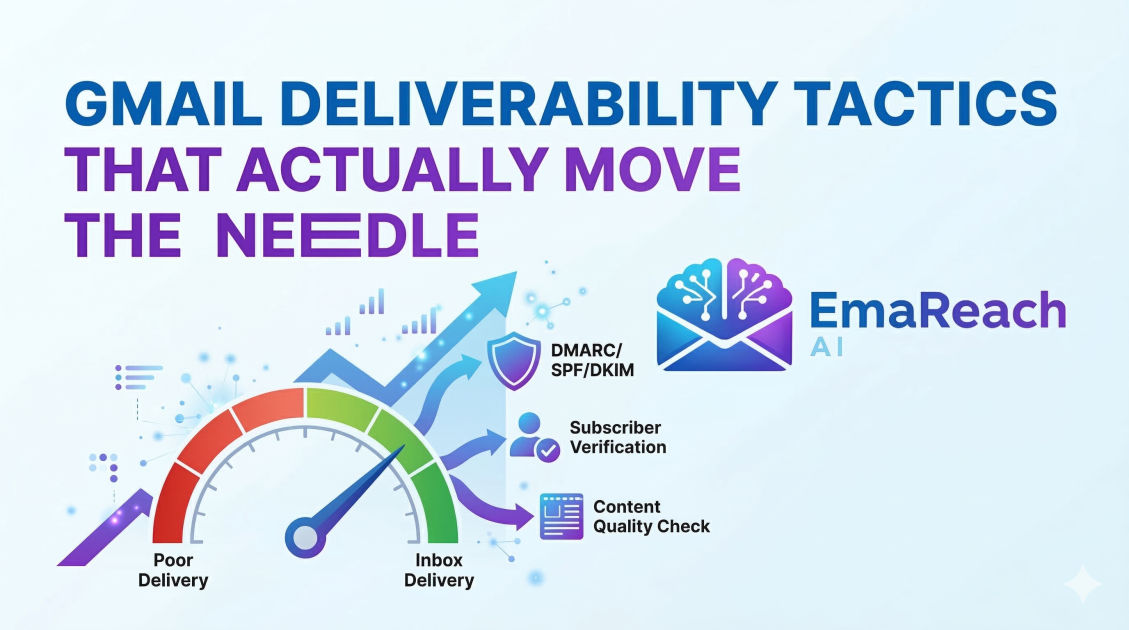
Gmail Deliverability Tactics That Actually Move the Needle
email deliverabilitygmail marketingcold emailspam filtersemail authenticationinbox placement
Introduction
Gmail remains the undisputed heavyweight champion of the email world. For businesses, marketers, and outreach specialists, this means that your ability to reach the inbox depends almost entirely on how Google’s sophisticated algorithms perceive your sending behavior. Unlike the early days of the internet, where avoiding a few 'spammy' words was enough to ensure delivery, modern deliverability is a complex dance of technical configuration, behavioral signals, and content relevance.
Landing in the 'Promotions' tab is often considered a minor setback, but landing in the 'Spam' folder is a death sentence for your campaign. To move the needle, you need a strategy that addresses the fundamental pillars of Gmail’s filtering system: infrastructure, reputation, and engagement. This guide explores the deep-level tactics required to bypass filters and establish a permanent residency in the primary inbox.
The Technical Foundation: Authenticating Your Identity
Google prioritizes security. If Gmail cannot verify with 100% certainty that you are who you say you are, your emails will likely be flagged. Authentication isn't just a recommendation; it is the entry fee for professional email communication.
SPF (Sender Policy Framework)
SPF is a DNS record that lists the IP addresses and domains authorized to send emails on behalf of your domain. When an email hits Gmail’s servers, Google checks the SPF record of the 'from' domain. If the sending IP isn't on the list, it's a major red flag. Ensure your SPF record is concise and avoids the 'too many DNS lookups' error (limit of 10), which can invalidate the check entirely.
DKIM (DomainKeys Identified Mail)
DKIM adds a cryptographic signature to your emails. This acts as a digital seal that proves the content hasn't been tampered with during transit. For Gmail, a valid DKIM signature is a massive trust signal. It ties the email content to your domain reputation, ensuring that even if you change sending platforms, your established trust follows you.
DMARC (Domain-based Message Authentication, Reporting, and Conformance)
DMARC is the policy layer that sits on top of SPF and DKIM. It tells Gmail what to do if an email fails authentication. While 'p=none' (monitoring mode) is a good start, moving toward 'p=quarantine' or 'p=reject' signals to Google that you take your domain security seriously. This prevents spoofing and significantly boosts your sender authority.
Understanding the Gmail Reputation Engine
Google doesn't just look at your domain; it looks at your IP reputation, your brand footprint, and the historical behavior of your recipients. Reputation is cumulative. It is much easier to maintain a good reputation than to repair a broken one.
The Postmaster Tools Advantage
To truly understand how Gmail sees you, you must use Google Postmaster Tools. This resource provides direct insights into your IP reputation, domain reputation, encryption errors, and spam rate. If your domain reputation in Postmaster Tools drops to 'Low' or 'Bad,' no amount of clever copywriting will save your deliverability. Monitoring these trends allows you to catch issues before they become catastrophic.
The Impact of Sending Volume Volatility
Gmail’s filters are highly sensitive to spikes in volume. If you typically send 50 emails a day and suddenly blast 5,000, Google’s automated systems will trigger a 'spam attack' protocol. The needle moves when you implement a consistent, gradual warm-up process. This establishes a baseline of 'normal' behavior, allowing the filters to grow comfortable with your presence.
Engagement Signals: The New Frontier of Deliverability
In the modern era, Gmail cares less about what you send and more about how people react to it. Positive engagement signals are the most powerful way to stay out of the spam folder.
High-Value Engagement Actions
- Replies: A reply is the strongest signal of relevance. It tells Gmail that a two-way conversation is happening.
- Moving from Spam to Inbox: If a user rescues your email from the spam folder, it sends a powerful corrective signal to the algorithm.
- Starring and Marking as Important: These actions indicate that the content is a priority for the user.
- Forwarding: This shows the content is valuable enough to share.
Negative Engagement Signals
Conversely, 'Mark as Spam' hits are the most damaging. Even a spam rate as low as 0.3% (3 out of every 1,000 emails) can cause Gmail to start redirecting your mail to the junk folder. Deleting without opening is another 'silent killer'—if thousands of users delete your mail without a glance, Google concludes your content is unwanted noise.
Content Optimization Beyond the 'Spam Words' Myth
While using words like 'FREE' or 'ACT NOW' won't automatically trigger a spam filter if your reputation is high, the overall structure of your email still matters. Google uses natural language processing (NLP) to categorize your mail.
The HTML-to-Text Ratio
Heavy HTML, excessive images, and complex layouts are the hallmarks of marketing blasts. If you want to land in the 'Primary' tab, your email should look like a message from a friend or colleague. This means minimal formatting, limited links, and a heavy focus on plain text. If you must use images, ensure they have descriptive alt-text and don't make up more than 40% of the visual space.
Link Hygiene
Avoid using public link shorteners (like Bitly or TinyURL). These are frequently used by bad actors, and Gmail often blocks them on sight. Instead, use descriptive hyperlinks or your own branded tracking domains. Furthermore, ensure that every link in your email leads to a secure (HTTPS) site that matches the domain you are sending from.
Advanced Outreach Tactics: Multi-Inbox Strategy
For those performing high-volume outreach, putting all your eggs in one basket is a recipe for disaster. If one domain gets flagged, your entire operation grinds to a halt. The needle-moving tactic here is 'Inbox Sharding.'
By spreading your sending volume across multiple domains and multiple accounts, you reduce the 'load' on any single entity. This mimics a more natural, human sending pattern. However, managing this manually is a nightmare. This is where specialized solutions come into play.
For example, if you want to Stop Landing in Spam, you need Cold Emails That Reach the Inbox. A platform like EmaReach combines AI-written cold outreach with automated inbox warm-up and multi-account sending. This ensures your emails land in the primary tab and get replies by distributing the reputation risk and maintaining consistent engagement signals through an automated network.
The Psychology of the Inbox: Subject Lines and Snippets
Your subject line and the first 100 characters of your email (the snippet) determine your open rate, which in turn fuels your deliverability. If your subject line feels like 'clickbait,' users might open the email but will quickly mark it as spam when the content doesn't match the promise.
Personalization at Scale
Gmail can detect templated content. If you send the exact same string of text to 10,000 people, it looks like a mass broadcast. Use 'spintax' or dynamic variables to ensure that every email has a unique cryptographic hash. Variable tags for the recipient's name, company, or a specific industry insight can make the difference between a 'Promotion' and a 'Primary' delivery.
List Hygiene: The Unsung Hero
Sending emails to non-existent addresses (hard bounces) is a fast track to the spam folder. It shows Gmail that you are using an unverified or 'scraped' list, which is a hallmark of a spammer.
Real-Time Verification
Before any campaign goes live, run your list through a verification tool to remove 'catch-all' addresses, syntax errors, and dormant accounts. More importantly, implement a 'Sunset Policy.' If a subscriber hasn't opened an email in 90 days, stop sending to them. They are dead weight that is dragging down your average engagement rates and hurting your reputation with Google.
Dealing with the 'Promotions' Tab
Many marketers obsess over avoiding the Promotions tab, but it's important to understand its purpose. The Promotions tab isn't the Spam folder; it's a categorized inbox. However, for B2B outreach or personal communication, the Primary tab is the goal.
To move from Promotions to Primary:
- Remove Graphics: Ditch the header logos and social media icons in the footer.
- Limit Links: Try to have only one primary call-to-action link.
- Personalize the 'To' Field: Ensure the recipient's name appears in the 'To' header, not just the email address.
- Ask for a Reply: The first email in a sequence should aim for a simple response, which effectively 'whitelists' you for all future communications.
Conclusion
Gmail deliverability is not a 'set it and forget it' task. It is a continuous process of monitoring, adjusting, and respecting the recipient's inbox. By mastering the technical trio of SPF, DKIM, and DMARC, keeping a close eye on Google Postmaster Tools, and prioritizing genuine engagement over raw volume, you can ensure that your messages reach their intended destination.
Success in the inbox comes down to one simple truth: Gmail wants to deliver mail that users want to read. If you align your tactics with that goal—by providing value, maintaining a clean infrastructure, and using intelligent automation to manage your reputation—you will consistently move the needle on your delivery rates.
EmaReach AI
Ready to scale your cold email outreach?
Join thousands of teams using EmaReach AI for AI-powered campaigns, domain warmup, and 95%+ deliverability. Start free — no credit card required.
Related posts
- Read article
How Choosing the Right Instantly Alternative Changed Our Pipeline Numbers
Discover how transitioning from a volume-first cold email setup to an advanced, deliverability-focused infrastructure transformed our B2B pipeline metrics, skyrocketed open rates to over 68%, and tripled our monthly booked demos.
- Read article
The Instantly Alternative That Impressed Even the Biggest Instantly Fans
Discover why top outbound growth marketers and lead generation agencies are migrating from legacy cold email platforms to advanced alternatives built for superior deliverability, white-label client management, and robust API workflows.