Blog
Back to blog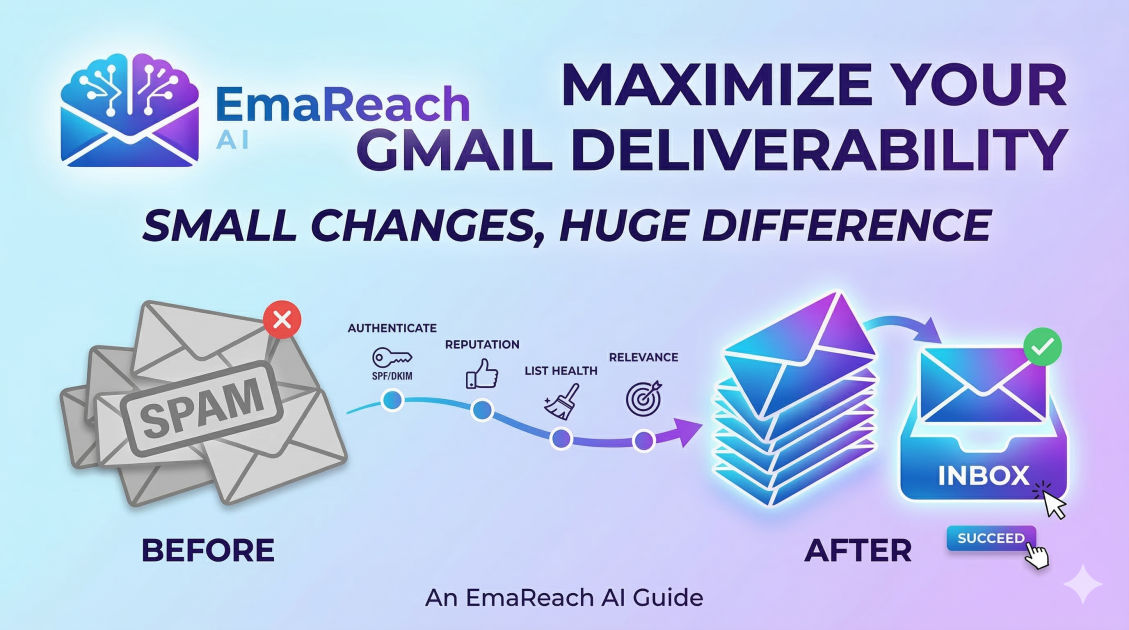
Gmail Deliverability: Small Changes That Make a Huge Difference
email deliverabilitygmail optimizationcold outreachspf dkim dmarcsender reputationemail marketinginbox placement
Introduction
Email remains the backbone of professional communication, yet one of the most frustrating challenges for businesses and individuals alike is the mystery of the 'Spam' folder. When sending to Gmail users—who make up a massive portion of the global email market—staying in the primary inbox is not just a matter of luck; it is a matter of technical precision and behavioral cues.
Gmail’s filtering algorithms are among the most sophisticated in the world. They use machine learning to analyze billions of signals in real-time to protect users from malicious content and clutter. However, these same filters can sometimes catch legitimate business outreach, newsletters, and personal communications. The difference between an email that gets a 50% open rate and one that gets buried often comes down to small, incremental changes in how you manage your domain, your content, and your sending habits.
This guide explores the subtle yet powerful adjustments you can make to ensure your emails consistently reach the Gmail inbox. For those looking to automate this process, EmaReach offers a powerful solution: Stop Landing in Spam. Cold Emails That Reach the Inbox. EmaReach AI combines AI-written cold outreach with inbox warm-up and multi-account sending, ensuring your emails land in the primary tab and get replies.
The Technical Foundation: Authentication is Non-Negotiable
Before you even type a subject line, the most critical factor in Gmail deliverability is your technical setup. Gmail uses authentication protocols to verify that you are who you say you are. Without these, you are essentially a stranger knocking on a door without ID; Gmail will almost always turn you away.
SPF (Sender Policy Framework)
SPF is a DNS record that lists the IP addresses and domains authorized to send email on behalf of your domain. When an email hits Gmail’s servers, Gmail checks this list. If the sending server isn't on it, the email is flagged as suspicious.
DKIM (DomainKeys Identified Mail)
DKIM adds a digital signature to your emails. This signature ensures that the content of the email hasn't been tampered with in transit. It acts as a seal of authenticity that Gmail’s filters highly value.
DMARC (Domain-based Message Authentication, Reporting, and Conformance)
DMARC is the policy layer on top of SPF and DKIM. It tells Gmail what to do if an email fails the first two checks: should it be quarantined, rejected, or allowed through? Having a DMARC policy (even a 'p=none' policy to start) signals to Gmail that you are a serious sender who monitors their domain health.
Content Optimization: Avoiding the 'Spammy' Look
Gmail’s filters scan the actual text and structure of your email. While keywords are important, the overall 'vibe' of the email matters more than people realize.
The Image-to-Text Ratio
One of the oldest tricks for spammers was to put all their text inside a single large image to bypass text filters. Modern filters are wise to this. If your email is one giant image with very little text, Gmail will likely push it to the Promotions tab or Spam. Aim for a 60/40 text-to-image ratio to keep the filters happy.
The 'Salesy' Trigger Words
While no single word will automatically tank your deliverability, a high density of words like "Free," "Guarantee," "Act Now," or excessive dollar signs can trigger a manual review or an automatic filter. Instead of hype, focus on value. Use natural language that mimics how a person actually speaks.
Shorten Your Links Carefully
Using generic link shorteners like bit.ly can sometimes harm deliverability because these tools are frequently used by bad actors. Whenever possible, use full URLs or branded tracking links that match your domain. This builds trust with both the recipient and the Gmail algorithm.
Sender Reputation: The Invisible Score
Every domain and IP address has a reputation score in the eyes of Gmail. This score is built over time based on how users interact with your messages.
The Importance of Inbox Warm-up
You cannot go from sending zero emails to 1,000 emails a day overnight. This sudden spike looks like a hijacked account or a spam bot. You must gradually increase your volume—a process known as 'warming up' your inbox. This builds a history of positive engagement.
Bounce Rates and List Hygiene
Sending emails to non-existent addresses (hard bounces) is a major red flag. It suggests you are using an old, unverified, or purchased list. Regularly clean your email list to remove inactive subscribers. High bounce rates are one of the fastest ways to kill your sender reputation.
Engagement: The Holy Grail
Gmail prioritizes emails that people actually open, read, and reply to. If a user moves your email from the 'Promotions' tab to 'Primary,' it sends a massive positive signal to Gmail. Encouraging replies—even simple ones—can dramatically boost your future deliverability.
The Psychology of the Subject Line
Your subject line is the gatekeeper. If it looks like spam, the user will mark it as spam, and Gmail will learn from that action.
- Avoid All Caps: Writing in all caps is the digital equivalent of shouting. It’s a common trait of low-quality marketing.
- Be Honest: Clickbait subject lines that don't match the content of the email lead to high 'Mark as Spam' rates. Trust is your most valuable asset.
- Personalization: Using the recipient's name or a specific detail about their business can increase open rates, which in turn improves your reputation.
Infrastructure: Dedicated vs. Shared IPs
For high-volume senders, the infrastructure you use matters.
- Shared IPs: Most small businesses use shared IPs provided by email service providers (ESPs). This is cost-effective, but your reputation is partially tied to other senders on that IP. If someone else on that server sends spam, your deliverability could suffer.
- Dedicated IPs: Large-scale senders often move to dedicated IPs. This gives you total control over your reputation, but it also means you are solely responsible for keeping it clean.
Advanced Tactics: Custom Tracking Domains
Many email tools track opens by inserting a tiny pixel. Often, these pixels use a generic tracking domain shared by thousands of users. If one user abuses the system, that tracking domain gets blacklisted, affecting everyone. By setting up a Custom Tracking Domain (which points back to your own domain), you isolate your reputation and appear more professional to Gmail’s filters.
The Role of Unsubscribe Links
It might seem counterintuitive, but making it easy to unsubscribe actually improves your deliverability. If a user can’t find the unsubscribe link, they will hit the 'Spam' button instead. A spam complaint is far more damaging than an unsubscription. Gmail also rewards senders who include the 'List-Unsubscribe' header, which allows users to unsubscribe directly from the Gmail interface without even opening the message.
Monitoring with Google Postmaster Tools
If you are serious about Gmail deliverability, you must use Google Postmaster Tools. This free resource provides a direct look at how Gmail views your domain. It shows you:
- Spam Rate: What percentage of users are flagging your emails.
- Domain Reputation: A rating from 'Bad' to 'High.'
- Delivery Errors: Why emails are being rejected.
- Encryption: Whether your emails are being sent over secure connections.
Checking these metrics weekly allows you to spot trends before they become catastrophes.
Timing and Frequency
How often you send matters as much as what you send. Erratic sending patterns—sending five emails in one day and then nothing for a month—can trigger security filters. Consistency is key. Establish a steady cadence that your audience expects. This creates a predictable pattern that Gmail’s machine learning can easily categorize as 'normal' behavior.
Conclusion
Mastering Gmail deliverability is not about finding a single 'magic' trick; it is about the accumulation of small, disciplined choices. By securing your technical authentication, maintaining a clean list, and focusing on genuine engagement, you move from being a 'sender' to being a 'trusted contact.'
Gmail’s primary goal is to provide a great experience for its users. When you align your sending practices with that goal—providing value rather than noise—the algorithms begin to work for you rather than against you. Keep your reputation high, your content relevant, and your technical foundation solid, and you will find your messages consistently reaching the people who need to see them.
EmaReach AI
Ready to scale your cold email outreach?
Join thousands of teams using EmaReach AI for AI-powered campaigns, domain warmup, and 95%+ deliverability. Start free — no credit card required.
Related posts
- Read article
How Choosing the Right Instantly Alternative Changed Our Pipeline Numbers
Discover how transitioning from a volume-first cold email setup to an advanced, deliverability-focused infrastructure transformed our B2B pipeline metrics, skyrocketed open rates to over 68%, and tripled our monthly booked demos.
- Read article
The Instantly Alternative That Impressed Even the Biggest Instantly Fans
Discover why top outbound growth marketers and lead generation agencies are migrating from legacy cold email platforms to advanced alternatives built for superior deliverability, white-label client management, and robust API workflows.