Blog
Back to blog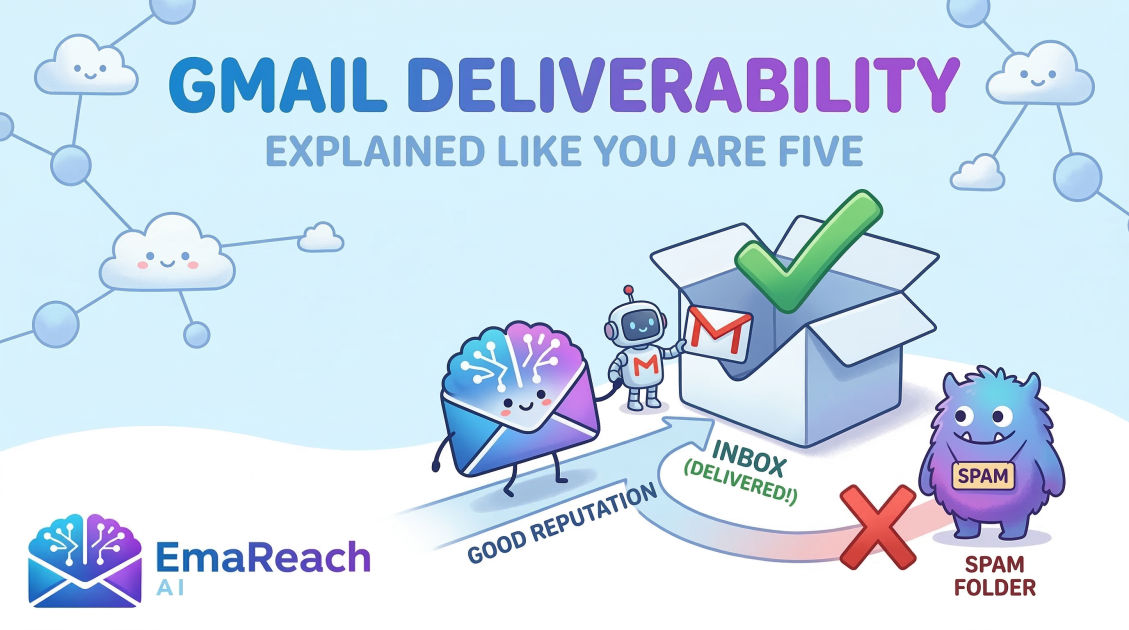
Gmail Deliverability Explained Like You Are Five
gmail deliverabilityemail marketingspam filterscold emailspf dkim dmarcsender reputation
Introduction: The Big Post Office in the Sky
Imagine you have a super-fast paper airplane. You want to send a secret drawing to your friend, Timmy, who lives in a big castle called Gmail Castle. But there is a problem: Gmail Castle is very picky. They have a big, strong Gatekeeper standing at the front door.
If the Gatekeeper thinks your paper airplane looks like junk (we call that Spam), he throws it in a dark, dusty basement where Timmy will never see it. If the Gatekeeper likes you, he puts the airplane right on Timmy’s desk in the Inbox.
Gmail Deliverability is just a fancy way of saying: "How do I make sure the Gatekeeper likes my airplane and puts it on the desk?"
In this guide, we are going to learn how to be the Gatekeeper’s best friend. We will talk about why some emails get lost, how to prove you are a nice person, and how to make sure your messages always reach your friends.
Chapter 1: The Three Golden Rules of the Gatekeeper
The Gmail Gatekeeper uses a special checklist to decide where your email goes. To pass the test, you need to follow three simple rules.
1. Who Are You? (Identification)
Imagine if someone wearing a mask tried to give you a package. You’d be scared, right? Gmail feels the same way. If you don't tell Gmail exactly who you are, it gets nervous. We use special "ID cards" called SPF, DKIM, and DMARC to show Gmail we are the real deal.
2. Are You a Bully? (Reputation)
If you run around the playground shouting at everyone, soon nobody will want to play with you. Emails work the same way. If you send too many emails to people who don't want them, they will tell the Gatekeeper, "This person is a bully!" This hurts your Reputation. A good reputation means the Gatekeeper trusts you.
3. Is Your Message Good? (Content)
If your paper airplane is covered in messy scribbles and says "FREE CANDY! CLICK HERE!", the Gatekeeper will think it's a trick. He likes clean, nice messages that look like they were written by a real friend.
Chapter 2: The Secret ID Cards (The Technical Stuff)
Even though we are explaining this like you're five, we have to talk about the "Magic Stamps." Without these stamps, Gmail thinks your email is a fake.
The SPF Stamp (The Guest List)
Think of SPF as a guest list for a party. It tells Gmail: "Only these specific mailmen are allowed to carry my letters." If a different mailman tries to deliver it, Gmail knows something is wrong.
The DKIM Stamp (The Wax Seal)
In the old days, kings used a wax seal on their letters. If the seal was broken, the receiver knew someone had messed with the letter. DKIM is a digital wax seal. It proves that your email wasn't changed by a bad guy while it was flying through the air.
The DMARC Stamp (The Instruction Manual)
This is a note you leave for the Gatekeeper. It says: "Hey, if you see an email that says it's from me but doesn't have my SPF or DKIM stamps, please throw it away!" This keeps bad people from pretending to be you.
Chapter 3: Why Do Emails Go to the Spam Folder?
Nobody likes the Spam folder. It’s like the "Time Out" chair for emails. Here is why the Gatekeeper might put you there:
- You're a Stranger: If you send an email to someone who never asked for it, they might get annoyed. If they click the "Spam" button, it's like telling the teacher you did something bad.
- You're Shouting: Using ALL CAPS in your subject line is like shouting. Gmail thinks shouting is rude.
- Too Many Links: If your email has twenty different buttons to click, it looks like a trap.
- Bad Words: Certain words like "Winner," "Cash," or "Urgent" make the Gatekeeper suspicious. He’s heard those words from bullies before.
Chapter 4: How to Build a Great Reputation
Your reputation is like your "Friendship Score." The higher it is, the easier it is to get into the Inbox.
Start Slow (The Warm-Up)
If you suddenly send 1,000 emails on your first day, Gmail will be shocked. It’s like a new kid at school trying to give everyone a high-five at once. It’s too much! You have to start by sending just a few emails, then a few more, until Gmail gets used to you. This is called Email Warming.
Get Replies
When people write back to you, the Gatekeeper thinks: "Wow, people really like talking to this person!" Replies are the best way to prove you are a good sender. This is where tools like EmaReach come in handy. Stop Landing in Spam. Cold Emails That Reach the Inbox. EmaReach AI combines AI-written cold outreach with inbox warm-up and multi-account sending—so your emails land in the primary tab and get replies. It helps you look like a popular kid who everyone wants to talk to.
Clean Your List
Imagine you have a list of friends to invite to a party, but half of them have moved away to different planets. If you keep trying to send invitations to empty houses, the Post Office will get annoyed. You should only send emails to people who actually exist and want to hear from you.
Chapter 5: The Primary Tab vs. The Promotions Tab
Gmail Castle has two main rooms.
- The Primary Tab: This is the living room where friends hang out.
- The Promotions Tab: This is the pile of junk mail on the kitchen counter.
You want to be in the Primary Tab. To get there, your email should look like a letter to a friend. Avoid using too many pictures, big colorful banners, or "Buy Now" buttons. Keep it simple, keep it personal, and keep it friendly.
Chapter 6: Troubleshooting (When Things Go Wrong)
Sometimes, even good kids get in trouble. If your emails start going to Spam, don't panic! Here is what you do:
- Check Your ID Cards: Make sure your SPF, DKIM, and DMARC are still working.
- Ask for Help: Ask a few friends to find your email in their Spam folder and click "Not Spam." This tells the Gatekeeper he made a mistake.
- Take a Break: Stop sending big batches of email for a few days. Let the Gatekeeper calm down.
- Check Your Links: Make sure you aren't linking to any "scary" websites that have a bad reputation.
Chapter 7: The Checklist for Success
Before you hit "Send," run through this little checklist in your head:
- Is my ID card ready? (SPF/DKIM/DMARC)
- Am I being nice? (No shouting, no spammy words)
- Do they know me? (Sending to people who want to hear from me)
- Is it simple? (Not too many links or crazy pictures)
- Am I warmed up? (Not sending too many at once)
Why Engagement Matters Most
At the end of the day, Gmail cares about one thing: Are people happy to see your email? If people open your message, read it, and reply, Gmail will keep letting you in. If people ignore you or delete you without looking, the Gatekeeper will eventually close the door.
Think of every email as a chance to build a friendship. If you treat people with respect and provide value, the technology part usually takes care of itself.
Conclusion
Sending emails to Gmail doesn't have to be a scary mystery. It’s all about being a good neighbor in the digital world. By setting up your digital ID cards, building a good reputation slowly, and writing messages that people actually want to read, you can make sure your paper airplanes always land right where they belong.
Remember, the Gatekeeper isn't mean; he's just trying to keep Timmy safe. When you show the Gatekeeper that you are a friend, he will open the doors wide and let you right into the heart of Gmail Castle.
EmaReach AI
Ready to scale your cold email outreach?
Join thousands of teams using EmaReach AI for AI-powered campaigns, domain warmup, and 95%+ deliverability. Start free — no credit card required.
Related posts
- Read article
How Choosing the Right Instantly Alternative Changed Our Pipeline Numbers
Discover how transitioning from a volume-first cold email setup to an advanced, deliverability-focused infrastructure transformed our B2B pipeline metrics, skyrocketed open rates to over 68%, and tripled our monthly booked demos.
- Read article
The Instantly Alternative That Impressed Even the Biggest Instantly Fans
Discover why top outbound growth marketers and lead generation agencies are migrating from legacy cold email platforms to advanced alternatives built for superior deliverability, white-label client management, and robust API workflows.