Blog
Back to blog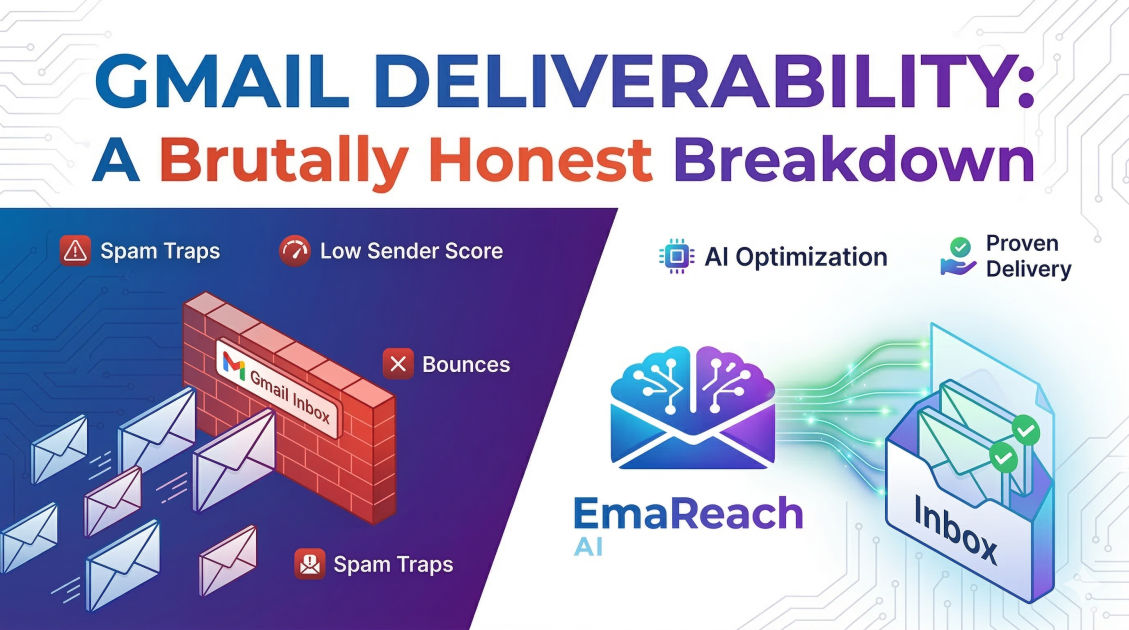
Gmail Deliverability: A Brutally Honest Breakdown
email deliverabilitygmail marketingcold outreachspf dkim dmarcemail reputationinbox placement
Introduction: The Unfiltered Reality of the Inbox
Gmail isn't just an email service; it is the gatekeeper of the digital world. With over 1.8 billion active users, Google’s email platform dictates the rules of engagement for businesses, marketers, and individuals alike. If you are sending emails—whether they are transactional receipts, newsletters, or cold outreach—and you aren't landing in the primary tab, you are effectively invisible.
This breakdown is not going to give you the standard, surface-level advice you find in a five-minute marketing blog. We are diving into the technical, psychological, and algorithmic reality of how Gmail decides who gets through and who gets tossed into the void of the spam folder. Deliverability is no longer about just 'not being a spammer.' It is about proving to a sophisticated machine-learning algorithm that you are a high-value sender.
The Gmail Algorithm: More Than Just Keywords
Years ago, you could avoid the spam folder by simply not using words like 'FREE' or 'Winner' in your subject lines. Those days are long gone. Gmail’s current filtering system, powered by advanced artificial intelligence and large-scale data processing, looks at thousands of signals in real-time.
The Concept of 'Reputation'
Gmail assigns a reputation score to three distinct entities associated with your email:
- IP Reputation: The health of the server sending the mail.
- Domain Reputation: The long-term 'trustworthiness' of your web domain.
- Content Reputation: The specific attributes of the message itself.
Of these three, Domain Reputation has become the most critical. Google tracks how users interact with emails from your domain across the entire Gmail ecosystem. If thousands of users are marking your emails as spam, your domain gets 'blacklisted' in the eyes of Google’s internal filters, regardless of which ESP (Email Service Provider) you use.
The Technical Foundation: SPF, DKIM, and DMARC
You cannot talk about Gmail deliverability without addressing the 'Big Three' of authentication. Think of these as your digital passport and ID. Without them, Google assumes you are an impostor.
SPF (Sender Policy Framework)
SPF is a DNS record that lists which IP addresses and services are authorized to send emails on behalf of your domain. If an email arrives at Gmail claiming to be from you, but it’s coming from an IP not on your SPF list, it looks highly suspicious.
DKIM (DomainKeys Identified Mail)
DKIM adds a digital signature to your emails. This ensures that the content of the email wasn't tampered with during transit. It proves that the 'You' who sent the email is the same 'You' who authored the content.
DMARC (Domain-based Message Authentication, Reporting, and Conformance)
DMARC is the policy layer. It tells Gmail what to do if an email fails SPF or DKIM checks. You can set it to 'none' (just monitor), 'quarantine' (send to spam), or 'reject' (don't deliver at all). For the highest deliverability, you eventually want a 'reject' policy, but only after ensuring your SPF and DKIM are perfectly configured.
Engagement: The Ultimate Deliverability Metric
This is where the 'brutally honest' part comes in: Google cares more about user behavior than your technical setup. Even if your SPF and DKIM are perfect, low engagement will kill your deliverability.
Google monitors the following user actions:
- Open Rates: Are people actually looking at your mail?
- Reply Rates: This is the 'holy grail' of engagement. High reply rates signal to Google that a real conversation is happening.
- Mark as Spam: This is the 'death blow.' Even a small percentage of spam complaints can tank your reputation.
- Move to Primary: When a user moves your email from 'Promotions' to 'Primary,' it is a massive positive signal.
- Delete Without Opening: If this happens consistently, Google assumes your content is irrelevant noise.
The Role of Inbox Warm-up
You cannot buy a new domain and start sending 500 emails a day. Gmail’s filters will flag this 'spike' in activity as bot-like behavior. This is where the process of 'warming up' an email account becomes mandatory.
Warming up involves gradually increasing your sending volume while ensuring those emails receive high engagement. This builds a history of positive interactions. For those looking to bypass the manual headache of this process, tools like EmaReach can be game-changers. EmaReach AI combines AI-written cold outreach with inbox warm-up and multi-account sending, ensuring your emails land in the primary tab and get replies rather than gathering dust in the spam folder.
The 'Promotions' Tab vs. The 'Spam' Folder
There is a common misconception that the Promotions tab is the same as the Spam folder. It’s not. Landing in Promotions means Google recognizes you are a legitimate brand, but thinks your content is a commercial pitch.
However, for cold outreach or personalized sales, the Promotions tab is where deals go to die. To stay in the Primary tab, you must avoid 'marketing' footprints. This includes:
- Excessive HTML: Plain text emails almost always have better deliverability for 1-to-1 outreach.
- Too many links: Keep it to one, or better yet, zero in the initial touchpoint.
- Heavy Imagery: Large images are a classic sign of a newsletter or a promotion.
- Unsubscribe Links: While legally required for bulk marketing, they are a 'footprint' that tells Google the email is automated.
Tracking Pixels: The Double-Edged Sword
Everyone wants to know their open rates. To do this, most platforms insert a tiny 1x1 pixel image into your email. When the image loads, the 'open' is recorded.
The Truth: Gmail knows exactly what a tracking pixel is. If you are sending to a sophisticated audience or using a shared tracking domain that has been flagged for spam, your tracking pixel might be the very thing preventing you from reaching the inbox. If your deliverability is struggling, one of the first things you should test is turning off open-tracking entirely.
The Dangers of Shared IP Reputation
When you use a major Email Service Provider (ESP), you are often sending from a 'shared IP.' This means your reputation is tied to every other person using that IP. If a 'bad actor' on your server starts blasting spam, the IP gets blacklisted, and your emails suffer through no fault of your own.
This is why high-volume senders often move to dedicated IPs. However, a dedicated IP requires even more rigorous warming because you don't have the 'volume' of other good senders to hide behind. It is a high-stakes game that requires constant monitoring.
Content Analysis: Beyond the 'Spammy' Words
Gmail uses Natural Language Processing (NLP) to understand the intent of your email. It can distinguish between a helpful suggestion and a high-pressure sales tactic.
The 'Spammy' Footprint
It isn't just about the word 'Free.' It’s about the ratio of links to text, the use of 'gimmicky' punctuation (!!!), and the use of all-caps. Gmail also looks at 'shady' URL shorteners. Never use Bitly or similar shorteners in an email; they are a massive red flag for filters because they hide the final destination of the link.
Personalization at Scale
One of the biggest triggers for Gmail’s spam filter is sending the exact same message to 1,000 people at once. This is a clear sign of automation. This is why AI-driven personalization is no longer a luxury; it’s a deliverability requirement. By varying the content of each email significantly, you break the 'pattern' that spam filters look for.
The Importance of List Hygiene
Sending emails to addresses that don't exist (hard bounces) is one of the fastest ways to destroy your domain reputation. A bounce rate over 2% is a signal to Gmail that you are using a scraped or low-quality list.
How to Maintain Hygiene:
- Double Opt-in: Ensure people actually want to be on your list.
- Regular Cleaning: Use verification tools to remove dead or 'catch-all' emails.
- Sunset Policies: If someone hasn't opened an email in 90 days, stop sending to them. They are only hurting your engagement metrics.
Handling Technical Complaints and Feedback Loops
Google provides a tool called Google Postmaster Tools. If you are serious about deliverability, you must use this. It provides data directly from the source on your domain reputation, IP reputation, encryption success, and spam complaint rates. It is the only place where you can see how Google truly views your sending health.
Cold Outreach in the Age of Gmail Limits
Google has recently implemented stricter limits on 'bulk senders' (those sending more than 5,000 emails a day to Gmail accounts). These senders must have a spam rate below 0.3%, must have DMARC set up, and must offer a one-click unsubscribe.
Even if you send fewer than 5,000, these rules set the 'standard' for what Google considers a good sender. If you are doing cold outreach, the strategy of 'spray and pray' from a single account is dead. The modern approach involves spreading volume across multiple 'burner' or 'secondary' domains and using tools like EmaReach to manage the complexity and ensure the AI-written content feels human enough to trigger a reply rather than a report.
Common Myths About Gmail Deliverability
Myth #1: 'If I use a Google Workspace account, I won't go to spam.' False. While Workspace accounts have a slightly higher 'trust' threshold than free @gmail.com accounts, you can still burn your reputation just as easily with poor sending habits.
Myth #2: 'Unsubscribe links always help deliverability.' False. While they help keep your spam complaint rate low (because people click 'unsubscribe' instead of 'spam'), the link itself is a footprint. In cold sales, it often triggers the 'Promotions' tab. The better way for small-scale outreach is to ask the user to reply with 'remove' or 'not interested.'
Myth #3: 'Warming up is only for the first two weeks.' False. Warming should be an ongoing process. If you stop your positive engagement signals and only send outbound marketing, your reputation will slowly decay.
Checklist for Maximum Deliverability
If you want to ensure your emails actually reach their destination, follow this checklist religiously:
- Verify Authentication: Ensure SPF, DKIM, and DMARC (with a p=quarantine or p=reject policy) are active.
- Monitor Postmaster Tools: Check your domain reputation weekly.
- Minimize Footprints: Use plain text, avoid URL shorteners, and limit links.
- Maximize Personalization: Use AI to make every email unique.
- Warm Up Consistently: Never start a campaign on a 'cold' domain.
- Clean Your Lists: Never send to an unverified email address.
- Optimize for Replies: Structure your emails to encourage a response, not just a click.
Conclusion
Gmail deliverability is an ever-evolving battle between senders and algorithms. The 'brutally honest' truth is that there are no shortcuts. To win the inbox, you must act like a human. This means sending relevant content, respecting user intent, and maintaining a pristine technical setup.
By focusing on engagement and reputation rather than just 'hacks,' you can ensure that your message actually lands where it belongs: in front of your audience. Whether you are using manual methods or leveraging advanced platforms like EmaReach to automate the heavy lifting, the principles remain the same. Respect the inbox, and the inbox will respect you.
EmaReach AI
Ready to scale your cold email outreach?
Join thousands of teams using EmaReach AI for AI-powered campaigns, domain warmup, and 95%+ deliverability. Start free — no credit card required.
Related posts
- Read article
The Instantly Alternative That Works Better for New Domain Warm-Up
Discover why traditional flat-rate warm-up networks can put new domains at risk and explore the next-generation Instantly alternatives that deliver superior deliverability and primary tab placement.
- Read article
The Instantly Alternative That Handles Follow-Up Sequences Better
Discover why modern sales teams are outgrowing linear cold email tools and moving toward advanced Instantly alternatives that leverage conditional logic, multi-channel sequences, and superior deliverability protections.