Blog
Back to blog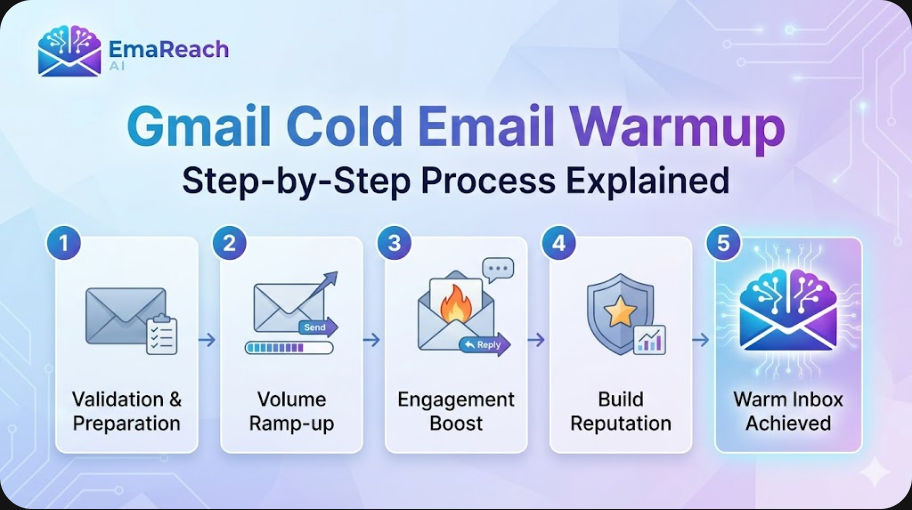
Gmail Cold Email Warmup: Step-by-Step Process Explained
cold emailemail warmupdeliverabilitygmailoutreachlead generationemail marketing
Introduction to Gmail Cold Email Warmup
In the world of digital outreach, the success of a campaign isn't just measured by the quality of the copy or the relevance of the offer. It is fundamentally governed by a silent gatekeeper: Email Deliverability. For those using Gmail or Google Workspace for cold outreach, the stakes are particularly high. Google employs some of the most sophisticated spam filters in existence, designed to protect users from unsolicited and low-quality content.
If you take a brand-new Gmail account and immediately send 50 or 100 cold emails, Google’s algorithms will flag this as suspicious behavior. The result? Your emails end up in the spam folder, or worse, your account gets suspended. This is where Email Warmup becomes essential. Warmup is the process of gradually increasing the volume of emails sent from a new account to build a positive sender reputation with Internet Service Providers (ISPs).
By following a structured warmup process, you demonstrate to Gmail that you are a human sender engaging in legitimate conversations. This guide provides a comprehensive, step-by-step breakdown of how to warm up your Gmail account for cold email success.
Why Your Sender Reputation Matters
Every email account has a 'reputation score' attached to its domain and IP address. This score is influenced by several factors:
- Consistency: Do you send emails regularly, or in sudden bursts?
- Engagement: Do recipients open your emails, reply to them, or mark them as spam?
- Bounce Rate: How many of your emails are sent to non-existent addresses?
- Authentication: Have you properly configured your technical settings (SPF, DKIM, DMARC)?
A high reputation score ensures your emails land in the Primary Inbox. A low score relegates you to the Spam Folder or the Promotions Tab, where your prospects are unlikely to ever see your message. For specialized help in this area, EmaReach offers a solution to stop landing in spam by combining AI-written cold outreach with automated inbox warm-up, ensuring your cold emails reach the inbox and get replies.
Phase 1: Technical Setup and Authentication
Before you send your first warmup email, you must ensure your Gmail account is technically sound. Skipping this phase is like trying to build a house on sand.
1. Set Up SPF (Sender Policy Framework)
SPF is a DNS record that specifies which mail servers are authorized to send email on behalf of your domain. Without this, receiving servers have no way of verifying that your email actually came from you.
2. Configure DKIM (DomainKeys Identified Mail)
DKIM adds a digital signature to your emails. This allows the receiver to check if the email was indeed sent and authorized by the owner of that domain and that it wasn't altered during transit.
3. Implement DMARC (Domain-based Message Authentication, Reporting, and Conformance)
DMARC uses SPF and DKIM to tell the receiving server what to do if an email fails authentication (e.g., do nothing, quarantine it, or reject it). Having a DMARC policy in place is a massive trust signal for Google.
4. Custom Tracking Domain
Most cold email tools use shared tracking pixels to monitor opens. If another user on that shared pixel sends spam, your deliverability suffers. Setting up a custom tracking domain ensures your tracking links are unique to your domain reputation.
Phase 2: The Manual Warmup Process (Weeks 1-2)
If you prefer not to use automated tools immediately, manual warmup is the most organic way to build trust. This phase mimics the behavior of a standard business user.
Step 1: Start Small
On day one, send only 3 to 5 emails. These should not be cold pitches. Instead, send them to colleagues, friends, or your own alternative email addresses.
Step 2: Prioritize Engagement
The goal isn't just sending; it's receiving. Ask the recipients to reply to your emails. A high reply-to-send ratio is the strongest signal to Gmail that your content is valuable. If your email lands in their 'Promotions' or 'Spam' folder, ask them to move it to the 'Primary' tab. This action tells Google’s algorithm that the filter made a mistake.
Step 3: Incremental Increases
Increase your daily volume by 2-3 emails every day. By the end of the first week, you should be sending approximately 15-20 emails per day. Maintain a mix of internal emails and emails to external domains (Outlook, Yahoo, iCloud) to show a diverse sending profile.
Phase 3: Transitioning to Automated Warmup
Scaling a cold email campaign manually is nearly impossible. Once you have established a baseline of activity, you can leverage automated warmup services. These services connect your inbox to a network of other real inboxes.
How Automated Warmup Works
Automated tools send emails back and forth between accounts in their network. They automatically:
- Open the emails.
- Mark them as 'Important'.
- Remove them from Spam if they land there.
- Reply to the emails using AI-generated relevant text.
This creates a 'perfect' engagement loop that rapidly inflates your sender reputation. When choosing a tool, look for features like those found in EmaReach, which focuses on multi-account sending and ensures your emails land in the primary tab by simulating human-like interactions.
Phase 4: Scaling to Cold Outreach (Weeks 3-4)
By the third week, your account should be ready to handle actual cold outreach, but you must still exercise caution.
The 20% Rule
When you start sending cold emails to prospects, don't stop the warmup emails. A good rule of thumb is to keep your warmup volume at about 20-30% of your total daily volume. This provides a "safety net" of guaranteed positive engagement to offset the lower engagement rates typically seen in cold outreach.
Monitoring Deliverability
Use tools to monitor your sender score and check if your domain has been blacklisted. If you notice a sudden drop in open rates, it is a sign that your reputation is slipping. Immediately decrease your cold email volume and increase your warmup activity.
Best Practices for Maintaining Gmail Deliverability
Warmup is not a one-time event; it is an ongoing maintenance task. To keep your Gmail account in good standing, follow these evergreen principles:
1. Avoid Spam Triggers
Refrain from using "shouty" language in your subject lines (e.g., "FREE", "ACT NOW", "URGENT"). Also, limit the use of images and links in your initial cold outreach. Pure text emails have the highest chance of hitting the primary inbox.
2. Personalization is Key
Google can detect when the same template is sent hundreds of times with no variation. Use dynamic variables to ensure each email is unique. High-level personalization leads to higher reply rates, which in turn boosts your reputation.
3. Maintain a Low Bounce Rate
Never send emails to unverified lists. Use an email verification service to scrub your list of 'catch-all' or 'invalid' addresses. A bounce rate higher than 3% is a major red flag for Gmail.
4. Respect the Unsubscribe
Make it incredibly easy for people to opt-out. It is much better for a prospect to click 'Unsubscribe' than for them to click 'Report Spam'. The latter actively damages your domain reputation.
Common Mistakes to Avoid
- Sending Too Fast: The most common mistake is impatience. Doubling your volume overnight will trigger security alerts.
- Neglecting the Domain Age: A brand-new domain (less than 3 months old) is naturally distrusted. If possible, buy your domain well in advance and let it 'age' while doing light warmup.
- Using Personal Gmail for Bulk Outreach: Google Workspace (business) accounts have higher limits and better deliverability tools than @gmail.com personal accounts. Always use a professional Workspace account for cold outreach.
- Ignoring the Content Quality: Even with a perfect warmup, poor content will lead to spam reports. Ensure your emails provide actual value to the recipient.
Conclusion
Mastering the Gmail cold email warmup process is the difference between a successful sales engine and a wasted domain. It requires a blend of technical precision, patient scaling, and a commitment to high-quality engagement. By authenticating your domain, starting with manual interactions, and eventually leveraging automated systems to maintain a positive engagement loop, you can navigate Google's complex filters with confidence.
Success in cold outreach is a marathon, not a sprint. By prioritizing your sender reputation from day one, you ensure that your carefully crafted messages actually reach the people who need to see them. Remember that deliverability is a moving target; stay vigilant, monitor your metrics, and always put the recipient's experience first.
EmaReach AI
Ready to scale your cold email outreach?
Join thousands of teams using EmaReach AI for AI-powered campaigns, domain warmup, and 95%+ deliverability. Start free — no credit card required.
Related posts
- Read article
The Instantly Alternative That Works Better for Trigger-Based Campaigns
Discover why Instantly falls short for advanced, signal-driven outbound and explore the ultimate API-first alternatives optimized for high-converting, trigger-based cold email campaigns.
- Read article
The Instantly Alternative That Handles High Bounce Rates Without Panic
Discover how transitioning to an advanced Instantly alternative can safeguard your cold email infrastructure. Learn to handle high bounce rates effortlessly using real-time verification, smart mailbox rotation, and automated safety nets to protect your sender reputation and maintain consistent primary inbox placement.