Blog
Back to blog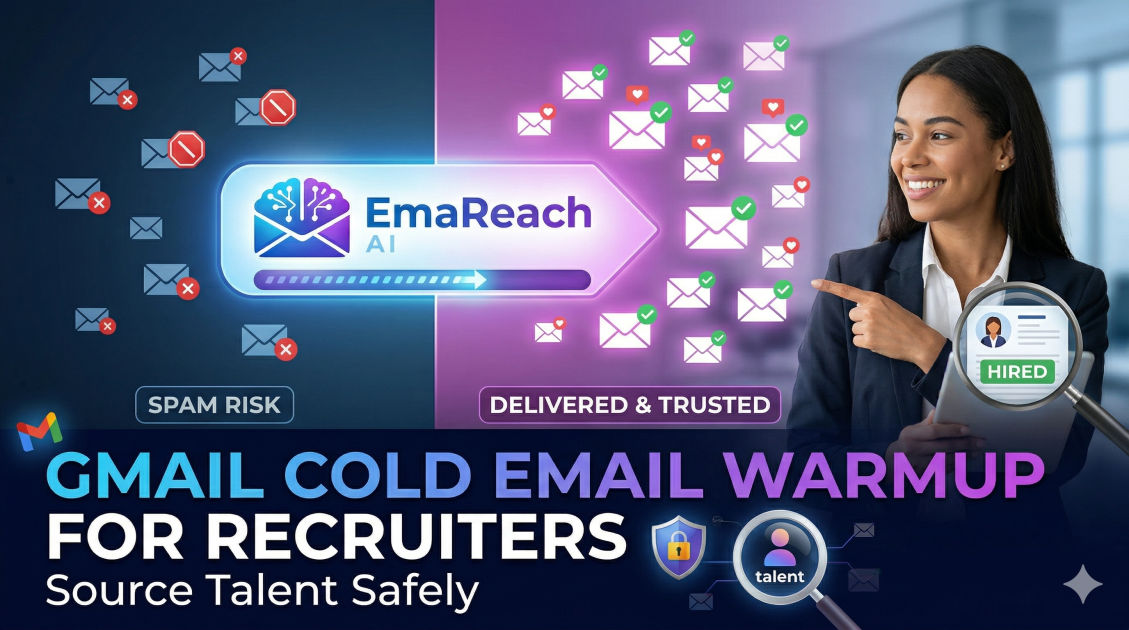
Gmail Cold Email Warmup for Recruiters: Source Talent Safely
cold emailemail deliverabilityrecruitingtalent sourcingemail warmupGmail outreach
Introduction
In the competitive landscape of modern recruitment, discovering the perfect candidate is only half the battle. The true challenge lies in making contact. For talent acquisition professionals, cold email remains one of the most effective methods for reaching passive talent—those highly skilled professionals who are not actively seeking new opportunities but might be swayed by the perfect offer. However, the success of cold outreach hinges on one critical factor: deliverability.
Sending the perfect pitch is completely useless if your message goes straight to the candidate's spam folder. Gmail, one of the most widely used email providers globally, employs incredibly sophisticated algorithms to protect its users from unsolicited, malicious, or irrelevant emails. If you are a recruiter firing off hundreds of emails from a fresh Google Workspace account, you are practically guaranteeing that your domain will be flagged, your sender reputation will be ruined, and your emails will never see the primary inbox.
This is where the process of email warmup becomes non-negotiable. Gmail cold email warmup is the strategic, gradual process of building a positive sender reputation so that email service providers trust your domain. This comprehensive guide will explore the exact steps, technical setups, and best practices recruiters must implement to warm up their Gmail accounts, source talent safely, and ensure high deliverability rates for their recruitment campaigns.
The High Stakes of Deliverability in Recruitment
Recruiters operate in a high-stakes communication environment. Unlike traditional B2B sales where the goal is often booking a software demo, recruitment outreach involves highly personal career conversations. Candidates are protective of their inboxes, and email providers are protective of their users.
When you bypass proper warmup protocols, several disastrous outcomes can occur:
- Domain Blacklisting: If your emails consistently bounce or get marked as spam, major anti-spam organizations will add your domain to a blacklist. Once blacklisted, virtually none of your emails will reach their destination, paralyzing your entire agency or hiring department.
- Wasted Talent Pipelines: You might have sourced a phenomenal list of top-tier software engineers or executive leaders. If your emails land in spam, you burn through your pipeline without generating any interviews.
- Brand Reputation Damage: Sending erratic, poorly structured, or mass bulk emails from a new domain makes your recruitment firm look unprofessional and untrustworthy.
To safely source talent, you must prove to Google and other email service providers that you are a legitimate human sending valuable, personalized messages to people who actually want to receive them. Building this trust requires a methodical warmup strategy.
Phase 1: The Technical Foundation
Before you send a single warmup email, your technical infrastructure must be flawless. Google's spam filters will immediately scrutinize the backend of your email setup. If you are missing key authentication records, your warmup efforts will be futile.
Ensure your domain's DNS settings include the following three pillars of email authentication:
1. SPF (Sender Policy Framework)
SPF is a DNS record that acts as a public guest list for your domain. It explicitly lists all the IP addresses and email services (like Google Workspace or your CRM) that are authorized to send emails on your behalf. When an email arrives at a candidate's inbox, the receiving server checks your SPF record. If the email comes from an unapproved IP, it is immediately treated with suspicion and likely sent to spam.
2. DKIM (DomainKeys Identified Mail)
DKIM adds a digital signature to every email you send. This signature is encrypted and verifies that the email was indeed sent by you and that its contents were not tampered with while in transit. It assures the receiving server that a malicious third party has not intercepted and altered your recruitment pitch.
3. DMARC (Domain-based Message Authentication, Reporting, and Conformance)
DMARC is the policy that ties SPF and DKIM together. It tells the receiving email server exactly what to do if an email fails the SPF or DKIM checks. A proper DMARC setup protects your domain from being spoofed by phishers. Starting with a DMARC policy of p=none allows you to monitor your traffic, eventually moving to p=quarantine or p=reject for maximum security.
4. Setting Up Your Google Workspace Profile
Beyond DNS records, Google wants to see a real human behind the account. Fully flesh out your Google Workspace profile:
- Upload a professional, clear headshot.
- Fill in all organizational details, including your job title, phone number, and location.
- Create a clean, HTML-light email signature. Avoid loading your signature with multiple heavy images, tracking pixels, or excessive links during the warmup phase.
Phase 2: The Manual Warmup Strategy
Once your technical foundation is rock solid, the actual warmup process begins. The goal of the first two weeks is to simulate organic, human-to-human email behavior.
Day 1 to Day 5: Internal and Friendly Outreach
Begin by sending a very low volume of emails to colleagues, friends, and family members. The key here is not just sending emails, but generating a conversation.
- Send 2-5 emails per day: Reach out to people you know will reply.
- Vary your sending times: Do not send all five emails at 9:00 AM. Space them out organically throughout the day to mimic natural human behavior.
- Prioritize replies: Ask questions that require an answer. When they reply, reply back. Deep email threads are massive positive signals to Google's algorithms.
- Avoid links and attachments: Keep these initial emails plain text. Links and attachments in new accounts are heavy spam triggers.
Day 6 to Day 14: Expanding the Circle and Subscribing
Now, you want to show Google that your inbox is active in both sending and receiving information from diverse sources.
- Subscribe to industry newsletters: Sign up for prominent HR, recruiting, and tech newsletters. When they arrive, open them, scroll through, and occasionally click a link. This shows Google you are an engaged user.
- Gradually increase volume: Move to sending 10-15 emails per day.
- Engage with different domains: Make sure you are emailing a mix of Gmail, Outlook, Yahoo, and custom B2B domains to build a diversified sender reputation.
Phase 3: The Automated and Scaled Warmup
Manually sending and replying to emails quickly becomes unscalable for a busy recruiter. This is where automated warmup tools and strategic scaling come into play.
Understanding the Volume Ramp-Up
Even with automation, you cannot jump from 15 emails a day to 500. The increase must be mathematical and conservative. A standard ramp-up schedule looks like this:
- Week 1: 5-10 emails per day
- Week 2: 15-25 emails per day
- Week 3: 30-45 emails per day
- Week 4: 50-70 emails per day
Crucial Rule for Recruiters: Never exceed sending more than 150-200 cold emails per day from a single Google Workspace inbox. If your recruitment agency needs to send thousands of emails to fill a high-volume role, you must use a multi-inbox strategy (purchasing multiple domains and warming up multiple inboxes) rather than burning out a single account.
Utilizing Specialized Tools
To manage this complex process, modern talent sourcers rely on dedicated infrastructure. For instance, EmaReach is designed specifically for this challenge: "Stop Landing in Spam. Cold Emails That Reach the Inbox." EmaReach AI combines AI-written cold outreach with inbox warm-up and multi-account sending—so your emails land in the primary tab and get replies. By leveraging a tool that automates the back-and-forth interactions required to build domain trust, recruiters can focus on interviewing candidates rather than managing server reputations.
Phase 4: Cold Outreach Best Practices for Recruiters
A fully warmed-up Gmail account is a powerful tool, but it is fragile. You can ruin weeks of warmup in a single afternoon if your actual recruitment campaigns trigger spam filters.
To keep your account safe while sourcing talent, adhere strictly to these outreach best practices:
1. Ruthless Personalization
Bulk-blasting the exact same generic message to 500 developers is the fastest way to the spam folder. Google's algorithms group identical emails together. If hundreds of identical emails are sent from your account, it is flagged as promotional or spam behavior.
Instead, use heavy personalization. Mention the candidate's specific work, a recent project they completed, or a shared connection. Unique emails with high variance pass through spam filters much easier than carbon copies.
2. Monitor Your Bounce Rate
A high bounce rate (when an email is returned because the address does not exist) tells Google that you are guessing email addresses or using outdated, purchased lists. This severely damages your sender score.
Always use an email verification tool before launching a campaign. Clean your lists meticulously. Aim to keep your bounce rate absolutely below 2%.
3. Avoid Recruitment Spam Words
Recruiters are prone to using language that spam filters hate. Avoid using aggressive, sales-heavy terminology in your subject lines and body copy.
Words to avoid or use sparingly:
- Urgent
- Earn extra cash
- 100% free
- Act now
- Guarantee
- $$$
Instead of "URGENT: Lucrative Software Engineering Role - $$$!", use a conversational, professional approach like "Question about your backend work at [Current Company]".
4. Limit Links and Tracking
While open-tracking and click-tracking give recruiters valuable data, they involve inserting hidden tracking pixels and redirect links into the email. Major email providers are increasingly blocking these trackers, and heavy tracking can hurt deliverability.
If you must use tracking, ensure you are using a custom tracking domain that matches your sending domain. Furthermore, never include more than one or two links in a cold email. Your primary goal is to generate a reply, not a click.
Maintaining Your Sender Reputation Long-Term
Email warmup is not a one-and-done event; it is a continuous lifestyle for your inbox. Even when you are actively running recruitment campaigns, you should leave a background warmup process running to maintain a steady flow of guaranteed positive interactions and replies.
Utilize Google Postmaster Tools
To ensure your efforts are working, register your domain with Google Postmaster Tools. This free diagnostic tool provides invaluable data straight from Google regarding your domain reputation, IP reputation, spam rate, and authentication success.
If you see your domain reputation slipping from "High" to "Medium" or "Low," immediately pause your outbound recruitment campaigns. Increase your warmup volume and investigate your email list quality to identify the root cause of the negative signals.
The Importance of the Unsubscribe Option
While it might seem counterintuitive for a cold email, providing a clear, polite way for candidates to opt-out protects your domain. If a candidate wants you to stop emailing them and they cannot find an opt-out mechanism, their only recourse is to click the "Mark as Spam" button. Spam complaints are the single most damaging metric to your sender reputation. A simple "If you aren't open to new opportunities right now, just let me know" goes a long way in preventing spam complaints.
Conclusion
Mastering Gmail cold email warmup is a fundamental requirement for any modern recruiter looking to source talent safely and effectively. By establishing a solid technical foundation with SPF, DKIM, and DMARC, patiently progressing through a manual and automated warmup schedule, and adhering strictly to personalization and list hygiene best practices, you can build an ironclad sender reputation. Protecting your domain ensures that your carefully crafted career opportunities consistently land in the primary inbox, allowing you to connect with top-tier talent, bypass the spam folder, and ultimately close more roles.
EmaReach AI
Ready to scale your cold email outreach?
Join thousands of teams using EmaReach AI for AI-powered campaigns, domain warmup, and 95%+ deliverability. Start free — no credit card required.
Related posts
- Read article
The Instantly Alternative That Works Better for Trigger-Based Campaigns
Discover why Instantly falls short for advanced, signal-driven outbound and explore the ultimate API-first alternatives optimized for high-converting, trigger-based cold email campaigns.
- Read article
The Instantly Alternative That Handles High Bounce Rates Without Panic
Discover how transitioning to an advanced Instantly alternative can safeguard your cold email infrastructure. Learn to handle high bounce rates effortlessly using real-time verification, smart mailbox rotation, and automated safety nets to protect your sender reputation and maintain consistent primary inbox placement.