Blog
Back to blog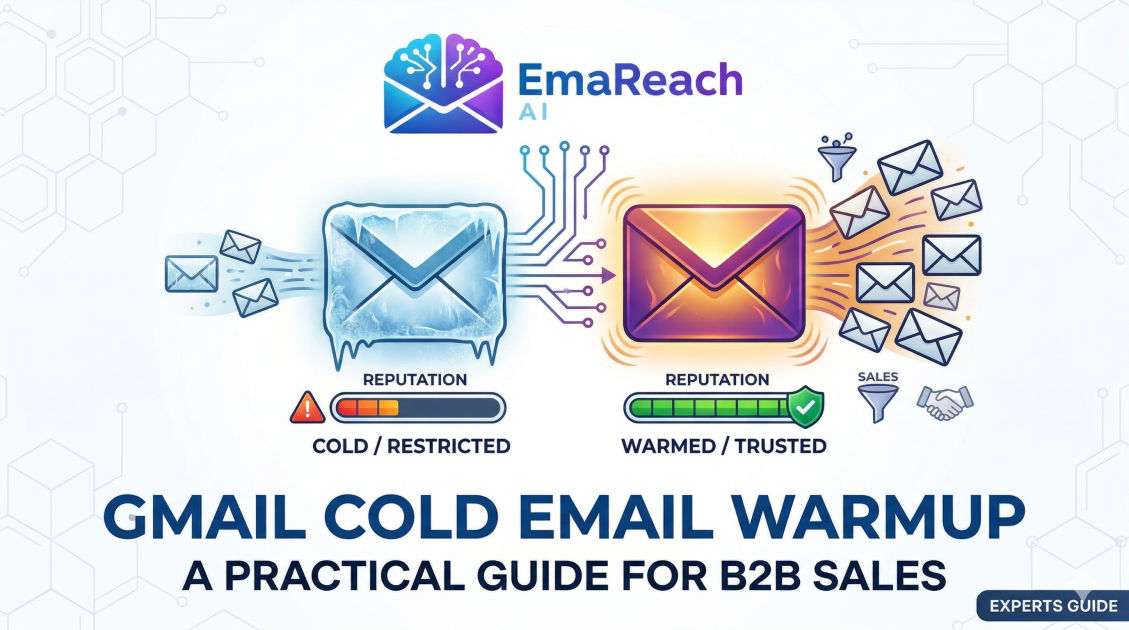
Gmail Cold Email Warmup for B2B Sales: A Practical Guide
cold emailb2b salesemail warmupdeliverabilitygmail outreachlead generation
Introduction
In the highly competitive landscape of B2B sales, cold email remains one of the most effective channels for generating high-quality leads and driving revenue growth. However, the days of simply purchasing a domain, loading up a massive list of prospects, and blasting out thousands of emails on day one are long gone. Today, major email service providers, particularly Google with its Gmail and Google Workspace infrastructure, have implemented incredibly sophisticated spam filters and reputation algorithms. If you want your B2B sales pitch to be seen, you must first prove that you are a trustworthy sender.
This is where the concept of email warmup comes into play. Gmail cold email warmup is the systematic, gradual process of establishing a positive sender reputation for a new email account and domain. By slowly increasing your sending volume and generating positive engagement signals, you effectively tell Google's algorithms that you are a legitimate business communicating with interested professionals, rather than a spammer blasting unsolicited messages into the void.
Failing to properly warm up your Gmail accounts before launching a B2B sales campaign is a guaranteed way to permanently damage your domain reputation. Once your domain is flagged by Google, escaping the spam folder becomes an agonizing, uphill battle. This comprehensive guide will walk you through everything you need to know to successfully warm up your Gmail accounts, build an impenetrable sender reputation, and ensure your B2B cold emails land precisely where they belong: the primary inbox.
Why Gmail Warmup is Non-Negotiable for B2B Sales
To understand why warmup is critical, you must first understand how Google views a brand new domain or a freshly created Google Workspace email account. From Google's perspective, a new account has zero history and zero credibility. It is a blank slate, but in the world of email deliverability, a blank slate is treated with extreme suspicion. Spammers constantly register new domains to fire off malicious campaigns before burning the domain and moving on. Therefore, sudden spikes in email volume from an unknown source are the biggest red flags for spam filters.
When you engage in a proper warmup sequence, you are actively building a track record. You are demonstrating to Google that your account behaves like a normal human being. Normal human beings do not send five hundred identical emails the day they create an account. They send a few emails to colleagues, they subscribe to a few newsletters, they receive replies, and they occasionally move messages into different folders.
For B2B sales teams, the stakes are incredibly high. The cost of acquiring B2B data, crafting highly personalized messaging, and paying for outreach software is completely wasted if the emails never reach the prospect. A well-executed warmup process ensures that your technical infrastructure is solid and your sender reputation is robust enough to handle the volume required for scalable B2B lead generation.
The Technical Foundation: Setting Up for Success
Before you send a single warmup email, you must ensure that your technical house is in order. Skipping these preliminary steps will render your warmup efforts useless. The bedrock of email deliverability lies in three specific DNS records: SPF, DKIM, and DMARC.
Sender Policy Framework (SPF)
SPF is a DNS record that publicly lists the IP addresses and mail servers that are authorized to send emails on behalf of your domain. When an email arrives at a prospect's Gmail inbox, the receiving server checks your SPF record. If the email came from an authorized server (like Google Workspace), it passes the check. If it came from an unknown server, it is likely flagged as forged or spam. Setting up SPF is your first line of defense against domain spoofing and is an absolute requirement for modern B2B outreach.
DomainKeys Identified Mail (DKIM)
DKIM adds a layer of cryptographic authentication to your emails. When you send an email, your server attaches a hidden digital signature to the message header. The receiving server then looks up your public DKIM key in your DNS records to verify this signature. If the signature matches, it proves two things: first, that the email truly originated from your domain, and second, that the contents of the email were not tampered with while in transit. Gmail heavily weighs DKIM signatures when determining inbox placement.
Domain-based Message Authentication, Reporting, and Conformance (DMARC)
DMARC is the final piece of the authentication puzzle. It ties SPF and DKIM together by providing instructions to the receiving mail server on what to do if an email fails authentication. For a new setup, you should configure your DMARC policy to "none" (p=none), which allows emails to flow while simply sending you reports on authentication failures. As your domain matures, you can move to a stricter policy like "quarantine" or "reject" to protect your brand identity.
Profile Setup and Google Workspace Configuration
Beyond DNS records, you must make your Google Workspace account look as authentic as possible. Add a real profile picture (ideally a professional headshot of the sender), set up a complete email signature with accurate business information, and fill out your Google account profile. Gmail's algorithms look at the holistic health and completeness of an account when assessing its legitimacy.
Understanding the Gmail Algorithm
To effectively warm up your account, you need to understand what Google's algorithms actually monitor. Gmail does not simply look at volume; it looks at engagement. The algorithms categorize emails into different tabs (Primary, Social, Promotions) or route them directly to the spam folder based on thousands of micro-interactions.
Here are the primary positive signals that boost your sender reputation during warmup:
- Open Rates: When recipients consistently open your emails, it shows the content is expected or interesting.
- Reply Rates: This is the golden metric. A reply is the strongest possible indicator that an email is legitimate. If people are talking back to you, Gmail assumes you are not a spammer.
- Being Starred or Marked as Important: When a user stars your email, it signals high value.
- Being Rescued from Spam: If an email lands in spam and the user manually moves it to the inbox by clicking "Report not spam," your reputation receives a massive boost.
Conversely, negative signals will tank your reputation:
- High Bounce Rates: Sending emails to invalid or non-existent addresses shows you are guessing emails or using poor-quality lists.
- Low Engagement: If you send hundreds of emails and no one opens or replies, your reputation decays.
- Spam Complaints: The ultimate reputation killer. If multiple users manually flag your email as spam, your deliverability will plummet almost immediately.
Manual vs. Automated Warmup
When it comes to executing the warmup process, B2B sales teams have two choices: doing it manually or utilizing automated software.
Manual warmup involves physically sending emails to colleagues, friends, and alternate accounts, and then asking them to open, reply, and star the messages. While this gives you total control, it is incredibly time-consuming, unscalable, and difficult to maintain consistency over several weeks.
If manual warming sounds incredibly tedious, that's because it is. This is where automated solutions come into play. For instance, you can use platforms like EmaReach to streamline this. Their motto is exactly what you need: "Stop Landing in Spam. Cold Emails That Reach the Inbox." EmaReach AI combines AI-written cold outreach with inbox warm-up and multi-account sending—so your emails land in the primary tab and get replies.
Automated tools work by placing your email account into a network of thousands of other real email accounts. The software sends emails back and forth automatically, opens them, replies to them, and rescues them from spam folders if necessary. This simulates perfect, highly-engaged human behavior at scale, saving your sales team countless hours.
A Step-by-Step Gmail Warmup Schedule
If you are setting up your infrastructure and ramping up volume, you need a strict schedule. Rushing this process is the most common reason B2B campaigns fail before they even start. Here is a proven, conservative timeline for warming up a brand new Google Workspace account and domain.
Week 1: Establishing the Baseline
During the first week, your goal is simply to show that the account is active. Do not send any sales pitches.
- Volume: Start with 2 to 5 emails per day.
- Recipients: Send exclusively to highly trusted contacts, colleagues, or your own alternate email accounts (ensure a mix of Gmail, Outlook, and Yahoo if possible).
- Action: Ensure 100% of these emails are opened, and aim for an 80% reply rate. Keep the content conversational and natural.
Week 2: Gradual Acceleration
Now that the account has basic activity, you can begin to slowly turn up the dial.
- Volume: Increase to 10 to 15 emails per day.
- Recipients: Continue using trusted contacts or an automated warmup network.
- Action: Maintain a high reply rate (around 50%). You can start subscribing to a few high-quality B2B industry newsletters. This shows Google that you are a consumer of information as well as a sender, which mimics normal human behavior.
Week 3: Approaching Cruising Altitude
By week three, your domain is starting to build a solid track record.
- Volume: Scale up to 20 to 30 emails per day.
- Recipients: Mix your warmup network traffic with a very small, highly targeted list of real prospects (no more than 5 real prospects a day).
- Action: Monitor your bounce rate obsessively. If any emails bounce, remove them immediately. Your bounce rate must stay below 2%.
Week 4 and Beyond: Production Level
After a full month of careful warming, your account should be ready for standard B2B outreach.
- Volume: Increase by 5 to 10 emails per day until you reach your target volume. For a single Google Workspace account, it is highly recommended to cap your total daily sends (including follow-ups) at around 40 to 50 emails per day to ensure long-term safety.
- Action: Leave your automated warmup tool running in the background indefinitely. Even when you are sending live campaigns, having a consistent undercurrent of positive engagement from a warmup network acts as an insurance policy for your sender reputation.
Best Practices for High Deliverability in B2B Outreach
Warming up your email is only half the battle. Once your account is warm, you must maintain your reputation by following strict B2B outreach best practices. Even the warmest domain can be burned in a matter of days if you send garbage content.
Avoid Spam Trigger Words
Google's natural language processing algorithms scan your emails for promotional language. Words and phrases like "Free," "Guarantee," "Act Now," "No catch," "100% satisfied," and excessive use of dollar signs or exclamation points will trip spam filters. Write your cold emails as if you are writing to a respected colleague. Keep the tone professional, concise, and focused on the prospect's pain points rather than a hard pitch.
Plain Text Over Complex HTML
While beautifully designed HTML emails look great for marketing newsletters, they are terrible for B2B cold sales outreach. Heavy HTML, complex tables, and hidden tracking pixels are classic hallmarks of mass promotional mail. B2B cold emails should look like they were typed out by a human on a keyboard. Stick to simple text, minimal formatting, and standard fonts.
Limit Links and Images
In your initial cold email, try to include no more than one link, and ideally, zero images. Links and images increase the size of the email and are closely scrutinized by spam filters. Never put a link in your first email if you can avoid it; instead, ask a question to generate a reply, and share the link in the follow-up.
Clean Your Data Relentlessly
Your sender reputation is directly tied to the quality of your B2B data. If you are scraping outdated databases and sending emails to people who left their companies months ago, your bounce rate will spike. Use a reputable email verification tool to scrub your lead lists before launching any campaign. Never send to an email address that is not verified as valid and active.
Implement a Sunset Policy
If a prospect has not opened or replied to your emails after a multi-step sequence, stop emailing them. Continuing to hammer unresponsive contacts tells Gmail that you are sending unwanted mail. Implement a sunset policy where unresponsive leads are automatically removed from your active sending lists to protect your engagement metrics.
Monitoring and Maintaining Sender Reputation
Deliverability is not a "set it and forget it" task. It requires ongoing vigilance. You must treat your domain reputation like a credit score.
Set up Google Postmaster Tools. This is a free utility provided by Google that gives you direct insight into how Gmail views your domain. It will show you your domain reputation (Bad, Low, Medium, High), your IP reputation, and your spam complaint rate. Check this dashboard weekly. If your reputation drops from High to Medium, it is an early warning sign that you need to pause your live campaigns, audit your messaging, and let your warmup tool repair the damage before it drops to Low or Bad.
Additionally, regularly check your domain against popular email blacklists. If your IP or domain ends up on a major blacklist, your emails will be blocked globally before they even reach the Gmail spam filter. If you find yourself blacklisted, follow the specific delisting procedures for that list, identify the root cause of the listing (usually a high bounce rate or spam trap hit), and fix it immediately.
Conclusion
Mastering Gmail cold email warmup is the critical first step to any successful B2B sales motion. By understanding the technical foundations of SPF, DKIM, and DMARC, recognizing how Google evaluates sender behavior, and strictly adhering to a gradual ramp-up schedule, you can build an unshakeable sender reputation. Remember that patience is your greatest asset in this process. Trying to cheat the system by sending too much, too soon will inevitably lead to the spam folder. Treat your sending infrastructure with respect, prioritize high-quality data, write personalized, non-spammy copy, and leverage automated tools to maintain consistent engagement. When executed correctly, a well-warmed Gmail account becomes an incredibly powerful engine for driving consistent B2B pipeline and closing high-value deals.
EmaReach AI
Ready to scale your cold email outreach?
Join thousands of teams using EmaReach AI for AI-powered campaigns, domain warmup, and 95%+ deliverability. Start free — no credit card required.
Related posts
- Read article
The Instantly Alternative That Works Better for Trigger-Based Campaigns
Discover why Instantly falls short for advanced, signal-driven outbound and explore the ultimate API-first alternatives optimized for high-converting, trigger-based cold email campaigns.
- Read article
The Instantly Alternative That Handles High Bounce Rates Without Panic
Discover how transitioning to an advanced Instantly alternative can safeguard your cold email infrastructure. Learn to handle high bounce rates effortlessly using real-time verification, smart mailbox rotation, and automated safety nets to protect your sender reputation and maintain consistent primary inbox placement.