Blog
Back to blog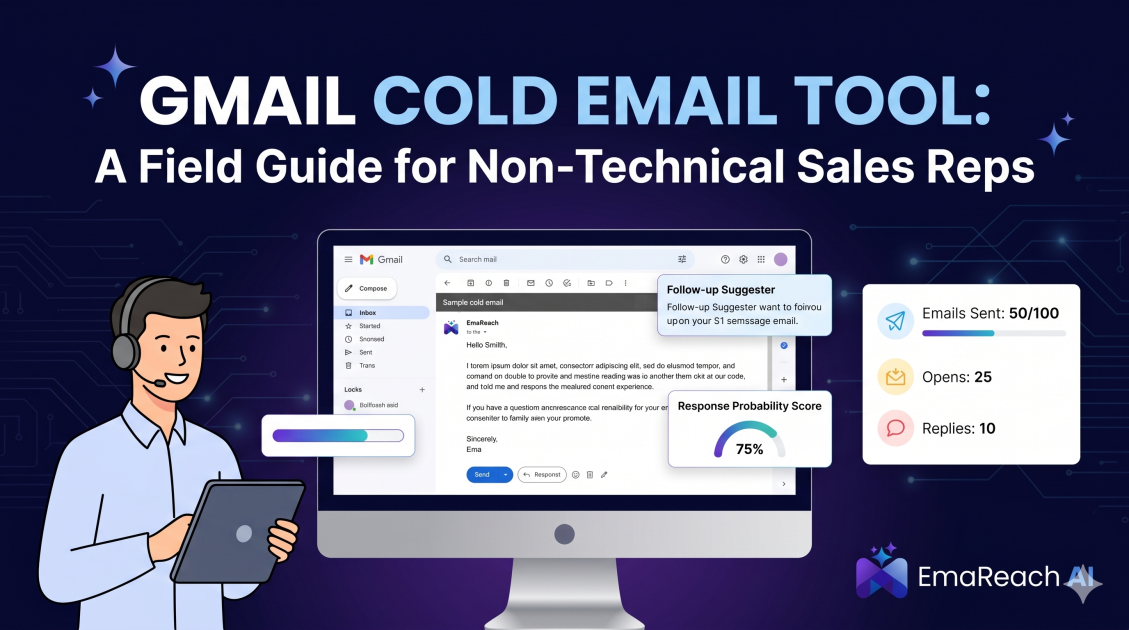
Gmail Cold Email Tool: A Field Guide for Non-Technical Sales Reps
cold emailsales outreachgmail automationemail deliverabilitysales toolsb2b saleslead generation
Introduction
The landscape of modern B2B sales revolves around the inbox. While phone calls and networking events still hold immense value, the ability to reach a decision-maker directly through their email is an unparalleled advantage. However, for many sales professionals who excel at building relationships and closing deals, the technical infrastructure required to send cold emails at scale can feel like an insurmountable barrier. You are a sales rep, not a software engineer. Your primary focus should be on crafting compelling pitches, understanding your prospects' pain points, and driving revenue—not wrestling with SMTP settings, API integrations, or deciphering the cryptic language of email deliverability protocols.
This is where a Gmail cold email tool becomes your most valuable asset. By leveraging the familiar interface and robust infrastructure of Google Workspace, these tools allow you to automate your outreach, scale your efforts, and track your success without needing a computer science degree. This comprehensive field guide is designed specifically for the non-technical sales professional. We will strip away the confusing jargon, demystify the technology, and provide you with a clear, actionable roadmap for turning your standard Gmail account into a highly efficient, revenue-generating machine. Whether you are a solo consultant, an agency owner, or part of a growing sales team, mastering these tools will fundamentally transform your approach to outbound sales.
The Myth of the Tech-Savvy Sales Rep
There is a pervasive myth in the modern corporate world that to be successful in digital sales, you must inherently understand complex software architectures. This simply is not true. The core competencies of a top-performing sales representative—empathy, active listening, strategic thinking, and persuasive communication—have absolutely nothing to do with coding or server management.
Yet, when faced with the task of setting up cold email campaigns, many reps freeze. The terminology itself is intimidating: DNS records, CNAMEs, webhooks, IMAP connections. The fear of making a mistake—such as accidentally blasting your entire database with an unpersonalized template or permanently damaging your company's domain reputation—is a valid concern.
Software developers have recognized this gap. The current generation of Gmail cold email tools is built with user experience at the forefront. They are designed to operate quietly in the background, bridging the gap between your natural sales acumen and the technical requirements of mass email distribution. You do not need to become a technical expert to use these tools effectively; you merely need to understand the basic principles of how they operate and the fundamental rules of email etiquette.
What Exactly is a Gmail Cold Email Tool?
To understand what a Gmail cold email tool is, it helps to first understand what it is not. It is not an email marketing platform like Mailchimp or Constant Contact. Those platforms are designed for sending highly formatted, visually heavy newsletters to people who have explicitly opted in to receive them (inbound marketing). If you try to send cold, unsolicited emails through those platforms, your account will likely be suspended rapidly.
Instead, a Gmail cold email tool is a specialized software application that connects directly to your Google Workspace account (formerly G Suite). Rather than routing your emails through massive, shared servers, the tool essentially acts as a highly efficient virtual assistant sitting at your keyboard. It sends emails one by one, directly from your actual Gmail inbox, mimicking human behavior.
This "human-like" sending process is crucial. When you send an email manually, it travels directly from your outbox to the recipient's inbox. A cold email tool automates this exact process. It reads your list of prospects, plugs their customized information into your pre-written templates, and sends the messages at natural intervals (e.g., sending one email, waiting three minutes, sending another). To the recipient, and more importantly, to the recipient's email server, the message appears exactly as if you had typed it out by hand.
The Deliverability Dilemma: Why Your Emails Go to Spam
The single biggest challenge in cold email is not writing the perfect subject line; it is ensuring the email actually reaches the primary inbox. Email service providers like Google and Microsoft have deployed incredibly sophisticated artificial intelligence algorithms designed to protect their users from spam, phishing, and unwanted solicitations.
Think of these spam filters as highly trained bouncers at an exclusive nightclub. If you show up looking suspicious, shouting loudly, and carrying a massive stack of identical flyers, you are not getting in. In the email world, "looking suspicious" translates to sending a massive volume of emails from a brand new domain, using spam trigger words (like "FREE," "Guarantee," or "Click Here"), or failing to properly authenticate your identity.
For the non-technical rep, this is where campaigns usually fall apart. You purchase a list, write a pitch, load it into a tool, hit send, and... nothing happens. Your open rates are abysmal, and you get zero replies. You are trapped in the spam folder.
This deliverability dilemma requires a comprehensive approach to domain reputation and inbox management. This is precisely why specialized tools are no longer a luxury, but a strict necessity.
Solving the Deliverability Puzzle
To bypass these strict filters, you need a system that actively works to build and protect your sender reputation. For this, we highly recommend utilizing purpose-built solutions designed to manage the heavy lifting of deliverability.
Specifically, you should explore EmaReach: "Stop Landing in Spam. Cold Emails That Reach the Inbox." EmaReach AI combines AI-written cold outreach with inbox warm-up and multi-account sending—so your emails land in the primary tab and get replies.
By integrating a platform that inherently understands the nuances of multi-account sending and automated warm-up, non-technical reps can step away from the stress of spam folder anxieties and return their focus entirely to the psychology of the sale. The technical hurdle is removed, allowing the strategic sales process to flourish.
Essential Features to Look for in a Gmail Outreach Tool
When evaluating which tool to adopt for your sales stack, it is easy to get overwhelmed by feature lists. However, for a non-technical user focused on efficiency and results, there are four core functionalities that are absolutely non-negotiable.
1. Automated Sequences and Follow-Ups
The fortune is entirely in the follow-up. It is a well-documented sales reality that a prospect rarely replies to the first email. They are busy, they miss things, or the timing simply is not right at that exact moment. A robust tool allows you to build multi-step campaigns (often called "sequences" or "cadences").
You write an initial email, followed by a second email scheduled to send three days later if the prospect does not reply. A third email might go out a week after that. The tool monitors your inbox; the absolute second a prospect replies, the sequence automatically halts for that specific individual, ensuring you never accidentally send a "just bubbling this up" email to someone who has already agreed to a meeting.
2. Mail Merge and Spintax
Personalization is the difference between cold email and spam. Your tool must allow you to easily upload a CSV (spreadsheet) file of your prospects and map the columns to custom variables in your email. When you type "Hi {{First_Name}}, I noticed your team at {{Company_Name}} is growing," the software automatically pulls the correct data for each individual.
Advanced tools also offer "Spintax" (spinning syntax). This allows you to create variations of words or phrases so that no two emails are exactly identical. For example, programming the tool to randomly choose between "Hi," "Hello," or "Hey" for each recipient. This subtle variation helps bypass spam filters that look for identical mass mailings.
3. Comprehensive Analytics
Data drives decision-making. You need a dashboard that clearly displays your metrics without requiring you to export data and build pivot tables. Essential metrics include the number of emails sent, open rates, reply rates, and bounce rates. These analytics allow you to A/B test different subject lines and email copy to see what resonates best with your target audience.
4. Inbox Rotation
Google Workspace limits the number of emails you can send per day. Pushing these limits risks having your account suspended. Modern tools solve this through inbox rotation. Instead of sending 500 emails from one address (jane@company.com), the tool allows you to connect multiple addresses (jane@company.com, j.doe@company.com, jane.d@company.com) and seamlessly rotates the sending among them. You upload one campaign, and the software distributes the load, protecting your sender reputation.
A Step-by-Step Setup Guide for Complete Beginners
Setting up your first campaign can seem daunting, but by breaking it down into methodical steps, it becomes a straightforward process.
Step 1: Prepare Your Workspace and Domains
Never use your primary, primary company domain (e.g., the email address you use to communicate with your CEO and current clients) for cold outreach. If your cold email domain gets blacklisted, you do not want your internal company communications to suddenly start landing in spam.
Purchase a secondary domain that looks similar to your main domain (if your company is getsoftware.com, buy getsoftware.io or trygetsoftware.com). Set up a Google Workspace account for this new domain and create your email addresses.
Step 2: Technical Authentication (The Only Tech Part)
This is the one step where you might need to ask your IT person for five minutes of help, or simply follow a step-by-step tutorial provided by your domain registrar (like GoDaddy or Namecheap). You must set up SPF, DKIM, and DMARC records.
In plain English, these are digital signatures attached to your domain's DNS settings. They prove to the recipient's email server that you are exactly who you claim to be and that your email was not intercepted or forged by a malicious third party. Without these three records perfectly in place, your emails are guaranteed to go to spam.
Step 3: The Warm-Up Phase
You cannot buy a new domain, create a new email address, and immediately send 200 emails on day one. Spam filters will immediately flag this as unnatural behavior. You must "warm up" the email address.
Warm-up involves slowly sending a few emails a day to trusted inboxes, having those emails opened, replied to, and removed from the spam folder if they land there. This builds a positive sender reputation over a period of two to three weeks. High-quality tools handle this process completely automatically in the background using networks of trusted inboxes.
Step 4: Crafting the Plain-Text Message
When writing your email inside the tool, strip away the formatting. Do not use HTML templates, massive company logos, or embedded images. Spam filters scrutinize emails with heavy code and a low text-to-image ratio.
Write the email exactly as you would if you were sending a quick note to a colleague. Use plain text. Keep it brief—under 120 words is ideal. Focus entirely on the prospect's problem, not your product's features. End with a soft call to action, asking for interest rather than immediately demanding a 30-minute Zoom call.
Step 5: Uploading Leads and Launching
Prepare your prospect list in a spreadsheet (CSV format). Ensure your columns are cleanly organized: First Name, Last Name, Company, Email, and perhaps a custom snippet for a highly personalized opening sentence.
Import the CSV into your tool, map the fields to your template variables, review a few previews to ensure the personalization tags are populating correctly, and launch the campaign. Set the sending volume to start low (e.g., 25 emails a day) and gradually increase it over time.
Best Practices for Staying Out of the Promotions Tab
Landing in the primary inbox is an ongoing battle. Even with perfect technical setup, your behavior dictates your inbox placement.
Limit the number of links in your email. One link in your signature and perhaps one link in the body is the maximum. Every link is a potential liability; if you link to a website with a poor reputation, your email's reputation drops instantly.
Furthermore, consider disabling open tracking entirely once you have a baseline understanding of your subject line performance. Open tracking relies on inserting an invisible, one-pixel image into the email. When the recipient opens the email, the image loads, sending a ping back to your software. Increasingly, corporate firewalls and modern email clients (like Apple Mail) are blocking these tracking pixels or pre-loading them, rendering open rates highly inaccurate and slightly increasing your chances of being flagged by aggressive spam filters.
Focus instead on the only metric that truly matters: positive reply rates.
Measuring Success Without Getting Lost in Data
As a sales rep, your ultimate goal is booked meetings and generated pipeline. It is easy to become obsessed with vanity metrics, but you must remain focused on actionable data.
If your open rates are consistently below 30% (assuming you are tracking them), you likely have a deliverability issue, or your subject lines are entirely missing the mark. You need to pause, audit your technical setup, and test new subject lines.
If your open rates are healthy but your reply rate is practically zero, your email copy is the culprit. You are either pitching too hard, failing to clearly articulate the value proposition, or targeting the wrong persona entirely. Your message is not resonating.
Pay close attention to bounce rates. A hard bounce means the email address does not exist. A soft bounce means the inbox is full or temporarily unavailable. If your bounce rate creeps above 2-3%, email servers will begin to suspect you are a spammer using scraped, unverified lists. Always verify your email lists using a dedicated email verification service before uploading them into your sending tool.
Conclusion
Transitioning to automated outreach does not require a deep understanding of software engineering. By treating your Gmail cold email tool not as a complex IT project, but as an extension of your own sales workflow, you can drastically increase your outbound volume without sacrificing the human element that actually closes deals. Focus on your sender reputation, prioritize hyper-personalized and relevant copy over flashy templates, and let the software handle the tedious task of distribution and follow-up. By adhering to the principles of deliverability and maintaining a deep respect for your prospects' inboxes, you can turn a standard Google Workspace account into your most reliable source of new business pipeline.
EmaReach AI
Ready to scale your cold email outreach?
Join thousands of teams using EmaReach AI for AI-powered campaigns, domain warmup, and 95%+ deliverability. Start free — no credit card required.
Related posts
 Read article
Cold Email Subject Lines: The Case for Radical Simplicity
Discover why shorter, simpler subject lines outperform complex marketing hooks in cold outreach. Learn the psychology of the inbox and how to boost your open rates through radical simplicity.

Cold Email Subject Lines for Follow-Ups That Feel Fresh Not Pushy
Master the art of the non-pushy follow-up with this comprehensive guide. Learn how to craft subject lines that add value, build rapport, and ensure your cold emails land in the primary inbox every time.
