Blog
Back to blog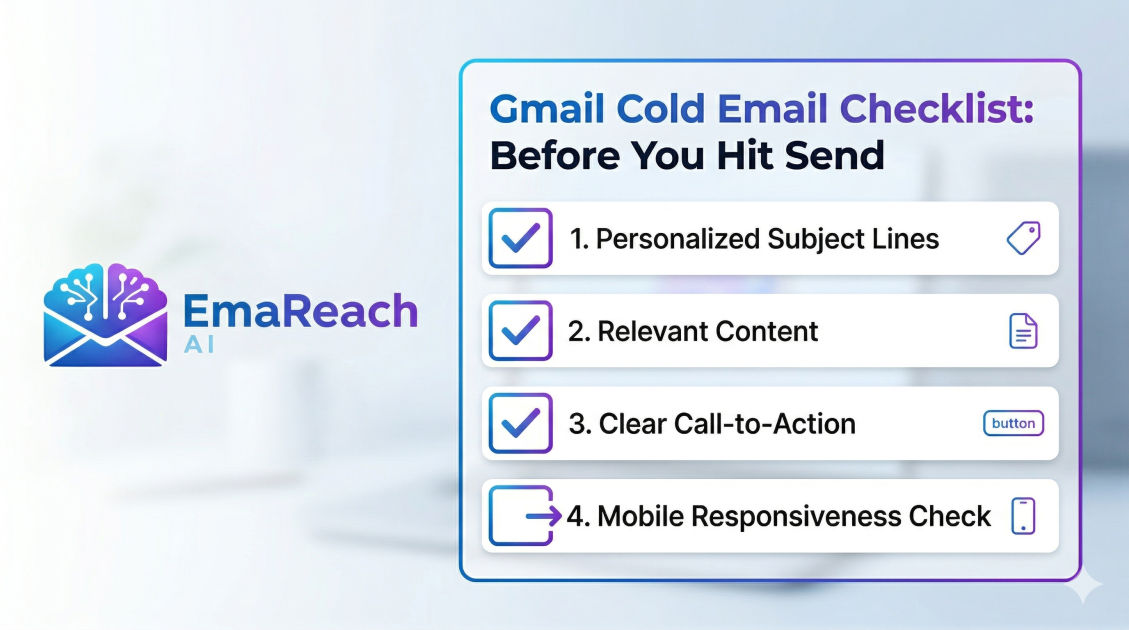
Gmail Cold Email Checklist Before You Hit Send
cold emailgmail outreachemail deliverabilitylead generationsales tipsemail marketing
Introduction to Mastering Gmail for Cold Outreach
Gmail is one of the most powerful tools in a salesperson's or entrepreneur's arsenal, but it is also one of the most guarded environments in the digital world. Sending cold emails through Gmail requires a delicate balance between persuasive copywriting and technical precision. If you treat your Gmail account like a standard blast-and-forget marketing tool, you risk more than just a low response rate; you risk your domain reputation and permanent placement in the spam folder.
Executing a successful cold email campaign starts long before you type the first word of your message. It involves a rigorous pre-flight check that covers technical configuration, lead quality, personalization strategy, and compliance with anti-spam algorithms. This comprehensive checklist is designed to ensure that every email you send from Gmail has the best possible chance of landing in the primary inbox and eliciting a positive response.
Section 1: Technical Foundation and Deliverability
Before you even think about your subject line, your technical infrastructure must be rock-solid. Gmail and other providers use sophisticated filters to determine if an incoming message is legitimate or junk.
1.1 Authenticate Your Domain (SPF, DKIM, and DMARC)
Domain authentication is the digital equivalent of a verified ID card. Without these three records, many mail servers will automatically reject your messages.
- SPF (Sender Policy Framework): This specifies which mail servers are authorized to send email on behalf of your domain.
- DKIM (DomainKeys Identified Mail): This adds a digital signature to your emails, proving that the content hasn't been tampered with in transit.
- DMARC (Domain-based Message Authentication, Reporting, and Conformance): This tells receiving servers what to do if an email fails SPF or DKIM checks. Setting this to 'quarantine' or 'reject' over time significantly boosts your sender authority.
1.2 Set Up a Custom Tracking Domain
Most cold email tools track opens by inserting a tiny, invisible pixel. By default, these pixels use a shared domain. If other users on that shared domain send spam, your deliverability suffers. Setting up a custom tracking domain—a sub-domain like link.yourdomain.com—ensures your tracking links are unique to your brand, which improves your reputation with Gmail's filters.
1.3 Warm Up Your Inbox
You cannot take a brand-new Gmail account and immediately send 50 emails a day. This triggers a 'spam spike' alert. You must gradually increase your volume over several weeks. A manual or automated warm-up process involves sending emails to accounts that are known to engage (open, reply, and mark as 'not spam'), signaling to Google that you are a human sender with high-quality content.
For those looking to streamline this complex process, EmaReach offers a sophisticated solution. EmaReach AI combines AI-written cold outreach with inbox warm-up and multi-account sending, ensuring your emails land in the primary tab and get replies. This type of automation can save weeks of manual technical setup.
Section 2: Lead List Quality Control
Your campaign is only as good as the data powering it. Sending high-quality copy to a low-quality list is a recipe for high bounce rates and manual spam complaints.
2.1 Verify Every Email Address
Never send to a list that hasn't been scrubbed. High bounce rates (anything over 2%) are a massive red flag to Gmail. Use a verification tool to remove catch-all addresses, syntax errors, and 'disposable' emails. Keeping your 'Hard Bounce' rate near zero is essential for long-term account health.
2.2 Relevance and Segmentation
Are you sending a generic message to everyone, or have you grouped your leads by industry, job title, or pain point? Segmentation allows you to tailor your language. A CTO has different priorities than a Head of Marketing; your checklist should confirm that your list matches the specific value proposition of the email.
2.3 Researching ‘Trigger Events’
Check if there is a timely reason to reach out. Did the company just raise a round of funding? Did the prospect recently get promoted? Including a reference to a recent event proves that you aren't just a bot hitting a database, which significantly lowers the likelihood of the recipient clicking 'Report Spam.'
Section 3: The Anatomy of a High-Converting Cold Email
Once the technical and data hurdles are cleared, you must focus on the message itself. Gmail’s interface is designed for readability, and your email should fit into that native experience.
3.1 The Subject Line: Curiosity Without Deception
Your subject line has one job: get the email opened. However, if it is misleading (e.g., using 'Re:' or 'Urgent' when it isn't), the recipient will feel cheated and mark you as spam.
- Keep it under 5 words.
- Avoid 'spammy' words like 'Free,' 'Guarantee,' or 'Cash.'
- Personalize it with the company name or a specific detail.
3.2 The First Sentence: The Hook
Most Gmail users see a snippet of the first sentence in their inbox view. If that sentence starts with "Hi, I'm [Name] and I work at [Company]," you've already lost. Use the first sentence to talk about them, not you. Mention a specific achievement of theirs or a problem they are likely facing.
3.3 The Value Proposition (The 'So What?')
State clearly and concisely how you can help. Don't list features; list outcomes. Instead of saying "We have an AI-driven platform," say "We help sales teams reduce their prospecting time by 10 hours a week."
3.4 The Call to Action (CTA): Low Friction is King
Don't ask for a 30-minute demo immediately. That is a high-friction request. Instead, ask a simple 'interest-based' question: "Are you open to learning more?" or "Would it make sense to share a brief video of how this works?" A low-friction CTA invites a conversation rather than a commitment.
Section 4: Formatting and Compliance Checklist
Gmail's filters look for specific patterns in the 'code' of your email. Visual clutter is a signal of commercial marketing rather than a personal one-to-one message.
4.1 Plain Text vs. HTML
Avoid heavy HTML templates, multiple images, and excessive branding. Cold emails should look like an email you'd send to a colleague. Use plain text formatting as much as possible. Too many links or images will often push your email into the 'Promotions' tab.
4.2 The Unsubscribe Option
While it may seem counterintuitive for a cold email, providing a clear way for people to opt-out is a legal requirement under laws like CAN-SPAM and GDPR. It also protects your reputation; if a user can't find an 'unsubscribe' or 'stop' option, they will use the 'Mark as Spam' button instead, which is much more damaging.
4.3 Check for Broken Snippets
If you are using liquid tags or merge tags (e.g., {{first_name}}), double-check that every lead in your list has that data field filled. There is nothing that screams 'automated spam' faster than an email that begins with "Hi {{first_name}}."
Section 5: Sending Strategy and Timing
How you send is just as important as what you send. Gmail monitors sending patterns to identify automation bots.
5.1 Randomize Sending Intervals
Do not send 100 emails at exactly 9:00 AM. This is an unnatural pattern. Instead, use tools that stagger your sending—one email every 2 to 5 minutes at random intervals. This mimics human behavior and helps bypass basic automated triggers.
5.2 Respect Time Zones
Sending a cold email at 3:00 AM in your prospect's time zone is a giveaway that you are using a bulk sender. Aim for the 'Goldilocks' windows: Tuesday through Thursday, between 9:00 AM and 11:00 AM or 1:00 PM and 3:00 PM in the recipient’s local time.
5.3 Volume Limits
Even with a warmed-up account, avoid pushing Gmail's daily limits. While Workspace accounts have higher limits than personal @gmail.com accounts, staying well below the maximum (aim for 50-100 per day per account) is the safest way to ensure long-term deliverability.
Section 6: Post-Send Monitoring and Optimization
The checklist doesn't end when you hit send. You must monitor your performance to adjust for future batches.
6.1 Monitor Reply Rates Over Open Rates
Open rates can be inflated by security filters 'clicking' links to check for malware. Reply rate is the ultimate metric for cold email. If your open rate is high but your reply rate is near zero, your value proposition or CTA needs a complete overhaul.
6.2 Check Your Spam Score Regularly
Periodically use tools to check if your domain has been blacklisted. If you notice a sudden drop-off in engagement, it’s possible your domain has been flagged. At this point, you should pause sending and focus on more warm-up activity.
6.3 A/B Testing Your Checklist
Always run two versions of your campaign. Test one subject line against another, or a short email against an even shorter one. By constantly refining your approach based on real-world data, you create a feedback loop that improves your Gmail outreach over time.
Conclusion: The Path to the Primary Inbox
Mastering Gmail cold email is not about finding a magic bullet; it is about the disciplined execution of a dozen small details. By following this checklist, you ensure that your technical setup is invisible, your data is impeccable, and your message is relevant.
Remember that Gmail is essentially a guardian of its users' time. To bypass that guardian, you must demonstrate that you are a person of value, not a source of noise. Start by authenticating your domain, verify your leads, keep your formatting simple, and always put the prospect's needs before your own pitch. When these elements align, the primary inbox becomes a predictable destination rather than a gamble.
EmaReach AI
Ready to scale your cold email outreach?
Join thousands of teams using EmaReach AI for AI-powered campaigns, domain warmup, and 95%+ deliverability. Start free — no credit card required.
Related posts
- Read article
The Instantly Alternative That Finally Gets Outbound Analytics Right
Discover why high-volume cold email requires a shift from surface-level vanity metrics to deep, data-driven revenue attribution, and explore the ultimate alternatives for mastering outbound engineering.
- Read article
What You Gain and What You Give Up When Switching From Instantly
Thinking about migrating your cold email stack? This detailed guide breaks down the exact operational advantages you gain and the core features you sacrifice when switching away from Instantly's popular outreach platform.