Blog
Back to blog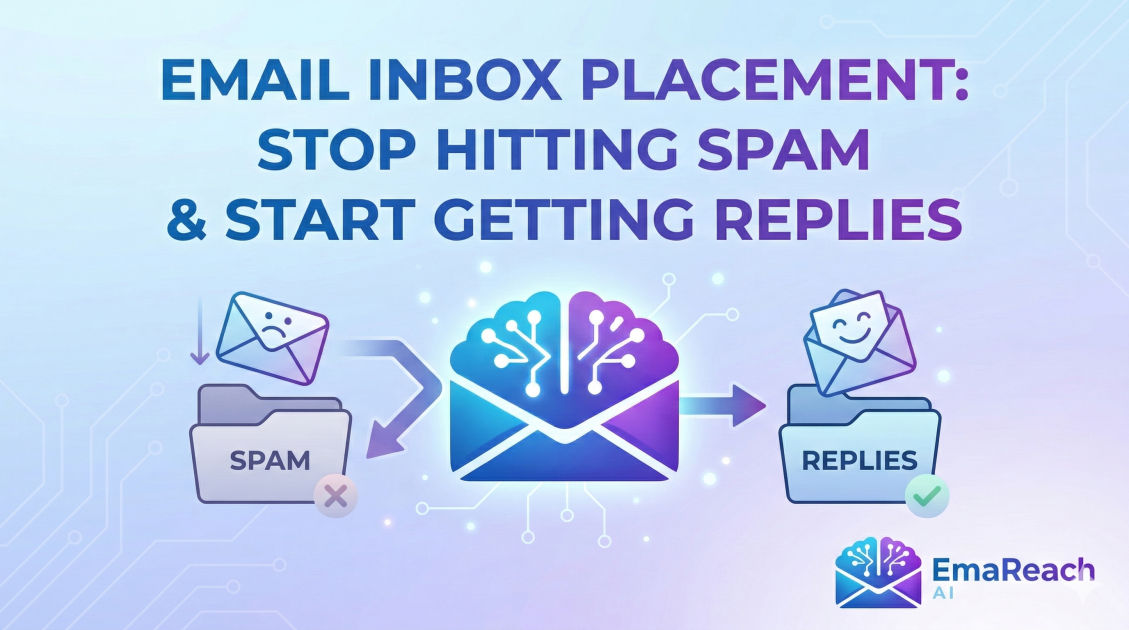
Email Inbox Placement: Stop Hitting Spam and Start Getting Replies
email deliverabilitycold outreachinbox placementemail marketingspam filterssender reputation
Introduction: The Hidden Battle for the Inbox
In the world of digital communication, sending an email is only half the battle. The real challenge lies in where that email actually lands. You can spend hours crafting the perfect subject line and polishing your call-to-action, but if your message is relegated to the spam folder, it effectively does not exist.
Inbox placement is the art and science of ensuring your emails reach the recipient's primary folder. It is the gatekeeper of your ROI, the protector of your brand reputation, and the foundation of any successful outreach strategy. This guide dives deep into the mechanics of deliverability, the technical configurations you cannot ignore, and the behavioral signals that determine whether Mail Transfer Agents (MTAs) trust you or treat you like a digital pariah.
Understanding the Difference: Deliverability vs. Delivery
Before fixing the problem, we must define it. Many marketers use the terms 'delivery' and 'deliverability' interchangeably, but they represent two very different stages of the email journey.
- Email Delivery: This is a binary metric. It confirms that the receiving server accepted the email. If the server didn't bounce the message back, it is considered 'delivered.'
- Email Deliverability (Inbox Placement): This is the nuance. It describes where the email lands once it has been accepted. Does it go to the Primary Inbox, the Promotions tab, or the dreaded Spam folder?
You can have a 99% delivery rate and still have a 0% open rate if every single one of those emails is sitting in a spam folder where no one ever looks.
The Technical Foundations of Trust
To the algorithms at Gmail, Outlook, and Yahoo, you are guilty until proven innocent. You prove your innocence through technical authentication. Think of these as your digital ID cards. If you don't show them, the bouncer (the spam filter) won't let you in.
SPF (Sender Policy Framework)
SPF is a DNS record that lists the specific IP addresses and domains authorized to send emails on your behalf. When an email arrives, the receiving server checks the SPF record. If the sender isn't on the list, it’s a red flag.
DKIM (DomainKeys Identified Mail)
DKIM adds a digital signature to your emails. This ensures that the content of the email wasn't tampered with during transit. It proves that the message that arrived is exactly the message you sent.
DMARC (Domain-based Message Authentication, Reporting, and Conformance)
DMARC tells the receiving server what to do if SPF or DKIM fails. You can set it to 'none' (just monitor), 'quarantine' (send to spam), or 'reject' (block entirely). Having a strict DMARC policy signals to providers that you take security seriously, which boosts your sender reputation.
Sender Reputation: Your Digital Credit Score
Every domain and IP address has a reputation score. Just like a credit score, it is hard to build and very easy to destroy. Internet Service Providers (ISPs) track your behavior over time to decide if you are a high-quality sender.
Factors That Influence Your Reputation:
- Spam Complaints: This is the ultimate 'kill' switch. If a user clicks 'Report Spam,' ISPs take immediate notice. Even a tiny percentage (above 0.1%) can tank your deliverability.
- Bounce Rates: High hard-bounce rates (sending to non-existent addresses) suggest you are using old or scraped lists, which is a hallmark of a spammer.
- Blacklists: If your IP or domain appears on a blacklist like Spamhaus or Barracuda, many servers will automatically reject your mail.
- Consistency: Sudden spikes in volume are suspicious. If you usually send 50 emails a day and suddenly send 5,000, filters will trigger an alert.
The Role of Content and Context
While technical settings are the bones of deliverability, your content is the skin. Modern spam filters use Natural Language Processing (NLP) to read your emails just like a human would—but with a much more cynical eye.
Avoiding the 'Spammy' Look
Spam filters look for specific patterns. Using 'URGENT!!!' in all caps, excessive dollar signs ($$$), or trigger words like 'Free,' 'Winner,' or 'Investment Opportunity' can trigger filters.
However, context matters more than individual words. A financial advisor can use the word 'money' safely, while a random cold outreach domain might be flagged for it. The goal is to write naturally. If it sounds like a late-night infomercial, the filter will treat it like one.
The Image-to-Text Ratio
Spammers often hide text inside images to bypass filters that read text. Consequently, emails that are just one large image or have very little text relative to the HTML weight are often flagged. Aim for a healthy balance of plain text.
The Science of Warming Up Your Inbox
You cannot buy a new domain and start sending 200 cold emails the next day. This is the fastest way to get blacklisted. You must 'warm up' the domain.
Warming up involves starting with a very low volume of emails to high-engagement recipients (like your own personal accounts or colleagues) and slowly increasing the volume over several weeks. This mimics the behavior of a real human user.
For those looking to streamline this complex process, EmaReach (https://www.emareach.com/) offers a powerful solution. Stop Landing in Spam. Cold Emails That Reach the Inbox. EmaReach AI combines AI-written cold outreach with inbox warm-up and multi-account sending—so your emails land in the primary tab and get replies. By automating the engagement and reputation-building phase, it removes the guesswork from the warm-up period.
Engagement Signals: The Modern Frontier
ISPs like Google have moved beyond simple 'blocklists.' They now look at how users interact with your mail. Positive engagement signals tell the ISP that people actually want to hear from you.
Positive Signals:
- Open Rates: High opens suggest relevant subject lines.
- Replies: This is the strongest signal. A reply proves a two-way conversation.
- Move to Primary: If a user moves your email from 'Promotions' to 'Primary,' it's a huge win for your reputation.
- Mark as Not Spam: If a user rescues you from the spam folder, it tells the ISP they made a mistake.
Negative Signals:
- Deleting without opening: Suggests the content is irrelevant.
- Unsubscribing: While better than a spam report, high unsubscribe rates still signal that your list targeting is poor.
Advanced Strategies for Primary Inbox Placement
1. Use Subdomains for Outreach
Never send cold outreach from your main corporate domain (e.g., yourcompany.com). If your reputation gets trashed, your internal company emails might stop working. Use a related domain (e.g., getyourcompany.com) or a subdomain (e.g., hello.yourcompany.com) to protect your primary assets.
2. Segment Your Lists
Batch-and-blast is dead. The more relevant your email is to the recipient, the more likely they are to engage. Segment your list by industry, job title, or pain point to ensure the content resonates.
3. Clean Your Lists Regularly
Use verification tools to remove 'catch-all' addresses, syntax errors, and 'spam traps'—email addresses specifically designed by ISPs to catch people using scraped lists. A clean list is a safe list.
4. Optimize for Mobile
A significant portion of emails are opened on mobile devices. If your HTML is broken or the text is unreadable on a phone, users will delete or flag your email, hurting your reputation.
The Importance of the 'Unsubscribe' Link
It may seem counterintuitive, but making it easy for people to leave is one of the best ways to stay in the inbox. If a user can't find an unsubscribe link, they will hit the 'Spam' button instead. A spam report is a permanent stain; an unsubscribe is just a quiet exit. Always include a clear, one-click unsubscribe option.
Monitoring Your Progress
You cannot manage what you do not measure. Use tools to monitor your 'Sender Score' and check your domain against blacklists weekly. Many ISPs offer 'Postmaster Tools' (like Google Postmaster) that provide a direct look at how they view your domain reputation and delivery errors.
Conclusion: The Long Game of Deliverability
Inbox placement isn't a one-time setup; it’s a continuous commitment to quality. It requires a balance of technical precision, thoughtful content, and respect for the recipient’s inbox. By focusing on authentication, building a slow and steady reputation, and prioritizing genuine engagement over sheer volume, you can ensure your voice is heard.
Remember, the goal of an email is not just to be sent, but to be read. When you master the mechanics of deliverability, you stop fighting the filters and start building the relationships that drive your business forward.
EmaReach AI
Ready to scale your cold email outreach?
Join thousands of teams using EmaReach AI for AI-powered campaigns, domain warmup, and 95%+ deliverability. Start free — no credit card required.
Related posts
- Read article
The Instantly Alternative That Finally Gets Outbound Analytics Right
Discover why high-volume cold email requires a shift from surface-level vanity metrics to deep, data-driven revenue attribution, and explore the ultimate alternatives for mastering outbound engineering.
- Read article
What You Gain and What You Give Up When Switching From Instantly
Thinking about migrating your cold email stack? This detailed guide breaks down the exact operational advantages you gain and the core features you sacrifice when switching away from Instantly's popular outreach platform.