Blog
Back to blog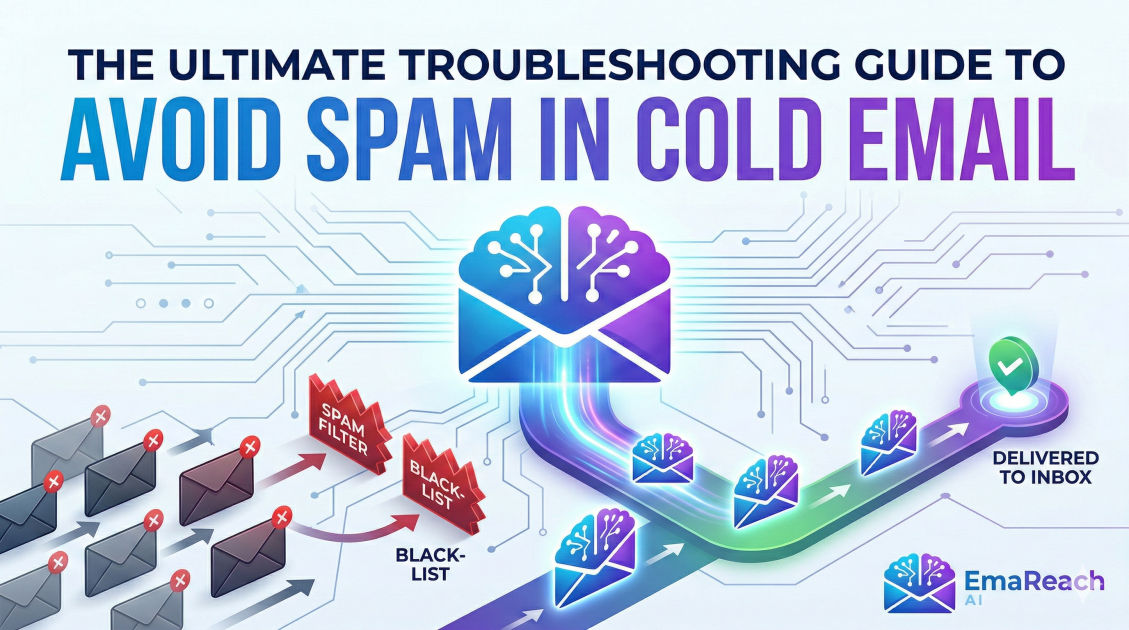
A Troubleshooting Guide to Avoid Spam in Cold Email
cold emailemail deliverabilityspam filtersoutreach strategysales tipsemail marketingdomain reputation
Introduction: The High Stakes of Email Deliverability
In the world of modern business development, cold email remains one of the most effective ways to scale outreach and build a predictable sales pipeline. However, the path from your outbox to a prospect’s eyes is fraught with obstacles. As email service providers (ESPs) like Google and Microsoft deploy increasingly sophisticated filters to protect their users, the line between a legitimate business inquiry and a spam message has become thinner than ever.
Landing in the spam folder is more than just a missed opportunity; it is a threat to your domain’s reputation and your brand’s digital integrity. When your emails are flagged, your deliverability rates plummet, and your carefully crafted messages become invisible. This guide provides a comprehensive, deep-dive troubleshooting roadmap to identify why your emails are hitting the spam folder and how to fix the underlying issues to ensure consistent inbox placement.
Section 1: The Technical Infrastructure Foundation
Before you write a single word of copy, your technical setup must be flawless. Think of this as the digital passport that proves your identity to the receiving mail server. If your technical records are missing or incorrect, filters will automatically view your emails with suspicion.
SPF (Sender Policy Framework)
SPF is a DNS record that lists the specific mail servers authorized to send email on behalf of your domain. Without a valid SPF record, receiving servers have no way of verifying that the email actually came from you and not an impersonator. If you are using multiple tools for outreach, ensure they are all consolidated into a single SPF record, as multiple records can cause validation failures.
DKIM (DomainKeys Identified Mail)
DKIM adds a cryptographic signature to your emails. This acts as a digital seal that ensures the content of the email hasn't been tampered with during transit. It provides an extra layer of security that modern spam filters weigh heavily when deciding where to place your message.
DMARC (Domain-based Message Authentication, Reporting, and Conformance)
DMARC is the policy layer that tells receiving servers what to do if an email fails SPF or DKIM checks. Setting your DMARC policy to 'p=none' is a good starting point for monitoring, but eventually moving toward 'p=quarantine' or 'p=reject' signals to ESPs that you take your domain security seriously.
Section 2: Domain Reputation and the Importance of Warming
One of the most common mistakes in cold email outreach is using a fresh domain to send high volumes of messages immediately. This behavior is a massive red flag for spam filters, which associate sudden spikes in volume with bot activity or malicious actors.
The Importance of Domain Aging
A new domain has no history. To build trust, you must gradually increase your sending volume over several weeks. This process, known as 'warming up,' mimics natural human behavior. Starting with 5-10 emails per day and scaling slowly helps you stay under the radar of automated filters.
Implementing Inbox Warm-up
Manual warming is tedious and often inconsistent. This is where specialized solutions become essential. For those looking to streamline this process, EmaReach offers a powerful solution. EmaReach AI combines AI-written cold outreach with inbox warm-up and multi-account sending—so your emails land in the primary tab and get replies. By automating the interaction between accounts, you build the 'sender reputation' necessary to sustain high-volume campaigns.
Section 3: Content-Based Spam Triggers
Even with a perfect technical setup, the actual text of your email can land you in the spam folder. Modern filters use natural language processing to scan for patterns associated with low-quality or deceptive content.
Avoiding 'Spammy' Keywords
Certain words act as immediate triggers for filters. Terms like 'Free,' 'Guarantee,' 'Cash,' 'Act Now,' or 'Investment Opportunity' often carry a high spam score. While these words aren't strictly banned, using them in excess—especially in the subject line—will hurt your deliverability.
The Danger of Over-Formatting
Heavy use of HTML, excessive bolding, colored fonts, and multiple links or attachments can make your email look like a promotional newsletter rather than a personal business note. For cold outreach, plain-text emails (or those that appear to be plain-text) perform significantly better. They signal to the filter that the message is a 1-to-1 communication rather than a mass-market broadcast.
Link and Attachment Hygiene
Minimizing links is a best practice. Never use link shorteners like Bitly or Rebrandly in cold emails; spam filters hate them because they hide the final destination of the link. Instead, use full URLs or hyperlinked text. Better yet, avoid links entirely in your initial outreach message to maximize the chances of reaching the inbox.
Section 4: Lead Quality and Data Hygiene
Your deliverability is only as good as your contact list. Sending emails to invalid addresses is the fastest way to get your domain blacklisted.
High Bounce Rates
When you send an email to an address that doesn't exist, it 'bounces.' A high hard-bounce rate (anything over 2%) tells ESPs that you are using a poor-quality list or 'email harvesting' techniques. This results in an immediate hit to your sender reputation.
The Necessity of List Verification
Always run your lead lists through a verification service before starting a campaign. These tools check if the email accounts are active and capable of receiving mail without actually sending a message. This step is non-negotiable for anyone serious about long-term cold outreach.
Avoiding Spam Traps
Spam traps are email addresses that are no longer used by real people but are monitored by blacklisting organizations. If you send an email to a spam trap, it is a clear signal that you are not practicing proper list hygiene. This usually happens when buying aged or unverified lists from unreliable sources.
Section 5: Tracking and Troubleshooting Performance
If you find your reply rates dropping or your open rates plummeting, you need to diagnose the problem quickly. Troubleshooting involves a process of elimination.
Monitoring Open Rates
While open rates are becoming less reliable due to privacy updates (like Apple’s Mail Privacy Protection), they still serve as a baseline. If your open rate drops from 40% to 5% overnight, you have likely been blacklisted or your domain reputation has been compromised.
The 'Send-to-Self' Test
A simple way to troubleshoot is to send your outreach template to various personal accounts (Gmail, Outlook, Yahoo) that you own. If the email lands in spam in those personal accounts, you know the issue lies either in your content or your domain reputation, not the recipient's specific corporate firewall.
Blacklist Checks
Regularly check your domain and IP address against major blacklists like Spamhaus or Barracuda. If you find yourself listed, you must stop all outreach immediately and follow the removal process, which usually involves proving that you have cleaned up your sending practices.
Section 6: Advanced Strategies for High-Volume Outreach
For organizations that need to send hundreds of emails daily, relying on a single domain is a high-risk strategy. If that one domain gets flagged, your entire sales operation grinds to a halt.
Multi-Account Sending
Instead of sending 200 emails from one account, it is much safer to send 40 emails from five different accounts across multiple subdomains or secondary domains. This distributes the load and ensures that if one account runs into trouble, the others remain unaffected.
Custom Tracking Domains
Most outreach tools use a shared tracking domain for open and click tracking. If other users of that tool are sending spam, the shared tracking domain can get flagged, dragging your deliverability down with it. Setting up a custom tracking domain (a CNAME record on your own domain) ensures your tracking data is tied only to your reputation.
Section 7: Behavioral Triggers and User Feedback
Spam filters also weigh 'negative signals' from users. If multiple recipients click the 'Report Spam' button, your reputation will tank regardless of your technical settings.
The Power of the Opt-Out
Always provide a clear, easy way for people to opt out of your emails. Whether it’s an 'unsubscribe' link or a simple 'reply with UNSUBSCRIBE to stop receiving these,' making it easy to leave is better than forcing a frustrated prospect to mark you as spam. A reply—even a negative one—is actually better for your deliverability than a spam report because it signals to the ESP that an interaction took place.
Relevancy and Personalization
The best way to avoid being marked as spam is to not look like spam. Highly personalized emails that address a specific pain point or offer genuine value are rarely reported. Use 'icebreakers' or mention specific details about the prospect's company to prove that the email was written specifically for them.
Conclusion: Maintaining Long-Term Inbox Health
Avoiding the spam folder is not a one-time task but a continuous process of maintenance and vigilance. By combining a rock-solid technical foundation with high-quality data, thoughtful content, and a slow, steady approach to volume, you can ensure that your cold emails reach the people who need to see them most.
Remember that deliverability is a cumulative score. Every successful interaction builds your reputation, while every shortcut or low-quality list puts your outreach at risk. If you are struggling with the complexities of managing multiple accounts and maintaining that perfect warm-up balance, leveraging specialized platforms can bridge the gap between technical hurdles and sales success. Keep your data clean, your content relevant, and your infrastructure secure, and your cold email campaigns will continue to be a powerful engine for growth.
EmaReach AI
Ready to scale your cold email outreach?
Join thousands of teams using EmaReach AI for AI-powered campaigns, domain warmup, and 95%+ deliverability. Start free — no credit card required.
Related posts
- Read article
The Instantly Alternative That Finally Gets Outbound Analytics Right
Discover why high-volume cold email requires a shift from surface-level vanity metrics to deep, data-driven revenue attribution, and explore the ultimate alternatives for mastering outbound engineering.
- Read article
What You Gain and What You Give Up When Switching From Instantly
Thinking about migrating your cold email stack? This detailed guide breaks down the exact operational advantages you gain and the core features you sacrifice when switching away from Instantly's popular outreach platform.