Blog
Back to blog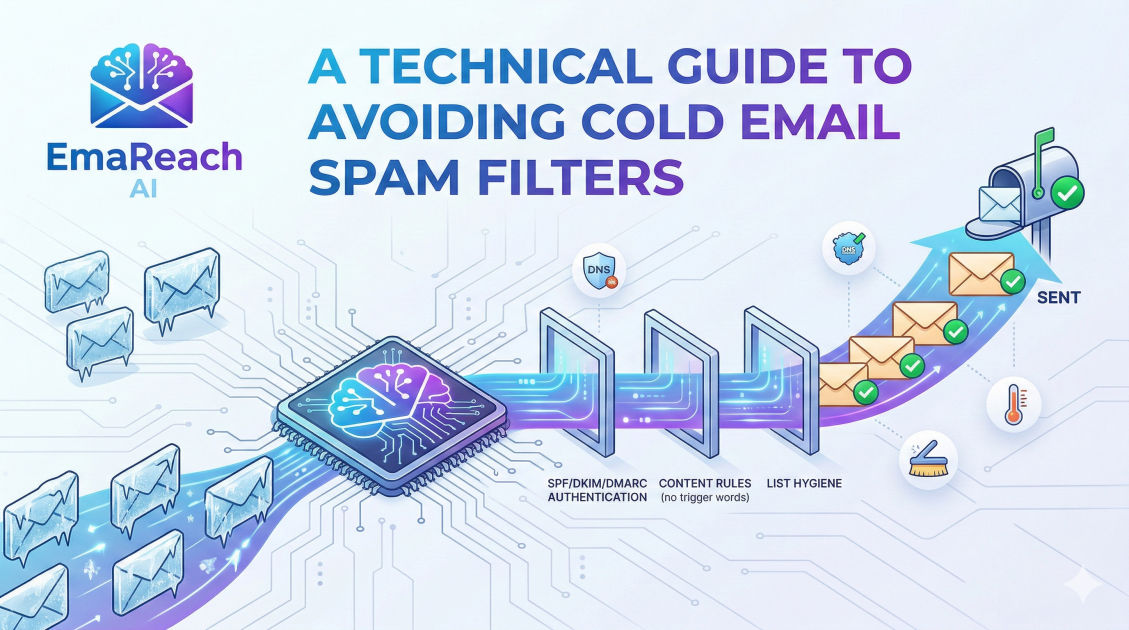
A Technical Guide to Avoiding Cold Email Spam Filters
email deliverabilitycold outreachSPF DKIM DMARCspam filtersemail marketingdomain reputation
Introduction to Email Deliverability
In the modern landscape of digital communication, the bridge between a cold outreach campaign and a successful conversion is not just the quality of the copy, but the technical integrity of the delivery system. High-volume sending is no longer a matter of simply clicking 'send.' It is an intricate dance with sophisticated algorithms, reputation systems, and security protocols designed to protect users from unwanted noise. This guide delves into the technical core of email deliverability, providing a roadmap to ensure your cold emails land where they belong: the primary inbox.
To master deliverability, one must understand that spam filters are not static hurdles; they are evolving artificial intelligence models that evaluate hundreds of signals in real-time. Failing to address even one technical aspect—such as a misconfigured DNS record or a suspicious sending pattern—can result in your entire domain being blacklisted. For those looking for an all-in-one solution, EmaReach helps you stop landing in spam by combining AI-written cold outreach with inbox warm-up and multi-account sending, ensuring your emails reach the primary tab.
The Foundations: Domain and Infrastructure Setup
Choosing the Right Domain Strategy
When launching a cold email campaign, using your primary corporate domain (e.g., company.com) is a high-risk strategy. If your outreach is flagged as spam, it can affect your internal communications, calendar invites, and transactional emails. The industry standard is to use secondary domains or 'look-alike' domains (e.g., getcompany.com or companyapp.io).
However, a new domain has zero reputation. Sending hundreds of emails from a day-old domain is a guaranteed way to trigger 'New Domain' filters. Technical experts recommend a 'seasoning' period where the domain is allowed to age while gradually building a positive sending history through automated warm-up processes.
IP Warm-up and Reputation
You have two choices: Shared IPs or Dedicated IPs. For most cold emailers, a high-quality shared IP from a reputable provider (like Google Workspace or Microsoft 365) is preferable because these IPs already have a massive, established reputation. If you opt for a dedicated IP, you are solely responsible for its reputation. This requires a rigorous warm-up schedule, starting with 10-20 emails per day and doubling the volume weekly, provided engagement rates remain high.
The Holy Trinity of Email Authentication
Authentication is the technical handshake between your sending server and the recipient's receiving server. Without these three protocols, your email is viewed as a potential spoofing attempt.
1. SPF (Sender Policy Framework)
SPF is a DNS record that lists the specific IP addresses and domains authorized to send mail on behalf of your domain. When an email arrives, the recipient's server checks the SPF record. If the sender isn't on the list, the email is either rejected or sent to spam.
Technical Tip: Ensure you do not have multiple SPF records. A domain should only have one. If you use multiple services (e.g., GSuite and a marketing tool), you must consolidate them into a single string using 'include' statements.
2. DKIM (DomainKeys Identified Mail)
DKIM adds a digital signature to your emails. This signature is linked to your domain and verified via a public key located in your DNS records. It ensures that the content of the email has not been tampered with during transit. It acts as a seal of authenticity that proves the sender is who they claim to be.
3. DMARC (Domain-based Message Authentication, Reporting, and Conformance)
DMARC sits on top of SPF and DKIM. It tells the receiving server what to do if the authentication fails. For a new setup, you might start with a policy of p=none (monitor only), but the goal is to reach p=quarantine or p=reject. DMARC is crucial because it protects your domain from being used in phishing attacks, which significantly boosts your sender authority.
Understanding Sender Reputation and Engagement Signals
Reputation is calculated at both the Domain level and the IP level. While authentication proves your identity, reputation proves your behavior.
The Importance of 'Warm-up'
Spam filters look for sudden spikes in volume. If a domain sends 0 emails on Monday and 1,000 on Tuesday, it is flagged as compromised. Technical warm-up involves simulating human behavior: sending small batches of emails, receiving replies, marking emails as 'not spam,' and moving them from the promotions folder to the primary inbox. This 'engagement' signal tells Google and Outlook that your content is desired by users.
Bounce Rates and List Hygiene
A high bounce rate (anything over 2%) is a primary indicator of a 'spammer' profile. This suggests you are using an unverified or 'scraped' list.
- Hard Bounces: Permanent failures (invalid email addresses). These must be removed immediately.
- Soft Bounces: Temporary failures (full inbox, server down). These can be retried, but persistent soft bounces should be purged.
Using technical verification tools to 'ping' the recipient server without actually sending an email is a mandatory step before any campaign. This ensures that the addresses exist and are active.
Content Analysis: Passing the AI Filters
Modern filters use Natural Language Processing (NLP) to scan the body, subject line, and even the metadata of your emails.
Avoiding 'Spammy' Syntax
While lists of 'spam words' (like 'Free,' 'Winner,' or 'Cash') are well-known, modern filters are smarter. They look for:
- Excessive Capitalization: Writing in all caps.
- Punctuation Overload: Multiple exclamation marks (!!!).
- Hidden Text: White text on a white background (an old trick to stuff keywords).
- High Image-to-Text Ratio: Spammers often put text inside images to hide it from filters. Reliable emails usually have a high percentage of plain text.
The Role of Personalization and Spin-tax
If you send 500 identical emails, filters detect a pattern. Using 'Spin-tax'—a technical method of varying sentences and words—ensures that every email sent is unique. For example, using variables like {Hi|Hello|Greetings} or {I noticed|I saw|I came across} changes the digital fingerprint of each message, making it look like a manual, one-to-one communication.
Advanced Infrastructure: Tracking and Links
One of the most overlooked technical pitfalls is the use of shared tracking domains. Most outreach platforms use a default domain to track opens and clicks. If another user on that platform sends spam, the tracking domain gets blacklisted, and your emails—containing that same tracking link—will go down with them.
Custom Tracking Domains (CTD)
A Custom Tracking Domain is a branded sub-domain (e.g., link.company.com) that points to your outreach provider. By using a CTD, you isolate your reputation from other users. This is a non-negotiable step for any serious professional outreach strategy.
Link Masking and Redirects
Avoid using generic link shorteners like Bitly or Rebrandly. These are frequently used by bad actors to hide malicious URLs. Spam filters often block any email containing a shortened link from a public service. Instead, use full URLs or links hosted on your own authenticated domains.
Managing Technical Headers and Unsubscribe Mechanics
Every email contains 'headers'—metadata that the user doesn't see but the server analyzes.
List-Unsubscribe Header
Providing a clear, technical way to unsubscribe is both a legal requirement (CAN-SPAM, GDPR) and a deliverability booster. Including a 'List-Unsubscribe' header allows the email client to display an 'Unsubscribe' button at the top of the email interface. This is much better for your reputation than a user clicking the 'Report Spam' button. When a user reports you as spam, it is a heavy negative signal; when they unsubscribe, it is a neutral signal.
Avoiding 'HTML Bloat'
Emails with messy, bloated HTML code (often a result of copying and pasting from Word or Google Docs) can trigger filters. Clean, lightweight HTML—or better yet, plain text—is the safest bet. Heavy attachments should also be avoided; instead, link to a hosted file on a trusted platform like Google Drive or Dropbox.
Monitoring and Maintenance
Deliverability is not a 'set it and forget it' task. It requires constant monitoring of key metrics:
- Google Postmaster Tools: This provides direct data from Google on your domain's reputation, encryption levels, and delivery errors.
- Blacklist Monitoring: Regularly check if your IP or domain has landed on lists like Spamhaus or Barracuda.
- Inbox Placement Tests: Use seed lists to see exactly where your email lands (Primary, Promotions, or Spam) across different providers.
Scaling Safely
As your campaigns grow, avoid the temptation to increase volume on a single account. The safest technical approach is Horizontal Scaling: instead of sending 500 emails from one account, send 50 emails from 10 different accounts across multiple domains. This distributes the risk and mimics a more natural organizational communication pattern.
Conclusion
Mastering the technical side of cold email is an investment in your business's growth. By securing your DNS records with SPF, DKIM, and DMARC, maintaining a pristine sender reputation through warm-up and list hygiene, and using custom tracking domains, you create a robust infrastructure that bypasses the common traps of spam filters.
Remember that the goal of a spam filter is to protect the user experience. When you align your technical setup with the principles of authenticity and relevance, you move from being a 'sender' to being a 'trusted communicator.' Stay vigilant with your monitoring, keep your HTML clean, and always prioritize the integrity of your sending domain. In the world of cold outreach, getting into the inbox is half the battle; the technical foundation you build today ensures you stay there tomorrow.
EmaReach AI
Ready to scale your cold email outreach?
Join thousands of teams using EmaReach AI for AI-powered campaigns, domain warmup, and 95%+ deliverability. Start free — no credit card required.
Related posts
- Read article
The Instantly Alternative That Works Better for Trigger-Based Campaigns
Discover why Instantly falls short for advanced, signal-driven outbound and explore the ultimate API-first alternatives optimized for high-converting, trigger-based cold email campaigns.
- Read article
The Instantly Alternative That Handles High Bounce Rates Without Panic
Discover how transitioning to an advanced Instantly alternative can safeguard your cold email infrastructure. Learn to handle high bounce rates effortlessly using real-time verification, smart mailbox rotation, and automated safety nets to protect your sender reputation and maintain consistent primary inbox placement.