Blog
Back to blog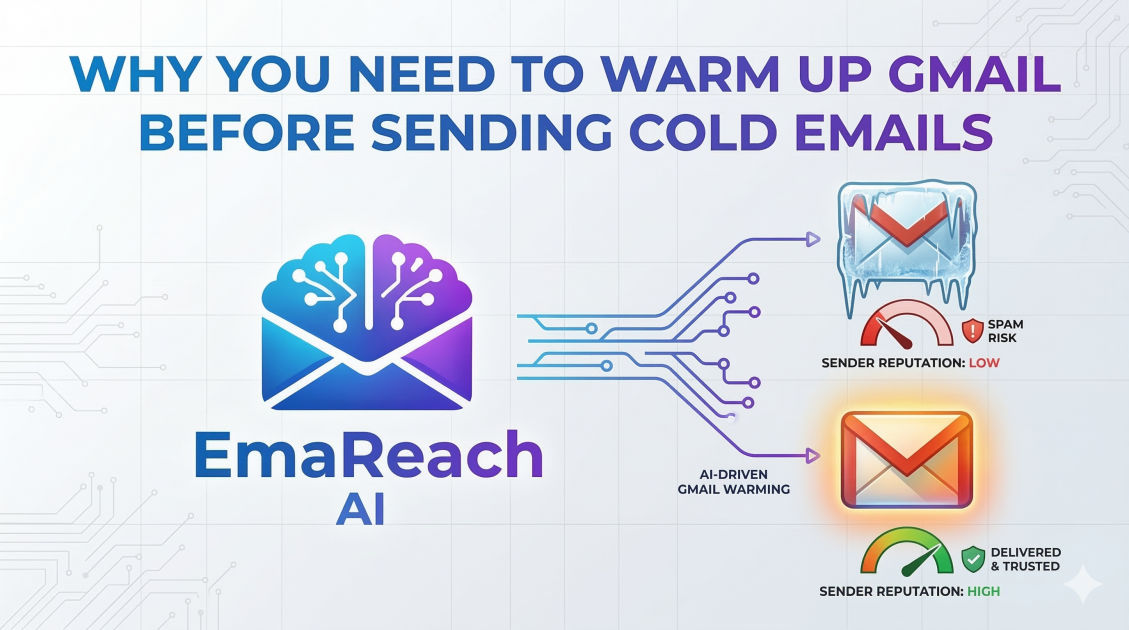
Why You Need to Warm Up Gmail Before Sending Cold Emails
cold emailgmail warm upemail deliverabilitysales outreachsender reputationinbox placement
The Invisible Gatekeeper: Understanding Email Deliverability
Imagine spending hours researching the perfect prospect, crafting a personalized message that speaks directly to their pain points, and hitting 'send' with high expectations—only for that email to vanish into the digital abyss of the spam folder. For many sales professionals and entrepreneurs, this isn't a hypothetical; it is a daily reality. The difference between a successful outreach campaign and a complete waste of resources often comes down to a single, technical factor: sender reputation.
Gmail, as one of the world's most sophisticated email service providers (ESPs), employs complex algorithms designed to protect its users from unwanted solicitation. When you fire up a brand-new Gmail account and immediately begin sending dozens or hundreds of cold emails, you trigger every red flag in their system. To the algorithm, you don't look like a savvy business owner; you look like a spammer. This is why learning how to warm up Gmail is no longer an optional step—it is the foundation of modern outbound sales.
What Exactly is Gmail Warming?
At its core, warming up a Gmail account is the process of gradually increasing the volume of emails sent from a new or inactive account to build a positive sender reputation. Think of it like a credit score for your email address. If you have no history, banks (or in this case, Google) won't trust you with a large 'loan' of outgoing messages. By starting small and engaging in natural, two-way conversations, you prove to Google that you are a legitimate human user.
The Anatomy of Sender Reputation
Your sender reputation is composed of several moving parts that Gmail monitors constantly:
- IP Reputation: The 'trustworthiness' of the server sending your email.
- Domain Reputation: How much Google trusts your specific domain (e.g., yourcompany.com).
- Engagement Rates: How often recipients open your emails, click links, and—most importantly—reply.
- Spam Complaints: The number of times users manually mark your emails as spam.
- Bounce Rate: The percentage of emails sent to invalid or non-existent addresses.
The Psychology of the Gmail Algorithm
To understand why warming is necessary, you have to look at the world through the eyes of an ESP. Google’s primary goal is to provide a seamless, clutter-free experience for its users. Spammers typically follow a specific pattern: they create a new account, blast thousands of emails until the account is banned, and then move on to the next.
If your sending behavior mimics this pattern—low age of account combined with high volume and low engagement—the algorithm will automatically demote your messages to the 'Promotions' tab or the 'Spam' folder. By warming up your account, you are intentionally breaking this pattern. You are showing the algorithm that your emails are expected, welcomed, and interacted with by others.
The Dangers of Skipping the Warm-up Phase
Many marketers are tempted to skip the warm-up process to see immediate results. However, the long-term costs far outweigh the short-term gains.
1. Permanent Domain Blacklisting
If your domain gets flagged too many times for spam-like behavior, it can end up on a global blacklist. Once you are on a blacklist, it is incredibly difficult to get off. This doesn't just affect your cold emails; it could prevent your daily operational emails to clients and colleagues from being delivered.
2. Low Open Rates
Even if your email isn't technically 'spam,' Google may place it in the Promotions tab. Most B2B prospects rarely check this tab for business inquiries. Without a proper warm-up, your open rates will plummet, making your entire outreach strategy ROI-negative.
3. Account Suspension
Google Workspace has strict Terms of Service regarding bulk sending. A sudden spike in activity from a fresh account is a fast track to having your account suspended or permanently disabled, losing all your data and access in the process.
How to Warm Up Gmail Manually: A Step-by-Step Guide
If you choose to warm up your account manually, you need patience and a rigorous schedule. The goal is to simulate human behavior over the course of 3 to 4 weeks.
Week 1: The Personal Touch
During the first week, focus on quality over quantity. Send 5–10 emails per day to people you know—colleagues, friends, or your own alternative email addresses. The key here is to ensure these emails receive replies.
- Action: Send a message and ask for a response.
- Engagement: If your test emails land in spam, manually move them to the 'Inbox' and mark them as 'Not Spam.' This sends a powerful signal to Google that your content is valuable.
Week 2: Expanding the Circle
Increase your volume to 20–25 emails per day. At this stage, you can start reaching out to acquaintances or low-stakes prospects. Avoid using heavy imagery, multiple links, or 'spammy' keywords like 'Free,' 'Buy Now,' or 'Winner.' Keep the formatting as plain text as much as possible.
Week 3: Joining the Conversation
Start signing up for a few high-quality newsletters. Receiving regular inbound mail from reputable sources (like Harvard Business Review or industry-specific blogs) balances your send-to-receive ratio. This makes your account look like a standard business account used for daily work.
Week 4: The Transition to Cold Outreach
By the end of the month, you can scale to 40–50 emails per day. At this point, your sender reputation should be stable enough to begin your actual cold email campaigns. However, you must still monitor your metrics closely. If you see a dip in opens, pull back on the volume immediately.
Why Manual Warming Often Fails
While the manual method works in theory, it is rarely practical for a growing business. It requires meticulous tracking, dozens of 'seed' accounts to reply to you, and hundreds of manual actions every day. Furthermore, humans are predictable; if you send exactly 10 emails at 9:00 AM every day, the algorithm might still detect an automated pattern. This is why many professionals turn to dedicated solutions.
Using a specialized tool like EmaReach can significantly streamline this process. EmaReach (https://www.emareach.com/) helps you stop landing in spam by ensuring your cold emails reach the inbox. It combines AI-written cold outreach with an automated inbox warm-up and multi-account sending capabilities. By having an AI handle the nuances of the warm-up, your emails land in the primary tab where they actually get read, allowing you to focus on closing deals rather than managing technical deliverability.
Technical Prerequisites Before You Start Warming
Warming up your account is useless if your technical foundation is broken. Before you send a single email, you must configure three key authentication protocols: SPF, DKIM, and DMARC.
SPF (Sender Policy Framework)
SPF is a DNS record that lists the IP addresses authorized to send emails on behalf of your domain. It prevents 'spoofing' and tells the receiving server that the email is legitimately from you.
DKIM (DomainKeys Identified Mail)
DKIM adds a digital signature to your emails. This signature proves that the email was not altered in transit between the sender and the recipient.
DMARC (Domain-based Message Authentication, Reporting, and Conformance)
DMARC uses SPF and DKIM to give the receiving server instructions on what to do if an email fails authentication (e.g., do nothing, quarantine, or reject). Having a 'reject' or 'quarantine' policy in place greatly improves your domain's trustworthiness in the eyes of Gmail.
The Importance of Content Quality in Warming
Google doesn't just look at who is sending; it looks at what is being sent. During the warm-up phase, the content of your emails matters immensely. Avoid the following 'spam triggers' to keep your reputation high:
- Excessive Linking: Too many links in an initial email can look suspicious. Stick to one or none.
- Aggressive Sales Language: Words like 'guarantee,' 'cash,' and 'urgent' are flagged by filters.
- Poor Grammar: High-quality, professional language correlates with legitimate business activity.
- HTML Heaviness: While beautiful templates are great for newsletters, cold emails should look like they were typed by a person. Plain text or simple HTML is always safer for deliverability.
Managing Multi-Account Sending
As your outreach scales, you will eventually hit the daily sending limits of a single Gmail account. To send higher volumes without damaging your reputation, the best practice is to spread the load across multiple 'sending' accounts.
For example, instead of sending 200 emails from one account, send 40 emails from five different accounts. This keeps each account well within the 'safe zone' and minimizes the impact if one account happens to encounter deliverability issues. Each of these accounts must undergo its own individual warm-up process before being utilized for active campaigns.
Monitoring Your Progress: When is it 'Warm'?
You will know your Gmail account is ready for full-scale outreach when you see the following indicators:
- Consistent Primary Tab Placement: Test your emails by sending them to various personal accounts. If they consistently hit the primary inbox, you are in a good position.
- High Open Rates: On your small initial batches, you should see open rates of 50% or higher.
- No 'Spam' Warnings: Use tools to check if your domain has appeared on any major blacklists.
- Positive Feedback Loop: You are receiving actual replies from the small number of prospects you contacted during the final stage of warming.
Maintaining Your Reputation Long-Term
Warm-up isn't a 'one and done' task. Deliverability is an ongoing maintenance project. To keep your Gmail account healthy:
- Keep Warming Active: Even when you are sending real campaigns, keeping an automated warm-up tool running in the background helps maintain a high reply-to-send ratio.
- Verify Your Email Lists: Never send to an unverified list. High bounce rates are the fastest way to kill a warmed-up account.
- Make Unsubscribing Easy: It is much better for a prospect to unsubscribe than to mark your email as spam. Include a clear, simple way for them to opt-out.
- Personalize at Scale: The more relevant your email is to the recipient, the less likely they are to report it. Use data to ensure your outreach provides genuine value.
Conclusion
The landscape of cold email outreach is more competitive and regulated than ever before. Gmail's sophisticated filtering systems are designed to protect users, which means legitimate senders must work harder to prove their worth. Warming up your Gmail account is the essential bridge between a new domain and a high-performing sales engine.
By taking the time to build your reputation—whether through a painstaking manual process or by leveraging advanced AI tools like EmaReach—you are ensuring that your voice is heard. Without a proper warm-up, your best copy, your most innovative products, and your most compelling offers will remain unseen. Invest in your deliverability today, and the results will follow in your inbox.
EmaReach AI
Ready to scale your cold email outreach?
Join thousands of teams using EmaReach AI for AI-powered campaigns, domain warmup, and 95%+ deliverability. Start free — no credit card required.
Related posts
- Read article
The Instantly Alternative That Finally Gets Outbound Analytics Right
Discover why high-volume cold email requires a shift from surface-level vanity metrics to deep, data-driven revenue attribution, and explore the ultimate alternatives for mastering outbound engineering.
- Read article
What You Gain and What You Give Up When Switching From Instantly
Thinking about migrating your cold email stack? This detailed guide breaks down the exact operational advantages you gain and the core features you sacrifice when switching away from Instantly's popular outreach platform.