Blog
Back to blog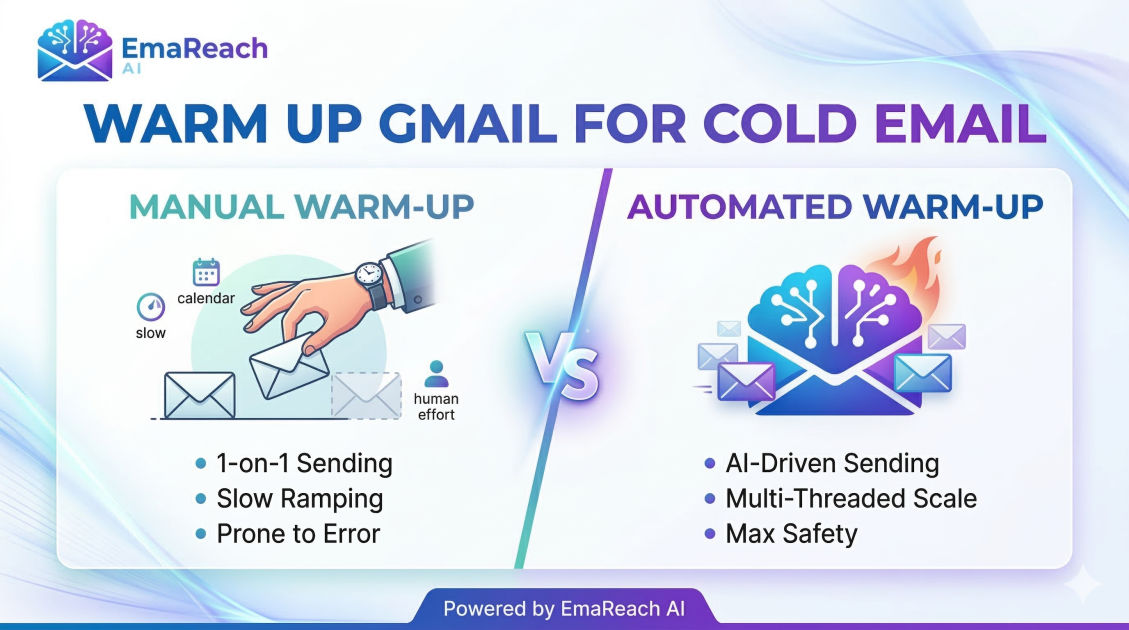
Warm Up Gmail for Cold Email: Manual vs Automated Methods
cold emailemail deliverabilitygmail warm upoutreach strategysender reputationgoogle workspace
Introduction
If you are launching a cold email campaign, your biggest enemy isn't a "no" from a prospect—it is the spam folder. For Gmail users, specifically those using Google Workspace for business outreach, the first few weeks of a new email account's life are critical. If you start sending 50 or 100 emails a day from a brand-new account, Google’s sophisticated filters will flag you as a spammer almost instantly.
To prevent this, you must "warm up" your inbox. This is the process of building a sender reputation by gradually increasing your sending volume and generating positive engagement. But how should you do it? In the debate of manual vs. automated methods, there is no one-size-fits-all answer. This guide breaks down both strategies to help you decide which path will safeguard your deliverability and ensure your emails land in the primary inbox.
The Technical Foundation: Before You Warm Up
Before choosing a warm-up method, you must ensure your technical settings are ironclad. Without these, no amount of warming up will save your reputation.
1. Authenticate Your Domain
You need to prove to Gmail that you are who you say you are. This requires three DNS records:
- SPF (Sender Policy Framework): Specifies which mail servers are authorized to send email on behalf of your domain.
- DKIM (DomainKeys Identified Mail): Adds a digital signature to your emails, ensuring they weren't tampered with in transit.
- DMARC (Domain-based Message Authentication, Reporting, and Conformance): Tells receiving servers what to do if an email fails SPF or DKIM checks.
2. Professional Profile Setup
Gmail filters look for signs of a "real" person. Ensure your account has a profile picture, a clear display name, and a professional email signature that includes your name, title, and company website. Avoid using links or heavy images in your signature during the initial warm-up phase, as these can sometimes trigger filters on new accounts.
Manual Email Warm-Up: The "Organic" Approach
Manual warm-up involves acting like a standard human user. You send emails to people you know, engage in real conversations, and slowly increase the frequency.
How to Execute a Manual Warm-Up
- Start Small (Week 1): Send 5–10 emails per day to friends, colleagues, or your own alternative email addresses.
- Encourage Replies: The most powerful signal for Gmail is a reply. Ask questions that prompt a response. When you get a reply, respond back to create a thread.
- Vary Your Content: Don’t use templates yet. Write unique, short messages.
- Engage with Newsletters: Sign up for 10–15 reputable newsletters (like those from major tech or news sites). When they arrive, open them, move them from the "Promotions" tab to "Primary," and mark them as important.
- Gradual Increase (Week 2-4): Increase your daily limit by 5–10 emails every few days. By the end of the month, you should be comfortably sending 30–50 emails daily.
Pros of Manual Warm-Up
- Highest Quality Signals: Genuine human interaction is impossible for Google to flag as "fake."
- Full Control: You know exactly what is being sent and to whom.
- Zero Cost: It only costs you your time.
Cons of Manual Warm-Up
- Time Intensive: It can take 20–30 minutes daily per inbox.
- Impossible to Scale: If you need to warm up 5 or 10 inboxes for a large team, manual work becomes a full-time job.
- Inconsistency: If you skip a few days, your reputation progress can stall or reset.
Automated Email Warm-Up: The Efficiency Play
Automated warm-up uses software to simulate human behavior. These tools connect your Gmail account to a network of thousands of other inboxes that automatically send, open, and reply to your messages.
How Automated Tools Work
These platforms use AI to generate human-like text and schedule sends at randomized intervals throughout the day. If one of your warm-up emails lands in a spam folder within the network, the tool automatically moves it to the inbox and marks it as "not spam." This directly tells Google's algorithm that your content is valuable.
For those looking to scale, services like EmaReach offer a comprehensive solution. They combine AI-driven outreach with built-in inbox warm-up and multi-account sending. This ensures that while you focus on closing deals, the technical "heavy lifting" of deliverability is handled in the background.
Pros of Automated Warm-Up
- Scale: You can warm up dozens of inboxes simultaneously without extra effort.
- 24/7 Consistency: Tools never forget to send an email or reply to a thread.
- Spam Recovery: Automated tools are better at "fishing" your emails out of spam folders than humans are.
Cons of Automated Warm-Up
- Subscription Costs: Most reliable tools require a monthly fee.
- Pattern Detection: While rare, some ESPs (Email Service Providers) are getting better at identifying automated warm-up patterns if the tool isn't sophisticated enough.
Manual vs. Automated: Comparison at a Glance
| Feature | Manual Method | Automated Method |
|---|---|---|
| Setup Time | None | 5-10 Minutes |
| Daily Effort | 30+ Minutes | 0 Minutes (Set & Forget) |
| Cost | Free | Paid Subscription |
| Deliverability Impact | High (Authentic) | High (Consistent & Volume-based) |
| Best For | Solo Founders / Low Volume | Agencies / Scaling Sales Teams |
The Hybrid Strategy: The Best of Both Worlds
Many deliverability experts recommend a hybrid approach to maximize results while minimizing risk. This is particularly effective for high-stakes B2B outreach.
- The Manual Start: For the first 7 days, use the manual method. Send 5–10 emails to people you actually know. This establishes a "base" of 100% authentic human interaction.
- The Automated Transition: In the second week, plug your account into an automated warm-up tool. Set the tool to start at 10 emails/day and ramp up slowly.
- Ongoing Maintenance: Even after your warm-up period (usually 3–4 weeks), keep the automated warm-up running at a low volume. This acts as a safety net, maintaining your engagement levels even on days when your cold outreach gets fewer replies.
Common Mistakes to Avoid
Regardless of the method you choose, avoid these pitfalls that can ruin your Gmail reputation:
- The "Cliff" Effect: Don't stop warming up the day you start your campaign. Maintain the warm-up alongside your actual outreach to keep the ratio of "good" engagement high.
- Using Personal Accounts: Never use your personal @gmail.com account for cold outreach. Always use a professional Google Workspace account (@yourcompany.com).
- Ignoring Bounces: If you see a bounce rate higher than 2%, stop everything. Validate your lead list and check if your domain has been blacklisted.
- Spammy Content: Even a warmed-up account will get flagged if the content is full of "spam trigger words" like guaranteed, free, buy now, or excessive exclamation marks.
Conclusion
Warming up your Gmail account is no longer optional; it is the foundation of modern cold outreach. For individuals and small projects, the manual method offers deep authenticity and zero cost. However, for businesses looking to scale, automated methods provide the consistency and volume necessary to stay out of the spam folder.
By combining a solid technical setup with a disciplined warm-up period, you ensure that your carefully crafted messages actually reach your prospects. Whether you choose the hands-on control of manual sending or the effortless scale of automation, the goal remains the same: building a bridge of trust between your domain and the Gmail servers.
EmaReach AI
Ready to scale your cold email outreach?
Join thousands of teams using EmaReach AI for AI-powered campaigns, domain warmup, and 95%+ deliverability. Start free — no credit card required.
Related posts
- Read article
The Instantly Alternative That Finally Gets Outbound Analytics Right
Discover why high-volume cold email requires a shift from surface-level vanity metrics to deep, data-driven revenue attribution, and explore the ultimate alternatives for mastering outbound engineering.
- Read article
What You Gain and What You Give Up When Switching From Instantly
Thinking about migrating your cold email stack? This detailed guide breaks down the exact operational advantages you gain and the core features you sacrifice when switching away from Instantly's popular outreach platform.