Blog
Back to blog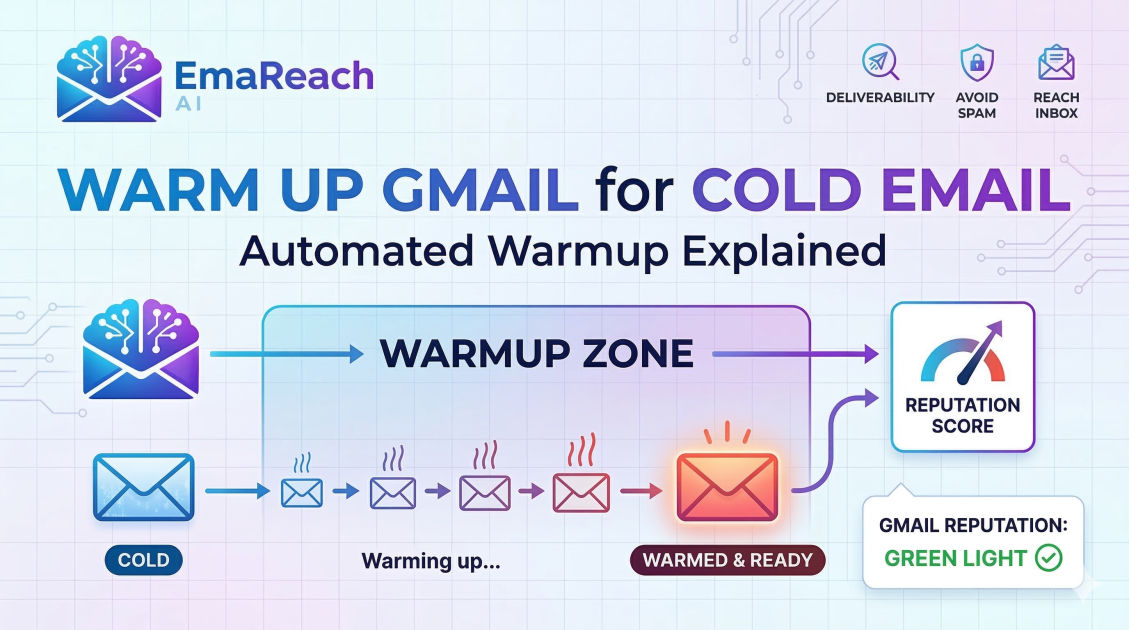
Warm Up Gmail for Cold Email: Automated Warmup Explained
gmail warmupcold emailemail deliverabilitysender reputationautomated outreachemail marketinginbox placement
Introduction to Gmail Warmup
In the world of digital outreach, the difference between a successful campaign and a failed one often comes down to a single factor: deliverability. You can craft the most compelling, personalized cold email in the world, but if it lands in the spam folder, it effectively does not exist. For those using Gmail or Google Workspace for cold email outreach, the process of 'warming up' an email account is the most critical step in ensuring your messages reach the primary inbox.
Email warmup is the process of gradually increasing the volume of emails sent from a new or inactive email account to build a positive sender reputation with Internet Service Providers (ISPs) and email service providers (ESPs) like Google. This article explores the mechanics of automated warmup, why it is essential for Gmail users, and how to execute it effectively to maximize your outreach success.
Understanding Sender Reputation and Deliverability
To understand why warming up a Gmail account is necessary, one must first understand how Google evaluates senders. Every email account has a 'sender reputation,' which is a score assigned by receiving mail servers. This score is influenced by several factors:
- Sending Volume: Sudden spikes in email volume are a major red flag for spam filters.
- Engagement Rates: How often recipients open, click, and reply to your emails.
- Bounce Rates: The percentage of emails sent to invalid addresses.
- Spam Complaints: How many users manually mark your emails as spam.
- Technical Setup: Proper configuration of SPF, DKIM, and DMARC records.
When you start a brand-new Gmail account and immediately send 50 or 100 cold emails, Google’s algorithms view this behavior as highly suspicious. Legitimate users typically start slow, communicating with colleagues or friends. By bypassing the natural growth phase, you risk having your account flagged, throttled, or permanently blacklisted.
The Concept of Automated Email Warmup
Automated warmup is a sophisticated solution designed to mimic human behavior at scale. Instead of manually sending emails to friends and asking them to reply, automated tools utilize a network of real email accounts to interact with your inbox.
How Automated Warmup Works
- Peer-to-Peer Sending: Your account joins a 'pool' of other accounts. The tool sends emails from your account to other accounts in the network.
- Realistic Interactions: The receiving accounts don't just let the email sit there. They open the email, mark it as important, and—most importantly—move it out of the 'Promotions' or 'Spam' folders if it lands there.
- Conversational Replies: The tools often generate AI-driven replies to your warmup emails. This creates a back-and-forth thread, which is a massive positive signal to Google that your account is engaging in legitimate, high-value communication.
- Gradual Scaling: The software starts by sending maybe 2–5 emails a day and slowly increases that number over several weeks until you reach your target daily volume.
For those looking for a comprehensive solution that handles both the technical hurdles and the creative side of outreach, EmaReach (https://www.emareach.com/) provides a powerful platform. By combining AI-written cold outreach with automated inbox warm-up and multi-account sending, it ensures your emails land in the primary tab where they actually get replies.
Why Manual Warmup is No Longer Sufficient
In the early days of cold emailing, a manual warmup was feasible. You would send a few emails to people you knew, they would reply, and after two weeks, you were ready. However, the complexity of modern spam filters has made this approach obsolete for professional outreach.
The Scale Problem
Manual warmup cannot match the volume or consistency required to prepare an account for hundreds of monthly leads. Furthermore, Google’s algorithms look for a diverse range of interacting domains. If you only interact with three of your own secondary accounts, the signal is weak. Automated tools provide interactions with thousands of different domains, providing a much more robust reputation profile.
The Engagement Problem
Opening an email isn't enough anymore. Google tracks dwell time, reply rates, and 'un-spam' actions. Automated warmup platforms are programmed to perform these specific 'positive' actions consistently, something a human collaborator is likely to forget or do inconsistently.
Technical Prerequisites Before Starting Your Warmup
Before you trigger an automated warmup sequence, your Gmail account must be technically sound. If your technical records are missing, even the best warmup tool won't save you from the spam folder.
1. SPF (Sender Policy Framework)
SPF is a DNS record that specifies which mail servers are authorized to send emails on behalf of your domain. Without this, receiving servers have no way of verifying that your email actually came from you.
2. DKIM (DomainKeys Identified Mail)
DKIM adds a digital signature to your emails. It ensures that the content of the email wasn't tampered with during transit. It’s like a wax seal on a digital envelope.
3. DMARC (Domain-based Message Authentication, Reporting, and Conformance)
DMARC tells receiving servers what to do if an email fails SPF or DKIM checks. Setting this to 'p=none' initially and eventually 'p=quarantine' or 'p=reject' protects your domain from being spoofed.
4. Custom Tracking Domains
Most cold email tools track opens and clicks using a shared tracking pixel. If other users of that tool are sending spam, the shared domain might get blacklisted. Setting up a custom tracking domain (a CNAME record) ensures your tracking links are unique to your reputation.
The Lifecycle of a Gmail Warmup Campaign
To successfully warm up a Gmail account, you should follow a structured timeline. Rushing this process is the fastest way to get a 'Google Workspace account suspended' notification.
Phase 1: The Initial Week (Days 1–7)
During the first week, the goal is purely to establish a presence. The automated tool should send between 2 and 10 emails per day. During this phase, you should not send any actual cold outreach. Let the automated interactions build the foundation.
Phase 2: The Ramp-Up (Days 8–21)
The volume increases steadily. By the end of week three, you might be sending 30–40 warmup emails a day. You will start to see the tool moving your emails from the spam folder to the inbox. This 'un-spamming' action is the most valuable part of the process.
Phase 3: Transition to Outreach (Day 21+)
Once your account has been active for at least three weeks and shows high deliverability in the warmup reports, you can begin sending small batches of real cold emails. A good rule of thumb is to keep your total daily volume (warmup + actual outreach) below 50 emails per day per Gmail account to maintain high deliverability.
Best Practices for Maintaining Gmail Deliverability
Warmup is not a 'one and done' task. It is a continuous process. Even after your account is 'warm,' you should keep the automated warmup running in the background at a lower volume. This provides a 'safety net' of positive engagement that offsets any negative signals from cold emails that go unread or get marked as spam.
Monitor Your Reputation
Use tools like Google Postmaster Tools to monitor your domain reputation and spam rate. If you see your reputation dipping from 'High' to 'Medium,' immediately pause your cold outreach and increase the volume of your automated warmup.
Use Multiple Accounts (The 'Subdomain' Strategy)
Never send cold emails from your primary company domain (e.g., name@company.com). If that domain gets blacklisted, your entire company loses the ability to communicate with clients and vendors. Instead, buy secondary domains (e.g., name@getcompany.com or name@companylabs.com) and warm those up specifically for outreach.
Personalization and Content Quality
While warmup handles the 'sender' reputation, the 'content' reputation is still vital. If you send the exact same template to 500 people, Google’s filters will identify the pattern. Use 'spintax' or AI-driven personalization to ensure every email is unique. Services like EmaReach automate this by generating personalized content that aligns with your warmup efforts, ensuring a holistic approach to deliverability.
Common Mistakes to Avoid
- Turning off warmup too early: Many users stop the warmup tool as soon as they send their first campaign. This causes a sudden shift in the 'quality' of engagement, which looks suspicious.
- Using 'Bot-like' content: If your warmup tool uses gibberish text, it may be detected. Ensure your tool uses natural-sounding, AI-generated sentences.
- Ignoring Bounce Rates: If you send cold emails to a bad list and your bounce rate exceeds 3%, your warmup efforts will be neutralized. Always verify your lead list before sending.
- Overloading a Single IP: If you are running 20 Gmail accounts from the same IP address without a proxy, Google may link them all together. If one gets banned, they all get banned.
The Role of AI in Modern Email Warmup
Artificial Intelligence has revolutionized how warmup works. Older tools sent static text that was easy for Google to identify as automated. Modern AI-driven warmup creates dynamic, contextually relevant conversations. These emails look identical to real business correspondence.
AI also helps in adjusting the warmup speed dynamically. If the AI detects that your emails are landing in 'Promotions,' it can automatically increase the reply rate and 'mark as important' actions to force the algorithm to move your messages back to the Primary tab.
Conclusion
Warming up your Gmail account is no longer an optional step for cold emailers; it is a foundational requirement. By leveraging automated warmup, you build a shield around your sender reputation, ensuring that your hard-earned leads actually see your messages.
By following the technical setup of SPF, DKIM, and DMARC, choosing a reputable automated tool, and allowing for a patient three-week ramp-up period, you can scale your outreach with confidence. Remember that deliverability is a marathon, not a sprint. Maintaining a consistent, high-engagement environment for your inbox is the key to turning cold prospects into warm conversations.
EmaReach AI
Ready to scale your cold email outreach?
Join thousands of teams using EmaReach AI for AI-powered campaigns, domain warmup, and 95%+ deliverability. Start free — no credit card required.
Related posts
- Read article
The Instantly Alternative That Finally Gets Outbound Analytics Right
Discover why high-volume cold email requires a shift from surface-level vanity metrics to deep, data-driven revenue attribution, and explore the ultimate alternatives for mastering outbound engineering.
- Read article
What You Gain and What You Give Up When Switching From Instantly
Thinking about migrating your cold email stack? This detailed guide breaks down the exact operational advantages you gain and the core features you sacrifice when switching away from Instantly's popular outreach platform.