Blog
Back to blog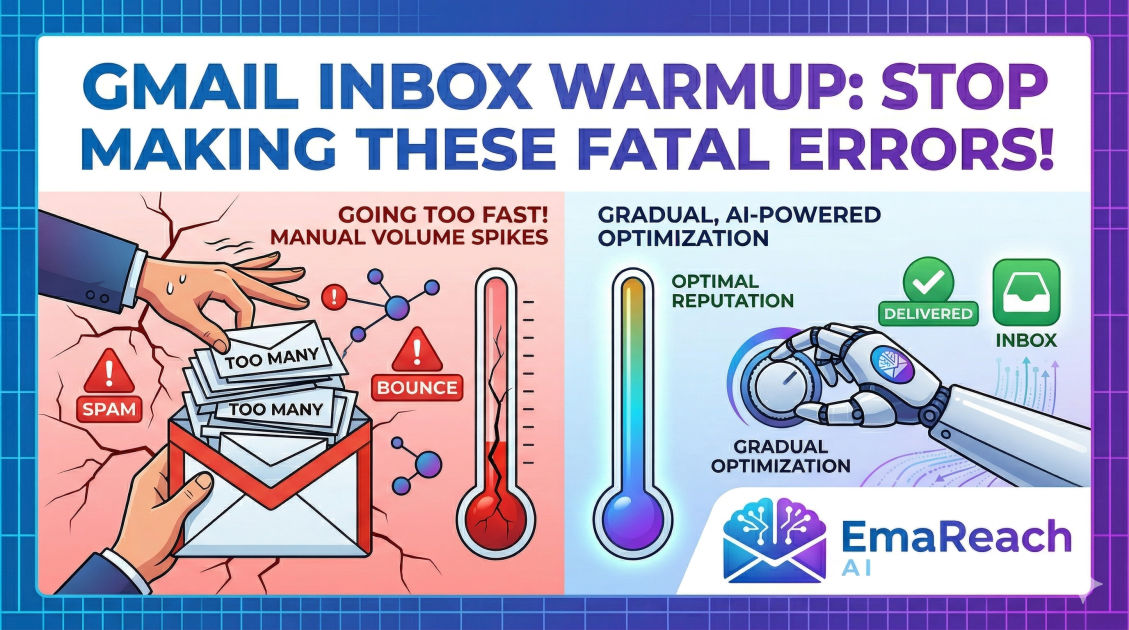
Top Errors People Make During Gmail Inbox Warmup
cold emailoutreachdeliverabilityemail warmupb2b saleslead generation
Introduction
Cold email remains one of the most effective, predictable, and scalable channels for generating B2B leads, building strategic partnerships, and driving revenue. However, the landscape of email deliverability has fundamentally shifted. Gone are the days when you could purchase a fresh domain, load up a list of thousands of prospects, and blast out a generic sales pitch without facing immediate consequences. Today, Google’s spam filters are highly sophisticated, utilizing advanced machine learning algorithms to detect and neutralize spammy behavior before it ever reaches a user's inbox.
To navigate these defenses and ensure your messages actually land in the primary tab, email senders must engage in a process known as "inbox warmup." Gmail inbox warmup is the deliberate, gradual process of establishing a positive sender reputation for a new email account and domain. By slowly increasing sending volume and generating positive engagement (like opens, replies, and saves), you signal to Google that you are a legitimate human sender providing valuable content, rather than a malicious spammer.
Unfortunately, many marketers, founders, and sales professionals fundamentally misunderstand this process. They treat warmup as an annoying hurdle rather than a critical foundation, leading to catastrophic deliverability issues, burned domains, and wasted resources. In this comprehensive guide, we will explore the top errors people make during Gmail inbox warmup, why these mistakes trigger spam filters, and exactly how you can avoid them to build an impenetrable sender reputation.
Error 1: Rushing the Volume Ramp-Up Process
Perhaps the single most common and destructive error in the Gmail warmup process is impatience. When businesses launch a new outreach campaign, they are often eager to see immediate results. This eagerness translates into sending too many emails too quickly from a brand-new domain.
The Mechanics of Volume Spikes
From the perspective of Google's algorithms, a brand-new domain has zero reputation. It is an unknown entity. If an unknown entity suddenly sends 500 emails in a single day, it perfectly mimics the behavior of a spammer who has just registered a burner domain for a mass blast. Google's immediate response to this volume spike is to throttle the delivery, route the emails directly to the spam folder, or even temporarily suspend the Google Workspace account for suspicious activity.
The Ideal Warmup Trajectory
To avoid this, you must mimic organic human behavior. A real person who just created a new email account does not instantly send hundreds of identical messages. They send a few emails to colleagues, subscribe to a newsletter, and perhaps reply to a confirmation email.
Your warmup schedule should reflect this gradual progression. While specific schedules can vary based on your ultimate volume goals, a standard, conservative ramp-up looks like this:
- Week 1: 2 to 5 emails per day.
- Week 2: 5 to 15 emails per day.
- Week 3: 15 to 30 emails per day.
- Week 4: 30 to 50 emails per day.
The key is consistency and gradual daily increments. Bouncing from 5 emails one day to 50 the next, and back to 0 the following day, is highly unnatural and will damage your sender score. Patience during the first month is non-negotiable if you want long-term deliverability success.
Error 2: Neglecting the Technical DNS Foundation (SPF, DKIM, DMARC)
Many users treat email warmup purely as a volume game, completely ignoring the underlying technical infrastructure required to authenticate their emails. Trying to warm up a domain without proper DNS records is like trying to build a house on quicksand. No matter how perfectly you manage your sending volume, your emails will ultimately be flagged if your identity cannot be verified.
The Unforgiving Trio: SPF, DKIM, and DMARC
Google and other major inbox providers rely on three primary authentication protocols to verify that you are who you claim to be, and that your email has not been tampered with in transit.
- SPF (Sender Policy Framework): This is essentially a public guest list for your domain. An SPF record is a DNS entry that specifies exactly which IP addresses and mail servers are authorized to send emails on behalf of your domain. If an email arrives at a Gmail server claiming to be from your domain, but the sending IP isn't on your SPF record, it is immediately treated with deep suspicion.
- DKIM (DomainKeys Identified Mail): DKIM adds a cryptographic signature to your emails. When you send an email, your server attaches a private key signature. The receiving server looks up your public key (published in your DNS records) to verify the signature. This ensures the email was truly sent by your domain and that the contents were not altered during delivery.
- DMARC (Domain-based Message Authentication, Reporting, and Conformance): DMARC ties SPF and DKIM together. It provides instructions to the receiving mail server on what to do if an email fails SPF or DKIM checks (e.g., do nothing, quarantine it to spam, or reject it entirely). It also sends reports back to you so you can monitor authentication failures.
The Fix: Before sending a single warmup email, you must ensure all three of these records are correctly configured and verified. Use free online tools to check your DNS propagation and ensure there are no syntax errors in your TXT records.
Error 3: Using Poor Quality Seed Lists and Fake Engagement
The goal of warmup isn't just to send emails; it's to generate positive engagement. Google monitors how recipients interact with your messages. Do they open them? Do they reply? Do they mark them as important? Do they rescue them from the spam folder?
To simulate this, many people use "seed lists"—networks of email accounts designed to interact with warmup emails. However, a massive error is relying on low-quality, bot-driven networks.
The Trap of Bot Networks
Some rudimentary warmup tools use networks composed entirely of fake, automated accounts. These accounts exhibit incredibly robotic behavior: they receive an email, open it exactly 30 seconds later, and reply with a nonsensical string of AI-generated text. Google's algorithms are smart enough to recognize these artificial patterns. Engaging with known bot networks can actually harm your reputation, guilt by association.
The Importance of High-Quality Networks
Your warmup process must involve realistic interactions between high-reputation, aged accounts across various providers (Google, Outlook, Yahoo). The conversations should mimic real human threads with varied response times, realistic subject lines, and natural body copy.
This is where specialized platforms make a massive difference. If you want to Stop Landing in Spam. Cold Emails That Reach the Inbox. EmaReach AI combines AI-written cold outreach with inbox warm-up and multi-account sending—so your emails land in the primary tab and get replies. Utilizing a robust system ensures your warmup interactions are indistinguishable from genuine business correspondence, rapidly building trust with Gmail's filters.
Error 4: Sending Sales Pitches During the Warmup Phase
Another critical mistake is using your actual sales copy, complete with marketing jargon and multiple links, during the warmup phase.
Trigger Words and Link Penalties
Spam filters are highly sensitive to specific vocabulary, often referred to as "spam trigger words." Words and phrases like "Free," "Guarantee," "Act Now," "Crypto," or heavy use of capitalization and exclamation points will instantly raise your spam score.
Furthermore, including links—especially multiple links, tracking links, or links to newly registered domains—is highly detrimental during warmup. Links represent a risk to the user, and Google will scrutinize emails containing them heavily. If a new domain immediately starts blasting out emails filled with links and sales jargon, it will be classified as promotional or spam.
The Anatomy of a Warmup Email
Warmup emails should be boring, conversational, and entirely devoid of sales intent. They should look like you are checking in with a colleague, asking a brief question, or confirming a meeting time.
Do NOT include:
- Your standard email signature (especially if it contains images and social links).
- Any hyperlinks.
- Attachments.
- Sales jargon or pitches.
Keep the text plain, the formatting simple, and the topics conversational. The sole purpose of these emails is to generate a reply, not to make a sale.
Error 5: Neglecting Custom Tracking Domains
When you use an email sending platform, you typically want to track open rates and click-through rates. To accomplish this, these platforms wrap your links and insert an invisible tracking pixel (a tiny image) into your emails.
The Shared Domain Danger
The error occurs when users rely on the default, shared tracking domains provided by their email software. These shared domains are used by thousands of other customers, some of whom are inevitably sending spam. If a shared tracking domain gets blacklisted because of another user's bad behavior, your emails will be penalized simply for containing that same tracking domain.
Establishing a Custom Tracking Domain
To isolate your sender reputation and protect your deliverability, you must set up a custom tracking domain. This involves creating a CNAME record in your DNS settings that points a subdomain (e.g., track.yourdomain.com) to your email platform's tracking server. By doing this, the tracking pixels and links in your emails are associated exclusively with your domain's reputation, completely insulating you from the poor practices of other senders.
Error 6: Failing to Monitor Reputation Metrics
Setting up an automated warmup process and blindly walking away is a recipe for disaster. Deliverability is dynamic. Even with a perfect setup, external factors can impact your sender score. Ignoring the health metrics of your domain during and after the warmup phase is a grave error.
Utilizing Google Postmaster Tools
One of the most glaring omissions senders make is failing to register their domain with Google Postmaster Tools (GPT). GPT is a free service provided by Google that offers direct, invaluable insights into how Gmail views your domain.
Once configured, GPT provides dashboards showing:
- Domain Reputation: Ranked as High, Medium, Low, or Bad. (If you drop to Low or Bad, you must halt campaigns immediately and re-warm).
- IP Reputation: Similar to domain reputation, but for the IPs you send from.
- Spam Rate: The percentage of users marking your emails as spam.
- Authentication Errors: Detailed reports on SPF, DKIM, and DMARC failures.
You must check these metrics weekly. If you notice a spike in spam complaints or a dip in your domain reputation, you can proactively pause your outreach campaigns, increase the ratio of warmup emails, and troubleshoot the issue before your domain is permanently burned.
Error 7: Treating Warmup as a Temporary Phase
The final major error is a conceptual one: viewing inbox warmup as a temporary chore that ends once you start your actual outreach campaigns. Many users will warm up a domain for 14 days, turn off the warmup tool, and instantly switch to sending 200 cold emails a day.
The Necessity of Perpetual Warmup
Email warmup is not a phase; it is an ongoing lifestyle for your domain. As long as you are sending cold outreach, you must continue to run warmup alongside it.
When you send cold emails, a certain percentage of people will inevitably ignore them, delete them without opening, or mark them as spam. These negative signals degrade your sender reputation. To counteract this, you need a constant stream of positive signals.
By keeping your warmup system running perpetually (typically maintaining a ratio where warmup emails account for 30% to 50% of your total daily volume), you create an "engagement buffer." The guaranteed opens, replies, and spam-folder rescues generated by the warmup network continuously offset the negative signals from your cold outreach, keeping your domain reputation high and stable over the long term.
Conclusion
Mastering Gmail inbox warmup is the absolute prerequisite for any successful email outreach strategy. The rules of deliverability are strict, and Google's algorithms are unforgiving of amateur mistakes. By avoiding sudden volume spikes, meticulously configuring your DNS records, utilizing high-quality engagement networks, and treating warmup as an ongoing process rather than a one-time task, you safeguard your domain's reputation. Navigating these complexities carefully ensures that your carefully crafted messages don't vanish into the void of the spam folder, but instead reach the primary inbox where they can drive real conversations and tangible growth.
EmaReach AI
Ready to scale your cold email outreach?
Join thousands of teams using EmaReach AI for AI-powered campaigns, domain warmup, and 95%+ deliverability. Start free — no credit card required.
Related posts
- Read article
The A/B Testing Capabilities That Make EmaReach and Smartlead Different
Discover how EmaReach and Smartlead approach A/B testing differently. Learn which platform fits your deliverability and outreach goals to maximize your cold email success.
- Read article
The Cold Email Tool We Stopped Using and Why It Was Not Smartlead
Evaluating your cold email tech stack is essential for long-term growth. Learn why we moved away from legacy tools and how focusing on deliverability with EmaReach ensures your outreach lands where it counts.